Introduction
Thank you for choosing the RUIZU 64GB MP3 Player. This portable music player is designed for high-quality audio playback, featuring Bluetooth 5.3 connectivity, a vibrant 1.8-inch screen, and versatile functions including FM radio, voice recording, and e-book reading. Its lightweight and compact design make it ideal for various activities, from sports to daily commutes.
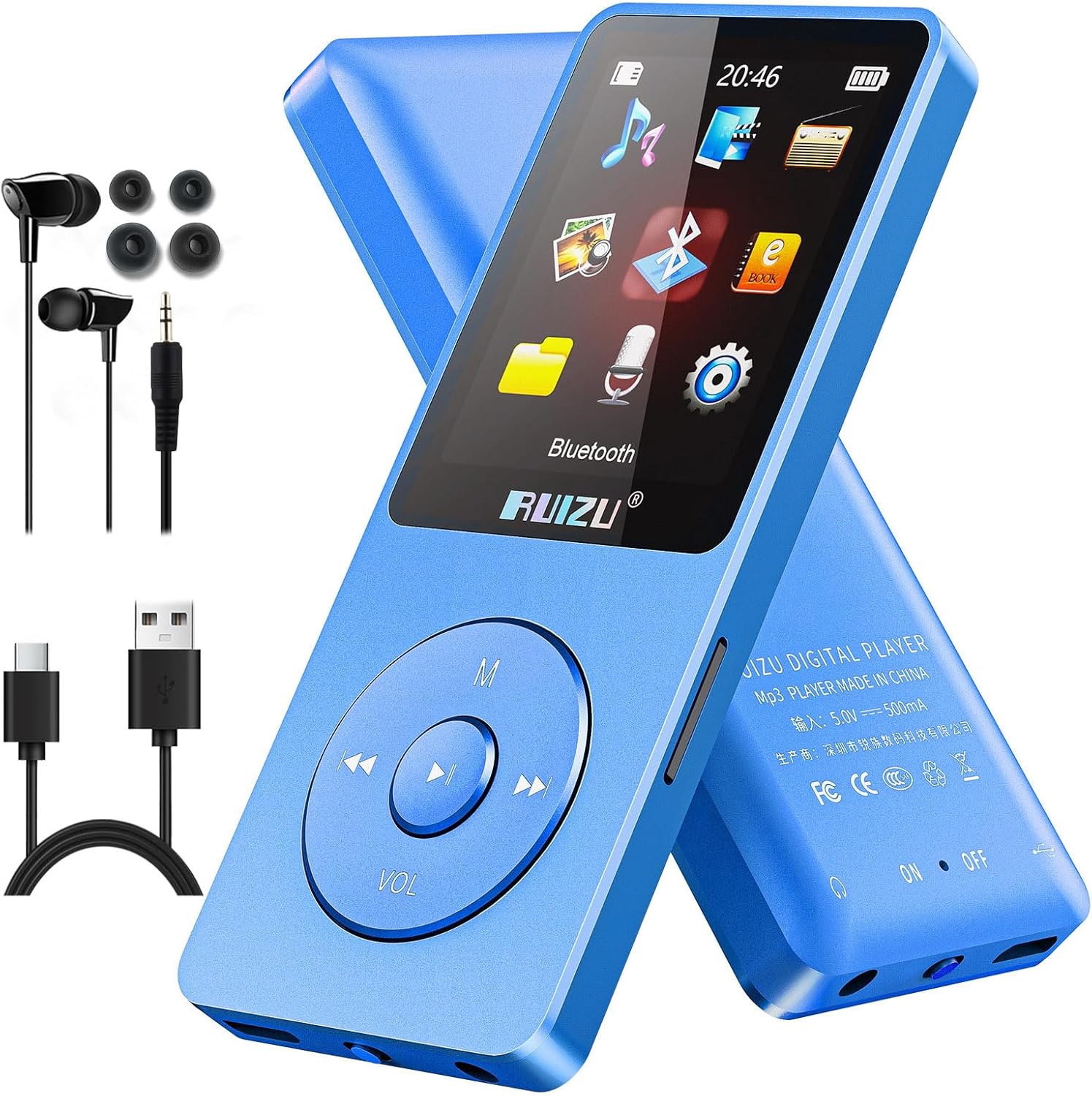
Image: The RUIZU 64GB MP3 Player in blue, shown with its included wired headphones and USB-C charging cable.
Кутуда эмне бар
Сураныч, пакеттин мазмунун текшерип, бардык буюмдар бар экенин текшериңиз:
- 1 x Portable MP3 Player with Bluetooth
- 1 x 3.5mm wired Stereo Headphones
- 1 x USB-C Cable for Charging & Transferring Files
- 1 х Колдонуучунун колдонмосу (бул документ)
Жайгашуу
1. Аппаратты заряддоо
Before first use, fully charge your MP3 player. Connect the provided USB-C cable to the player's charging port and the other end to a USB power adapter (not included) or a computer's USB port. A full charge takes approximately 2 hours and provides up to 80 hours of playback.

Image: The MP3 player screen showing a battery icon with "80h" indicating long playback time, alongside icons for 64GB internal memory and 128GB expandable TF card support.
2. өткөрүп берүү Files (Music, Videos, Pictures, E-books)
Connect the MP3 player to your computer using the USB-C cable. The device will appear as a removable disk. Simply drag and drop your desired files (MP3, WMA, APE, FLAC, WAV, DRM, ACELP, OGG for audio; compatible formats for video/pictures/e-books) into the appropriate folders on the player.
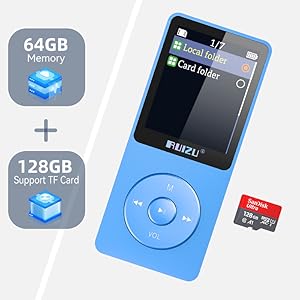
Image: The MP3 player screen displaying icons for Music, Bluetooth, FM Radio, E-book, Recording, Picture, File Folder, Video, and Alarm Clock, illustrating its multi-functionality.
3. Installing a Micro SD Card
The player supports Micro SD cards up to 128GB for expanded storage. Locate the Micro SD card slot on the side of the device. Gently insert the card until it clicks into place. To remove, push the card in slightly until it springs out.

Image: A visual representation of the MP3 player's 64GB internal memory and its ability to support an additional 128GB via a Micro SD card.
4. Bluetooth Жупташтыруу
The RUIZU MP3 Player features Bluetooth 5.3 for stable and fast connections with Bluetooth headphones or speakers. Navigate to the Bluetooth menu on the player, turn Bluetooth on, and select "Издөө device." Choose your desired audio device from the list to pair. Эскертүү: This MP3 player does not pair with phones, computers, or car Bluetooth systems.

Image: The MP3 player positioned near a pair of over-ear headphones, with a Bluetooth 5.3 logo and text indicating "More stable connection, transfer files faster." A note clarifies that it does not pair with phones, computers, or car Bluetooth.
Иштөө нускамалары
1. Негизги навигация
The player features a central navigation button with directional controls (up, down, left, right) and a central 'M' (Menu/Confirm) button. The 'VOL' button adjusts volume. Use the directional buttons to navigate through menus and the 'M' button to select options or confirm actions. The back button (usually left arrow) returns to the previous screen.

Image: Four screens of the RUIZU MP3 player demonstrating different menu functionalities: Resume Playback, Sleep Timer settings, Language selection (showing 28 languages), and Alarm Clock settings.
2. Музыканы ойнотуу
From the main menu, select "Music." You can browse by All Songs, Artists, Albums, Genres, or Playlists. Select a song to begin playback. Use the navigation buttons to skip tracks (left/right arrows) or pause/play (center button). Long press the 'VOL' button to enter volume adjustment mode, then use the left/right arrows to increase or decrease volume.

Image: A person on an airplane using the RUIZU MP3 player, with an overlay demonstrating the two steps to adjust volume: long press the 'VOL' button, then press the left or right arrow buttons to change volume.
3. FM радиосу
To use the FM Radio, ensure wired headphones are connected as they act as the antenna. Navigate to the "FM Radio" option from the main menu. You can auto-scan for stations or manually tune to a frequency. The player will display available frequencies.

Image: The MP3 player screen showing an FM radio interface with various frequency markers (e.g., FM88.2, FM90.6, FM105.2, FM108) indicating available radio stations.
4. Башка функциялар
- Видеону ойнотуу: Select "Video" from the main menu to view compatible video files on the 1.8-inch screen.
- Сүрөт Viewэ: Access "Picture" to browse and view сүрөт files.
- Үн жазгыч: Use the "Recording" function to capture audio.
- Электрондук китеп окугуч: Open "E-book" to read TXT format files.
- жөө: Физикалык көнүгүү учурунда кадамдарыңызды көзөмөлдөңүз.
- Stopwatch, Alarm Clock, Calendar: Utilize these utility functions as needed.
- File Папка: Directly access files stored on the device or Micro SD card.
- Time Screensaver: Configure the display to show time when idle.

Image: Two RUIZU MP3 players side-by-side, demonstrating the clear and vivid display of the 1.8-inch TFT color screen, showing music playback with album art on one and e-book text on the other.
5. Lock Screen Function
To prevent accidental presses during use, the player features a lock screen function. This is typically activated by a dedicated switch or a combination of button presses. Refer to the on-screen prompts or a quick guide for your specific model's lock mechanism.

Image: The RUIZU MP3 player with a lock icon on its screen, indicating the lock screen feature to prevent unintended operations.
Техникалык тейлөө
- Аппаратты кургак кармаңыз. ным же суюктуктардын таасиринен алыс болуңуз.
- Clean the screen and body with a soft, dry cloth. Do not use abrasive cleaners or solvents.
- Avoid extreme temperatures. Do not expose the player to direct sunlight for extended periods or store it in very cold environments.
- Этияттык менен колдонуңуз. Түзмөктү түшүрүп албаңыз же катуу соккуга дуушар кылбаңыз.
Проблемаларды чечүү
Түзмөк күйбөй/кубатталбай жатат
- Ensure the battery is not completely depleted. Charge the device for at least 10-15 minutes before attempting to power on.
- Verify the USB-C cable is securely connected to both the player and the power source.
- Башка USB портун же кубат адаптерин колдонуп көрүңүз.
Өткөрүлбөйт Files
- Ensure the player is properly connected to the computer and recognized as a removable disk.
- Компьютериңиздеги башка USB портун колдонуп көрүңүз.
- Restart both the player and your computer.
- экендигин текшериңиз file format is supported by the player (e.g., MP3, WMA, APE, FLAC, WAV, DRM, ACELP, OGG for audio).
Начар үн сапаты
- Ensure your headphones or Bluetooth speaker are functioning correctly. Try another pair if possible.
- Аудиону текшериңиз file quality. Lower bitrate files may sound less clear.
- Adjust the equalizer settings on the MP3 player to optimize sound output.

Image: The RUIZU MP3 player screen displaying an equalizer interface, highlighting its HiFi Lossless Sound capability.
Bluetooth туташуу маселелери
- Ensure the Bluetooth device (headphones/speaker) is in pairing mode.
- Make sure the MP3 player's Bluetooth is enabled and searching for devices.
- Move the devices closer to each other to ensure they are within range.
- Remember, the player does not pair with phones, computers, or car Bluetooth systems.
Техникалык шарттар
| Өзгөчөлүк | Деталь |
|---|---|
| Бренд | РУИЗУ |
| Модел | MP3 Player with Bluetooth 5.3 |
| Байланыш технологиясы | Aux, Bluetooth, USB |
| Эстутум сактоо сыйымдуулугу | 64 GB (expandable up to 128GB with Micro SD card) |
| Screen Size | 1.8 дюйм |
| Дисплей технологиясы | LCD |
| Өзгөчөлүктөр | Equalizer, FM Radio, Video Playback, Voice Recorder, E-book, Pedometer, Stopwatch, Alarm Clock, Calendar, File Folder, Time Screensaver |
| Батареянын иштөө мөөнөтү | 80 саатка чейин ойнотуу |
| Заряддоо убактысы | Approx. 2 hours (via Type-C cable) |
| Элемент Салмагы | 0.055 фунт (болжол менен 4.6 унция) |
| Шайкеш түзмөктөр | Headphones, Speakers (Bluetooth compatible) |
| Колдоого алынган аудио форматтары | MP3, WMA, APE, FLAC, WAV, DRM, ACELP, OGG |
Кепилдик жана колдоо
For warranty information and customer support, please refer to the official RUIZU webсайтына кириңиз же сатып алуу платформаңыз аркылуу түз сатуучуга кайрылыңыз. Кепилдик боюнча дооматтар үчүн сатып алууну тастыктаган документиңизди сактап коюңуз.
Manufacturer: RUIZU
Алгачкы жеткиликтүү болгон күнү: 2024-жылдын 28-декабры


