1. Киришүү
Thank you for choosing the STRICH SDP-300W Digital Piano. This manual provides essential information for the proper setup, operation, and maintenance of your instrument. Please read it thoroughly to ensure optimal performance and longevity of your digital piano.

Figure 1: STRICH SDP-300W Digital Piano in Black with included headphones and music stand.
2. Пакеттин мазмуну
Төмөндө тизмеленген нерселердин баары пакетиңизге камтылганын текшериңиз. Эгерде кандайдыр бир нерселер жок болсо же бузулса, кардарларды колдоо менен байланышыңыз.
- STRICH SDP-300W Digital Piano Unit
- Furniture Stand Components
- Үч педалдык бирдиги
- Музыкалык эс алуу
- Power Adapter (Input AC: 100V-240V, Output DC: 12V 3A)
- Наушник
- Assembly Hardware (screws, screwdriver)
- User Manual
3. Монтаждоо боюнча нускамалар
Follow these steps to assemble your digital piano. It is recommended to have two people for assembly due to the weight of the main unit.
- Unpack all components and lay them out on a soft, flat surface to prevent scratches.
- Assemble the furniture stand using the provided screws and screwdriver. Ensure all connections are secure.
- Attach the three-pedal unit to the designated area on the assembled stand.
- Carefully place the digital piano unit onto the assembled stand, aligning the mounting holes. Secure the piano unit to the stand using the remaining screws.
- Insert the music rest into the slot on top of the piano unit.
- Connect the pedal cable from the three-pedal unit to the 'PEDAL' port on the back of the piano.
- Connect the power adapter to the 'POWER' port on the back of the piano and then to a wall outlet.
For a visual guide on assembly, please refer to the following video:
1-видео: Толук маалыматview of the STRICH SDP-300W, including assembly and key feel demonstration.
4. Башкаруу элементтери жана функциялары бүттүview
Your STRICH SDP-300W Digital Piano is equipped with a range of controls and features designed to enhance your playing experience.
4.1. Баскычтоп
- 88 Hammer-Action Weighted Keys: Provides a realistic piano feel with simulated ivory texture.
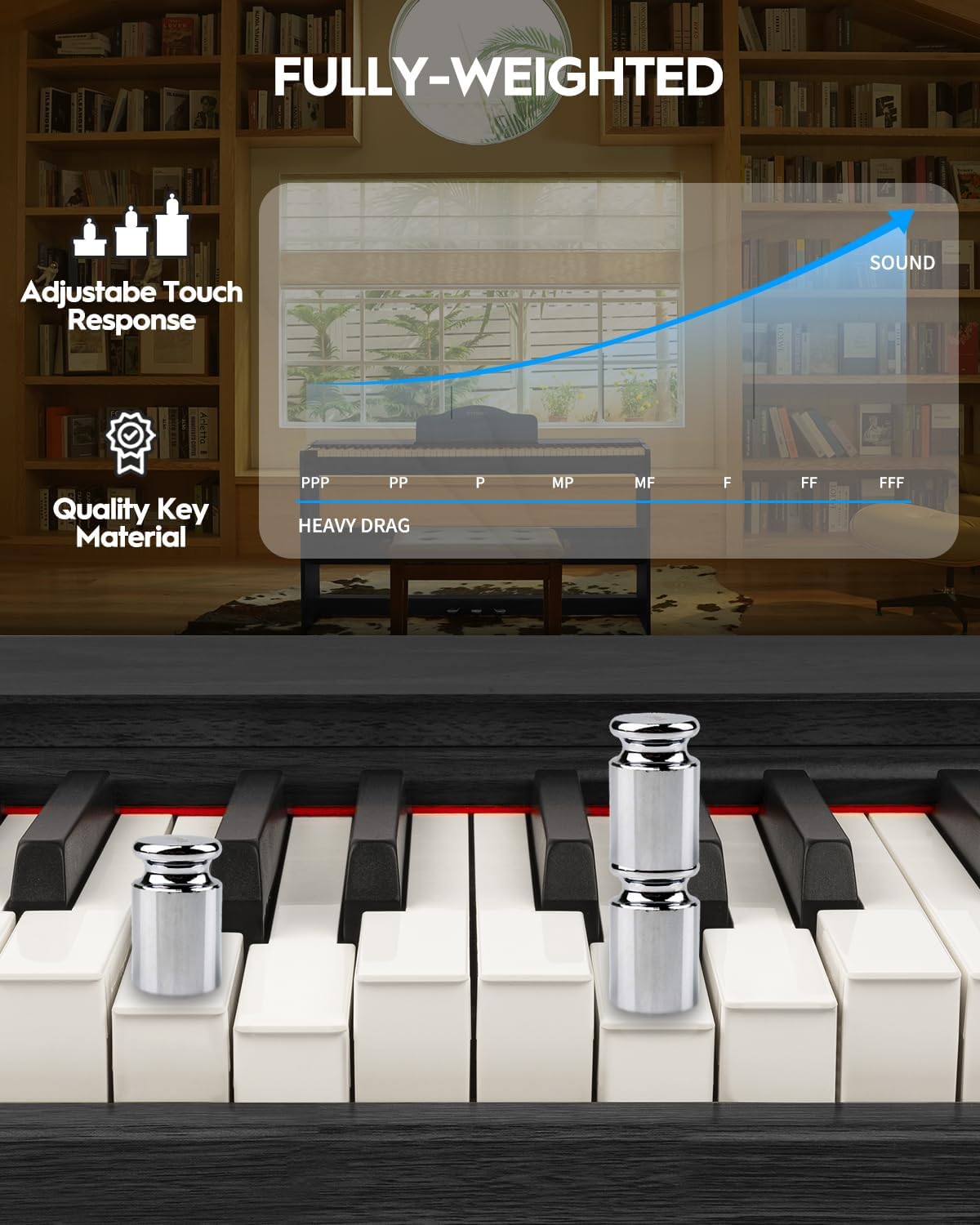
Figure 2: Detail of the fully-weighted, hammer-action keys with adjustable touch response.
4.2. Башкаруу панели
The intuitive control panel allows easy access to various functions:
- Кубат баскычы: Пианинону күйгүзөт же өчүрөт.
- Үндү көзөмөлдөө: Жалпы чыгаруу көлөмүн тууралайт.
- Тон тандоо: Choose from 128 preset timbres.
- Ритм тандоо: Select from 200 drum rhythms.
- Демо ырлар: Access 110 built-in demonstration songs.
- Жаздыруу/Ойнотуу: Record and listen to your performances.
- Которуу: Adjust the pitch of the keyboard in semitone steps.
- Layer/Split: Combine two voices or split the keyboard into two sections.
- Октава жылышы: Shift the pitch of the keyboard up or down by octaves.
- Chorus Effects: Apply chorus effects to your sound.
- Smart Chord Function: Provides intelligent auto-chord accompaniment.

3-сүрөт: Детальдуу view ар кандай функция баскычтары бар башкаруу панелинин.
4.3. Педаалдар
- Үч педалдык бирдиги: Includes Sustain, Sostenuto, and Soft pedals for expressive playing.
5. Иштетүү үчүн колдонмо
5.1. Күйгүзүү/өчүрүү жана үндү жөндөө
To power on the piano, press the 'POWER' button. Adjust the volume using the dedicated volume control knob or buttons on the control panel.
5.2. Обондорду жана ритмдерди тандоо
Use the 'TONE' and 'RHYTHM' buttons on the control panel to browse and select from the available 128 timbres and 200 drum rhythms. The display will show the selected number.

Figure 4: The digital piano offers a wide range of sounds and rhythms for musical exploration.
5.3. Жазуу жана ойнотуу
Utilize the 'RECORD' and 'PLAYBACK' functions to capture your performances. This feature is ideal for self-assessment and practice.
5.4. Байланыш параметрлери
The SDP-300W offers versatile connectivity:
- USB-MIDI: Connect to a computer or smart device for MIDI functionality, compatible with teaching apps.
- Зымсыз (Bluetooth): Connect wirelessly to teaching apps on iPad or phone for interactive learning and composition.
- Аудио киргизүү порту: Connect external audio sources to play through the piano's 25Wx2 speakers, allowing you to play along with your favorite tracks.
- Наушник уячасы (6.35 мм): Башкаларга тоскоолдук кылбастан, жеке практика үчүн.

Figure 5: Rear panel connections for power, MIDI, USB, headphones, audio input, and sustain pedal.
See the piano's connectivity in action:
Video 2: Demonstration of MIDI, Bluetooth, weighted keys, and pedals on the STRICH digital piano.
5.5. Унчукпай машыгуу
Connect headphones to the 6.35mm headphone jack for silent practice sessions. The internal speakers will automatically mute when headphones are connected.

Figure 6: Enjoy private practice sessions using headphones.
6. Техникалык тейлөө
Proper care will ensure your digital piano remains in excellent condition.
- Тазалоо: Пианинонун бетин сүртүү үчүн жумшак, кургак чүпүрөктү колдонуңуз. өжөр кир үчүн, бир аз гampen the cloth with water and a mild soap, then wipe dry immediately. Avoid abrasive cleaners or solvents.
- Негизги кам көрүү: Wipe the keys with a soft, slightly damp кездеме. Ашыкча нымдуулукту колдонбоңуз.
- Жайгашкан жери: Avoid placing the piano in direct sunlight, near heat sources, or in areas with extreme temperature fluctuations or high humidity.
7. Кыйынчылыктарды
Эгер кандайдыр бир көйгөйгө туш болсоңуз, төмөнкү жалпы көйгөйлөрдү жана чечимдерди караңыз:
| Көйгөй | Мүмкүн себеп | Чечим |
|---|---|---|
| Үн жок | Үнү өтө төмөн; кулакчындар туташтырылган; кубат көйгөйү. | Үндү катуулатыңыз; кулакчындарды сууруп алыңыз; электр кубатына туташууну текшериңиз. |
| Ачкычтар жооп бербейт | Piano not powered on; internal malfunction. | Ensure piano is on; contact customer support if issue persists. |
| Connectivity issues (USB-MIDI/Bluetooth) | Incorrect connection; device not paired. | Ensure cables are correctly connected; follow device pairing instructions. |
8. Техникалык шарттар
- Модель аты: SDP-300W
- Ачкычтардын саны: 88
- Негизги Түрү: Пил сөөгүнүн текстурасын симуляциялаган балка менен салмакталган клавишалар
- Өлчөмдөрү: 12.4"D x 51.2"W x 27.8"H
- Элемент Салмагы: 59.4 фунт (27 килограмм)
- Баяндамачылар: 25W х 2
- Тембрлер: 128 алдын-ала орнотулган
- Ритмдер: 200 барабан ритми
- Полифония: 128 (макс)
- Байланыш: USB-MIDI, Wireless (Bluetooth), Audio-in, 6.35mm Headphone Jack
- Кубат булагы: Corded Electric (Input AC: 100V-240V, Output DC: 12V 3A)
- Материал түрү: Wood (Casing), Plastic (Keys)
- Түсү: Кара
9. Кепилдик жана колдоо
For warranty information, please refer to the documentation included with your purchase or contact STRICH customer support. For technical assistance or service inquiries, please visit the official STRICH webсайтка же кардарларды тейлөө бөлүмүнө кайрылыңыз.


