1. Киришүү
This manual provides comprehensive instructions for the installation, operation, and maintenance of the Black Box Emerald Single Head HD EMD-SE DP Receiver, model EMD2000SE-DP-R. This device is designed to extend DisplayPort video, USB, and audio signals over a network, facilitating remote access to computers.
Please read this manual thoroughly before operating the device to ensure proper setup and functionality. Retain this manual for future reference.
2. Коопсуздук маалыматы
Түзмөккө зыян келтирбөө жана колдонуучунун коопсуздугун камсыз кылуу үчүн төмөнкү коопсуздук чараларын сактаңыз:
- Электр камсыздоо: Use only the power adapter supplied with the unit. Ensure the power source matches the voltagд талаптар.
- Вентиляция: Вентиляция тешиктерин жаап албаңыз. Ашыкча ысып кетүүнүн алдын алуу үчүн аппараттын айланасында адекваттуу аба агымын камсыз кылыңыз.
- Курчап турган чөйрө: Avoid exposing the device to moisture, extreme temperatures, or direct sunlight. Operate in a clean, dry environment.
- Тейлөө: Түзмөктү өз алдынча ачууга же тейлөөгө аракет кылбаңыз. Бардык тейлөө иштерин квалификациялуу адистерге тапшырыңыз.
- Кабелдер: Бардык кабелдердин бекем туташтырылганын жана кысылбаганын же бузулбаганын текшериңиз.
3. Продукт бүтүп калдыview
The Black Box Emerald Single Head HD EMD-SE DP Receiver is a compact device designed for high-definition DisplayPort video extension, along with USB and audio. It allows users to access a remote computer with minimal latency, making it suitable for various professional applications.
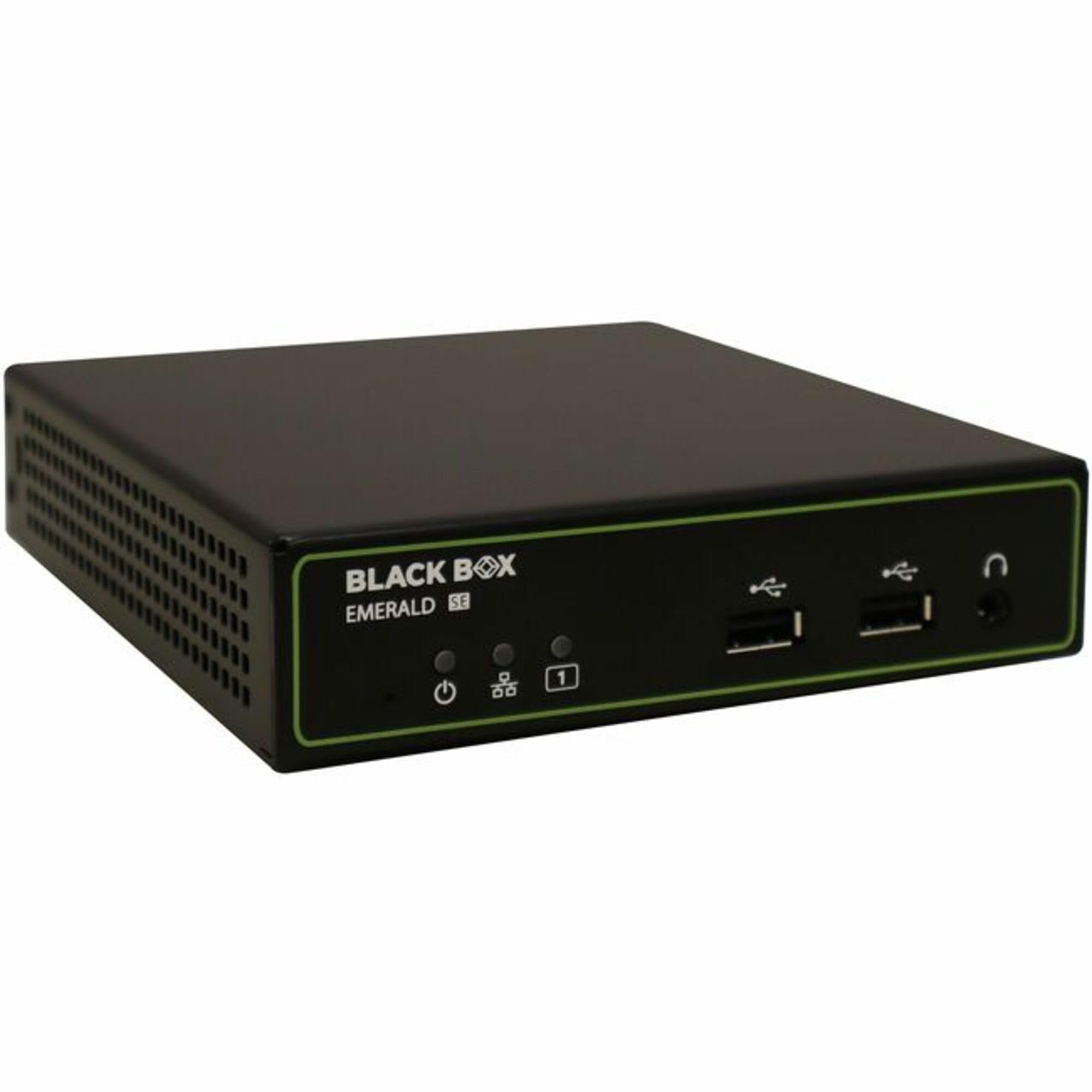
3.1-сүрөт: Фронт view of the Black Box Emerald Single Head HD EMD-SE DP Receiver. The front panel features the Black Box Emerald SE logo, power indicator, power button, two USB ports, and a headphone jack.
Негизги өзгөчөлүктөр төмөнкүлөрдү камтыйт:
- Single-head DisplayPort video support.
- USB connectivity for peripherals.
- Audio input/output support.
- Компакттуу жана бекем дизайн.
4. Орнотуу
Follow these steps to set up your EMD2000SE-DP-R Receiver:
- Аппаратты таңгактан чыгаруу: Carefully remove the receiver from its packaging. Verify that all components are present: the EMD2000SE-DP-R receiver unit, power adapter, and any included cables.
- Видео кабелин туташтыруу: Connect a DisplayPort cable from your monitor to the DisplayPort output port on the receiver.
- USB перифериялык түзүлүштөрдү туташтыруу: Connect your USB keyboard, mouse, or other USB devices to the USB ports on the receiver.
- Аудио түзмөктөрдү туташтыруу: If using external speakers or headphones, connect them to the audio output jack on the receiver.
- Тармак туташуусу: Connect an Ethernet cable from your network switch or router to the network port on the receiver. Ensure the network is configured for Emerald system operation.
- Туташуу кубаты: Connect the supplied power adapter to the receiver's power input port, then plug the adapter into a power outlet. The power indicator LED should illuminate.
- Күйгүзүү: Ресиверди күйгүзүү үчүн алдыңкы панелдеги кубат баскычын басыңыз.
5. Операция
Once the receiver is set up and powered on, it will attempt to establish a connection with a compatible Emerald transmitter unit over the network. The status indicators on the front panel will provide feedback on the connection status.
- Байланыш түзүү: The receiver will automatically detect and connect to an available Emerald transmitter. This process may take a few moments.
- Дисплей чыгаруу: Once connected, the video signal from the remote computer will be displayed on the connected monitor.
- USB башкаруу: Your connected USB keyboard and mouse will control the remote computer.
- Аудио: Audio from the remote computer will be routed to the connected audio devices.
- Алдыңкы панелдин башкаруу элементтери: The front panel may include buttons or indicators for power, link status, and other functions. Refer to the specific icons for their functions.
6. Техникалык тейлөө
Кабылдагычыңыздын узак мөөнөттүү иштешин жана оптималдуу иштешин үзгүлтүксүз техникалык тейлөө камсыз кылууга жардам берет.
- Тазалоо: Use a soft, dry cloth to clean the exterior of the unit. Do not use liquid cleaners or aerosols, as they may damage the components.
- Вентиляция: Periodically check that the ventilation openings are free from dust and obstructions.
- Кабелдик башкаруу: Ensure all cables are neatly organized and not under strain, which can lead to damage over time.
- Программалык камсыздоонун жаңыртуулары: Check the Black Box website periodically for firmware updates. Follow the instructions provided with the update package for installation.
7. Кыйынчылыктарды
If you encounter issues with your EMD2000SE-DP-R Receiver, refer to the following common problems and solutions:
| Көйгөй | Мүмкүн себеп | Чечим |
|---|---|---|
| Видео чыгаруу жок |
|
|
| USB devices not responding |
|
|
| Аудио чыгышы жок |
|
|
If the problem persists after attempting these solutions, contact Black Box technical support for further assistance.
8. Техникалык шарттар
The following table details the technical specifications for the Black Box Emerald Single Head HD EMD-SE DP Receiver (EMD2000SE-DP-R).
| Өзгөчөлүк | Деталь |
|---|---|
| Модель номери | EMD2000SE-DP-R |
| Бренд | Кара куту |
| Байланыш технологиясы | HDMI (Note: Product title indicates DisplayPort functionality. Please refer to product documentation for full compatibility details.) |
| Туташтыргыч түрү | HDMI |
| Жалпы HDMI порттору | 1 |
| Controller Type | Механикалык баскыч |
| Шайкеш түзмөктөр | Speaker, Tablet, Amplifier, Smartphone, Television, Personal Computer, Game Console |
| Аудио чыгаруу режими | Стерео, айлана |
| Көлөмдүү үн каналынын конфигурациясы | 5.1 |
| Каналдардын саны | 2 |
| Элемент Салмагы | 1.5 фунт (0.68 кг) |
| Пакеттин өлчөмдөрү | 10 x 7 x 3 дюйм (25.4 x 17.8 x 7.6 см) |
| Дата биринчи жеткиликтүү | 17-май, 2025-жыл |
| Өндүрүүчү | Кара куту |
9. Кепилдик жана колдоо
Black Box products are designed for reliability and performance. For information regarding warranty coverage, please refer to the warranty statement included with your product or visit the official Black Box webсайт.
For technical assistance, troubleshooting, or product inquiries, please contact Black Box technical support. Contact details can typically be found on the Black Box webсайтында же продуктунун таңгагында.
Онлайн ресурстар: www.blackbox.com


