Introduction
This manual provides comprehensive instructions for the Black Shark S3 Smartwatch. It covers setup, operation, maintenance, and troubleshooting to ensure optimal use of your device. The Black Shark S3 features a 1.43-inch AMOLED display, magnetic strap, Bluetooth calling, over 150 sport modes, built-in GPS, and extensive health monitoring capabilities.
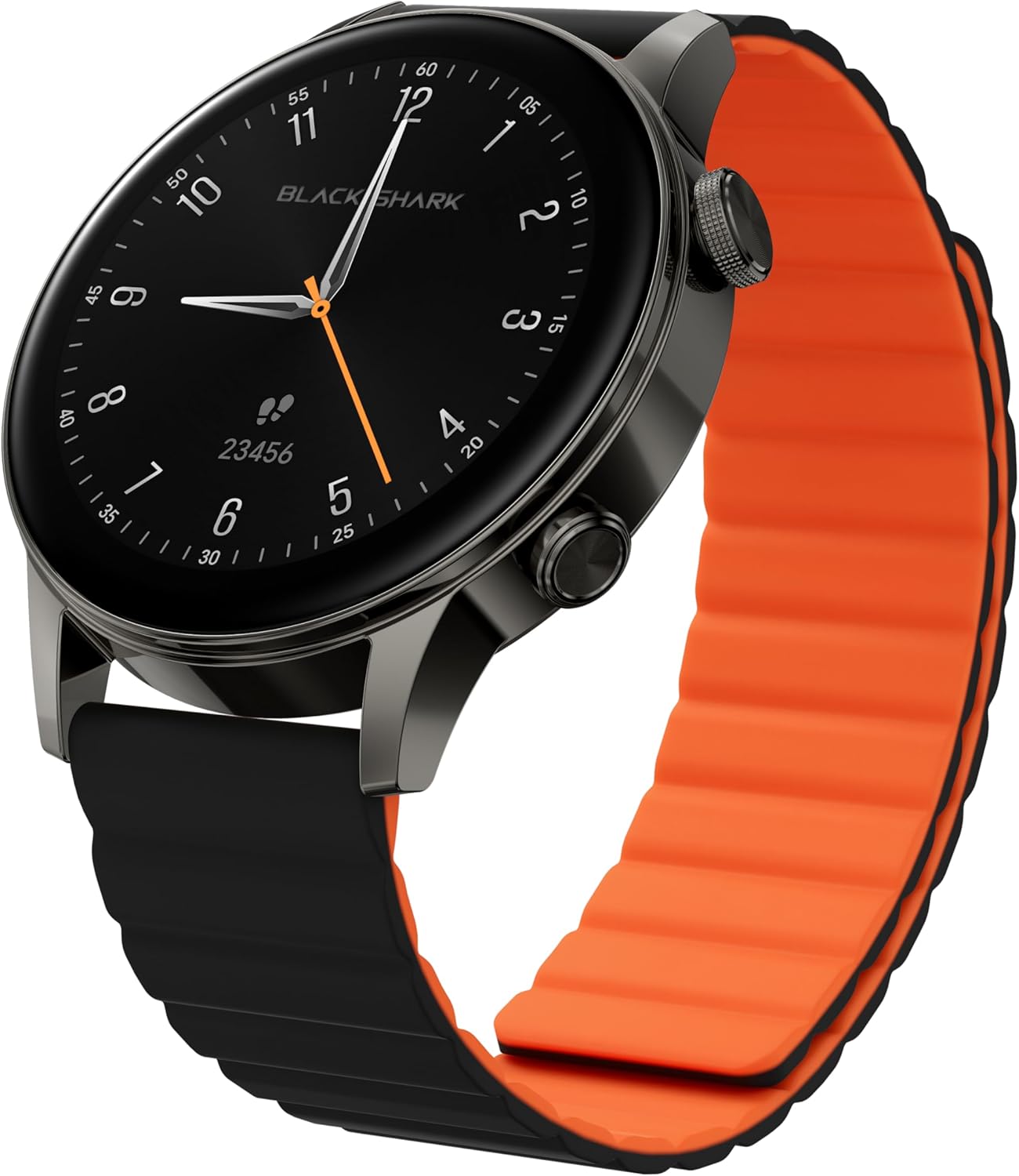
Image: Black Shark S3 Smartwatch, showcasing its round display and distinctive black and orange magnetic strap.
1. Орнотуу колдонмосу
1.1 Кутудан чыгаруу жана алгачкы текшерүү
Бардык компоненттерди таңгактан кылдаттык менен алып салыңыз. Төмөнкү заттар бар экенин текшериңиз:
- Black Shark S3 Smartwatch
- Магниттик кубаттоочу кабель
- Колдонуучунун Колдонмосу (бул документ)
Inspect the smartwatch for any visible damage before proceeding.
1.2 Акылдуу саатты кубаттоо
Before first use, fully charge the Black Shark S3. Connect the magnetic charging cable to the charging contacts on the back of the watch and to a standard USB power adapter (not included).
- Align the magnetic end of the charging cable with the charging points on the back of the watch. The magnets will secure it in place.
- Кабелдин USB-A учун кубат булагына туташтырыңыз.
- Сааттын дисплейи заряддын абалын көрсөтөт. Толук кубаттоо адатта болжол менен 2.5 саатты талап кылат.

Image: The Black Shark S3 Smartwatch screen showing battery life indicators, illustrating the device's long battery performance.
1.3 Attaching the Magnetic Strap
The Black Shark S3 features a double-sided magnetic silicone strap for easy attachment and removal.
- Simply wrap the strap around your wrist.
- The magnetic ends will automatically connect and secure the watch.
- Боону ыңгайлуу жана бекем отуруу үчүн тууралаңыз.

Image: A visual representation of the Black Shark S3's magnetic strap effortlessly securing around a wrist, highlighting its ease of use.
1.4 Смартфонуңуз менен жупташуу
To unlock the full functionality of your Black Shark S3, pair it with the companion app on your smartphone.
- Download the official Black Shark Health App from your smartphone's app store (iOS App Store or Google Play Store).
- Смартфонуңузда Bluetooth иштетилгенин текшериңиз.
- Open the Black Shark Health App and follow the on-screen instructions to create an account or log in.
- Колдонмонун ичиндеги "Түзмөк кошуу" же ушул сыяктуу жолду тандаңыз.
- Choose "Black Shark S3" from the list of available devices.
- Смартфонуңузда да, акылдуу саатыңызда да жупташтыруу өтүнүчүн ырастаңыз.
- Once paired, the app will synchronize data and allow for further customization.
2. Иштөө нускамалары
2.1 Негизги навигация
The Black Shark S3 features a responsive 1.43-inch AMOLED touchscreen and two physical buttons for navigation.
- Сенсордук экран: Swipe left, right, up, or down to navigate through menus, notifications, and widgets. Tap to select items.
- Үстүнкү баскыч (Таажы): Press to return to the home screen or access the app list. Rotate to scroll through menus and lists.
- Төмөнкү баскыч: Customizable shortcut button, typically used for quick access to sport modes or a frequently used feature.

Сүрөт: деталдуу view of the Black Shark S3's smart crown, highlighting its finely engraved pattern and functionality for precise control and navigation.
2.2 Сааттын жүзүн ыңгайлаштыруу
Personalize your smartwatch with a variety of watch faces available through the Black Shark Health App.
- On the watch, long-press the current watch face to enter the watch face selection menu. Swipe left or right to browse pre-installed faces.
- For more options, open the Black Shark Health App on your smartphone, navigate to the watch face store, and download new designs.

Image: A selection of multifunctional watch faces available for the Black Shark S3, demonstrating customization options.
2.3 Bluetooth чалуу
The S3 supports Bluetooth calls with ENC noise reduction, allowing you to make and receive calls directly from your wrist.
- Саатыңыздын смартфонуңузга Bluetooth аркылуу туташтырылганын текшериңиз.
- When a call comes in, you can answer or reject it directly on the watch screen.
- To make a call, access the call function from the watch's app list and select a contact or dial a number.
- The built-in speaker and microphone facilitate clear communication.

Image: A user making a call with the Black Shark S3 smartwatch, illustrating the convenience of its Bluetooth calling feature with noise reduction.
2.4 Sport Modes and GPS
The Black Shark S3 offers over 150 sport modes and built-in GPS for accurate activity tracking.
- Access the "Workout" or "Sport Modes" app on your watch.
- Каалаган ишиңизди тандаңыз (мисалы, чуркоо, велосипед тебүү, сууда сүзүү).
- For outdoor activities, the built-in GPS will automatically activate to track your route, distance, and pace.
- Review your workout data on the watch or in the Black Shark Health App after completion.
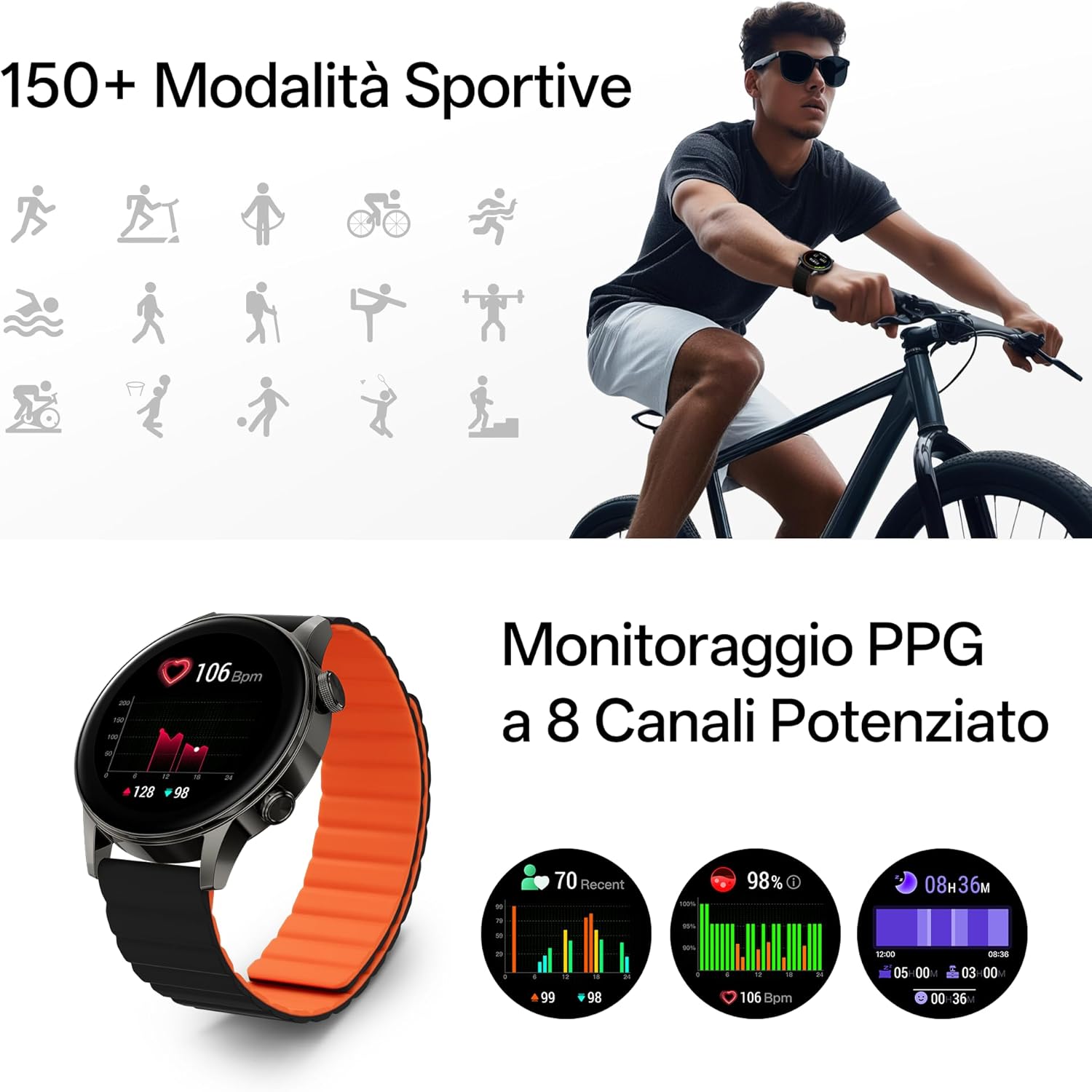
Image: The Black Shark S3 smartwatch showing various sport mode icons and detailed PPG health monitoring data, including heart rate and blood oxygen levels.

Image: The Black Shark S3 smartwatch screen showing GPS tracking with icons representing various satellite positioning systems (BeiDou, GPS, Galileo, QZSS, GLONASS).
2.5 Ден соолуктун мониторинги
The S3 provides 24/7 health monitoring for heart rate, blood oxygen (SpO₂), stress, steps, calories, and distance, along with advanced sleep tracking.
- Жүрөктүн кагышы: Саат жүрөктүн кагышын тынымсыз көзөмөлдөйт. View саат боюнча реалдуу убакыт дайындары же колдонмодогу деталдуу тренддер.
- Кандагы кычкылтек (SpO₂): Сиздин кандын кычкылтек каныккандыгын өлчөө.
- Уйкуга көз салуу: Wear the watch to bed for analysis of your sleep stages (deep, light, REM) and overall sleep quality.
- Стресс мониторинги: The watch estimates your stress levels throughout the day.
- Активдүүлүккө көз салуу: Кадамдарды, аралыкты жана күйгөн калорияларды автоматтык түрдө көзөмөлдөйт.

Image: A woman sleeping with the Black Shark S3 smartwatch on her wrist, illustrating the device's sleep tracking capability.
2.6 Башка акылдуу мүмкүнчүлүктөр
The Black Shark S3 includes several additional smart features:
- Аба ырайы: Реалдуу убакытта аба ырайы жаңыртууларын алыңыз.
- Компас: A built-in compass for navigation.
- Дем алуу тренинги: Эс алуу үчүн дем алуу көнүгүүлөрүн жасоо.
- Музыкалык башкаруу: Смартфонуңузда музыканы ойнотууну көзөмөлдөңүз.
- Alarm, Stopwatch, Timer: Essential timekeeping functions.
- Кол чырак: Uses the screen as a temporary light source.
- SOS: Quick access to emergency contacts (requires setup in app).
- Үн жардамчысы: Interact with your smartphone's voice assistant.
- Камераны башкаруу: Смартфонуңуздун камера жапкычын алыстан иштетиңиз.
- Календар: View сиздин график.

Image: A grid of icons illustrating the diverse smart features of the Black Shark S3, including weather, compass, music control, and SOS.
3. Техникалык тейлөө
3.1 Акылдуу саатыңызды тазалоо
Regular cleaning helps maintain the appearance and functionality of your Black Shark S3.
- Экранды жана сааттын корпусун жумшак, түксүз чүпүрөк менен сүртүңүз.
- өжөр тактар үчүн, бир аз гampчүпүрөктү суу менен. Катуу химиялык заттарды же абразивдүү материалдарды колдонуудан алыс болуңуз.
- Туура заряддоону камсыз кылуу үчүн заряддоо контакттарын мезгил-мезгили менен тазалап туруңуз.
- The magnetic strap can be wiped clean with a damp кездеме.
3.2 Сууга туруктуулук боюнча көрсөтмөлөр
The Black Shark S3 has a 5ATM water resistance rating, meaning it can withstand pressures equivalent to a depth of 50 meters.
- It is suitable for swimming, showering, and training in various weather conditions.
- Avoid exposing the watch to hot water, steam, or high-velocity water (e.g., high-pressure washing).
- баскычтарды суу астында иштетпеңиз.
- Туздуу сууга түшкөндөн кийин, саатты таза суу менен чайкап, жакшылап кургатыңыз.

Image: A person swimming while wearing the Black Shark S3 smartwatch, demonstrating its 50m water resistance.
3.3 Батареяга кам көрүү
Батареянын иштөө мөөнөтүн көбөйтүү үчүн:
- Ашыкча температурадан сактаныңыз.
- Батареяны бат-баттан толук зарядсыздандырбаңыз.
- Эгер саатты узак убакытка сактап койсоңуз, сактоодон мурун аны болжол менен 50% га чейин кубаттаңыз.
4. Кыйынчылыктарды
4.1 Саат күйбөйт
- Саат толук заряддалганын текшериңиз. Аны заряддагычка кеминде 30 мүнөт туташтырыңыз.
- Press and hold the top button (crown) for 10-15 seconds to attempt a force restart.
4.2 Жупташтыруу маселелери
- Смартфонуңузда Bluetooth иштетилгенин жана сааттын диапазонунда экенин текшериңиз.
- Смартфонуңузду да, акылдуу саатыңызды да өчүрүп күйгүзүңүз.
- Forget the device in your smartphone's Bluetooth settings and attempt to pair again through the Black Shark Health App.
- Ensure the Black Shark Health App is updated to the latest version.
4.3 Inaccurate GPS Tracking
- Ачык мейкиндикте экениңизди текшериңиз view оптималдуу GPS сигнал кабыл алуу үчүн асман.
- Wait a few moments after starting an outdoor activity for the GPS to acquire a strong signal.
- Ensure the watch's firmware is up to date via the Black Shark Health App.
4.4 Батареянын иштөө мөөнөтү кыска
- Экран жарыктыгын азайтыңыз.
- Disable "Always-On Display" if enabled.
- Limit continuous heart rate or SpO₂ monitoring to less frequent intervals if not needed 24/7.
- Керексиз эскертмелерди өчүрүңүз.
- Ensure the watch's firmware is up to date.
5. Продукттун спецификациялары
| Бренд | Black Shark |
| Модель номери | S3 |
| Дисплей | 1.43-inch AMOLED, 466x466 resolution, 326 PPI, 60Hz Refresh Rate |
| Байланыш | Bluetooth |
| GPS | Built-in GNSS (BeiDou, GPS, Galileo, QZSS, GLONASS) |
| Суу каршылык | 5ATM (50 метрге чейин) |
| Батареянын иштөө мөөнөтү | Up to 15 days (typical use), 30 days (ultra-long standby) |
| Заряддоо убактысы | Болжол менен 2.5 саат |
| Ден соолук мониторинги | Heart Rate, SpO₂, Sleep Tracking, Stress Monitoring, Steps, Calories, Distance |
| Спорт режимдери | 150+ |
| Боо түрү | Magnetic Silicone Strap |
| Элемент Салмагы | 15.2 унция (0.43 килограмм) |
| Пакеттин өлчөмдөрү | 4.17 x 4.13 x 2.68 дюйм |
| Операция системасы | Android (as per product data, typically proprietary for smartwatches) |
6. Кепилдик маалыматы
Black Shark products are covered by a limited warranty. For specific warranty terms and conditions, please refer to the warranty card included with your product or visit the official Black Shark webсайт. Кепилдик дооматтар үчүн сатып алганыңыздын далилин сактаңыз.
7. Кардарларды колдоо кызматы
If you encounter any issues or have questions regarding your Black Shark S3 Smartwatch, please contact Black Shark customer support. Contact information can typically be found on the official Black Shark website or within the Black Shark Health App.
For the latest FAQs and support resources, please visit the official Black Shark support page.


