1. Киришүү
The Machenike G3V2 Bluetooth Controller is a versatile gaming peripheral designed for multi-platform compatibility, including Switch, iOS, Android, and Windows PC. It features Hall Effect joysticks and triggers, customizable buttons, RGB lighting, and a dedicated charging station for an enhanced gaming experience.
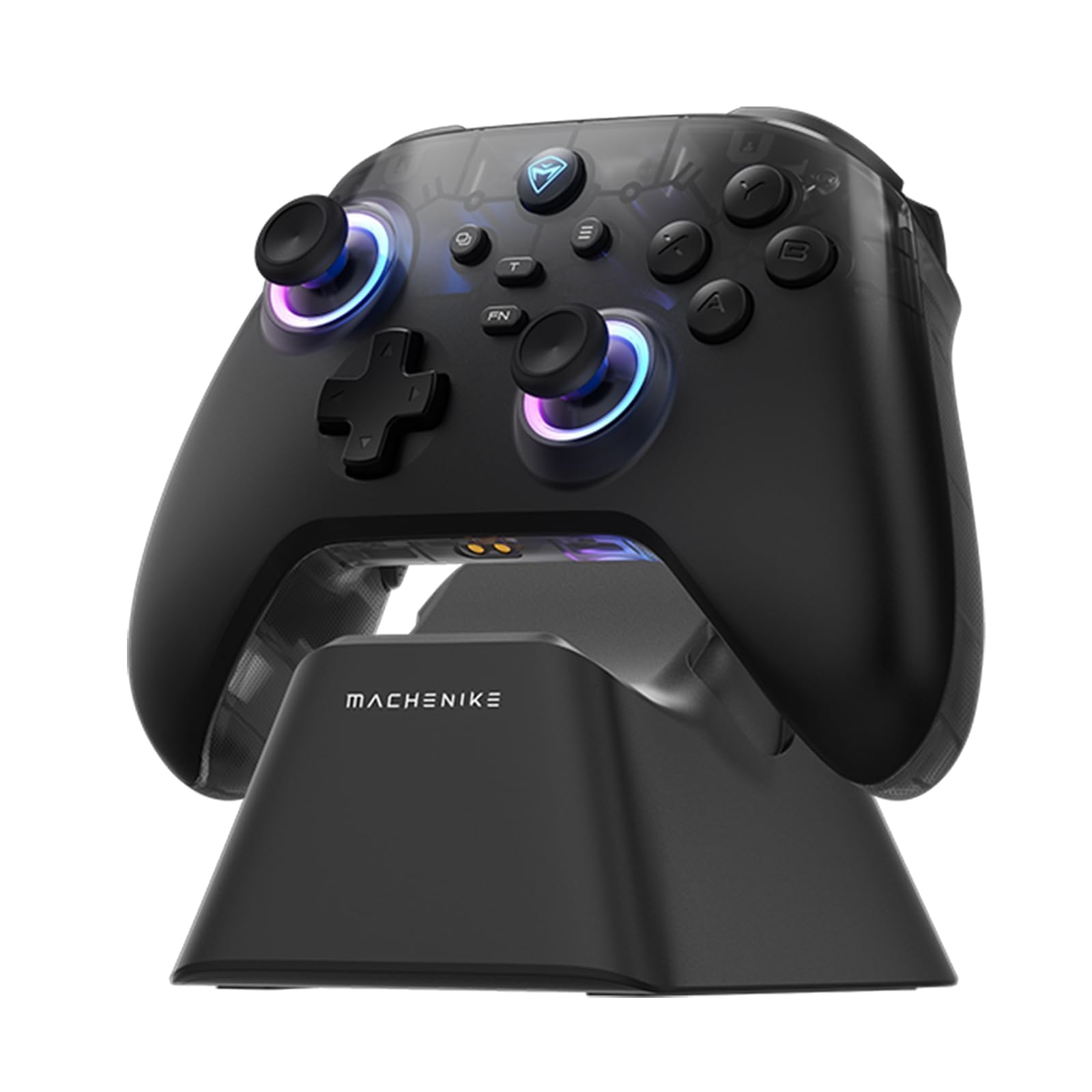
Image: The Machenike G3V2 Bluetooth Controller, showcasing its ergonomic design and vibrant RGB lighting around the joysticks.
2. Негизги өзгөчөлүктөрү
- Lightning-Fast 1000Hz Responsiveness: Equipped with ultra-high gaming responsiveness for instant command capture and millisecond-level feedback.
- Ыңгайлуу кубаттоочу док: Includes a dedicated charging dock for efficient and fast recharging via USB-C, protecting the controller and ensuring optimal performance.
- Dual Hall-Effect Joysticks and Triggers: Features newly upgraded Hall-Effect sensing joysticks and high-precision trigger buttons for superior control and durability, eliminating drift.
- Customizable Force Adjustable Stick Tension: Unique force adjustment feature allows customization of joystick feedback from lightweight to precise, adapting to various game needs.
- Fast Charging & Extended Playtime: Built-in 1000mAh high-capacity battery provides extended playtime with fast-charging technology.
- Көп платформалык колдоо: Compatible with Switch/Switch 2, iOS, Android, and Windows PC.
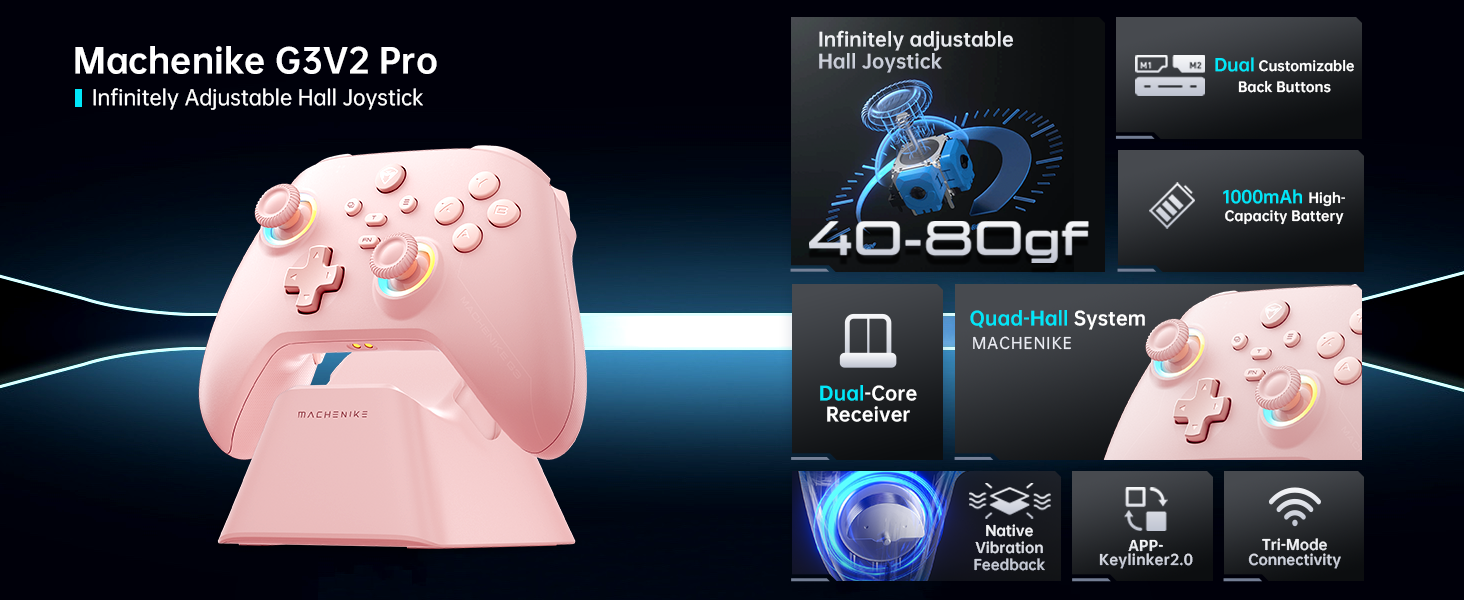
Сүрөт: An overview of the Machenike G3V2 controller's key features, including its Hall Effect joysticks, customizable back buttons, and connectivity options.
3. Орнотуу жана туташуу
3.1 Connecting to Nintendo Switch (Bluetooth Mode)
- Ensure your controller is charged.
- Контроллерде баскычты басып, кармап туруңуз Y + Үй баскычтарын бир убакта индикатор жарыгы тез күйүп-өчүп, жайдан тез күйүп-өчүүгө өзгөргөнгө чейин басып туруңуз. Бул контроллерди Switch жупташтыруу режимине өткөрөт.
- Nintendo Switch'иңизде HOME менюсуна өтүңүз.
- Select the 'Controllers' icon, then choose 'Change Grip/Order'.
- Контроллер автоматтык түрдө туташканча күтө туруңуз. Туташтырылгандан кийин, контроллер дирилдейт жана анын сөлөкөтү Switch экранында пайда болот.
- басыңыз A ырастоо үчүн контроллердогу баскычты басыңыз.
- To toggle between Switch and Xbox button layouts (A/B, X/Y swap), press FN + A.
Video: A tutorial demonstrating how to connect the Machenike G3V2 controller to a Nintendo Switch console via Bluetooth mode, including button presses and on-screen confirmation.
3.2 Connecting to PC/iOS/Android (Bluetooth/Wired/2.4G)
The Machenike G3V2 controller supports multiple connection modes for various platforms:
- Bluetooth: For iOS, Android, and some PC setups. Activate Bluetooth on your device and search for 'Machenike G3V2' to pair.
- 2.4G зымсыз: Use the included USB dongle for PC and other compatible devices. Plug the dongle into your device, then power on the controller.
- текст: Connect the controller directly to your PC or compatible device using a USB-C cable.
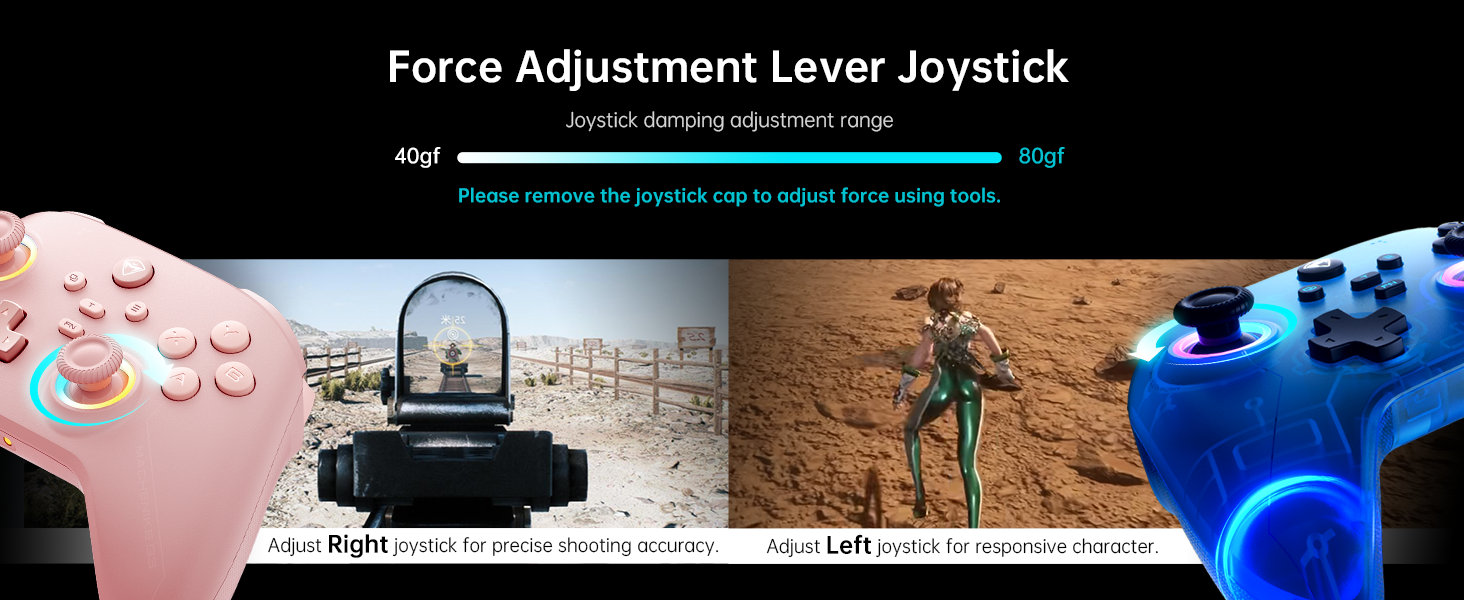
Image: The Machenike G3V2 controller highlighting its ergonomic design, anti-slip grip, and responsive triggers for comfortable and precise control.
4. Operation and Customization
4.1 Programmable Back Buttons (M1/M2)
The controller features two customizable back buttons (M1 and M2) that can be assigned to single keys or complex macros. This is particularly useful for games requiring quick actions or combos.
- To Assign a Single Key:
а. Басып туруңуз FN + M1 (or M2) simultaneously until the joystick light ring glows with a soft blue breathing effect, indicating recording mode.
b. Press the desired button you wish to assign (e.g., 'A' button).
c. Пресс M1 (or M2) once to save the assignment. The light ring will flash three times, confirming successful saving. - To Clear an Assignment:
а. Басып туруңуз FN + M1 (or M2) simultaneously to enter recording mode.
b. Without pressing any other button, press M1 (or M2) again to save a blank input. The light ring will flash three times, clearing the previous assignment. - To Record a Macro (Multiple Keys):
а. Басып туруңуз FN + M1 (or M2) simultaneously to enter recording mode.
b. Press the sequence of keys you want to record (e.g., A, B, X, Y, RB, LB). The timing between key presses will be recorded.
c. Пресс M1 (or M2) once to save the macro. The light ring will flash three times.
Video: A detailed guide on how to set up and record keystroke macros using the programmable back buttons (M1/M2) on the Machenike G3V2 controller.
4.2 Joystick and Trigger Calibration
Calibration helps maintain accuracy and prevent drift in joysticks and triggers. This can be done whether the controller is off or connected.
- Джойстик калибрлөө:
а. басып, кармап туруңуз B + Артка + Башкы бет buttons simultaneously until the blue LED starts flashing.
b. Move both joysticks in full circles (about three rotations) slowly and steadily.
в. басыңыз Баштоо сактоо үчүн баскычты басыңыз. Контроллер өчүп калат, бул калибрлөөнүн ийгиликтүү аяктаганын билдирет. - Триггерди калибрлөө:
а. басып, кармап туруңуз Y + Артка + Башкы бет buttons simultaneously until the red LED starts flashing.
b. Press both triggers normally all the way down three times. Ensure gentle but full pressure.
в. басыңыз Баштоо сактоо үчүн баскычты басыңыз. Контроллер өчүп калат, бул калибрлөөнүн ийгиликтүү аяктаганын билдирет.
After calibration, reconnect the controller to your device to test the new settings. Always use normal, gentle pressure during calibration for accurate results.
Video: A guide on how to calibrate the joysticks and triggers of the Machenike G3V2 controller to ensure optimal performance and accuracy.
4.3 RGB жарыктандыруу
The controller features dynamic RGB lighting around the joysticks. Specific controls for changing lighting modes or colors can often be found in the Keylinker 2.0 mobile application or through dedicated button combinations (refer to the app for advanced customization).
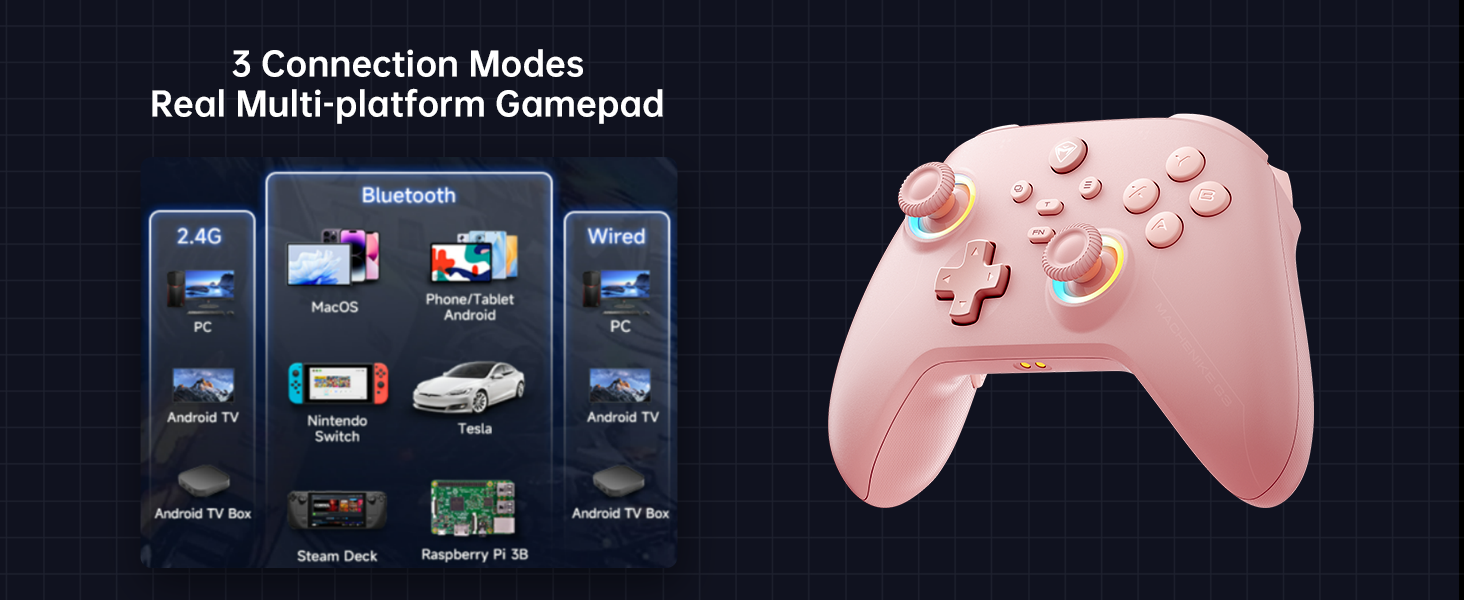
Image: The Machenike G3V2 controller illustrating its 4-level native vibration feedback, providing immersive experiences for various game genres.
5. Заряддоо
The Machenike G3V2 controller comes with a 1000mAh high-capacity battery and a dedicated charging dock.
- Кубаттоочу докту колдонуу: Simply place the controller onto the dedicated charging dock. The built-in USB-C port on the dock facilitates quick recharging.
- Түз USB-C заряддоо: You can also charge the controller directly using a USB-C cable connected to a power source.
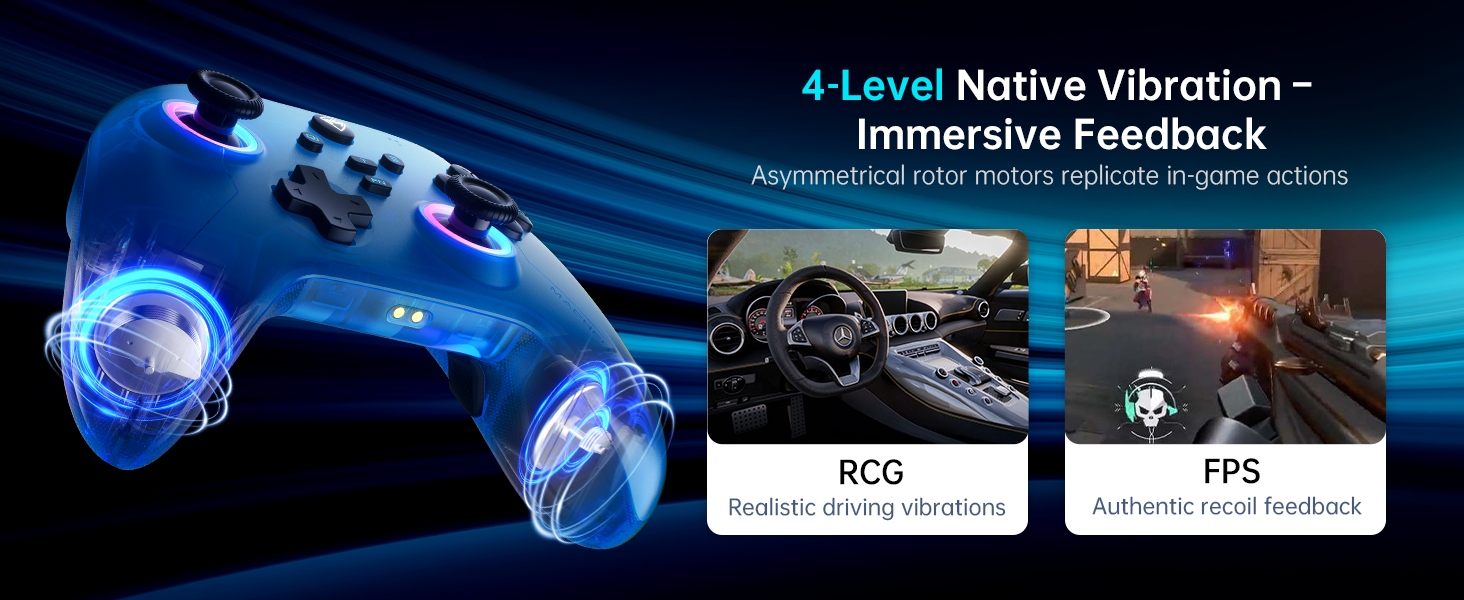
Image: The Machenike G3V2 controller resting on its dedicated charging dock, ready for an instant power boost.
6. Шайкештик
- Колдоого алынган платформалар: Nintendo Switch, Switch 2, iOS, Android, Windows PC.
- Төмөнкүлөр менен шайкеш келбейт: Xbox, PlayStation, or GeForce Now.
- For other game platforms not explicitly mentioned, please consult customer service before purchase.
7. Техникалык тейлөө
- Тазалоо: Контроллерди тазалоо үчүн жумшак, кургак чүпүрөктү колдонуңуз. Катуу химиялык заттарды же абразивдүү материалдарды колдонуудан алыс болуңуз.
- Сактагыч: Контроллерди түз күн нурунан жана экстремалдык температурадан алыс салкын, кургак жерде сактаңыз.
- Батареяга кам көрүү: Батареянын иштөө мөөнөтүн узартуу үчүн, контроллерди тез-тез толук зарядсыздандырбаңыз. Аны көпкө чейин колдонбосоңуз да, үзгүлтүксүз кубаттап туруңуз.
8. Кыйынчылыктарды
- Контроллер туташпай жатат:
- Ensure the controller is fully charged.
- Verify the correct pairing mode is activated for your device (e.g., Y+Home for Switch).
- On your device, try forgetting the controller from Bluetooth settings and re-pairing.
- For PC, try connecting via the 2.4G dongle or wired connection. - Джойстиктин дрейфи же так эместиги:
- Perform joystick calibration as described in Section 4.2. - Trigger Issues:
- Perform trigger calibration as described in Section 4.2. - Баскычтар жооп бербейт:
- Ensure the controller is properly connected.
- Check if any programmable back buttons (M1/M2) have unintended assignments (clear them if necessary).
- Reconnect the controller. - кубаттоо маселелери:
- Ensure the charging dock or USB-C cable is properly connected.
- Try a different USB-C cable or power adapter.
9. Техникалык шарттар
| Өзгөчөлүк | Деталь |
|---|---|
| Модель номери | PE-Жаңыртуу |
| ASIN | B0F93RPT5H |
| Өндүрүүчү | Machenike |
| Элемент Салмагы | 0.529 унция |
| Пакеттин өлчөмдөрү | 6.93 x 6.46 x 3.23 дюйм |
| Батареялар | 1 Литий Полимердик батарейка (кошулган) |
| Байланыш | Bluetooth, 2.4G зымсыз, зымдуу (USB-C) |
| Добуш берүү көрсөткүчү | 1000Hz |
| Джойстиктер | Hall Effect, Adjustable Tension (40-80gf) |
| Триггерлер | Hall Effect, 255 Levels, Millimeter Precision |
| Программалануучу баскычтар | 2 Back Buttons (M1, M2) |
| Вибрация | 4-деңгээлдүү жергиликтүү титирөө кайтарым байланышы |
10. Кепилдик жана колдоо
Machenike products are designed for durability and performance. For warranty information, technical support, or service inquiries, please refer to the official Machenike webсайтка же түздөн-түз кардарларды тейлөөгө кайрылыңыз. Кепилдик дооматтар үчүн сатып алуу дүмүрчөгүңүздү сактаңыз.
Интернет булактары жана көп берилүүчү суроолор да жеткиликтүү болушу мүмкүн Amazon'догу Machenike дүкөнү.


