1. Киришүү
This manual provides essential information for the safe and efficient operation of your iSinbox YG381 4K Smart Outdoor Projector. Please read it thoroughly before using the device and retain it for future reference.
Коопсуздук маалыматы
- l болгондо проектордун объективине тике карабаamp күйүк.
- Ашыкча ысып кетүүнүн алдын алуу үчүн проектордун айланасында туура желдетүүнү камсыз кылыңыз.
- Проекторду суудан же башка суюктуктардан алыс кармаңыз.
- Аппарат менен кошо берилген кубат адаптерин гана колдонуңуз.
- Do not attempt to disassemble or repair the projector yourself. Contact customer support for assistance.
2. Пакеттин мазмуну
Пакетте бардык буюмдар бар экенин текшериңиз:
- iSinbox YG381 Projector
- Алыстан башкаруу пульту (AAA батарейкалары кошулган эмес)
- Кубаттуу адаптер
- User Manual

Image 2.1: iSinbox YG381 Projector with its main components and projected screen showing various streaming apps.
3. Продукт бүтүп калдыview
The iSinbox YG381 projector is designed for versatile use, featuring a compact form factor and a 360° adjustable stand. It integrates a Smart Pro OS for direct access to streaming applications.
Негизги өзгөчөлүктөрү:
- Дисплей: Native 1080p resolution, 4K support, HDR10+, 1200 ANSI lumens.
- Аудио: Dolby-certified HiFi stereo speakers, DTS decoding, eARC support, Bidirectional Bluetooth 5.3.
- Акылдуу өзгөчөлүктөр: Smart TV Pro OS, built-in Netflix, YouTube, Prime Video, Disney+, AI autofocus, 6D keystone correction, automatic obstacle avoidance, automatic screen alignment.
- Байланыш: Wi-Fi 6, HDMI, USB.
- Дизайн: 360° adjustable stand, lightweight and portable.
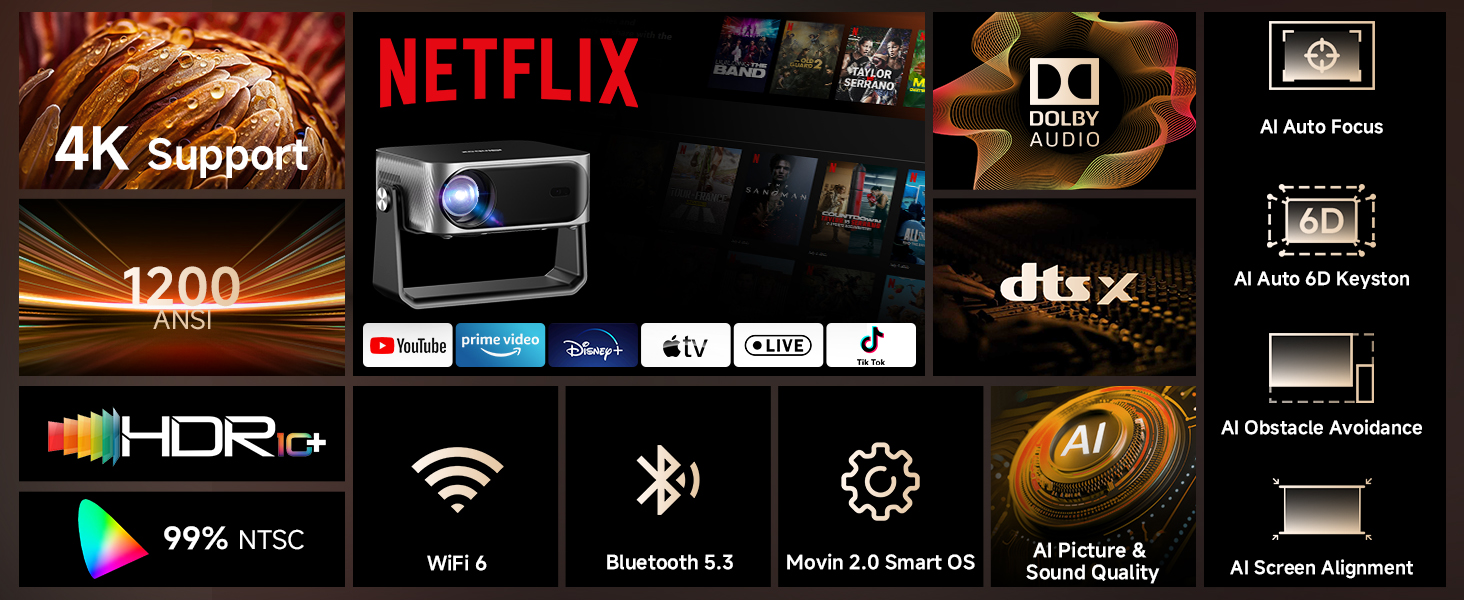
Сүрөт 3.1: Бүттүview of the iSinbox YG381 projector's main features, including 4K support, 1200 ANSI, HDR10+, Dolby Audio, and AI auto-adjustments.
4. Орнотуу
4.1 Баштапкы күйгүзүү
- Connect the power adapter to the projector and a power outlet.
- Аны күйгүзүү үчүн проектордун же пульттун кубат баскычын басыңыз.
- Follow the on-screen prompts to select your language and complete the initial setup.
4.2 Тармактык туташуу
- Navigate to the 'Settings' menu on the projector.
- "Тармак" же "Wi-Fi" тандаңыз.
- Choose your Wi-Fi network from the list and enter the password. The projector supports Wi-Fi 6 for faster connection speeds.
4.3 Positioning and Image Adjustment
The projector features intelligent auto-adjustment capabilities:
- AI Autofocus: Проектор сүрөттүн тунуктугун автоматтык түрдө тууралайт.
- 6D Keystone Correction: Automatically corrects image distortion from angled projections.
- Автоматтык тоскоолдуктардан качуу: Detects and adjusts the image to avoid objects on the projection surface.
- Автоматтык экранды тегиздөө: Optimizes the image to fit the screen area.
These adjustments occur automatically within approximately 3 seconds when the projector is moved or repositioned. A digital zoom function (50-100%) allows for screen size adjustment without moving the unit.
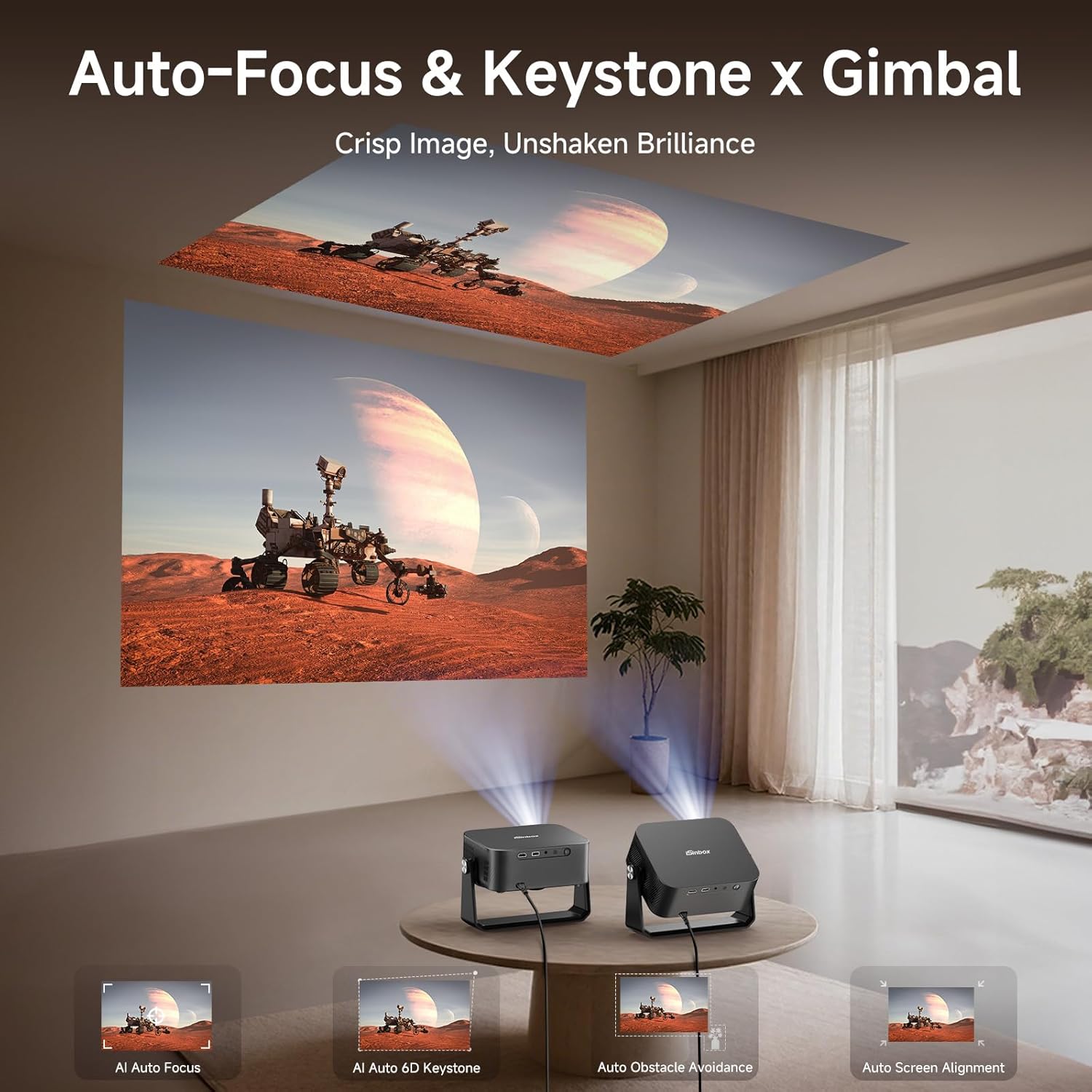
Image 4.1: The projector automatically adjusting focus and keystone for both wall and ceiling projections.
5. Проекторду иштетүү
5.1 Smart TV Pro OS and Built-in Applications
The iSinbox YG381 operates on an upgraded Smart Pro OS, providing direct access to popular streaming services without external devices.
- From the home screen, select the desired application (e.g., Netflix, YouTube, Prime Video, Disney+).
- Каттоо эсебиңиздин дайындары менен кириңиз.
- Begin streaming content.
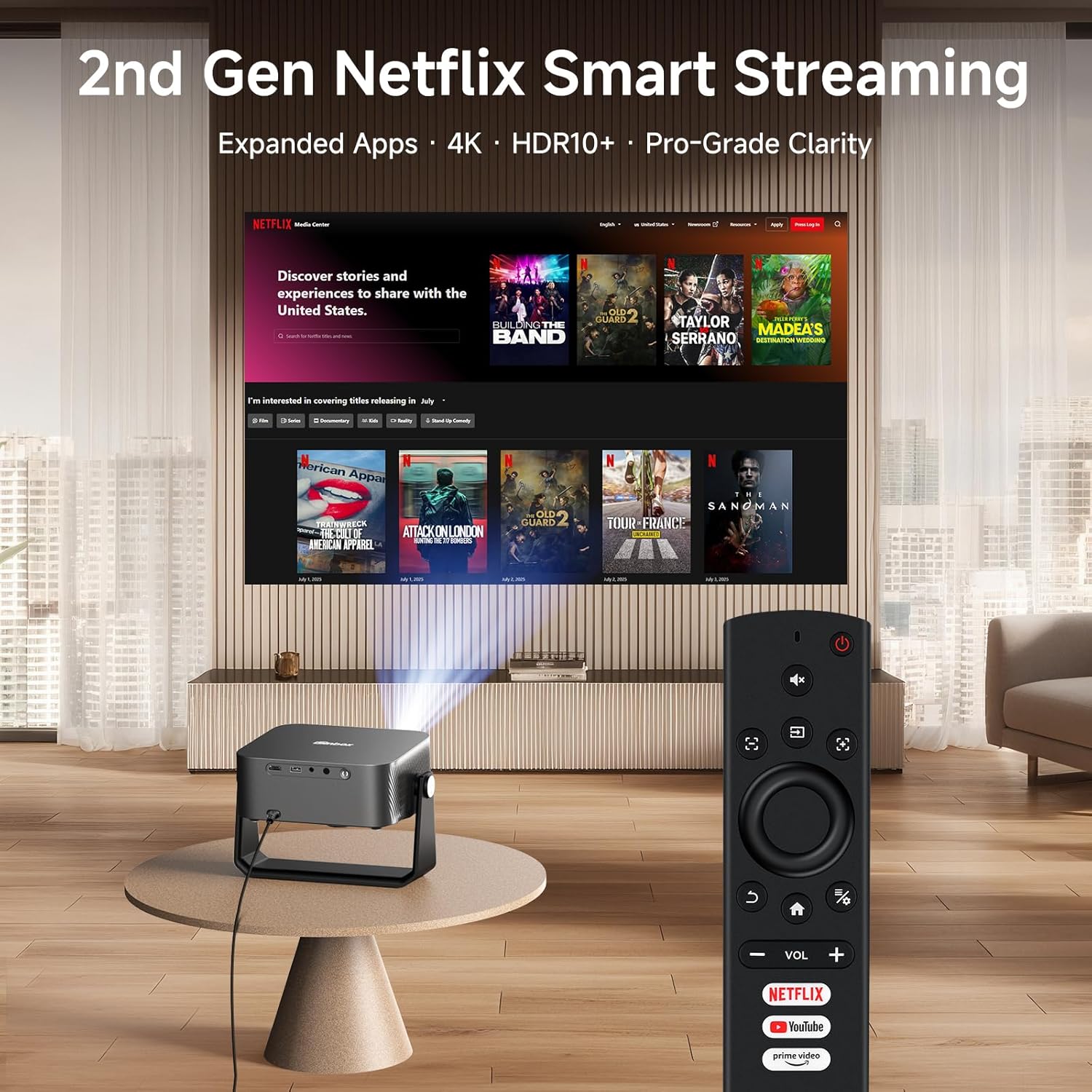
Image 5.1: The projector remote control with dedicated buttons for Netflix, YouTube, and Prime Video, simplifying access to built-in applications.
5.2 Аудио байланыш
The projector features Dolby-certified HiFi stereo speakers and DTS decoding technology. For external audio, use the bidirectional Bluetooth 5.3 functionality:
- Connecting to External Speakers: Pair the projector with Bluetooth speakers or headphones for enhanced audio output.
- Using as a Bluetooth Speaker: Connect your smartphone or other Bluetooth device to the projector to use its internal speakers for audio playback.

Image 5.2: Bidirectional Bluetooth 5.3 allows the projector to connect to external speakers or function as a standalone Bluetooth speaker for a phone.
5.3 Screen Mirroring and External Devices
The projector supports seamless screen mirroring via Wi-Fi 6 and can connect to external devices via HDMI and USB.
- Экранды чагылдыруу: Use the built-in Wi-Fi 6 to mirror content from compatible devices.
- HDMI киргизүү: Connect gaming consoles, laptops, or other media players using an HDMI cable.
- USB киргизүү: Медиа ойнотуу fileтүздөн-түз USB сактагычтан.

Image 5.3: Wi-Fi 6 technology provides a stable and fast connection for streaming and gaming, reducing lag.
6. Техникалык тейлөө
6.1 Проекторду тазалоо
- Объектив: Оптикалык линзалар үчүн атайын жасалган жумшак, түксүз кездемени колдонуңуз. Абразивдүү тазалагычтарды колдонбоңуз.
- Сырткы: Проектордун сыртын жумшак, кургак чүпүрөк менен сүртүңүз. өжөр белгилери үчүн, бир аз гamp кездеме, андан кийин кургак чүпүрөк колдонсо болот.
- Тешиктер: Periodically check the ventilation openings for dust accumulation. Use a soft brush or compressed air to gently clear any blockages.
6.2 Сактоо
Узак мөөнөткө пайдаланылбаганда, проекторду салкын, кургак жерде, тике күн нурунан жана экстремалдык температурадан алыс сактаңыз. Чаңдын жана бузулуунун алдын алуу үчүн оригиналдуу таңгак же коргоочу капты колдонуу сунушталат.
7. Кыйынчылыктарды
If you encounter issues with your iSinbox YG381 projector, refer to the following common solutions:
| Көйгөй | Мүмкүн себеп | Чечим |
|---|---|---|
| Сүрөт көрсөтүлгөн жок | Power cable disconnected, input source not selected, lens cap on. | Check power connection, select correct input source (HDMI/USB), remove lens cap. |
| Сүрөт бүдөмүк | Фокусунан чыгып, проектор жылып кетти. | The projector features AI autofocus; if moved, it should auto-adjust. If not, check for obstructions or restart. |
| Үн жок | Volume too low, external speakers not connected, audio settings incorrect. | Increase volume, check Bluetooth connection to external speakers, verify audio output settings. |
| Wi-Fi туташуусу туруксуз | Distance from router, network interference. | Ensure projector is within Wi-Fi range, minimize interference from other devices. |
For issues not covered here, please contact iSinbox customer support.
8. Техникалык шарттар
| Өзгөчөлүк | Деталь |
|---|---|
| Бренд | iSinbox |
| Модель номери | YG381 |
| Display Resolution | 1920 x 1080 (Native 1080p), 4K Support |
| Жарыктык | 1200 ANSI челинин |
| HDR колдоо | HDR10+ |
| Операция системасы | Movin Smart OS 2.0 |
| Байланыш | Wi-Fi 6, Bluetooth 5.3, HDMI, USB |
| Аудио | Dolby Audio, DTS Decoding, eARC |
| Автоматтуу тууралоо | AI Autofocus, 6D Keystone Correction, Auto Obstacle Avoidance, Auto Screen Alignment |
| Өлчөмдөр | 9.19 x 7.87 x 3.07 дюйм (болжол менен) |
| Салмагы | 14.4 унция (болжол менен) |
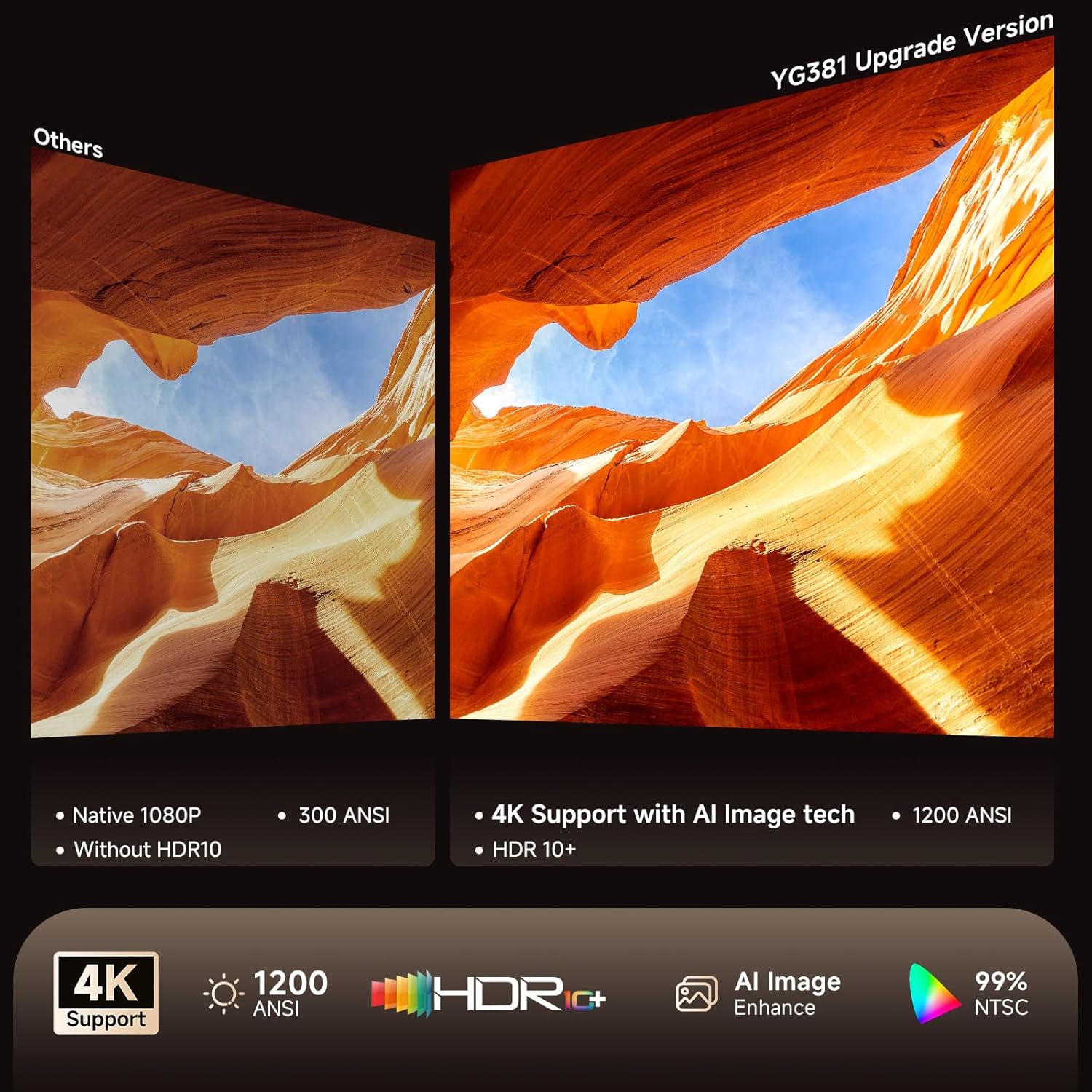
Image 8.1: Visual comparison highlighting the enhanced clarity and color accuracy with 4K support and HDR10+ on the YG381.
9. Кепилдик жана колдоо
9.1 Кепилдик маалыматы
The iSinbox YG381 projector comes with a 1 жылдык акысыз алмаштыруу кепилдиги жана а 3 жылдык чектелген кепилдик сатып алынган күндөн тартып. Бул кепилдик өндүрүштүк кемчиликтерди жана нормалдуу колдонуудагы бузулууларды камтыйт. Кепилдик дооматтары үчүн сатып алганыңыздын далилин сактап коюңуз.
9.2 Кардарларды колдоо
iSinbox provides өмүр бою техникалык колдоо with a 24-hour response time. For technical assistance, warranty claims, or any questions regarding your projector, please contact iSinbox customer service through the retailer's platform or the official iSinbox webсайт.


