1. Киришүү
This manual provides essential information for the proper use and maintenance of your Picun F5 Active Noise Cancelling Headphones. Please read it thoroughly before operating the device.
2. Пакеттин мазмуну
Пакетиңизде бардык буюмдар бар экенин текшериңиз:
- 1 x Picun F5 Headphone
- 1 x 3.5 мм аудио кабель
- 1 x USB заряддоо кабели
- 1 x User Manual

3. Продукциянын өзгөчөлүктөрү
- Активдүү ызы-чууну жокко чыгаруу (ANC): Advanced technology to reduce ambient noise for an immersive audio experience.
- Hi-Fi Audio with Deep Bass: Delivers clear sound with enhanced bass.
- App-Controlled EQ: Customize audio settings via a dedicated companion application.
- Камтылган микрофон: Ensures clear voice calls.
- Көп чекиттүү туташуу: Allows seamless switching between two connected Bluetooth devices.
- Эргономикалык дизайн: Lightweight build with soft memory-foam earcups for extended comfort.
- Long Playtime & Fast Charging: Up to 30 hours of playback on a single charge, with quick recharge capabilities.


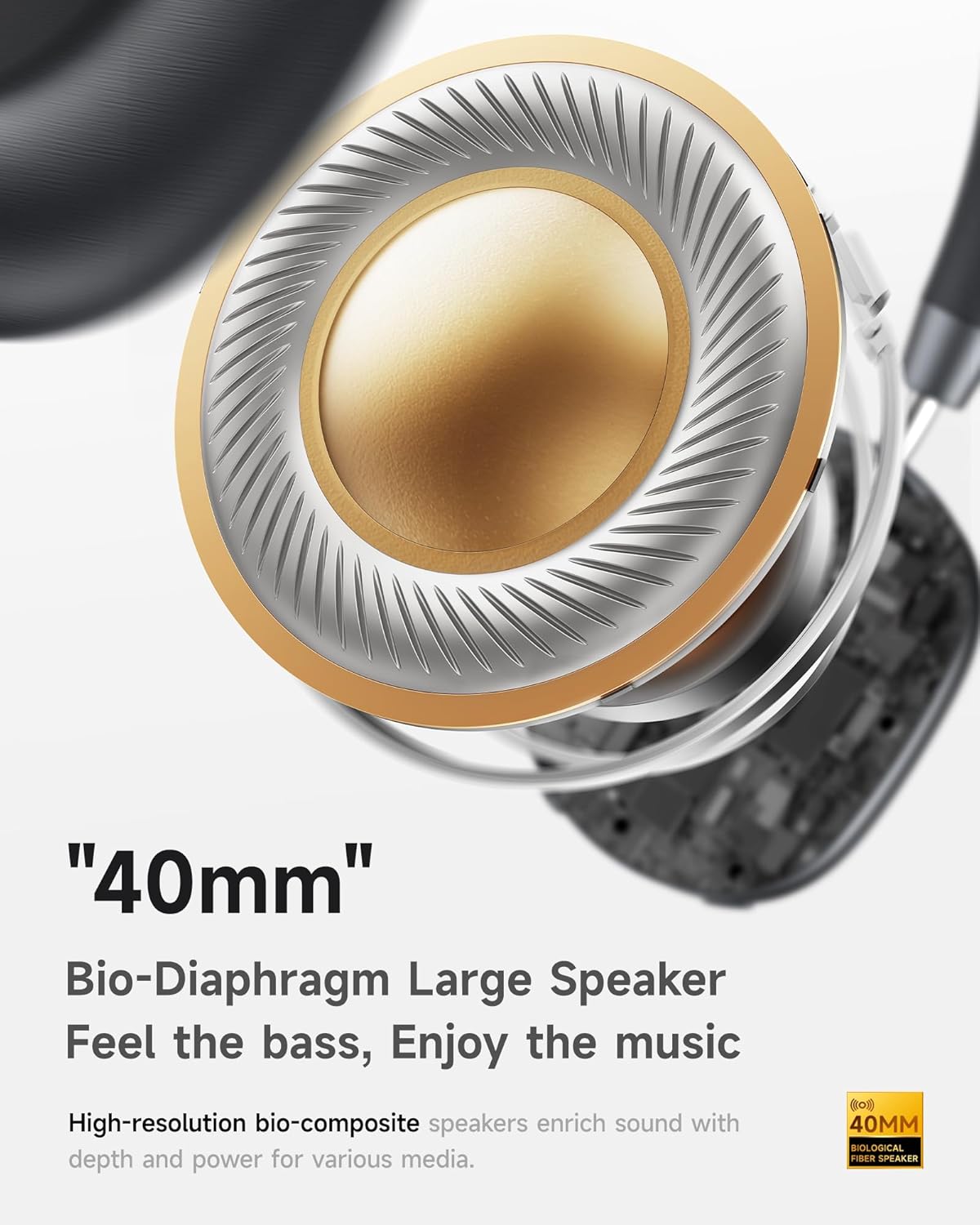

4. Орнотуу
4.1 Наушниктерди заряддоо
Before first use, fully charge your Picun F5 headphones. Connect the provided USB charging cable to the headphone's charging port and a compatible USB power source. The charging indicator light will show the charging status.
4.2 Bluetooth жупташтыруу
- Наушниктердин өчүрүлгөнүн текшериңиз.
- Жупташтыруу режимин көрсөткөн индикатор жарыгы күйүп-өчкөнгө чейин Кубат баскычын басып туруңуз.
- Түзмөгүңүздө (смартфон, планшет, компьютер) Bluetooth иштетип, жеткиликтүү түзмөктөрдү издеңиз.
- Select "Picun F5" from the list of devices to connect.
- Once connected, the indicator light will change to a steady blue or turn off, depending on the model.
4.3 Көп чекиттүү туташуу
The Picun F5 supports connecting to two Bluetooth devices simultaneously. After pairing with the first device, disable Bluetooth on that device. Pair the headphones with the second device. Then, re-enable Bluetooth on the first device. The headphones should now be connected to both devices, allowing seamless audio switching.

5. Операция
5.1 Негизги башкаруу каражаттары
The headphones feature intuitive controls for managing audio and calls:
- Күйгүзүү/өчүрүү: Кубат баскычын басып, кармап туруңуз.
- Үндү тууралоо: Use the dedicated volume knob/buttons on the earcup.
- Ойнотуу/тындыруу: Single press the Multi-function button.
- Кийинки трек: Көп функциялуу баскычты эки жолу басыңыз.
- Мурунку трек: Көп функциялуу баскычты үч жолу басыңыз.
- Чалууга жооп берүү/аяктоо: Single press the Multi-function button during an incoming call.
- Чакырууну четке кагуу: Кирүүчү чалуу учурунда Көп функциялуу баскычты басып, кармап туруңуз.
5.2 Active Noise Cancelling (ANC) Modes
The ANC feature can be toggled or adjusted using a dedicated button on the headphones. Refer to the specific button layout on your device for exact functionality. Some models may offer different ANC levels or transparency modes.
5.3 App Control and Custom EQ
Download the companion app for your Picun F5 headphones to unlock personalized features. The app allows you to:
- Customize Equalizer (EQ) settings to match your audio preferences.
- Adjust ANC levels or switch between different noise control modes.
- Access additional smart features and settings.


6. Техникалык тейлөө
To ensure the longevity and optimal performance of your Picun F5 headphones, follow these maintenance guidelines:
- Тазалоо: Наушниктерди жана баш орогучту тазалоо үчүн жумшак, кургак чүпүрөктү колдонуңуз. Катуу химиялык заттарды же абразивдүү материалдарды колдонуудан алыс болуңуз.
- Сактагыч: Store the headphones in a cool, dry place, away from direct sunlight and extreme temperatures. When not in use, consider storing them in a protective case.
- Нымдуулуктан качыңыз: Наушниктерди сууга же ашыкча нымдуулукка дуушар кылбаңыз.
- Этияттык менен мамиле кылуу: Кулакчындарды түшүрүүдөн же катуу тийүүдөн сактаныңыз.

7. Кыйынчылыктарды
If you encounter issues with your Picun F5 headphones, refer to the following common solutions:
- Кубат жок: Наушниктердин толук заряддалганын текшериңиз. Аларды кубат булагына туташтырыңыз жана кубаттоо индикаторун текшериңиз.
- Жупташуу мүмкүн эмес: Make sure the headphones are in pairing mode (indicator flashing). Disable and re-enable Bluetooth on your device, then try pairing again. Ensure the headphones are not already connected to another device.
- Үн жок: Check the volume levels on both the headphones and your connected device. Ensure the headphones are properly paired. If using a wired connection, ensure the 3.5mm audio cable is securely plugged in.
- Үн сапаты начар: Move closer to your connected device to avoid interference. Check for any obstructions between the headphones and the device. Ensure the audio source is of good quality.
- ANC иштебейт: Ensure the ANC feature is activated. Check for any physical obstructions around the microphones.
If the issue persists, try resetting the headphones (refer to the full user manual for specific reset instructions) or contact customer support.
8. Техникалык шарттар
| Бренд | Пикун |
| Модель аты | F5 |
| Байланыш технологиясы | Зымсыз (Bluetooth 4.0) |
| Noise Control | Sound Isolation (Active Noise Cancelling) |
| Frequency Response | 20 KHz |
| Сезимталдуулук | 42 дБ |
| Наушник уясы | 3.5 мм Джек |
| Батареянын иштөө мөөнөтү | 30 саат |
| Аудио драйвер түрү | Динамикалык драйвер |
| Наушник формасы | Тегерек |
| Импеданс | 32 Ом |
| Элемент Салмагы | 14 унция (0.4 килограмм) |
| Материал | Акрилонитрил бутадиен стирол (ABS) |
9. Кепилдик жана колдоо
Picun products are designed for reliability and performance. For warranty information, product support, or technical assistance, please refer to the warranty card included in your package or visit the official Picun webсайт. Кепилдик дооматтары үчүн сатып алуу дүмүрчөгүңүздү сактаңыз.


