1. Продукт бүтүп калдыview
The Donner Wireless Bluetooth Page Turner Pedal DBM-50 is designed to provide hands-free control for various applications, enhancing convenience and efficiency for musicians, presenters, and readers. It features Bluetooth 5.0 connectivity, a long-lasting rechargeable battery, and multiple operating modes for versatile use.
- Hands-Free операциясы: Control music, reading, scrolling lyrics, and media without using your hands.
- Кеңейтилген диапазон: Effective operating range up to 10 meters (33 feet) via Bluetooth 5.0.
- Көп режимдүү функциялар: Equipped with 5 page-turning modes and 2 Bluetooth connection modes, supporting commands such as page turning, scrolling, and simulating mouse clicks.
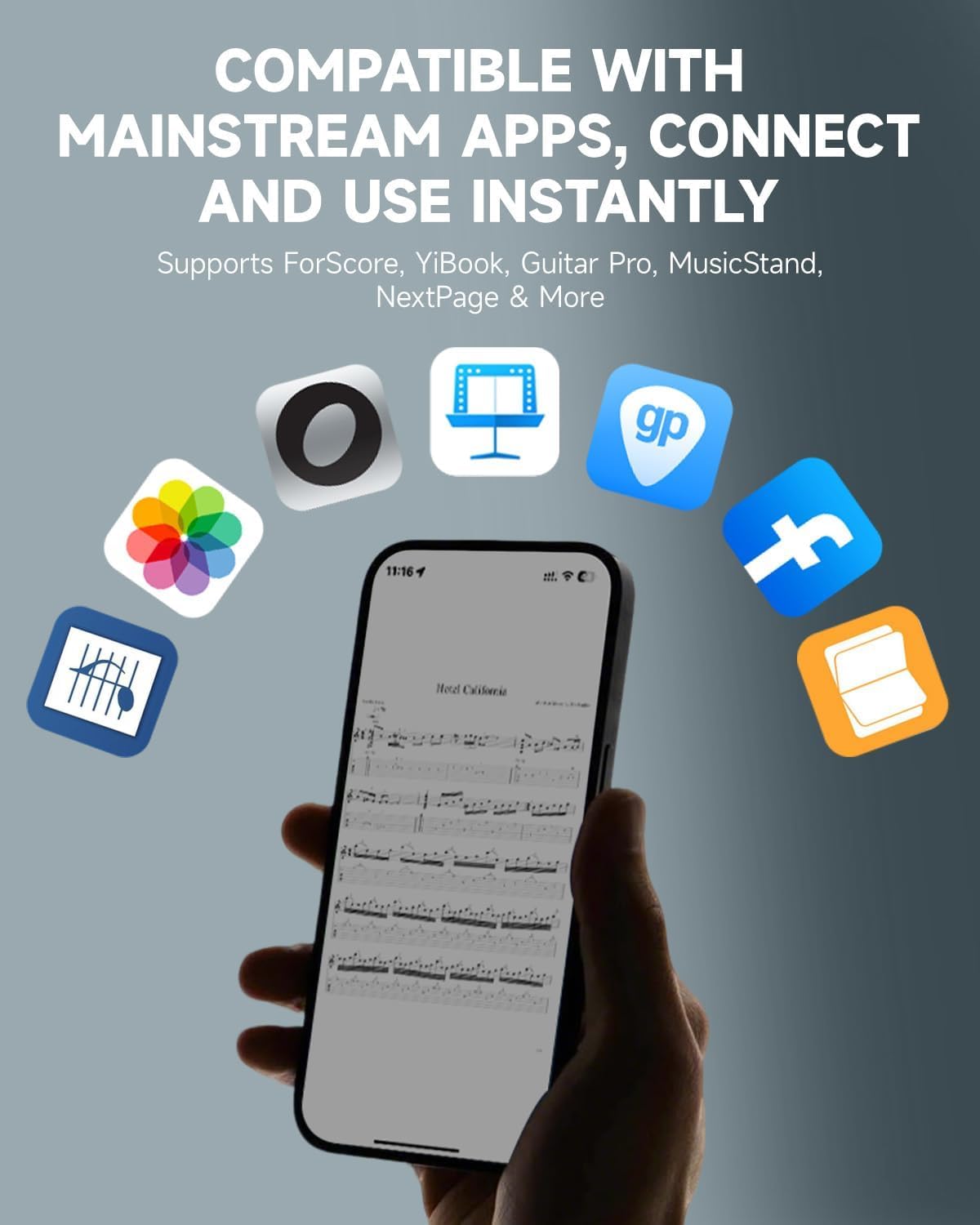
- Кеңири шайкештик: Compatible with various platforms including phones, tablets, Mac, and PC, and supports popular reading and music notation applications like ForScore, YiBook, Guitar Pro, MusicStand, and NextPage.
- Батареянын узак иштөө мөөнөтү: Built-in USB-rechargeable lithium battery provides up to 80 hours of continuous use on a full charge, with an auto-sleep function to conserve energy.
- Туруктуу дизайн: Features a dust-resistant design and a sturdy pedal structure for reliable performance in various environments.
2. Кутуда эмне бар
- The DBM-50 Bluetooth Page Turner Pedal
- USB Type-C кубаттоочу кабель
- User Manual

3. Продукттын компоненттери жана өзгөчөлүктөрү

- Сол педаль: Typically used for backward page turns or scrolling up.
- Оң педаль: Typically used for forward page turns or scrolling down.
- Башкаруу панели: Located between the pedals, featuring mode selection buttons and LED indicators for battery status and Bluetooth connection.
- Кубат баскычы: Күйгүзүү/өчүрүү үчүн көпкө басыңыз.
- Кайталоо баскычы: Hold to enable rapid page turning.
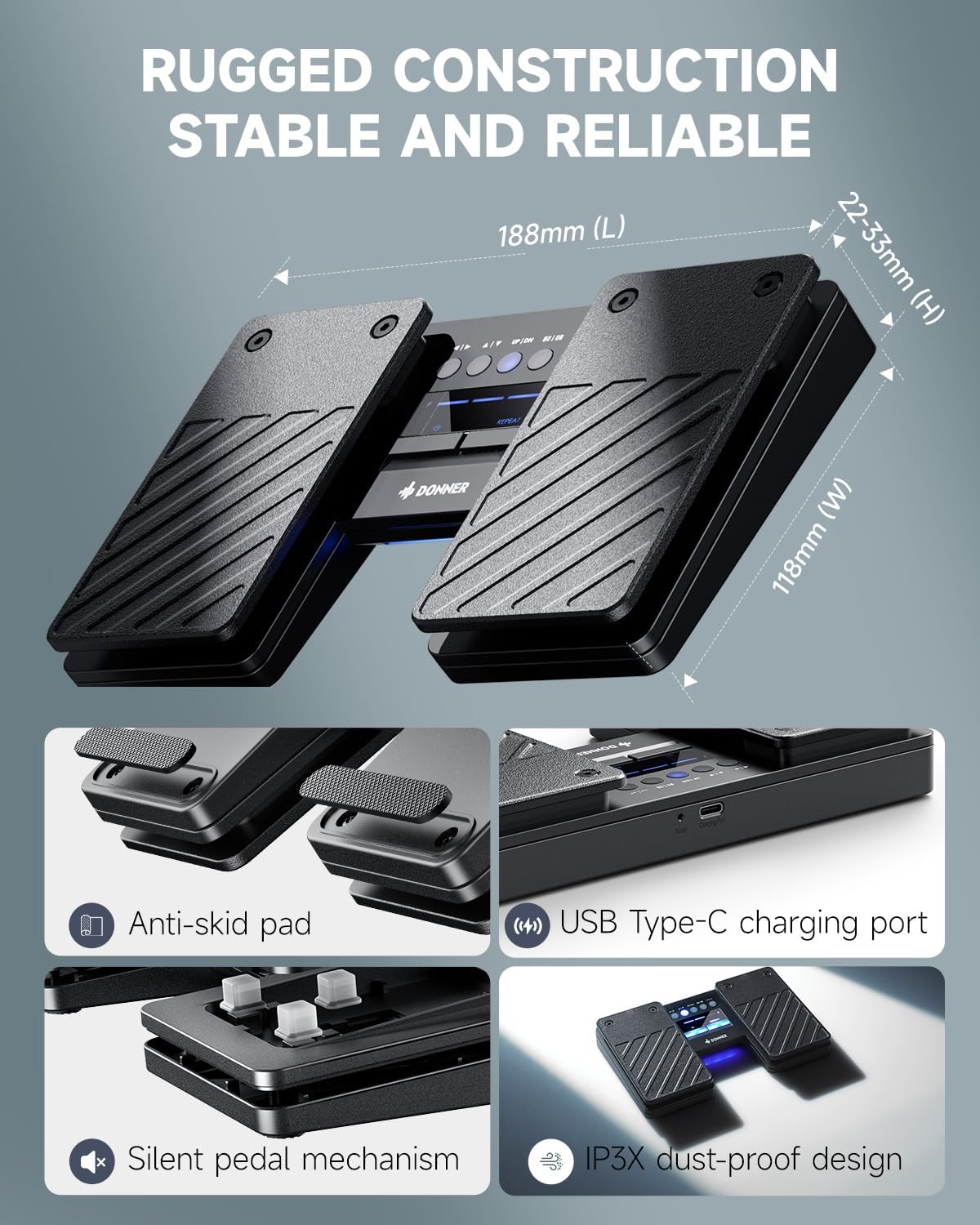
- USB Type-C заряддоо порту: Ички батареяны кайра заряддоо үчүн.
- Калыбына келтирүү баскычы: Заводдук абалга кайтаруу үчүн кичинекей ийне тешиги бар баскыч.
- Тайгаланбай турган төшөмөлөр: Located on the bottom of the unit for stability during use.
- Silent Pedal Mechanism: Designed for quiet operation, ideal for performance environments.
- IP3X Dust-proof Design: Provides protection against dust ingress.
4. Орнотуу жана жупташтыруу
4.1 Баштапкы орнотуу
- Күйгүзүү: Long press the power button (usually the left button on the control panel) for 1.5 seconds to turn on the page turner. The LED indicators will light up.
- Bluetooth иштетүү: On your phone, tablet, or computer, go to the Settings menu and ensure Bluetooth is turned on.
- Түзмөктү жупташтыруу: Издөө available Bluetooth devices. The pedal will appear as "Donner DBM-50". Select it to pair.
- Ырастоо: Once paired, the Bluetooth indicator light on the pedal will stop flashing, indicating a successful connection.
Pro Tip: If you are connecting to a new device, disable Bluetooth on any previously paired devices to ensure a smooth connection process.

4.2 Шайкештик
The DBM-50 is designed for wide compatibility across various operating systems and applications:
- Операциялык системалар: iOS (iPhone/iPad/iPod Touch), Android, Windows, and macOS.
- Тиркемелер: Supports popular music notation and reading apps such as ForScore, YiBook, Guitar Pro, MusicStand, NextPage, and many more. It also works with teleprompter apps and for general document scrolling.
5. Иштөө режимдери
The DBM-50 offers 5 distinct page-turning modes and 2 Bluetooth connection modes to suit different needs. The mode buttons are located on the central control panel.

- Page Turn Modes: These modes simulate different keyboard inputs, allowing compatibility with various applications. Common modes include:
- Left/Right Arrow keys (for horizontal page scrolling)
- Up/Down Arrow keys (for vertical page scrolling)
- Page Up/Page Down keys
- Mouse Click (Left/Right)
- Spacebar/Enter key
- Bluetooth туташуу режимдери: The pedal supports two Bluetooth connection modes to ensure broad compatibility with different devices and software. Refer to the specific application's settings for optimal mode selection.
To switch between modes, press the corresponding mode button on the control panel. The active mode will be indicated by an illuminated LED.
6. Заряддоо жана Батарея
The DBM-50 is equipped with a built-in rechargeable lithium battery, offering extended usage time.
- Батареянын иштөө мөөнөтү: Provides up to 80 hours of use on a single full charge.
- Заряддоо: Use the included USB Type-C cable to charge the device. Connect the cable to the charging port on the side of the pedal and to a standard USB power source (e.g., computer, wall adapter).
- Батарея көрсөткүчү: The LED indicators on the control panel display the current battery level.
- Авто уктоо: The pedal automatically enters sleep mode when idle to conserve battery power.

7. Техникалык тейлөө
To ensure the longevity and optimal performance of your Donner DBM-50 pedal, follow these maintenance guidelines:
- Тазалоо: Wipe the pedal with a soft, dry cloth. Avoid using harsh chemicals or abrasive cleaners.
- Сактагыч: Педальды салкын, кургак жерде, күндүн түз нурунан жана өтө жогорку температурадан алыс сактаңыз.
- Чаңдан коргоо: The IP3X dust-proof design helps, but regular cleaning can further prevent dust accumulation in internal circuits.
- Заряддоо: Charge the battery regularly, even if not in frequent use, to maintain battery health. Avoid completely draining the battery for extended periods.
8. Кыйынчылыктарды
If you encounter issues with your DBM-50 pedal, try the following steps:
- Not Connecting/Pairing:
- Ensure the pedal is powered on and fully charged.
- Түзмөгүңүздө Bluetooth иштетилгенин текшериңиз.
- Disable Bluetooth on any other devices that may have previously paired with the pedal.
- Try restarting both the pedal and your device.
- Use the reset button (small pinhole) on the pedal to perform a factory reset, then attempt pairing again.
- Incorrect Page Turning/Functionality:
- Check that the correct operating mode is selected on the pedal for your application. Different apps may require different input simulations (e.g., arrow keys vs. page up/down).
- Ensure your application is configured to respond to the selected input type.
- Lag or Missed Turns:
- Түзмөгүңүз 10 метрлик Bluetooth диапазонунда экенин текшериңиз.
- Башка зымсыз түзмөктөрдөн мүмкүн болуучу тоскоолдуктарды текшериңиз.
- Ensure the pedal's battery is not critically low.
- Батарея заряддалбай жатат:
- Verify the USB Type-C cable is securely connected to both the pedal and the power source.
- Башка USB кабелин же кубат адаптерин колдонуп көрүңүз.
- Кубат булагынын иштешин текшериңиз.
9. Техникалык шарттар
| Өзгөчөлүк | Спецификация |
|---|---|
| Бренд | Доннер |
| Модель аты | DBM-50 |
| Түс | Кара |
| Байланыш | Bluetooth 5.0 |
| Зымсыз диапазон | 10 метрге чейин (33 фут) |
| Батареянын иштөө мөөнөтү | 80 саатка чейин (толук зарядда) |
| Заряддоо порту | USB Type-C |
| Элемент Салмагы | 332 грамм |
| Чаңдан коргоо | IP3X |
10. Кепилдик жана колдоо
Donner provides a 1-year warranty for the DBM-50 Bluetooth Page Turner Pedal, covering manufacturing defects and malfunctions under normal use.
For technical support, warranty claims, or any inquiries regarding your product, please contact Donner customer service:
- Электрондук почта: service@donnermusic.com
Кепилдикти текшерүү үчүн сатып алганыңыздын далилин сактап коюңуз.


