Introduction
This manual provides detailed instructions for the setup, operation, and maintenance of your InCard Wallet Tracker, Model CARD01NC. The InCard Wallet Tracker is designed to help you locate your personal items using either the Apple Find My network or Google's Find Hub (Find My Device) network. Please read this manual thoroughly to ensure proper use and to maximize the device's functionality.
Продукт бүттүview
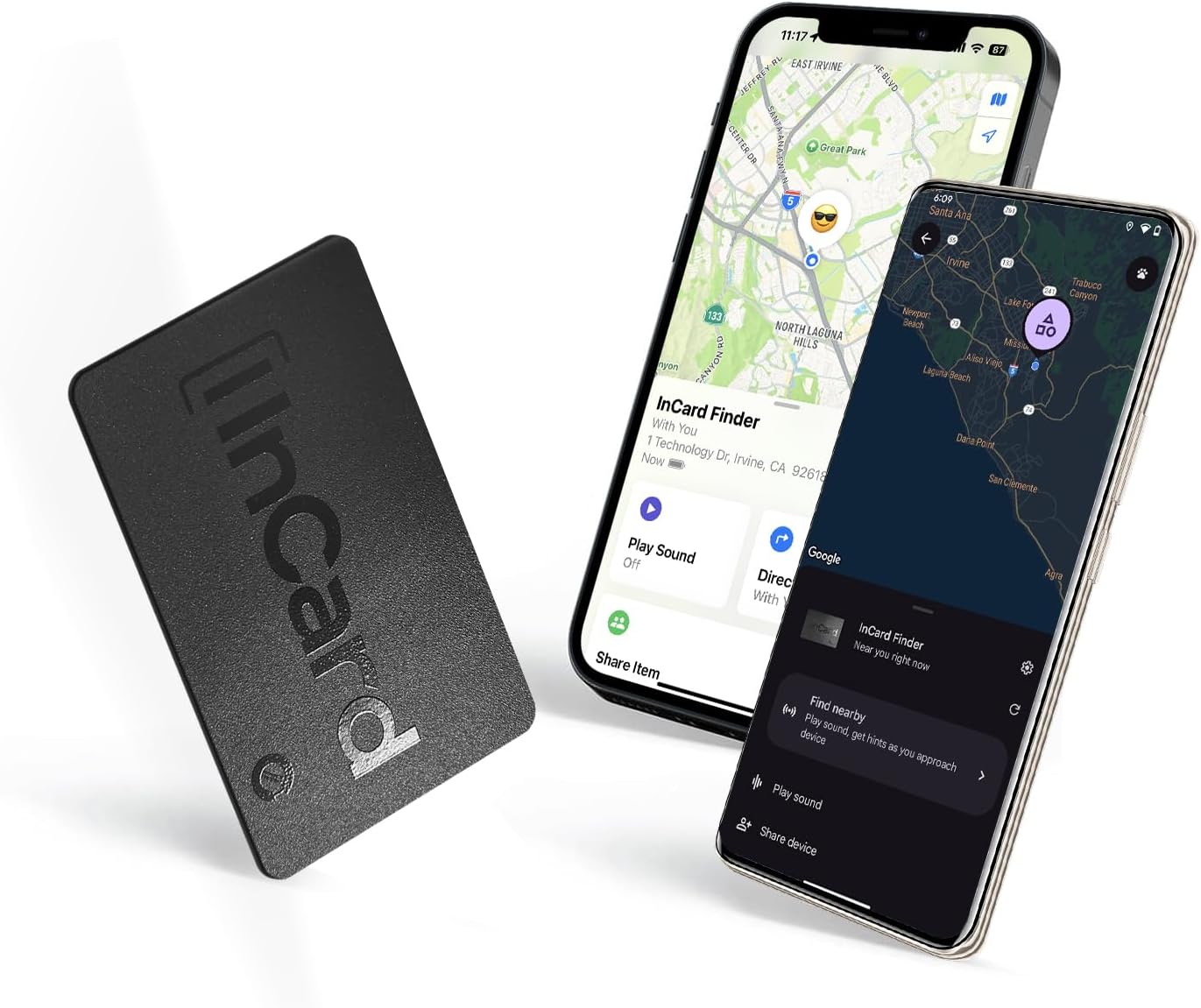
Сүрөттүн сүрөттөлүшү: The InCard Wallet Tracker, a slim black card, is shown alongside two smartphones. One phone displays the Apple Find My interface, and the other shows Google's Find Hub, both indicating the tracker's location on a map. This illustrates the tracker's dual compatibility.
The InCard Wallet Tracker is an ultra-slim, credit card-shaped device designed for discreet placement in wallets, bags, or other personal items. It leverages global positioning networks to help you find misplaced belongings.
Негизги өзгөчөлүктөрү:
- Global Cloud Positioning: Compatible with both Apple Find My (iOS) and Google's Find Hub (Android) networks.
- Ultra-Slim дизайн: Measures 1.7mm x 54mm x 85.6mm, fitting easily into most wallets.
- Loud Alert Sound: Features a built-in speaker capable of up to 80dB for audible locating.
- Left Behind Alert: Provides notifications if you leave your item behind (iOS devices only).
- Узартылган батареянын иштөө мөөнөтү: Up to 5 years on Android devices, and up to 3 years on iOS devices, with no charging required.
- IP68 Суу өткөрбөйт: Fully protected against dust and water immersion.
- No Dedicated App Required: Utilizes native tracking applications on iOS and Android platforms.
- Shareable Location: Allows sharing of the item's location with trusted contacts.

Сүрөттүн сүрөттөлүшү: A close-up of the InCard Wallet Tracker, illustrating its key specifications. Labels point to its 1.7mm thickness, IP68 waterproof rating, up to 5-year battery life, 555ft Bluetooth range, and 90dB sound alert capability.
Орнотуу нускамалары
The InCard Wallet Tracker does not require a separate application. It integrates directly with your device's native finding network.
For Apple Find My (iOS Devices):
- Трекерди иштетүү: Ensure your InCard Wallet Tracker is powered on. Refer to the packaging or quick start guide for initial activation steps if necessary.
- Менин колдонмомду табуу: On your iOS device, open the "Find My" application.
- Элемент кошуу: Navigate to the "Items" tab and tap the "+" icon. Select "Add Other Item."
- Экрандагы көрсөтмөлөрдү аткарыңыз: Your iOS device will search for nearby compatible items. Once the InCard Wallet Tracker is detected, follow the on-screen instructions to name your item and complete the pairing process.
- Ырастоо: The tracker will now appear in your "Items" list within the Find My app.
For Google's Find Hub (Android Devices):
- Трекерди иштетүү: Ensure your InCard Wallet Tracker is powered on.
- Access Find My Device: On your Android device, open the "Find My Device" application or navigate to the "Find Hub" settings.
- Жаңы түзмөк кошуу: Look for an option to "Add new device" or "Pair new item."
- Экрандагы көрсөтмөлөрдү аткарыңыз: Your Android device will scan for nearby Bluetooth devices. Select the InCard Wallet Tracker when it appears and follow the instructions to complete the pairing.
- Ырастоо: The tracker will now be listed in your Find My Device interface.

Сүрөттүн сүрөттөлүшү: The InCard Wallet Tracker is displayed with two smartphones, one showing the Apple Find My app and the other the Google Find Hub app. Both apps display maps with location markers, emphasizing the tracker's compatibility with both major mobile operating systems for global location tracking.
Иштөө нускамалары
Сиздин буюмдун жайгашкан жери:
- Open Tracking App: Launch the Apple Find My app (iOS) or Google Find My Device app (Android).
- Select Your Tracker: From the list of items, select your InCard Wallet Tracker.
- View Жайгашкан жери: The app will display the last known location of your tracker on a map.
- Үн ойнотуу: If the tracker is within Bluetooth range, you can tap the "Play Sound" option in the app. The tracker will emit an audible alert (up to 80dB) to help you pinpoint its exact location.
- Find Nearby (Android Only): For Android users, the Find My Device app may offer a "Find nearby" feature that uses Bluetooth signal strength to guide you closer to the tracker.
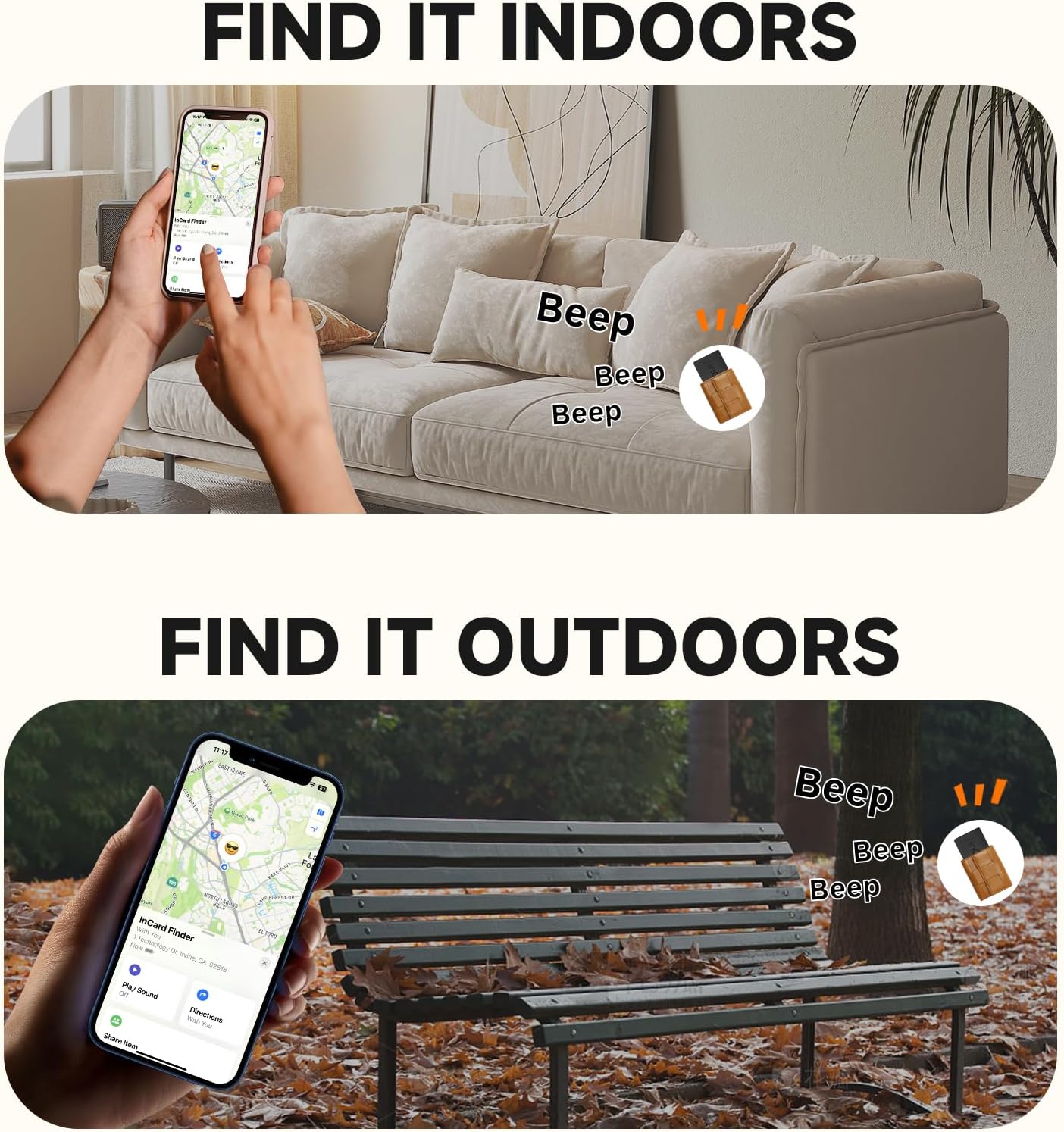
Сүрөттүн сүрөттөлүшү: Two scenarios demonstrating how to find the InCard Wallet Tracker. The top image shows a hand using a smartphone to locate the tracker indoors, with "Beep" sound indicators near a couch. The bottom image shows a similar scenario outdoors, with "Beep" indicators near a park bench.
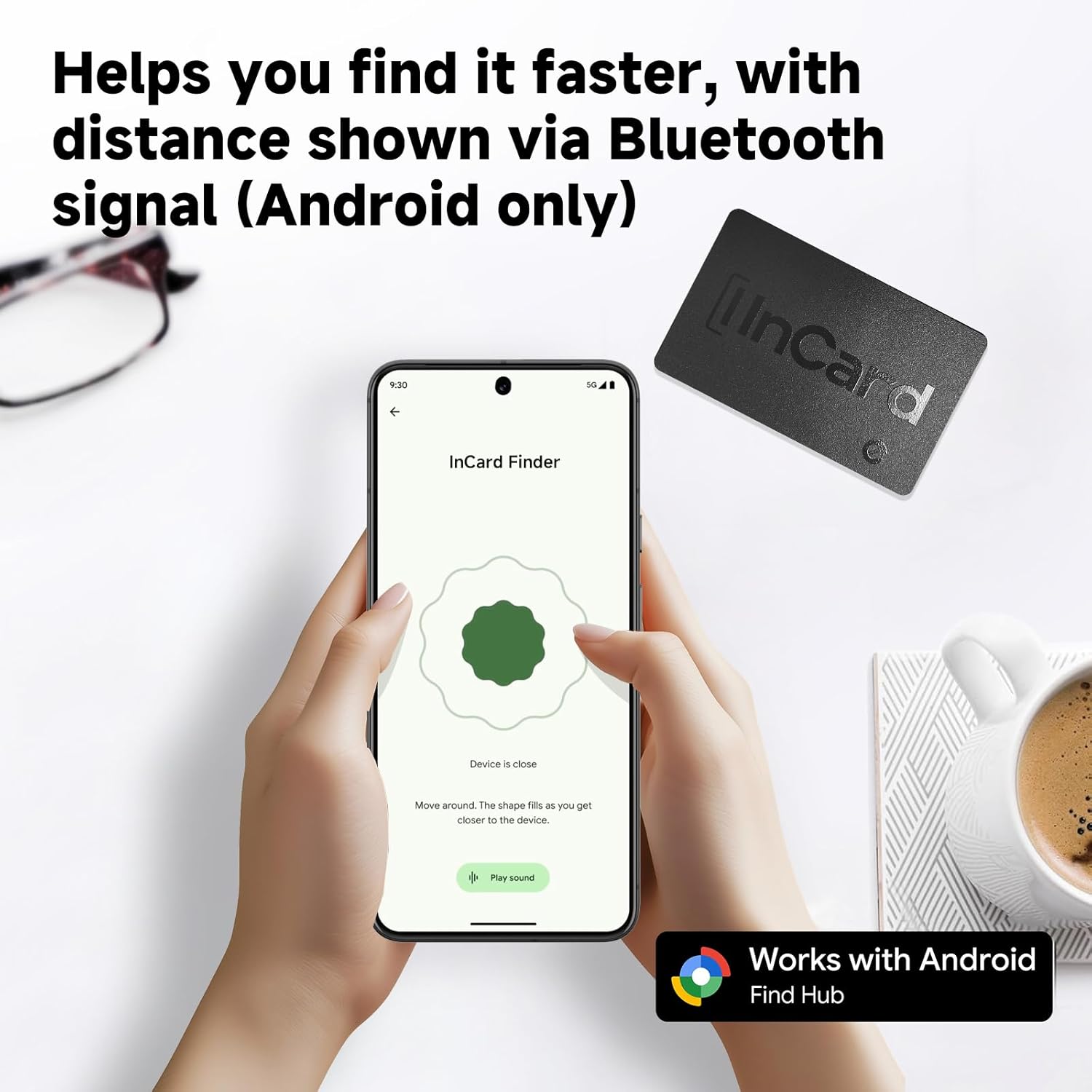
Сүрөттүн сүрөттөлүшү: An Android smartphone displays the "InCard Finder" interface, showing a circular graphic that fills as the user gets closer to the device, along with a "Play sound" button. This visual aid helps users locate the tracker when it's nearby.
Left Behind Alert (iOS Only):
For iOS users, the InCard Wallet Tracker can notify you if you accidentally leave your item behind. This alert typically triggers approximately 5 minutes after the tracker loses connection with your iOS device.
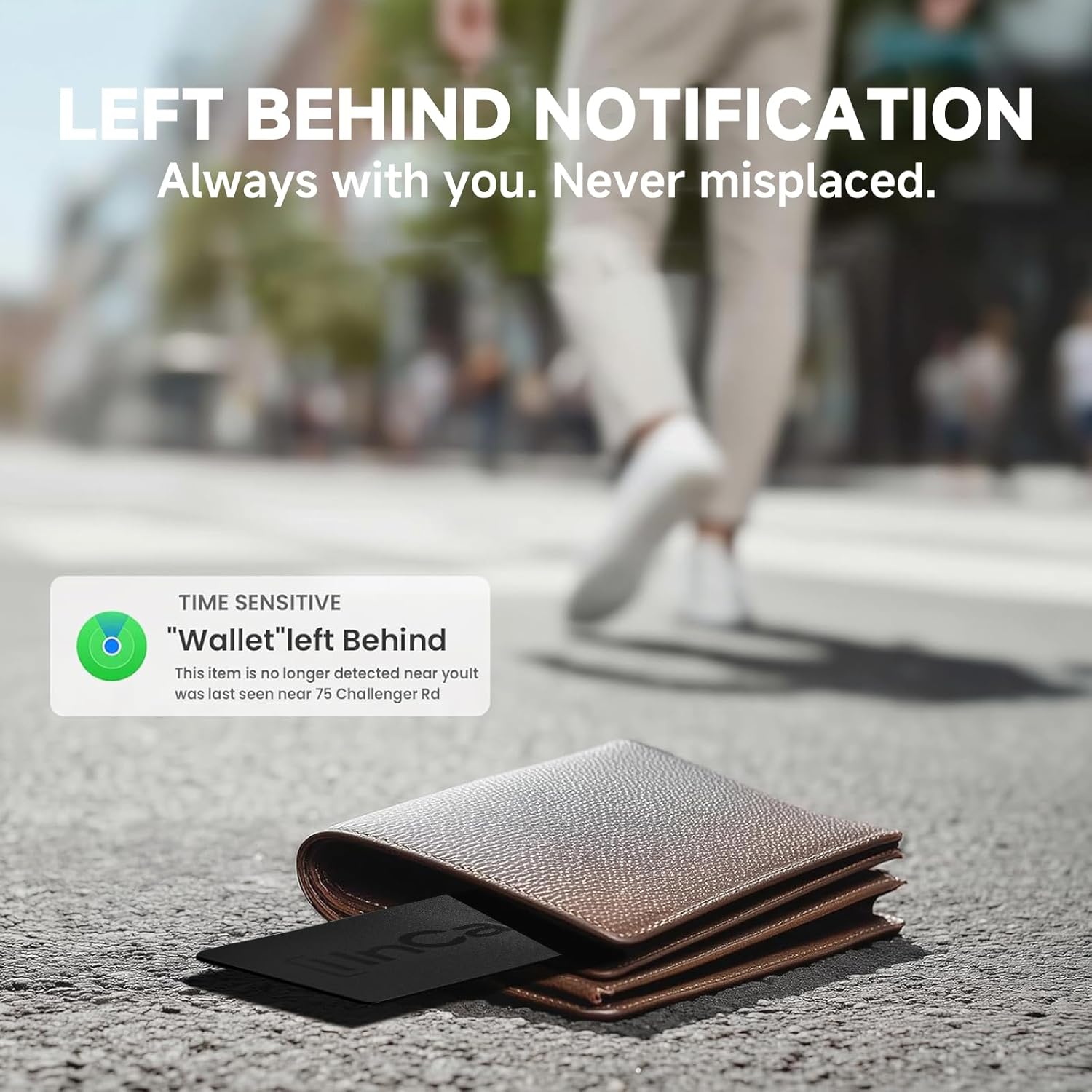
Сүрөттүн сүрөттөлүшү: A smartphone screen shows a "TIME SENSITIVE 'Wallet' left Behind" notification, indicating the last known location. Next to the phone, an InCard Wallet Tracker is shown partially out of a wallet, lying on the ground, illustrating the alert feature.
Sharing Location:
You can share the location of your InCard Wallet Tracker with friends and family through the respective tracking applications. This allows multiple trusted individuals to help locate a shared item.

Сүрөттүн сүрөттөлүшү: A central image shows a smartphone displaying the InCard Finder app with a location on a map, and sound waves emanating from a wallet containing the tracker. Surrounding this are three individuals using their phones, symbolizing the ability to share the tracker's location with friends and family.
Техникалык тейлөө
Батареянын иштөө мөөнөтү:
The InCard Wallet Tracker is equipped with a non-rechargeable, long-life lithium metal battery. The battery is designed to last up to 5 years when used with Android devices and up to 3 years with iOS devices. No charging or battery replacement is required during its operational lifespan.

Сүрөттүн сүрөттөлүшү: A graphic illustrating the InCard Wallet Tracker's battery life. It shows a battery icon labeled "Up to 5 YRS" for InCard, contrasted with smaller battery icons labeled "1 YRS" and "0.5 YRS" for other devices, emphasizing the extended battery duration.
Гидроизоляция:
The InCard Wallet Tracker has an IP68 rating, meaning it is fully protected against dust ingress and can withstand continuous immersion in water beyond 1 meter. This makes it suitable for use in various environments, including exposure to rain or accidental splashes.

Сүрөттүн сүрөттөлүшү: Two images demonstrating the InCard Wallet Tracker's durability. The top image shows a car tire driving over the tracker, implying crush resistance. The bottom image shows two trackers submerged in water with water droplets, highlighting its IP68 water-resistant feature.
Проблемаларды чечүү
- Tracker Not Appearing in App:
- Ensure the tracker is activated.
- Смартфонуңузда Bluetooth иштетилгенин текшериңиз.
- Make sure the tracker is within Bluetooth range of your smartphone during initial pairing.
- Restart your smartphone and try the pairing process again.
- Sound Alert Not Working:
- Confirm the tracker is within Bluetooth range of your smartphone.
- Check your smartphone's volume settings.
- Ensure the tracker's battery is not depleted (though unlikely given its long life, it's a general troubleshooting step).
- Так эмес жайгашкан жер:
- Location accuracy depends on the density of the Apple Find My or Google Find Hub network. In areas with fewer devices, location updates may be less frequent or precise.
- Ensure your smartphone has a stable internet connection to receive the latest location data.
- Left Behind Alert Not Triggering (iOS):
- Verify that "Notify When Left Behind" is enabled for your InCard Tracker in the Find My app settings.
- Ensure your iOS device's location services are active.
Техникалык шарттар
| Модель номери | CARD01NC |
| Өлчөмдөр | 3.33" L x 2.09" W x 0.07" Th (85.6mm x 54mm x 1.7mm) |
| Элемент Салмагы | 0.423 унция (12 грамм) |
| Байланыш | Bluetooth |
| Батарея түрү | 1 Lithium Metal battery (non-replaceable, included) |
| Батареянын иштөө мөөнөтү | Up to 5 years (Android), Up to 3 years (iOS) |
| Суу каршылык | IP68 (Dust tight, immersion beyond 1m) |
| Материал | PVC |
| Үн эскертүүсү | 80дБ чейин |
Кепилдик жана колдоо
Кепилдик жөнүндө маалымат жана кардарларды колдоо кызматы үчүн расмий InCard кызматына кайрылыңыз webсайтка же сатуучуга кайрылыңыз. Кепилдик дооматтар үчүн сатып алганыңыздын далилин сактаңыз.
Өндүрүүчү: InPlay, Inc.


