1. Киришүү
This manual provides essential information for the safe and effective operation of your Ortur Laser Master 2 S2 1064nm Infrared Laser Engraver. Please read this manual thoroughly before assembly and operation to ensure proper usage and to prevent damage or injury. This device is designed for precise engraving on various materials, including metals, plastics, and acrylics.

Image 1.1: The Ortur Laser Master 2 S2 1064nm Infrared Laser Engraver, showcasinанын дизайны жана эксamples of engraved items like cutlery, a flask, and a mug.
2. Коопсуздук маалыматы
The Ortur Laser Master 2 S2 is a Class 4 laser product. Improper use can result in serious injury, including eye damage, skin burns, and fire. Always adhere to the following safety guidelines:
- Көздү коргоо: Always wear appropriate laser safety goggles designed for the 1064nm wavelength during operation. Never look directly at the laser beam or its reflection.
- Иш чөйрөсү: Operate the engraver in a well-ventilated area. Ensure the work area is free of flammable materials.
- Көзөмөл: Иш учурунда машинаны эч качан кароосуз калтырбаңыз.
- Материалдык коопсуздук: Engrave only approved materials. Some materials can produce hazardous fumes when engraved.
- Шашылыш токтотуу: Авариялык токтотуу баскычынын жайгашкан жери жана функциясы менен таанышып алыңыз.
- Балдар жана үй жаныбарлары: Балдарды жана үй жаныбарларын операциядан алыс кармаңыз.
- Электр камсыздоо: Берилген кубат адаптерин гана колдонуңуз.

Сүрөт 2.1: Бүттүview of the four main safety features integrated into the Ortur Laser Master 2 S2 design.
3. Продукт бүтүп калдыview
3.1 Компоненттер
The Ortur Laser Master 2 S2 consists of a robust frame, a 1064nm infrared laser module, and control electronics. Key components include:
- Лазердик модулу: 1000mW (1W) 1064nm Infrared Laser.
- кадр: Industrial-grade full metal structure for stability and precision.
- Башкаруу кеңеши: Manages laser operations and communication.
- Stepper Motors: Drive the X and Y axes for precise movement.
- Чектөө которгучтары: Define the engraving area boundaries.
3.2 Негизги өзгөчөлүктөрү
- Multi-Material Compatibility: Capable of engraving various metals (gold, silver, platinum, copper, aluminum, stainless steel), leathers, plastics, acrylics, glass, and stones.
- Жогорку тактык: Motion accuracy up to 0.03mm for detailed engravings.
- Large Engraving Area: 390 x 410 mm (approximately 15.35" x 16.14").
- Жогорку ылдамдык: Engraving speeds up to 10000mm/min.
- Программалык шайкештик: Supports LaserGRBL and LightBurn.
- Операциялык системаны колдоо: Compatible with Windows 7/8/XP/10/11 and Mac systems (via LightBurn).
- File Формат колдоо: SVG, DXF, JPG, JPEG, PNG, BMP, TIF, CR2, etc.
- Модулдук дизайн: Facilitates easy assembly, repair, and upgrades.

Image 3.1: The powerful 1064nm 1W infrared laser module with dual fan cooling, designed for long operational life.

Image 3.2: The generous 390 x 410 mm (15.35" x 16.14") engraving area of the OLM2S2.
4. Орнотуу
4.1 Таңгактан чыгаруу жана текшерүү
Carefully unpack all components. Verify that all parts listed in the packing list are present and undamaged. If any parts are missing or damaged, contact customer support immediately.
4.2 Ассамблея
The Ortur Laser Master 2 S2 features a modular design for straightforward assembly. Typical assembly time is 10-15 minutes. Follow the detailed assembly instructions provided in the separate assembly guide or refer to official Ortur assembly videos. Ensure all connections are secure and the frame is rigid.
- Рамканын компоненттерин схемаларга ылайык чогултуңуз.
- Лазер модулун порталга орнотуңуз.
- Connect all cables (power, USB, motor cables) securely.
- Ensure the timing belts are properly tensioned.
4.3 Программалык камсыздоону орнотуу
Download the latest version of your preferred engraving software (LaserGRBL or LightBurn) from their official websites. Install the software on your computer and follow the on-screen instructions for driver installation and initial setup.
5. Иштөө нускамалары
5.1 Гравюрага даярдоо
- Жайгашкан жери материалы: Position the material to be engraved on the work surface.
- Лазерди фокустоо: Adjust the laser module height to achieve the optimal focal point on the material surface. Refer to the laser module's specific focusing instructions.
- Компьютерге туташуу: Connect the engraver to your computer via USB.
- Программаны ишке киргизүү: Open LaserGRBL or LightBurn.
- Жүктөөнүн дизайны: Import your desired engraving design (SVG, DXF, JPG, etc.).
- Параметрлерди коюу: Configure engraving parameters such as speed, power, and number of passes based on the material type and desired effect.
5.2 Гравировкалоо процесси
- Wear Safety Goggles: Ensure all individuals in the vicinity are wearing appropriate laser safety goggles.
- Гравюра баштоо: Initiate the engraving process through the software.
- Монитордун иштеши: Continuously monitor the engraving process. Be prepared to use the emergency stop if any issues arise.
- Аяктоо: Once engraving is complete, the laser will stop. Wait for any fumes to clear before removing the engraved item.
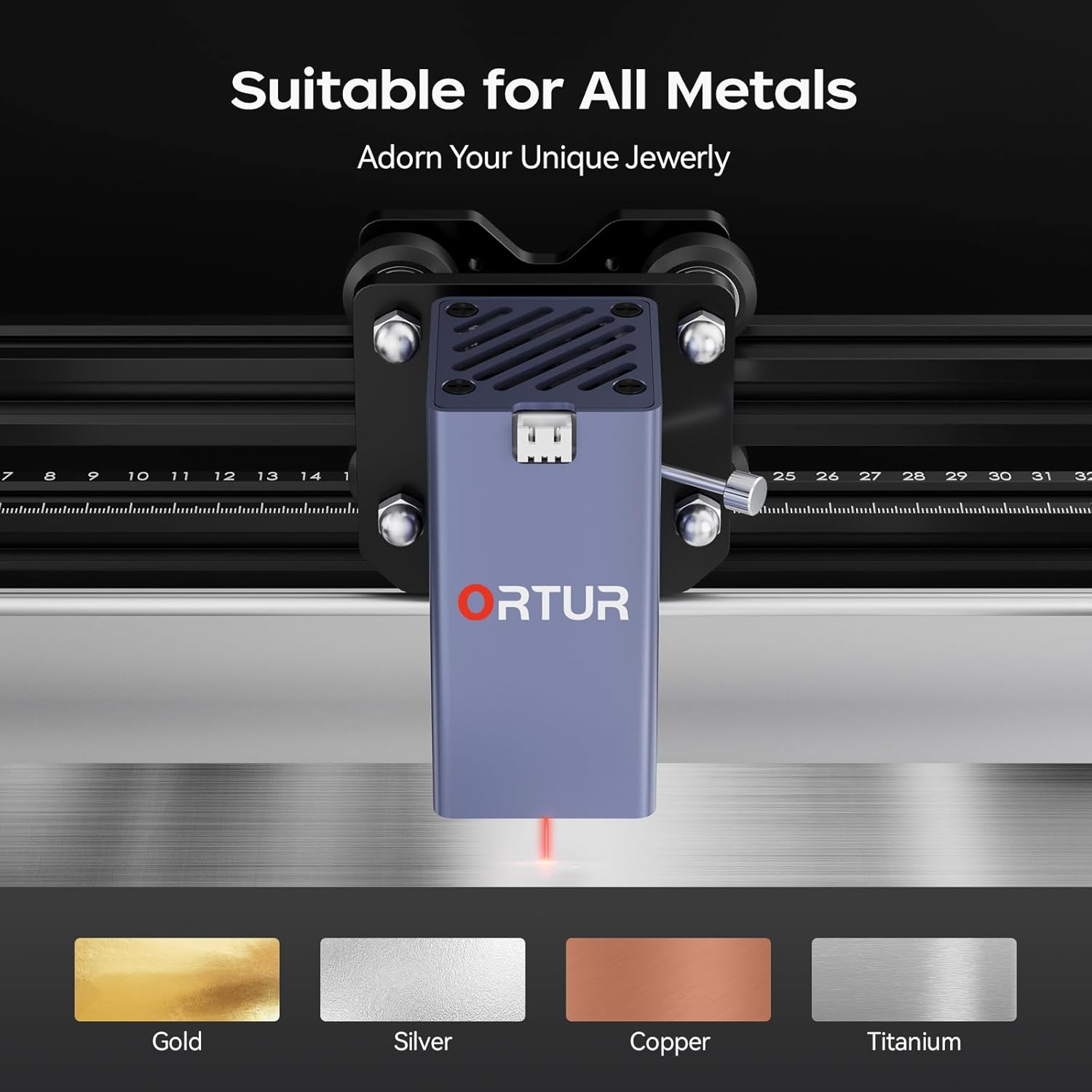
Image 5.1: The Ortur Laser Master 2 S2 is suitable for engraving on various metals, including gold, silver, copper, and titanium.

Сүрөт 5.2: Мисamples of materials that can be engraved, such as various metals, plastics, and acrylics.
6. Программанын шайкештиги
The Ortur Laser Master 2 S2 is compatible with widely used laser engraving software:
- LaserGRBL: A free, open-source software primarily for Windows users. It is suitable for basic engraving tasks and image processing.
- LightBurn: A powerful, paid software compatible with Windows, Mac, and Linux. It offers advanced features for design, layout, and control, making it suitable for more complex projects.
Ensure your software is updated to the latest version for optimal performance and compatibility.

Image 6.1: The laser engraver adapts to common software like LightBurn and LaserGRBL.
7. Техникалык тейлөө
Үзгүлтүксүз тейлөө сиздин лазердик оюгучуңуздун узак иштөөсүн жана оптималдуу иштешин камсыздайт.
- Тазалоо: Regularly clean the lens of the laser module with a lint-free cloth and isopropyl alcohol. Keep the rails and belts free of dust and debris.
- Майлоо: Periodically apply a small amount of lubricant to the linear rails to ensure smooth movement.
- Кур чыңалуу: Check and adjust the tension of the timing belts as needed to prevent skipping or inaccurate engraving.
- Программалык камсыздоонун жаңыртуулары: Check the official Ortur website for any firmware updates for your machine.
8. Кыйынчылыктарды
Бул бөлүм сиз кабылышы мүмкүн болгон жалпы көйгөйлөрдү карайт.
| Көйгөй | Мүмкүн себеп | Чечим |
|---|---|---|
| Лазер иштебейт же алсыз чыгаруу. | Incorrect focus, dirty lens, low power setting, faulty laser module. | Adjust focus, clean lens, increase power in software, contact support if module is faulty. |
| Engraving is inaccurate or distorted. | Loose belts, loose frame components, incorrect software settings, material movement. | Check and tighten belts, ensure frame is rigid, verify software settings, secure material. |
| Машина компьютерге туташпай жатат. | USB cable issue, driver not installed, incorrect COM port selected. | Try a different USB port/cable, reinstall drivers, select correct COM port in software. |
| Machine powers on but does not move. | Motor cables disconnected, emergency stop engaged, software error. | Check motor connections, disengage emergency stop, restart software and machine. |
9. Техникалык шарттар
| Өзгөчөлүк | Деталь |
|---|---|
| Бренд | Ортур |
| Модел | OLM2S2 |
| Лазердик Module | 1000mW (1W) 1064nm Infrared Laser |
| Гравюра аянты | 390 x 410 мм (15.35" x 16.14") |
| Гравюра ылдамдыгы | 10000 мм/мин чейин |
| Кыймылдын тактыгы | 0.03мм |
| Колдоого алынган программалык камсыздоо | LaserGRBL, LightBurn |
| Колдоого алынган OS | Windows 7/8/XP/10/11, Mac (LightBurn) |
| Колдоого алынган File Форматтар | SVG, DXF, JPG, JPEG, PNG, BMP, TIF, CR2, etc. |
| Продукциянын өлчөмдөрү | 22.4 x 9 x 5.1 дюйм |
| Элемент Салмагы | 8.67 фунт |

Image 9.1: The motion accuracy of 0.03mm ensures clear and detailed engraving patterns.
10. Кепилдик жана колдоо
Ortur is committed to providing high-quality after-sales service. If you encounter any problems with your product, please contact our customer support team.
- Кардарларды тейлөө: Professional technicians are available to provide solutions and assistance.
- Байланыш маалыматы: Refer to the official Ortur website or product packaging for current contact methods (email, live chat, Facebook support).

Image 10.1: Ortur offers round-the-clock support via email, live chat, and Facebook.


