Introduction
Thank you for choosing the EWEADN V96 Wireless Keyboard and Mouse Combo. This full-sized retro typewriter-style keyboard with round keycaps and a quiet mouse offers a comfortable and efficient typing experience. This manual provides detailed instructions on setting up, operating, maintaining, and troubleshooting your new device.

Image: The EWEADN V96 Wireless Keyboard and Mouse Combo, featuring a green full-sized keyboard with round keycaps and a matching wireless mouse, alongside the USB receiver.
Пакеттин мазмуну
Пакетиңизде бардык буюмдар бар экенин текшериңиз:
- 1 x EWEADN V96 Wireless Keyboard
- 1 x EWEADN Wireless Mouse
- 1 x 2.4GHz USB Receiver (located in the keyboard's battery compartment)
- 1 х Колдонуучунун колдонмосу (бул документ)
Жайгашуу
1. Батареяны орнотуу
The keyboard requires two AAA batteries, and the mouse requires one AA battery (batteries are not included).
- Open the battery compartment on the back of the keyboard. Insert two AAA batteries, ensuring correct polarity (+/-).
- Open the battery compartment on the bottom of the mouse. Insert one AA battery, ensuring correct polarity (+/-).
- Батарея бөлүкчөлөрүн тең бекем жабыңыз.

Image: Diagram showing battery compartments for the keyboard (2x AAA) and mouse (1x AA), indicating that batteries are not included. Also shows standby time of 180 days and auto-sleep after 10 minutes.
2. USB кабылдагычты туташтыруу
The 2.4GHz USB receiver is stored in the battery compartment of the keyboard.
- Remove the USB receiver from the keyboard's battery compartment.
- Plug the USB receiver into an available USB port on your computer (desktop, laptop, Chromebook, etc.).
- The keyboard and mouse will automatically connect to your computer. No drivers are required for installation.
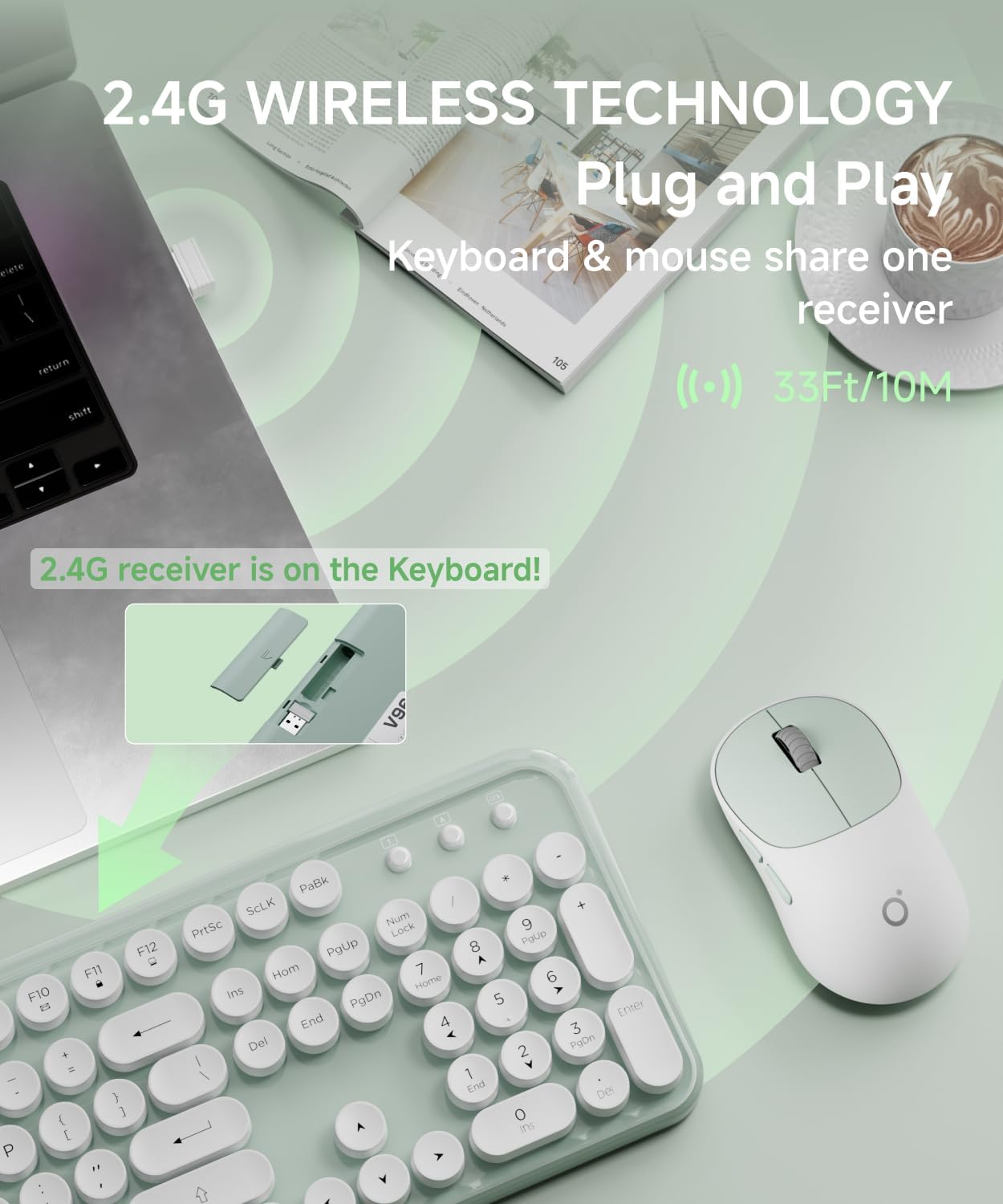
Image: Illustration showing the USB receiver being removed from the keyboard's battery compartment and then plugged into a computer's USB port, highlighting the 2.4G wireless plug-and-play technology with a 33ft/10m range.
Иштөө нускамалары
Баскычтоптун өзгөчөлүктөрү
The V96 keyboard is a full-sized 104-key layout with vintage round keycaps.
Мультимедиа кыска жол ачкычтары
The keyboard includes 13 easy-to-reach function keys (F1-F12) that provide shortcuts when pressed in combination with the Fn ачкыч.
- Fn + F1: Music Player
- Fn + F2: Ойнотуу/Тыныгуу
- Fn + F3: Мурунку трек
- Fn + F4: Кийинки трек
- Fn + F5: Үнүн азайтуу
- Fn + F6: Үнүн жогорулатуу
- Fn + F7: Үнсүз
- Fn + F8: Web Браузер
- Fn + F9: Издөө
- Fn + F10: Сүйүктүүлөр
- Fn + F11: Электрондук почта
- Fn + F12: Lock Screen / My Computer

Image: Diagram illustrating the multimedia shortcut keys (F1-F12) on the keyboard, showing their functions when used with the Fn key.
Чычкан өзгөчөлүктөрү
The wireless mouse features a quiet clicking mechanism and an ergonomic design for comfortable use.
DPI тууралоо
The mouse's sensitivity (DPI) can be adjusted to suit your preference. Press the DPI button on the top of the mouse to cycle through the following settings:
- 800 DPI
- 1200 DPI (демейки)
- 1600 DPI

Image: Close-up of the wireless mouse, highlighting its quiet operation and the DPI adjustment button. Text indicates DPI settings of 800-1200-1600.
Автоматтык уйку режими
Both the keyboard and mouse are designed with an automatic power-saving sleep mode. After 5 seconds of inactivity, the devices will enter sleep mode to conserve battery life. To wake them up, simply click any key on the keyboard or move/click the mouse.
Техникалык тейлөө
Тазалоо
- To clean the keyboard and mouse, use a soft, dry cloth.
- өжөр кир үчүн, бир аз гampen the cloth with water or a mild, non-abrasive cleaner. Do not spray liquids directly onto the devices.
- Avoid using harsh chemicals, solvents, or abrasive cleaners, as these may damage the surface.
- Баскычтоптун капкактарынын ортосун тазалоо үчүн кысылган абаны же кичинекей щетканы колдонуңуз.
Батареяны алмаштыруу
When the battery is low, the low battery indication light on the top right corner of the keyboard will illuminate. Replace the batteries as described in the "Battery Installation" section under Setup.
Сактагыч
When not in use for extended periods, it is recommended to remove the batteries from both the keyboard and mouse to prevent leakage. Store the devices in a cool, dry place.
Проблемаларды чечүү
| Көйгөй | Мүмкүн себеп | Чечим |
|---|---|---|
| Баскычтоп же чычкан жооп бербей жатат. | Төмөн же өлүп калган батарейкалар. | Replace batteries in both keyboard (2x AAA) and mouse (1x AA). |
| Баскычтоп же чычкан жооп бербей жатат. | USB кабыл алгыч туура эмес туташкан. | USB кабыл алгыч иштеп жаткан USB портуна бекем сайылып турганын текшериңиз. Башка USB портун колдонуп көрүңүз. |
| Баскычтоп же чычкан жооп бербей жатат. | Devices are too far from the receiver or signal interference. | Move the keyboard and mouse closer to the USB receiver. Avoid placing the receiver near large metal objects or other wireless devices that may cause interference. The effective range is up to 33ft (10m). |
| Кечигүү же кечигүү менен жооп берүү. | Батареянын кубаты аз же тоскоолдуктар аз. | Replace batteries. Reduce interference by moving other wireless devices or the receiver. |
| Чычкан курсору туура эмес же жылмакай эмес. | Dirty optical sensor or unsuitable surface. | Clean the optical sensor on the bottom of the mouse. Use the mouse on a clean, non-reflective, opaque surface or a mouse pad. |
| Keyboard keys are sticky or unresponsive. | Dirt or debris under the keycaps. | Клавиатураны кысылган аба же кичинекей щетка менен тазалаңыз. |
Техникалык шарттар
| Өзгөчөлүк | Деталь |
|---|---|
| Бренд | EWEADN |
| Модел | V96 |
| Түс | Жашыл |
| Байланыш технологиясы | 2.4GHz Зымсыз |
| Баскычтоптун жайгашуусу | 104 Keys, Full-Sized |
| Баскычтоптун капкак стили | Ретро тегерек баскычтар |
| Чычкандын DPI жөндөөлөрү | 800 / 1200 / 1600 DPI |
| Зымсыз диапазон | 33 фут (10 метр) чейин |
| Баскычтоптун батареясы | 2 x AAA батарейкалар (киргизилген эмес) |
| Чычкан батареясы | 1 x AA батарейка (киргизилген эмес) |
| Автоматтык уйку функциясы | Ооба, 5 секунд аракетсиздиктен кийин |
| Шайкеш түзмөктөр | Desktops, Chromebooks, PC, Laptops, Computers |
| Операциялык системалар | Windows 10 / 8 / 7 / XP / Vista, Mac OS |
Кепилдик жана колдоо
EWEADN products are designed for reliability and performance. For warranty information or technical support, please refer to the contact details provided with your purchase or visit the official EWEADN webсайт.
Кардарларды колдоо: Please contact your retailer or the manufacturer directly for assistance.


