1. Киришүү
Thank you for choosing the ZEALOT ZE21 Portable Bluetooth Speaker. This manual provides essential information for setting up, operating, and maintaining your speaker. Please read it thoroughly before use to ensure optimal performance and longevity of your device.

Сүрөт 1.1: Алдыңкы view of the ZEALOT ZE21 Portable Bluetooth Speaker.
2. Пакеттин мазмуну
Пакетте бардык буюмдар бар экенин текшериңиз:
- 1 x ZEALOT ZE21 Bluetooth Speaker
- 1 x Quick Start Guide
- 1 x Charging Cable (Charger not Included)
- 1 х погон

Figure 2.1: ZEALOT ZE21 speaker and its included accessories.
3. Орнотуу
3.1 Динамикти заряддоо
Before first use, fully charge the speaker. The ZEALOT ZE21 features a 48000mAh battery and supports 45W USB-C PD fast charging. A full charge typically takes approximately 2.5 hours with a compatible 45W PD charger (not included).
- Connect the provided USB-C charging cable to the speaker's IN-5V USB-C port.
- Connect the other end of the cable to a 45W Power Delivery (PD) compatible USB-C charger.
- The charging indicator lights will illuminate. Once fully charged, the indicators will change or turn off depending on the model.
3.2 Баштапкы күйгүзүү
Кубат баскычын басып, кармап туруңуз (U) on the control panel for a few seconds until the speaker powers on.
3.3 Bluetooth жупташтыруу
Динамик биринчи жолу күйгүзүлгөндө же эч кандай аспап туташкан эмес болсо, автоматтык түрдө Bluetooth жупташтыруу режимине кирет.
- Түзмөгүңүздүн Bluetooth иштетилгенин текшериңиз.
- Издөө "ZEALOT-ZE21" in your device's Bluetooth list.
- Select "ZEALOT-ZE21" to connect. A confirmation sound will indicate successful pairing.
3.4 Физикалык жайгаштыруу
The ZEALOT ZE21 is designed for portability and can be placed on various surfaces. It also features a tripod support design for elevated sound projection.
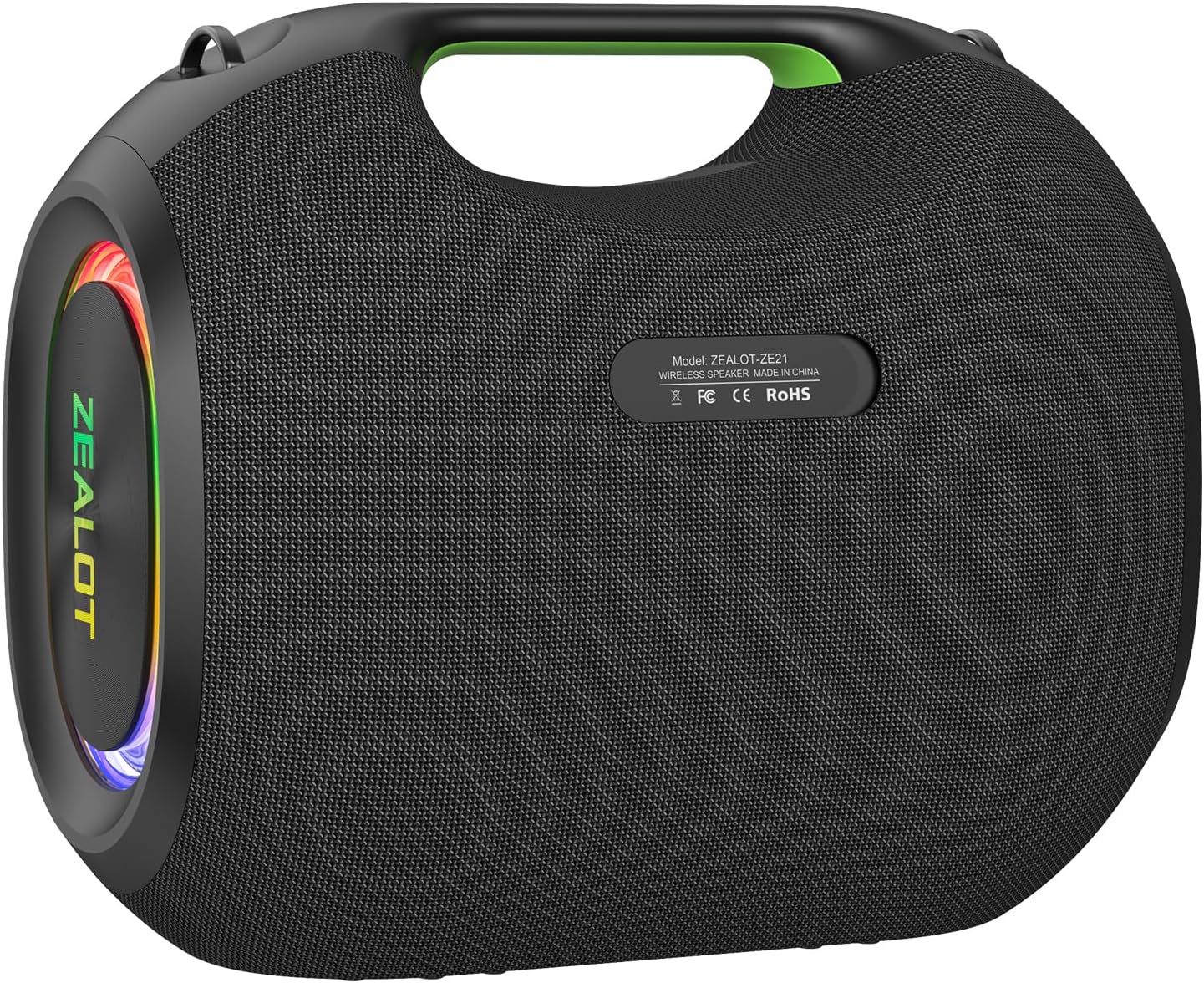
3.1-сүрөт: Арткы view showing connectivity ports (USB, AUX, TF, USB-C IN/OUT).
4. Иштөө нускамалары
4.1 Башкаруу панелинин үстүнөview
The control panel is located on the top of the speaker. It includes buttons for power, mode selection, volume, EQ, and lighting.

Figure 4.1: Control panel, connectivity ports, and anti-slip base.
4.2 Негизги функциялар
- Күйгүзүү/өчүрүү: басып, кармап туруңуз U баскычы.
- Үндү көзөмөлдөө: Басыңыз + to increase volume, - үнүн азайтуу.
- Ойнотуу/тындыруу: басыңыз Ойнотуу/Тыныгуу button (triangle symbol).
- Кийинки трек: басып, кармап туруңуз + баскычы.
- Мурунку трек: басып, кармап туруңуз - баскычы.
- Режим которуу: басыңыз M button to cycle through Bluetooth, USB, TF Card, and AUX modes.
4.3 EQ режимдери
The ZEALOT ZE21 offers three professional EQ modes to optimize your audio experience. Press the EQ button to cycle through them:
- БАС КҮЧӨТҮҮ: Enhances low frequencies for electronic music and hip-hop.
- VOCAL CLARITY: Optimizes mid-range frequencies for podcasts, audiobooks, or clear vocals.
- СТАНДАРТ: салмактуу үн про камсыз кылатfile жалпы угуу үчүн.

Figure 4.2: Visual representation of the three EQ modes.
4.4 Ар тараптуу байланыш
In addition to Bluetooth 5.3, the speaker supports multiple playback options:
- USB ойнотуу: MP3 менен USB дискти салыңыз fileUSB портуна киргизиңиз.
- TF Card (MicroSD) Playback: Insert a TF card with audio files into the TF slot.
- AUX 3.5mm Input: Connect an external audio device using a 3.5mm audio cable to the AUX port.
4.5 Multi-Device Pairing (TWS Function)
Connect two ZEALOT ZE21 speakers wirelessly for true stereo sound or a massive mono party mode.
- Эки динамик тең күйгүзүлгөнүн жана эч кандай Bluetooth түзмөгүнө туташкан эмес экенин текшериңиз.
- Бир динамикте (бул негизги динамик болот) баскычын басыңыз Шилтеме button (infinity symbol).
- The primary speaker will search for the secondary speaker. Once connected, a confirmation sound will play.
- Connect your device to the primary speaker via Bluetooth. Audio will now play through both speakers.

Figure 4.3: Two ZEALOT ZE21 speakers connected via TWS for enhanced audio.
4.6 RGB жарык эффекттери
The speaker features customizable RGB lighting. Press the Жарык button (sunburst symbol) to cycle through different colors and modes:
- 7 Colors & 3 Modes: Beat Sync, Breathing, Chasing.
- Press and hold the Light button to turn the lighting off.

Figure 4.4: Various RGB lighting modes available on the speaker.
5. Техникалык тейлөө
5.1 Тазалоо
Динамикти жумшак менен сүртүңүз, гamp cloth. Do not use abrasive cleaners or solvents. Ensure all ports are dry before charging or connecting other devices.
5.2 Гидроизоляция (IPX6)
The ZEALOT ZE21 is IPX6 rated, meaning it can withstand powerful water jets. It is resistant to splashes and rain but should not be submerged in water.

Figure 5.1: The speaker's IPX6 rating makes it suitable for outdoor use near water.
5.3 Сактоо
Store the speaker in a cool, dry place away from direct sunlight and extreme temperatures. If storing for an extended period, charge the battery to approximately 50% every three months to preserve battery life.
6. Кыйынчылыктарды
| Көйгөй | Мүмкүн себеп | Чечим |
|---|---|---|
| Динамик күйбөйт. | Батарея аз. | Charge the speaker using the provided USB-C cable and a 45W PD charger. |
| Bluetooth аркылуу жупташтыруу мүмкүн эмес. | Bluetooth not enabled on device; speaker already connected to another device; speaker too far from device. | Ensure Bluetooth is on. Disconnect from other devices. Move device closer to speaker (within 10 meters). |
| Үн жок же үнү төмөн. | Volume too low on speaker or connected device; incorrect input mode. | Increase volume on both speaker and device. Press 'M' to select the correct input mode. |
| Sound quality is poor (e.g., muffled, lacking treble). | EQ mode not suitable for content; audio source quality. | Cycle through EQ modes (Bass Boost, Vocal Clarity, Standard) to find the best fit. Ensure audio source is high quality. |
| TWS жупташтыруу ишке ашпай калды. | Динамиктер башка түзмөктөргө туташып турат; динамиктер бири-биринен өтө алыс жайгашкан. | Ensure both speakers are disconnected from other Bluetooth devices. Place speakers close to each other during TWS pairing. |
7. Техникалык шарттар
- Модель аты: ZEALOT-ZE21
- Динамиктин максималдуу чыгаруу күчү: 250 Ватт
- Байланыш технологиясы: Bluetooth 5.3, USB, TF Card, AUX 3.5mm
- Батарея сыйымдуулугу: 48000 мАч
- Заряддоо убактысы: Approximately 2.5 Hours (with 45W PD charger)
- Суу өткөрбөйт рейтинги: IPX6
- Продукциянын өлчөмдөрү: 16"D x 14"W x 10"H (42.4cmx36.3cmx26.2cm)
- Элемент Салмагы: 23.6 фунт
- Аудио драйвер түрү: үч-Amplified design (130W bass driver, dual 40W mid-range, dual 20W tweeters)
- Жыштык жообу: 20 KHz чейин
- Башкаруу ыкмасы: тийүү
- Кубат булагы: Батарея менен иштейт

Figure 7.1: Physical dimensions of the ZEALOT ZE21 speaker.

Figure 7.2: Internal speaker configuration highlighting the woofer, midrange, and tweeters.
8. Продукт бүтүп калдыview Video
Видео 8.1: Аткаминер бүттүview of the ZEALOT ZE21 250W Powerful Bluetooth Speaker, showcasing анын өзгөчөлүктөрү жана мүмкүнчүлүктөрү.
9. Кепилдик жана колдоо
9.1 Чектелген Кепилдик
The ZEALOT ZE21 speaker comes with a limited warranty. Please refer to the warranty card included in your package or contact ZEALOT customer service for detailed terms and conditions.
9.2 Кардарларды колдоо
For any questions, technical assistance, or warranty claims, please contact ZEALOT customer support through their official webсайт же продукт документациясында көрсөтүлгөн байланыш маалыматы.


