Introduction
Thank you for choosing the TECKNET TK-MS058 Bluetooth Wireless Mouse. This ultra-thin, rechargeable mouse offers versatile connectivity with Bluetooth 5.2/3.0 and 2.4G USB, allowing control of up to three devices simultaneously. Featuring 6-level adjustable DPI up to 4800, a silent click design, and an ergonomic shape, it is designed for comfort and efficiency across various operating systems and devices.
Пакеттин мазмуну
- TECKNET TK-MS058 Bluetooth Wireless Mouse
- USB-C заряддоо кабели
- 2.4G USB Receiver (stored inside the mouse)
- User Manual
Орнотуу жана туташуу
The TECKNET TK-MS058 mouse supports three connection modes: 2.4G USB, Bluetooth 5.2 (BT1), and Bluetooth 3.0 (BT2). You can switch between these modes to control up to three different devices.
2.4G USB Receiver туташуу
- Locate the 2.4G USB receiver in the compartment on the bottom of the mouse.
- USB ресиверди компьютериңиздеги жеткиликтүү USB портуна сайыңыз.
- Төмөндөгү кубат которгучу менен чычканды күйгүзүңүз.
- Press the mode switch button on the bottom of the mouse until the green indicator light illuminates, indicating 2.4G mode.
- Your mouse should now be connected and ready for use.
Bluetooth туташуу (BT1 / BT2)
- Төмөндөгү кубат которгучу менен чычканды күйгүзүңүз.
- Press the mode switch button on the bottom of the mouse to select either BT1 (Bluetooth 5.2) or BT2 (Bluetooth 3.0). The corresponding blue indicator light will flash.
- Түзмөгүңүздө (ноутбук, планшет ж.б.) Bluetooth жөндөөлөрүнө өтүп, жаңы түзмөктөрдү издеңиз.
- Select "TECKNET Mouse" from the list of available devices to pair.
- Once paired, the blue indicator light on the mouse will stop flashing and remain solid, indicating a successful connection.
- Repeat these steps for a second Bluetooth device using the other Bluetooth channel (BT1 or BT2).
Түзмөктөрдүн ортосунда которулуу
To switch between connected devices, simply press the mode switch button on the bottom of the mouse. The indicator light will change to reflect the active connection mode (green for 2.4G, blue for BT1, blue for BT2).

Image: The TECKNET TK-MS058 mouse connected to a laptop via 2.4G USB, and to a desktop and tablet via Bluetooth, demonstrating multi-device control.
Video: This video demonstrates the setup process for the TECKNET Silent Bluetooth Mouse, including how to connect via 2.4G USB and Bluetooth, and how to switch between devices.
Заряддоо жана батареянын иштөө мөөнөтү
The TECKNET TK-MS058 mouse features a built-in rechargeable battery for extended use.
- Заряддоо: Connect the mouse to a power source using the provided USB-C charging cable. The scroll wheel will glow red while charging. A full charge takes approximately 2.5 hours.
- Батареянын иштөө мөөнөтү: A full charge provides up to 60 days of use (based on 2 hours of daily use). The mouse has a 12-month standby time.
- Автоматтык уйку: To conserve power, the mouse automatically enters sleep mode after 30 minutes of inactivity. Simply click any button to wake it up.
- Төмөн батарея көрсөткүчү: When the battery is low, the scroll wheel will glow orange, signaling that it's time to recharge.

Image: The TECKNET TK-MS058 mouse being charged via a USB-C cable, highlighting its rechargeable design and battery indicators.
Иштетүү жана өзгөчөлүктөрү
Жөнгө салынуучу DPI жөндөөлөрү
The mouse offers 6 adjustable DPI (Dots Per Inch) levels, allowing you to customize cursor sensitivity for different tasks. Press the DPI switch button (located below the scroll wheel) to cycle through the settings:
- 800 DPI
- 1200 DPI (default for general office work)
- 1600 DPI
- 2400 DPI
- 3200 DPI
- 4800 DPI (for high-precision tasks or gaming)

Image: A visual representation of the 6 adjustable DPI settings (800 to 4800) available on the TECKNET TK-MS058 mouse, illustrating precision customization.
Silent Click Design
The TECKNET TK-MS058 features a silent click design, reducing click noise by approximately 90%. This allows for a quiet working environment, ideal for libraries, offices, or late-night use without disturbing others.

Image: The TECKNET TK-MS058 mouse highlighting its silent operation feature, ensuring a quiet user experience.
Ergonomic and Ultra-Thin Design
Designed for comfort and portability, the mouse has an ultra-slim body (2.26 × 4.48 × 0.93 inches) and an ergonomic curve that fits perfectly in your hand, reducing wrist fatigue during prolonged use. Its compact size makes it easy to carry in a laptop bag or pocket.

Image: A user demonstrating the ergonomic design of the TECKNET TK-MS058 mouse while working on a laptop, showing a comfortable hand position.
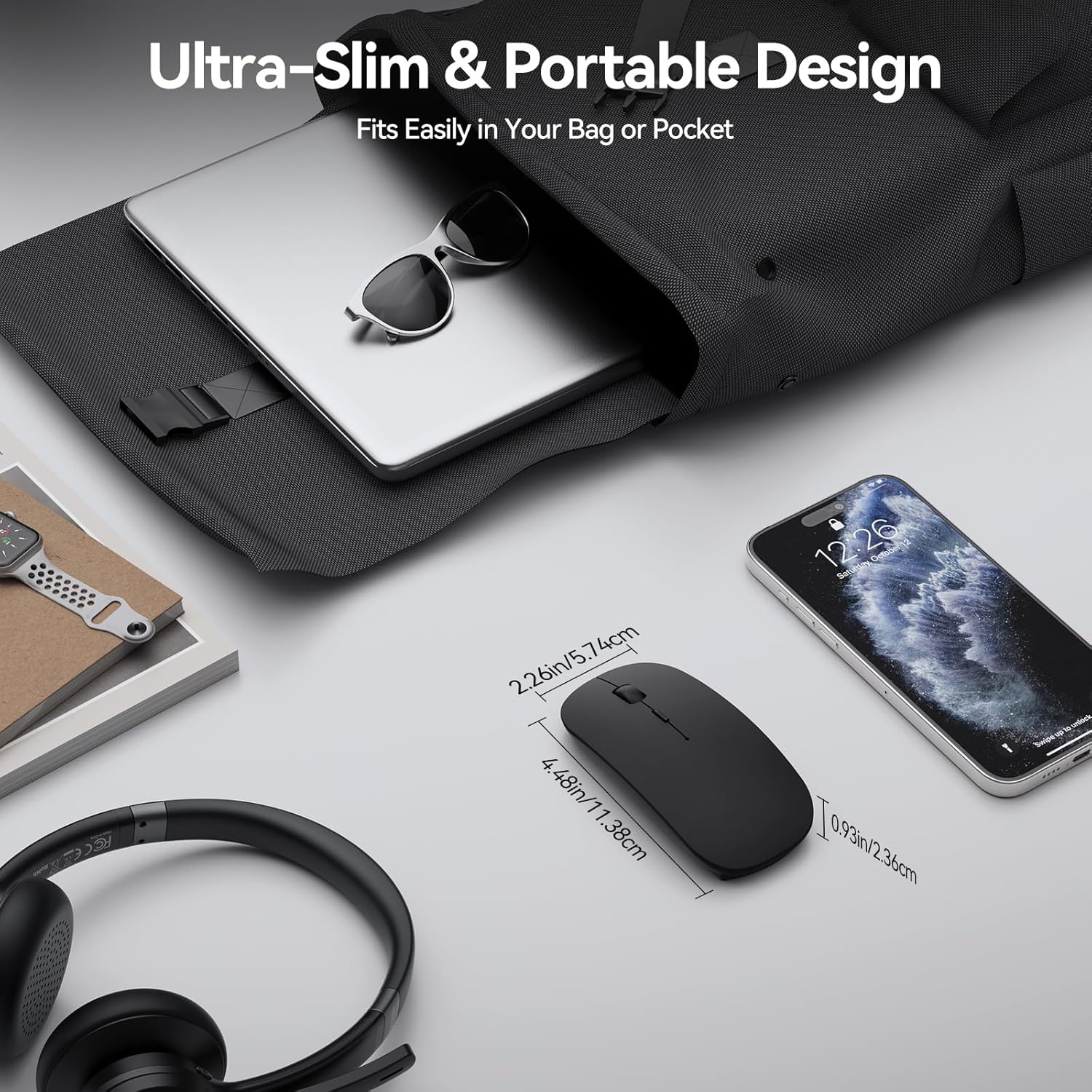
Image: The TECKNET TK-MS058 mouse displayed next to a laptop and smartphone, emphasizing its ultra-slim profile and portability for travel.
Оптикалык көз салуу
The mouse utilizes precise optical tracking technology, allowing it to glide effortlessly and accurately across most daily surfaces, including resin, wood, paper, cloth, and leather.
Шайкештик
The TECKNET TK-MS058 mouse offers wide compatibility with various devices and operating systems:
- Шайкеш түзмөктөр: Laptops, Desktops, MacBooks, iPads, iPhones, PCs.
- Операциялык системалар: Windows, macOS, Android, Linux, iOS, ChromeOS.

Image: The TECKNET TK-MS058 mouse shown with icons representing compatibility with Mac OS, Android, Windows, Linux, iOS, and ChromeOS, along with various device types.
Техникалык шарттар
| Өзгөчөлүк | Деталь |
|---|---|
| Бренд | TECNET |
| Модель аты | TK-MS058 |
| Байланыш технологиясы | Bluetooth Wireless USB (2.4G, Bluetooth 5.2, Bluetooth 3.0) |
| Кыймылды аныктоо технологиясы | Оптикалык |
| DPI деңгээли | 800, 1200, 1600, 2400, 3200, 4800 |
| Buttons | 5 |
| Өзгөчөлүктөр | Wireless, Ultra-slim, Silent, Rechargeable, Ergonomic, Lightweight, Portable |
| Батареянын иштөө мөөнөтү | 60 days (average use) |
| Заряддоо убактысы | Болжол менен 2.5 саат |
| Иштөө диапазону | 10-15 метр |
| Колдун багыты | Эки тараптуу |
| Элемент Салмагы | 3.2 унция |
Кепилдик жана колдоо
The TECKNET TK-MS058 Bluetooth Wireless Mouse comes with a 2 жылдык Өндүрүүчүнүн Кепилдиги. For any support inquiries, please refer to the contact information provided in your user manual or visit the official TECKNET webсайт.