WOLFANG WDV03 DVD Player User Manual
Модель: WDV03
Introduction
Thank you for choosing the WOLFANG WDV03 DVD Player. This compact and versatile device is designed to provide high-quality video and audio playback for your entertainment needs. It supports a wide range of disc formats and offers convenient features such as HDMI connectivity and USB playback. Please read this manual carefully before using the product to ensure proper operation and to maximize its lifespan.
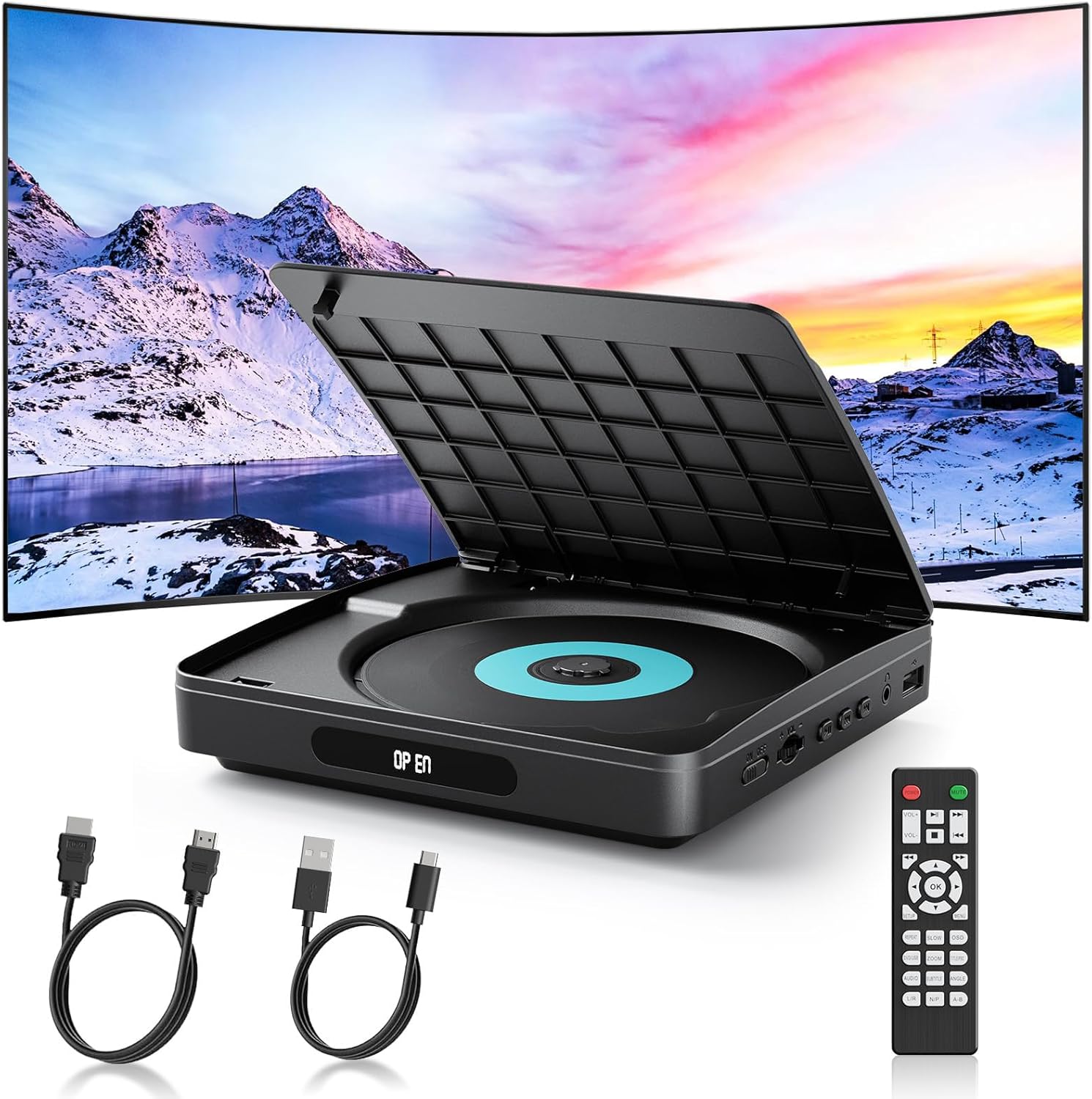
Image: The WOLFANG WDV03 DVD Player, showcasing its compact design, included remote control, HDMI cable, and USB-C power cable, ready for connection to a TV.

Image: A visual comparison highlighting the WOLFANG WDV03 DVD Player's ultra-light (280g) and compact size compared to other standard DVD players.
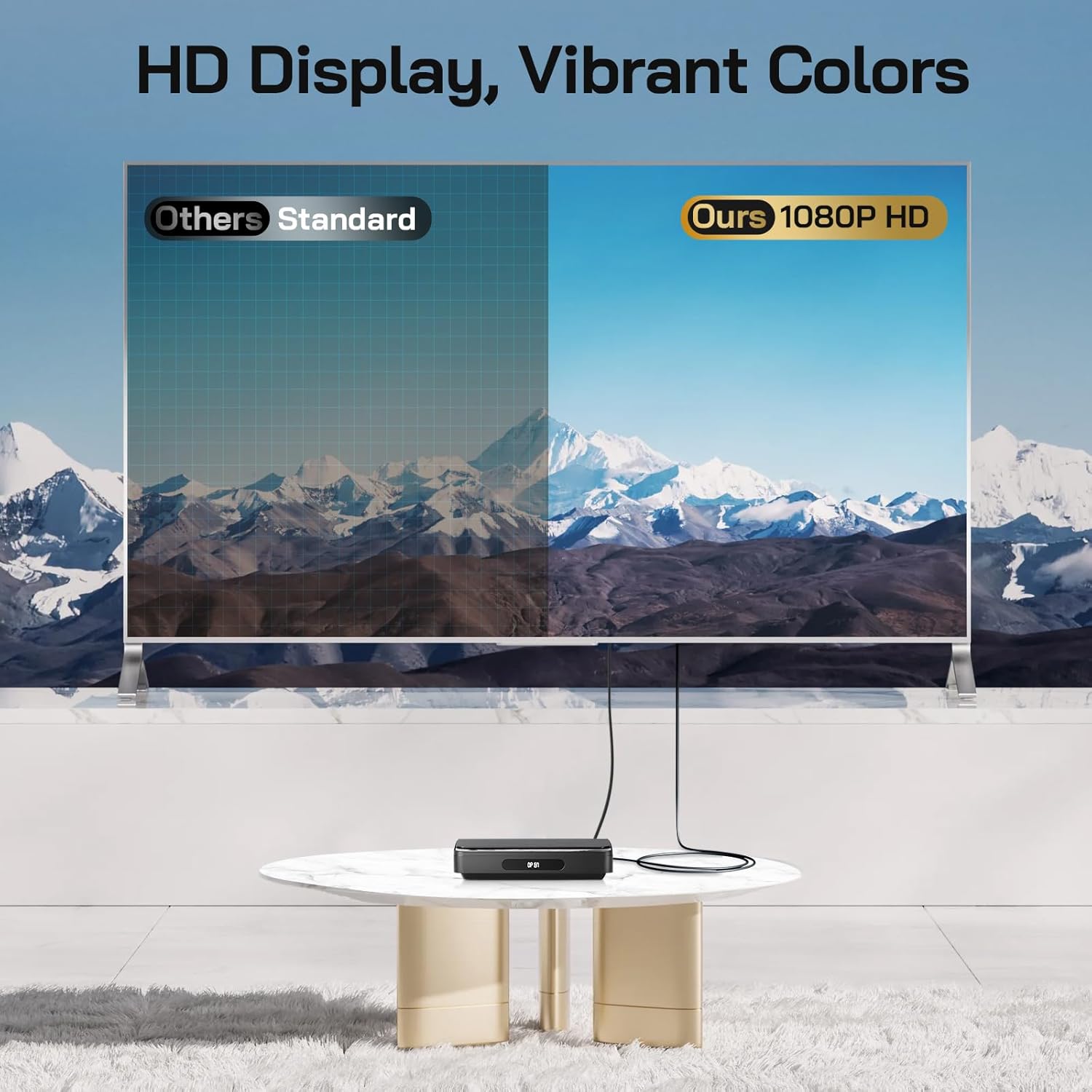
Image: A comparison showing the superior 1080P HD display quality of the WOLFANG WDV03 DVD Player versus standard definition.
Пакеттин мазмуну
Сураныч, бардык буюмдар бар экенин жана жакшы абалда экендигин текшерүү үчүн пакетти кылдат текшериңиз:
- WOLFANG Mini DVD Player (WDV03)
- Type-C Power кабели
- HDMI Cable (2 meters)
- Алыстан башкаруу пульту (AAA батарейкалары кошулган эмес)
- User Manual

Image: A visual representation of the WOLFANG WDV03 DVD Player package contents, including the player unit, remote control, user manual, HDMI cable, and USB cable.
Жайгашуу
Connecting to a TV/Projector via HDMI
- Ensure your TV or projector is turned off.
- Connect one end of the supplied HDMI cable to the HDMI OUT port on the WDV03 DVD Player.
- Connect the other end of the HDMI cable to an available HDMI IN port on your TV or projector. Note the HDMI input number (e.g., HDMI 1, HDMI 2).
- Connect the Type-C power cable to the WDV03 DVD Player and plug the other end into a suitable USB power source (e.g., a USB wall adapter, TV USB port, or power bank).
- Turn on your TV or projector and select the corresponding HDMI input source using your TV's remote control.
- Turn on the WDV03 DVD Player using the ON/OFF switch on the side or the power button on the remote control.

Image: Diagram illustrating the simple HDMI connection process for the WOLFANG WDV03 DVD Player to a television, highlighting the HDMI port and power switch.
Аппаратты кубаттандыруу
The WDV03 DVD Player is powered via a USB Type-C cable. You can use various USB power sources, including:
- Standard USB wall adapter (5V/2A recommended)
- USB port on your TV or projector
- Портативдик электр банкы
Ensure the power source provides sufficient power for stable operation.
Иштөө нускамалары
Дискти ойнотуу
- Open the disc tray cover by gently lifting it.
- Place a compatible DVD or CD disc onto the spindle with the label side facing up.
- Close the disc tray cover. The player will automatically detect the disc and begin playback.
- Use the remote control or the buttons on the player to control playback (Play, Pause, Stop, Skip, Volume).
Колдоого алынган диск форматтары:
- MINI DVD, DVD-5, DVD-9, DVD-10, DVD-18
- DVD+R, DVD-R, DVD-RW, DVD+RW
- CD
Note: This player does NOT support Blu-ray discs.

Image: The WOLFANG WDV03 DVD Player highlighting its capability to play region-free DVDs and various disc formats, excluding Blu-ray.

Сүрөт: ички view of the WOLFANG WDV03 DVD Player's circuit board, illustrating its powerful chip, fast reading capabilities, and noise cancellation technology for quiet operation.
USB ойнотуу
The WDV03 DVD Player features a USB 2.0 port for playing media fileUSB флэш-дискинен (32 ГБ чейин).
- Insert your USB flash drive into the USB port on the side of the player.
- The player will automatically switch to USB mode or you may need to select USB input using the remote control.
- Сиздин аркылуу чабыттоо files using the remote control and select the desired media to play.
Supported USB Media Formats:
- Audio: MP3, AC3, EAC3
- Сүрөт: JPG
- Video: MPG, AVI, XVID, VOB (Video resolution up to 720x480P)

Image: The WOLFANG WDV03 DVD Player's side panel, showing the USB port for external storage and other connectivity options.
Алыстан башкаруу функциялары
The included remote control provides full functionality for operating the WDV03 DVD Player. Insert two AAA batteries (not included) into the remote before use.
Негизги функцияларга төмөнкүлөр кирет:
- Күч: Ойноткучту күйгүзөт/өчүрөт.
- Ойнотуу/тындыруу: Ойнотууну баштайт же тындырат.
- Токтотуу: Ойноону токтотот.
- Мурунку кийинки: Мурунку же кийинки трекке/бөлүмгө өткөрөт.
- Тез алдыга/артка түрдүрүү: Speeds up or rewinds playback.
- Көлөм +/-: Аудионун үнүн тууралайт.
- Меню: Accesses disc or system menus.
- Жайгашуу: Enters the system settings menu.
- Directional Buttons (Up/Down/Left/Right) & OK: Навигация жана тандоо үчүн.

Image: The WOLFANG WDV03 DVD Player alongside its remote control, emphasizing ease of use for all ages.
Memory Playback Function
The WDV03 DVD Player features a breakpoint memory function. If playback is interrupted (e.g., power off), the player will automatically resume from the last position when turned on again. This ensures a seamless viewтажрыйбасы.

Image: A visual explanation of the WOLFANG WDV03 DVD Player's memory playback function, showing how it automatically resumes from the last played position after being powered off and on.
Техникалык тейлөө
- Тазалоо: Use a soft, dry cloth to clean the exterior of the player. Do not use liquid cleaners or aerosols. For the disc lens, use a specialized DVD lens cleaner disc.
- Сактагыч: Ойноткучту салкын, кургак жерде, күн нуру түз тийбеген, жогорку температурадан жана нымдуулуктан алыс сактаңыз.
- Дисктерди иштетүү: Always handle discs by their edges. Keep them clean and free from scratches or dust to ensure optimal playback.
- Вентиляция: Ensure the player has adequate ventilation during operation. Do not block any ventilation openings.
Проблемаларды чечүү
| Көйгөй | Мүмкүн себеп | Чечим |
|---|---|---|
| Күч жок | Power cable not connected; Power source issue; Player switch off. | Ensure Type-C cable is securely connected. Try a different USB power source. Check if the ON/OFF switch on the player is in the 'ON' position. |
| Сүрөт/үн жок | HDMI cable loose/faulty; Incorrect TV input selected; TV/projector off. | Check HDMI cable connections. Select the correct HDMI input on your TV/projector. Ensure TV/projector is on. |
| Disc not playing/reading | Disc is dirty/scratched; Incompatible disc format (e.g., Blu-ray); Disc inserted incorrectly. | Clean the disc with a soft cloth. Ensure the disc is a supported format (not Blu-ray). Reinsert the disc correctly with the label side up. |
| Пульт иштебей жатат | Batteries low/incorrectly inserted; Obstruction between remote and player. | Replace batteries (AAA). Ensure batteries are inserted with correct polarity. Remove any obstructions and point the remote directly at the player's sensor. |
| USB диск таанылган жок | USB drive not formatted correctly; USB drive capacity too large; Incompatible file формат. | Ensure USB drive is formatted to FAT32. Use a USB drive up to 32GB. Check if media files are in supported formats (MPG, AVI, XVID, VOB for video; MP3, AC3, EAC3 for audio; JPG for images). |
Техникалык шарттар
| Өзгөчөлүк | Деталь |
|---|---|
| Модель номери | WDV03 |
| Бренд | WOLFANG |
| Түс | Кара |
| Өлчөмдөр | Болжол менен 15.2 x 15.2 x 3.3 см |
| Салмагы | Болжол менен 280 г |
| Байланыш | HDMI (1 port), USB 2.0 (1 port), Headphone Jack |
| Video Output токтому | Full HD 1080P (HDMI), 720x480 Pixels (USB video) |
| Колдоого алынган диск форматтары | MINI DVD, DVD-5, DVD-9, DVD-10, DVD-18, DVD+R, DVD-R, DVD-RW, DVD+RW, CD |
| Unsupported Disc Formats | Blu-ray discs |
| USB Drive Support | Макс 32 ГБ |
| Өзгөчөлүктөр | Region-free playback, Breakpoint Memory, Noise Reduction |
Кепилдик жана колдоо
WOLFANG offers a 24 айлык кепилдик for this product. In addition, you are eligible for a one-month free return and exchange period.
For any questions, technical assistance, or warranty claims, please do not hesitate to contact the WOLFANG support team:
Электрондук почта: support.vc@wolfang.co
Our team aims to respond to all inquiries within 24 hours.


