1. Киришүү
Thank you for choosing the Deli VS4501-BK Small Home and Office Safe Box. This manual provides essential information for the safe and efficient operation of your new safe. Please read these instructions carefully before use and retain them for future reference. This safe is designed to protect your valuables with its robust steel construction and dual locking mechanism, offering both electronic password access and a backup key.
2. Коопсуздук маалыматы
- Do not store the backup keys inside the safe. Keep them in a secure, separate location.
- Сейфти өтө жогорку температурага же жогорку нымдуулукка дуушар кылбаңыз.
- Do not attempt to force the lock if it is jammed. Refer to the troubleshooting section.
- Keep the safe out of reach of children to prevent unauthorized access.
- Сейфтин туруктуу, тегиз жерге коюлганын текшериңиз.
3. Пакеттин мазмуну
Пакетте бардык буюмдар бар экенин текшериңиз:
- Deli VS4501-BK Safe Box
- Шашылыш өзгөртүү ачкычтары (2)
- Instruction Manual
4. Орнотуу
4.1. Кутудан чыгаруу жана жайгаштыруу
Carefully remove the safe from its packaging. Place the safe in your desired location, ensuring it is stable and discreet. The compact and lightweight design allows for versatile placement in bedrooms, offices, cabinets, or small storage areas.
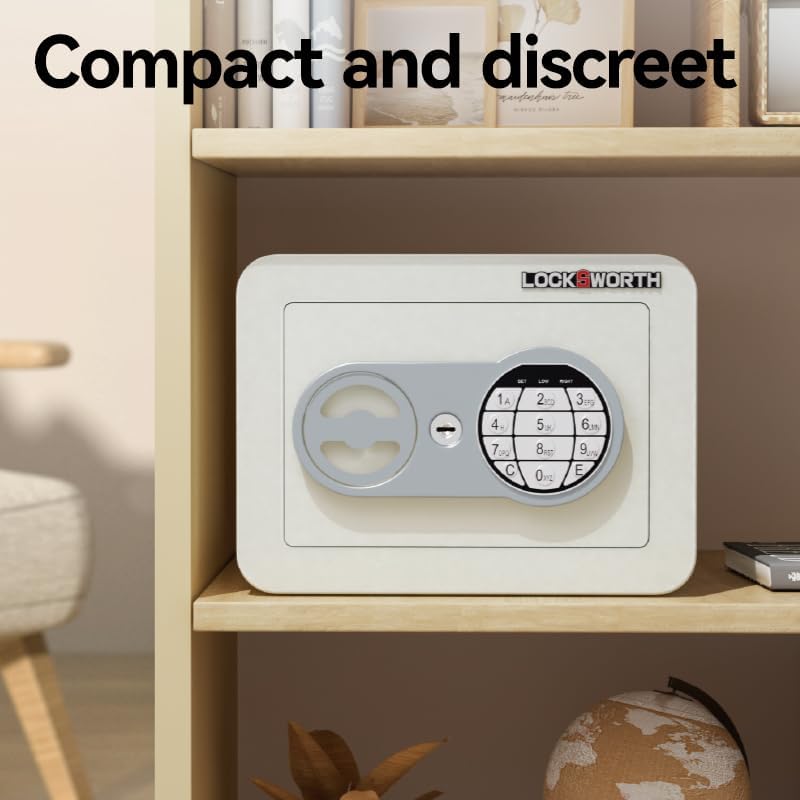
Image: The Deli VS4501-BK Safe Box is compact and designed for discreet placement, as shown here on a shelf.
4.2. Battery Installation (for Electronic Keypad)
The electronic keypad requires batteries for operation. Locate the battery compartment, typically on the inside of the safe door. Insert the required number of AA batteries (not included), ensuring correct polarity. Close the battery compartment cover securely.
5. Иштөө нускамалары
5.1. Кулпуну ачуу ыкмалары
The Deli VS4501-BK safe offers two methods for unlocking:

Image: The safe features both a numeric keypad for password entry and a concealed keyhole for key access.
5.1.1. Using the Electronic Password
- Enter your 3-8 digit password on the numeric keypad.
- Press the 'E' or '#' key to confirm.
- If the password is correct, an indicator light will illuminate (usually green), and you will hear a beep.
- Within 5 seconds, turn the switch knob clockwise to open the safe door.
5.1.2. Өзгөчө кырдаалдагы өзгөртүү ачкычын колдонуу
In case of forgotten password or battery failure, use the emergency override key:
- Locate the concealed keyhole, usually behind a small cover on the front panel.
- Тез жардам ачкычын салып, саат жебеси боюнча буруңуз.
- While holding the key turned, rotate the switch knob clockwise to open the safe door.
- Remove the key once the door is open.
5.2. Setting and Changing the Password
The safe comes with a factory default password (refer to your specific model's documentation for the default, often '159' or '1234'). It is highly recommended to change this immediately.
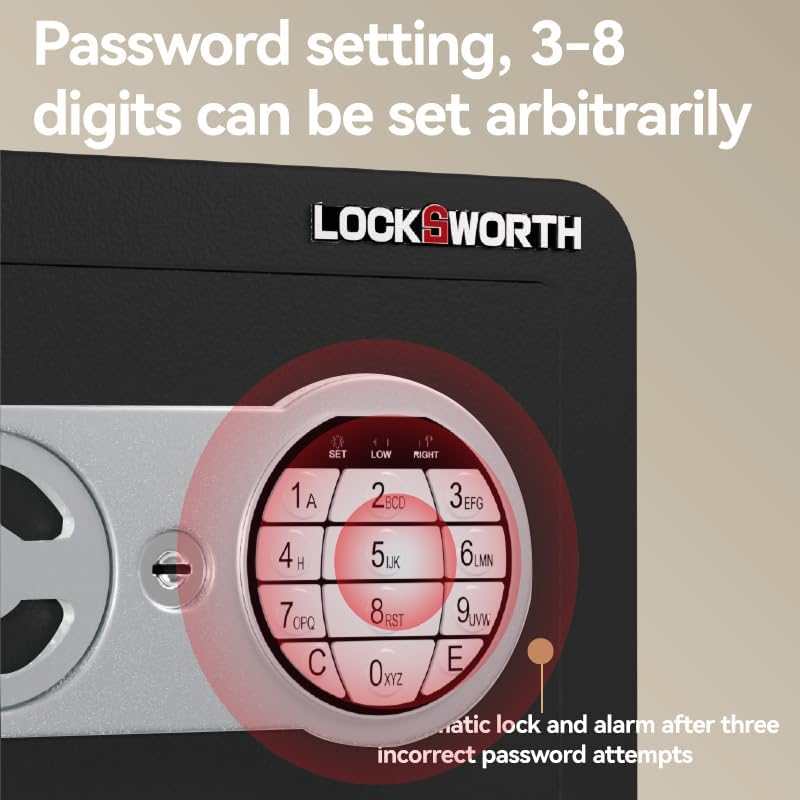
Image: The keypad features a 'SET' button for programming your personal 3-8 digit password.
- With the safe door open, press the 'SET' button located on the inside of the door or near the keypad. An indicator light (usually yellow) will illuminate.
- Жаңы 3-8 орундуу сырсөзүңүздү киргизиңиз.
- Press the 'E' or '#' key to confirm. The indicator light will flash and then turn off, indicating successful password change.
- Эшикти жабардан мурун, жаңы сырсөздү ачык турганда текшериңиз.
5.3. Индикатор жарыктары
The keypad features indicator lights to provide status feedback:
- Жашыл жарык: Indicates correct password entry and safe is ready to open.
- Сары жарык: Indicates programming mode (when setting a new password).
- Кызыл жарык: Indicates incorrect password entry or low battery.
5.4. Automatic Lock and Alarm
For enhanced security, the safe will automatically lock and may trigger an alarm after three consecutive incorrect password attempts. To reset, use the emergency key to open the safe, or wait for a short period (e.g., 5 minutes) before attempting to enter the password again.
6. Техникалык тейлөө
6.1. Тазалоо
Сейфтин сыртын жумшак, d менен сүртүңүзamp cloth. Do not use abrasive cleaners or solvents, as these can damage the finish. Ensure the keypad and lock mechanism are kept clean and free of debris.
6.2. Батареяны алмаштыруу
When the red indicator light illuminates during password entry, it signifies low battery power. Replace the batteries promptly to ensure continued operation. Follow the battery installation steps in Section 4.2.
6.3. Rust Prevention
The safe features a robust full steel structure with a rust-resistant plastic spray coating for long-lasting durability. To maintain this protection, avoid placing the safe in excessively humid environments or where it may come into contact with corrosive substances.

Image: The safe's phosphating anti-rust casing provides superior protection against corrosion compared to untreated metal.
7. Кыйынчылыктарды
- Safe does not open with password:
- Ensure batteries are not low (check red indicator light). Replace if necessary.
- Сырсөздү туура киргизүүнү текшериңиз.
- Ensure the switch knob is turned within 5 seconds after correct password entry.
- If multiple incorrect attempts, the safe may be in lockout mode. Wait or use the emergency key.
- Сырсөздү унуттум: Use the emergency override key to open the safe. Once open, you can reset the password following the instructions in Section 5.2.
- Ачкыч айланбайт: Ensure the key is fully inserted and the keyhole is free of obstructions. Do not force the key.
- Эшик туура жабылбай жатат: Check for any obstructions inside the safe or around the door frame. Ensure the locking bolts are fully retracted before attempting to close.
8. Техникалык шарттар
The Deli VS4501-BK safe features a solid lock core and robust construction for reliable security.

Image: The safe is equipped with solid steel locking bolts, providing enhanced resistance against forced entry.
| Өзгөчөлүк | Деталь |
|---|---|
| Модель номери | VS4501-BK |
| Бренд | Deli |
| Продукциянын өлчөмдөрү (D x W x Y) | 23 см х 17 см х 17 см |
| Элемент Салмагы | 2.1 кг |
| Материал | Carbon Steel |
| Түс | Кара |
| Кулпу түрү | Electronic Keypad (Password) & Key Override |
| Орнотуу түрү | Portable/Movable |
| Батареялар талап кылынат | Yes (for keypad, not included) |
The safe's construction includes a carbon alloy steel plate and a textured spray coating for enhanced durability and anti-rust properties.
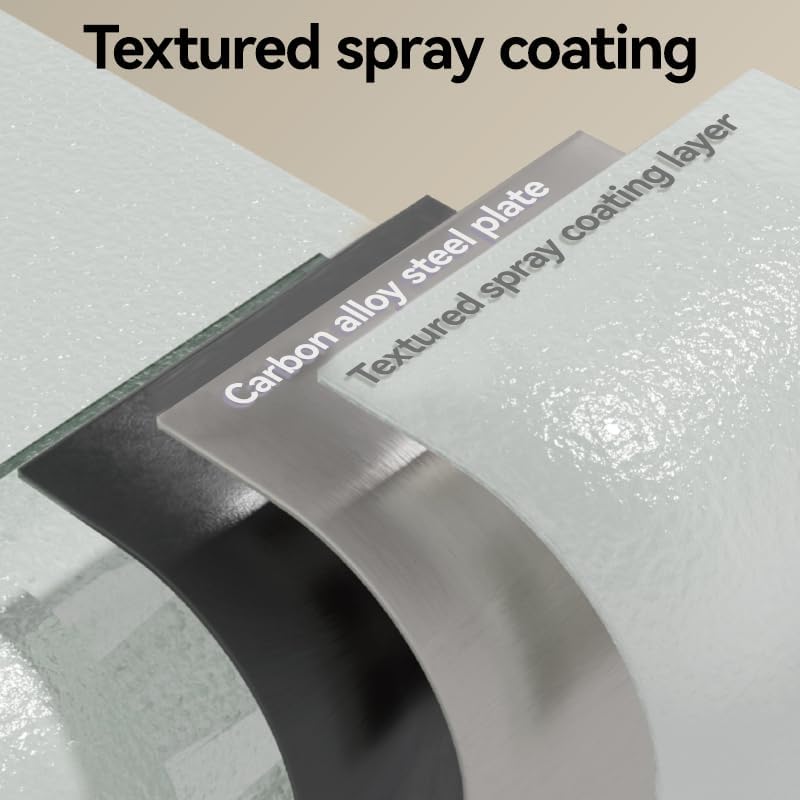
Image: The safe's robust construction features a carbon alloy steel plate protected by a textured spray coating layer.
9. Кепилдик жана колдоо
Кепилдик маалыматы же техникалык колдоо үчүн, сатып алууда берилген документтерди караңыз же сатуучу менен түз байланышыңыз. Сатып алганыңыздын далили катары сатып алуу дүмүрчөгүңүздү сактаңыз.


