1. Киришүү
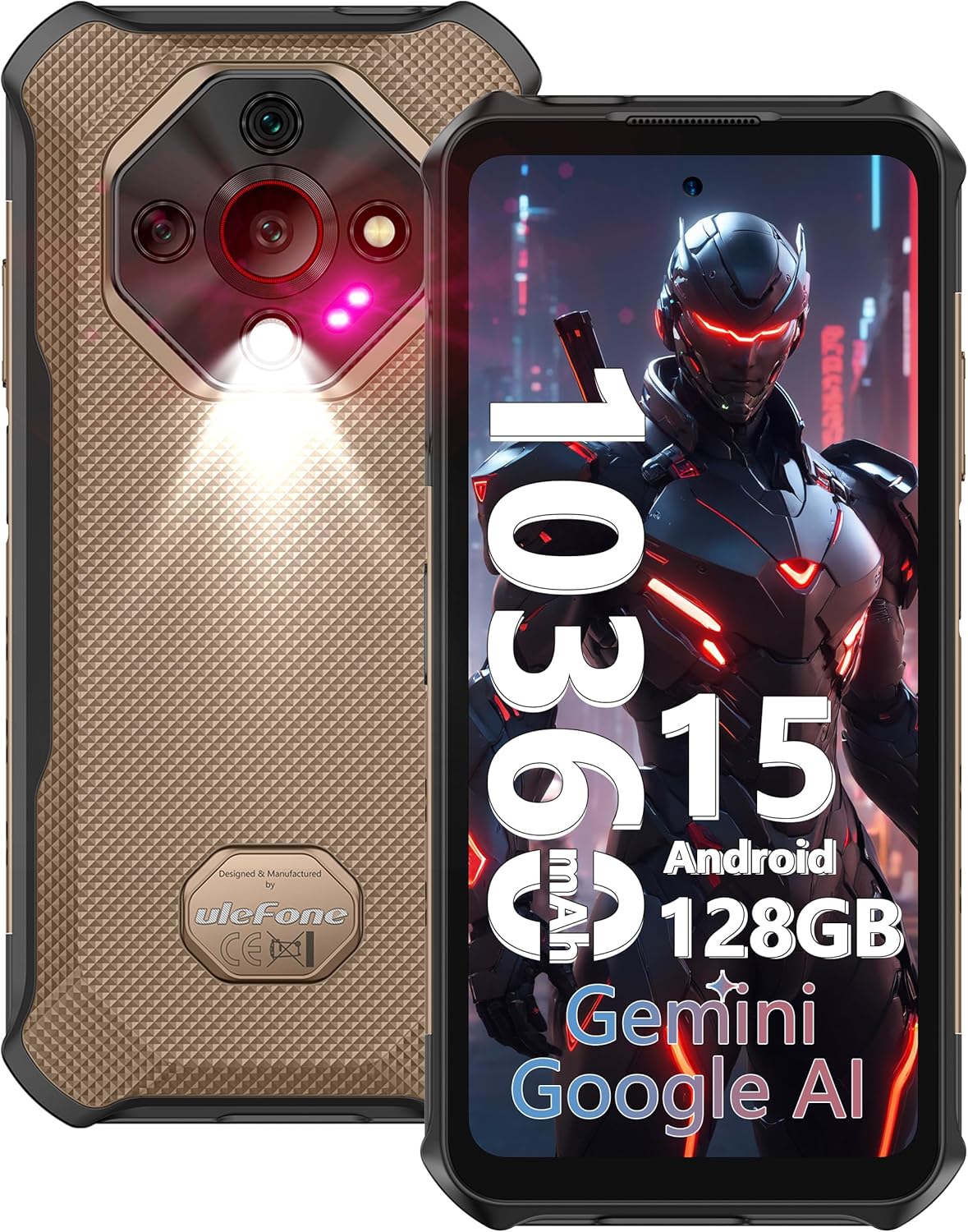
This manual provides essential information for the proper use and maintenance of your Ulefone Armor X16 Rugged Smartphone. Please read it thoroughly before operating your device.
1.1 Пакеттин мазмуну
- 1x Ulefone Armor X16 Rugged Phone
- 1x AC Power Charger (33W)
- 1x Type-C to Type-C Data Cable (100cm)
- 1x Protective Film (Pre-installed)
- 1x Tempered Glass Screen Protector
- 1x SIM Needle
- 1x Lanyard
- 1x Multi-language User Manual
2. Орнотуу
2.1 SIM жана MicroSD карталарын салуу
The Ulefone Armor X16 supports a 3-card slot configuration (Nano-SIM + Nano-SIM + microSD) for simultaneous use. To insert the cards:
- Аппараттын капталындагы SIM карта салгычын табыңыз.
- Use the provided SIM needle to gently eject the tray.
- Place your Nano-SIM cards and microSD card into their respective slots on the tray. Ensure they are correctly oriented.
- Лотокту телефонго түзмөктүн корпусу менен тегиз болгонго чейин этияттык менен кайра салыңыз.

Video 1: Ulefone Armor X16 Unboxing, demonstrating SIM card insertion and initial setup steps.
2.2 Баштапкы күйгүзүү
Press and hold the Power button located on the side of the device until the Ulefone logo appears. Follow the on-screen prompts to complete the initial setup, including language selection, Wi-Fi connection, and Google account setup.
3. Аппаратыңызды иштетүү
3.1 Дисплейдин өзгөчөлүктөрү
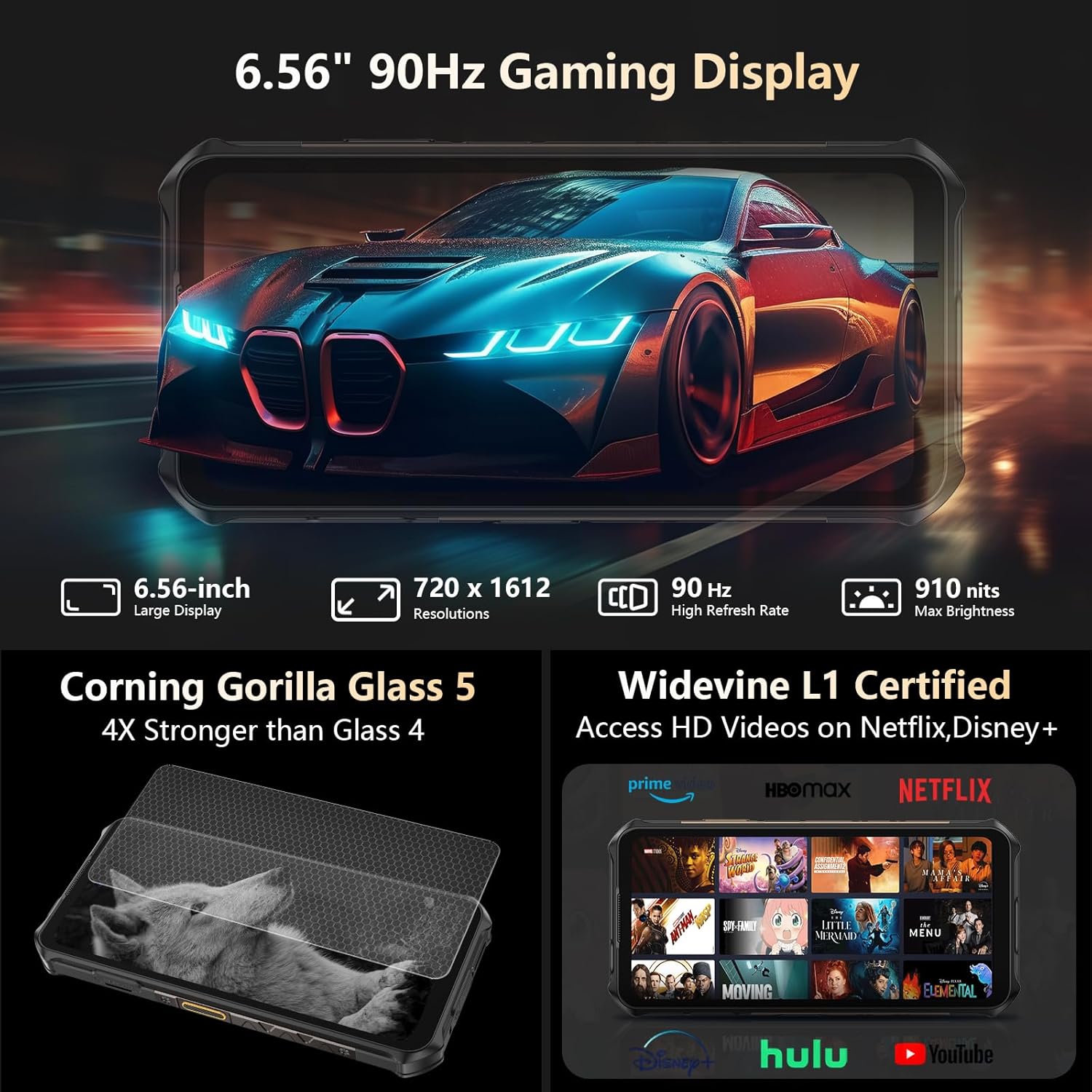
The Armor X16 features a 6.56-inch Fluid Display with 720 x 1612 resolution and a 90Hz refresh rate. It offers up to 910 nits maximum brightness for improved outdoor visibility. The display is protected by Corning Gorilla Glass 5, providing enhanced durability against drops and scratches. Widevine L1 certification allows for high-definition streaming on platforms such as Amazon Prime Video and Netflix.
3.2 Батарея жана заряддоо
The device is equipped with a 10360mAh battery, offering extended usage times: up to 555 hours standby, 56 hours talk time, 42 hours music playback, and 13 hours video playback. It supports 33W PD fast charging.

3.3 Камеранын өзгөчөлүктөрү
The Armor X16 features a versatile camera system:
- 48MP Негизги камера: Utilizes an OV48B sensor with an f/1.9 aperture for clear images.
- 20MP инфракызыл түнкү көрүү камерасы: Equipped with a Sony IMX350 sensor and f/1.8 lens, enhanced by the Ulefone NightElf 2.0 algorithm for visibility in complete darkness.
- 2MP макро камера: Кичинекей объектилерди жакындан сүрөткө тартуу үчүн.
- 16MP алдыңкы камера: Селфи жана видео чалуулар үчүн ылайыктуу.
- Суу астындагы камера режими: Allows for photography and videography underwater.

3.4 AI өзгөчөлүктөрү
The device integrates Google Gemini as an AI assistant for queries, brainstorming, and real-time assistance. An AI Recorder is also included, designed to capture voice and video calls, providing instant transcripts and summaries, particularly useful for meetings. Note: Third-party app audio recording functionality depends on the app's features and permissions.

3.5 Байланыш
The Ulefone Armor X16 supports dual 4G global networks (FDD-LTE: B1/2/3/4/5/7/8/12/13/17/18/19/20/25/26/28A/28B/32/66/71; TDD-LTE: B34/38/39/40/41; WCDMA: B1/2/4/5/6/8/19; GSM: B2/3/5/8; CDMA: BC0/BC1/BC10). It also includes Bluetooth 5.2, NFC for mobile payments, and comprehensive GPS (GPS+GLONASS+BEIDOU+Galileo+QZSS) for accurate navigation.
3.6 Өзгөчөлүктөр
- Ыңгайлаштырылган ачкыч: A programmable side button for quick access to specific functions.
- 3.5 мм гарнитура уячасы: Зымдуу аудио туташуу үчүн.
- Face Unlock + Fingerprint ID: Multiple biometric security options.
- Кол кап режими: Кол кап кийип колдонуу үчүн тийүү сезимталдуулугун жогорулатат.
- IR жардыргыч: Allows the device to function as a universal remote control.
- Гарнитурасыз FM: Enables FM radio listening without requiring a headset as an antenna.
- Камтылган кол чырак: A separate flashlight with 133 lumens brightness, adjustable via the quick-setting menu. Caution: Do not stare directly into the flashlight.

4. Узактыгы жана коргоо
4.1 Катуу дизайн
The Ulefone Armor X16 is built to withstand harsh environments, boasting IP69K, IP68, and MIL-STD-810H certifications. This ensures resistance to high-pressure water jets, submersion in water up to 2 meters for 30 minutes, dust ingress, and drops.

Video 2: Official Ulefone Armor X16 Rugged Phone overview, highlighting its durability and features.
5. Техникалык тейлөө
5.1 Аппаратыңызды тазалоо
Due to its rugged and waterproof design, the Armor X16 can be cleaned with water. Use a soft cloth to wipe down the device. Ensure all port covers are securely closed before exposing the device to water.
5.2 Программалык камсыздоо жаңыртуулары
Your device runs on Android 15, which includes features like advanced theft detection and Private Space for data security. Regularly check for and install system updates to ensure optimal performance, security, and access to the latest features. Updates can typically be found in Орнотуулар > Система > Системаны жаңыртуу.
6. Кыйынчылыктарды
6.1 Жалпы маселелер жана чечимдер
- Түзмөк жай иштеп жатат же жооп бербей жатат: Close unused applications, clear cache, or restart the device. If issues persist, consider a factory reset (back up your data first).
- Тармакка туташуу көйгөйлөрү: Ensure SIM cards are correctly inserted. Check network settings (Settings > Network & internet). Restart the device or contact your service provider.
- Батарея бат эле түгөнөт: Reduce screen brightness, disable unnecessary features (Wi-Fi, Bluetooth, GPS) when not in use, and limit background app activity.
- Camera quality not as expected: Ensure lenses are clean. Check lighting conditions. For night vision, ensure sufficient darkness for optimal performance.
- Difficulty with TalkBack or accessibility features: If you encounter issues during setup or daily use, consult the Android accessibility settings or Ulefone's official support resources for detailed guidance.
7. Техникалык шарттар
| Өзгөчөлүк | Спецификация |
|---|---|
| Модель аты | Armor X16 |
| Операция системасы | Android 15.0 |
| CPU модели | MediaTek Helio G91 |
| CPU ылдамдыгы | 2 ГГц |
| RAM эстутум орнотулган өлчөмү | 12 GB (6GB RAM + 6GB Dynamic RAM) |
| Эстутум сактоо сыйымдуулугу | 128 GB (Expandable to 2TB via microSD) |
| Screen Size | 6.56 дюйм |
| Резолюция | 720 x 1612 |
| Жаңыртуу ылдамдыгы | 90 Гц |
| Батарея сыйымдуулугу | 10360 миллионamp Саат |
| Телефон менен сүйлөшүү убактысы | 56 саат |
| Башкы камера | 48MP |
| Түнкү көрүнүш камерасы | 20MP |
| Макро камера | 2MP |
| Алдыңкы камера | 16MP |
| Connectivity Technologies | Bluetooth, Infrared, NFC, USB, Wi-Fi |
| GPS | GPS+GLONASS+BEIDOU+Galileo+QZSS |
| Аудио Jack | 3.5 мм |
| Продукциянын өлчөмдөрү | 6.81 x 3.27 x 0.67 дюйм |
| Элемент Салмагы | 13.9 унция (394 грамм) |
8. Кепилдик жана колдоо
8.1 Кепилдик маалыматы
Please refer to the Warranty Card included in your product package for detailed information regarding warranty coverage and terms. Keep your proof of purchase for warranty claims.
8.2 Кардарларды колдоо
For further assistance, technical support, or inquiries, please visit the official Ulefone website or contact their customer service department. Contact details can typically be found in the included user manual or on the Ulefone support page.


