1. Киришүү
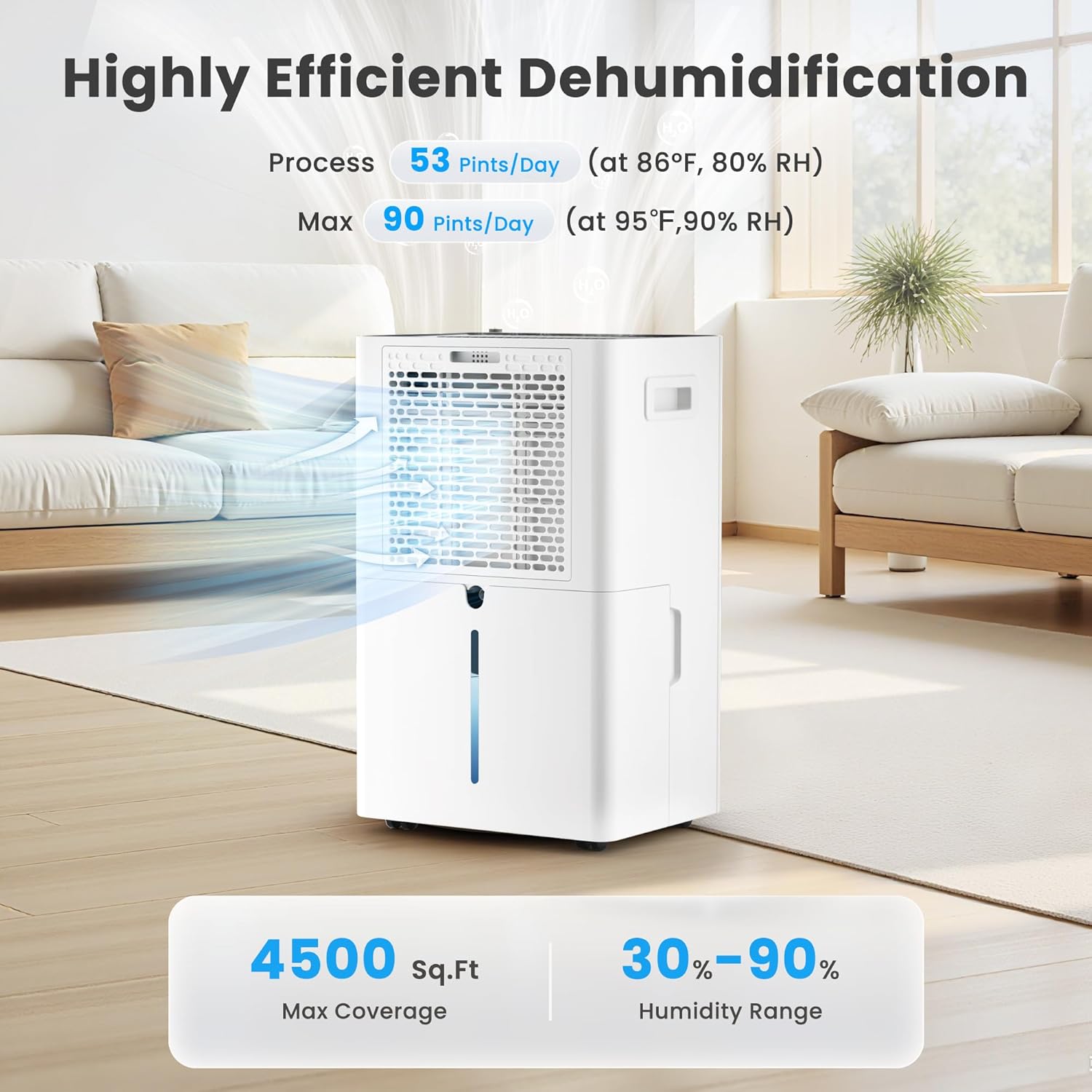
Thank you for choosing the Candy 53 Pints Dehumidifier. This manual provides essential information for the safe operation, installation, maintenance, and troubleshooting of your new appliance. Please read it thoroughly before use and retain it for future reference. This dehumidifier is designed to effectively reduce humidity in spaces up to 4500 square feet, helping to prevent issues such as mold, mildew, and musty odors.


2. Коопсуздук маалыматы
Өрт, электр шок же жаракат алуу коркунучун азайтуу үчүн ар дайым төмөнкү коопсуздук чараларын аткарыңыз:
- Шайманды колдонуудан мурун бардык нускамаларды окуп чыгыңыз.
- кубат менен камсыз кылуу Voltage рейтинг белгисинде көрсөтүлгөн.
- Кургаткычты шнур же сайгыч бузулган менен иштетпеңиз.
- Always place the unit on a firm, level surface to prevent water spillage.
- Аба агымы туура болушу үчүн аппараттын айланасында кеминде 8 дюйм (20 см) боштук калтырыңыз.
- Аба кирүүчү же чыгуучу жайга нерселерди салбаңыз.
- Тазалоодон же техникалык тейлөөдөн мурун блокту электр розеткасынан сууруп алыңыз.
- Шайманды жылуулук булактарынан жана түз күн нурунан алыс кармаңыз.
- Бул шайман физикалык, сезүү же акыл-эс жөндөмү начар же тажрыйбасы жана билими жок адамдар (анын ичинде балдар) үчүн, эгерде алардын коопсуздугуна жооптуу адам тарабынан көзөмөлсүз же шайманды колдонуу боюнча көрсөтмө болбосо, колдонууга арналбайт.
3. Продукт бүтүп калдыview
The Candy 53 Pints Dehumidifier is designed for efficient moisture removal, covering areas up to 4500 square feet. It features smart controls and flexible drainage options.
3.1 Негизги компоненттер
- Dehumidifier Unit
- Removable Water Tank (1.35 Gallon capacity)
- Drain Hose (6.67 ft for continuous drainage)
- Жуучу аба чыпкасы
- Электр кабели

3.2 Өзгөчөлүктөрү
- Жогорку натыйжалуулугу: Removes up to 53 pints of moisture per day (at 86°F, 80% RH).
- Кеңири камтуу: Suitable for areas up to 4500 sq. ft.
- Smart Control: Wi-Fi enabled for control via Candy Home App, Google Home, or Alexa.
- Бир нече режимдер: Continuous, Auto, and Sleep modes.
- Жөнгө салынуучу нымдуулук: Target humidity range from 30% to 90%.
- Күйөрмандардын ылдамдыгы: Three fan speed settings (Low, Medium, High).
- Dual Drainage: Manual (1.35 Gal tank) or Continuous (drain hose).
- Ыңгайлуу дизайн: Ergonomic handle, universal smooth wheels, anti-spill tank, washable filter, auto defrost, 24-hour timer, child lock.
- Тынч иштөө: Operates at approximately 43dB.

4. Орнотуу
4.1 Пакеттен чыгаруу
Кургаткычты анын таңгагынан кылдаттык менен алып салыңыз. Агрегатты ар кандай жеткирүү зыянын текшериңиз. Таңгактоочу материалдарды келечекте сактоо же ташуу үчүн сактаңыз.
4.2 Орнотуу
Place the dehumidifier on a smooth, level floor in a location where the humidity is highest. Ensure there is at least 8 inches (20 cm) of space on all sides of the unit to allow for proper air circulation. Avoid placing it near heat-generating appliances or in direct sunlight. For optimal performance, close all doors and windows in the room where the dehumidifier is operating.

5. Иштөө нускамалары
5.1 Башкаруу панелинин үстүнөview
The dehumidifier features an intuitive touch control panel with an LED display. Familiarize yourself with the buttons and indicators:

5.2 Күйгүзүү/өчүрүү
басыңыз Күч button (usually indicated by a power symbol) to turn the unit on or off. Hold for 3 seconds to connect to Wi-Fi.
5.3 Каалаган нымдуулукту орнотуу
In АВТО режиминде, басыңыз НЫМДЫКТЫ ЖОНДОО button to adjust the desired humidity level between 30% and 90% in 5% increments. The unit will operate until the set humidity is reached, then pause, restarting when humidity rises.
5.4 желдеткич ылдамдыгын тандоо
басыңыз ЫЛДАМ button to cycle through Low, Medium, and High fan speeds. The corresponding speed icon will illuminate on the display.

5.5 Иштөө режимдери
басыңыз РЕЖИМ button to select from the following:
- AUTO режими: The unit automatically maintains the set humidity level, pausing when reached and restarting when needed.
- ҮЗҮКТҮҮ режим: The dehumidifier operates continuously at high fan speed, regardless of the humidity level, for rapid moisture removal.
- УЙКУ режими: Operates at ultra-quiet, low fan speed with dimmed display lights for undisturbed nighttime use.

5.6 Таймер функциясы
басыңыз ТАЙМЕР button to set a 24-hour timer for automatic power on or off. Each press increases the time by one hour. The timer can be set from 1 to 24 hours.

5.7 Балдардан кулпу
To prevent unintentional changes to settings, press and hold the БУЛПОО button for 3 seconds to activate or deactivate the child lock function. This ensures safety around children and pets.

5.8 Wi-Fi жана колдонмону башкаруу
The dehumidifier can be controlled remotely via the Candy Home App (available for iOS/Android), Google Home, or Alexa. Follow the app's instructions to connect your device to your home Wi-Fi network. This allows you to adjust settings, monitor humidity, and receive notifications from anywhere.
- Download the Candy Home App from your device's app store.
- Follow the in-app instructions to pair your dehumidifier.
- Once connected, you can control power, mode, humidity settings, and fan speed.


6. Дренаж жолдору
Your Candy dehumidifier offers two methods for water removal:
6.1 Кол менен дренаж (Суу багы)
The unit collects condensed water in its internal 1.35-gallon water tank. When the tank is full, the dehumidifier will automatically shut off and an indicator light will illuminate. Carefully remove the tank, empty the water, and reinsert it securely to resume operation.
6.2 Continuous Drainage (Drain Hose)
For continuous, hands-free operation, attach the included 6.67 ft drain hose to the designated outlet on the back of the unit. Route the hose to a suitable floor drain or pump. Ensure the hose is sloped downwards to allow gravity drainage and prevent kinks.

7. Техникалык тейлөө
Үзгүлтүксүз тейлөө сиздин нымдагычыңыздын оптималдуу иштешин жана узак иштөөсүн камсыздайт.
7.1 Аба чыпкасын тазалоо
The washable air filter should be cleaned every two weeks or more frequently depending on usage and air quality. A dirty filter can reduce efficiency and airflow.
- Кургаткычты розеткадан сууруп алыңыз.
- Аба алуучу торду ачыңыз.
- Аба чыпкасы элементин алып салыңыз.
- Чыпканы жылуу, самындуу суу менен жууңуз. жакшылап чайкоо.
- Кайра салуудан мурун чыпканы толугу менен абада кургатып алыңыз.
- Place the filter back into the air intake grille and close it.

7.2 Water Tank Cover Installation
Ensure the water tank cover is correctly installed after emptying or cleaning to prevent leaks and ensure proper operation.
- Place the water tank cover at an angle under the water tank clip position.
- Then lower the water tank cover to position as shown in the enlarged figure.

7.3 Авто эритүү
The dehumidifier is equipped with an automatic defrost function. If frost builds up on the evaporator coils in low temperatures, the unit will automatically defrost. During this process, the lights will illuminate, the compressor will stop, but the fan will continue to run. This is normal operation and ensures efficient performance.

7.4 Сактоо
If the unit will not be used for an extended period, unplug it, empty the water tank, clean the filter, and store it in a cool, dry place, preferably in its original packaging.
8. Кыйынчылыктарды
Кардарларды тейлөө кызматына кайрылуудан мурун, кеңири таралган көйгөйлөрдү чечүү үчүн төмөнкү көрсөтмөнү карап чыгыңыз:
| Көйгөй | Мүмкүн себеп | Чечим |
|---|---|---|
| Кургаткыч күйгүзбөйт. | No power; power cord loose; water tank full or not properly inserted. | Check power connection; empty and reinsert water tank correctly. |
| Суу жыйналган жок. | Humidity too low; room temperature too low; air filter clogged; unit in continuous drainage mode. | Increase target humidity; ensure room temperature is above 41°F (5°C); clean air filter; check drain hose connection. |
| Unit runs but humidity does not decrease. | Doors/windows open; room too large; air filter clogged; unit too close to walls. | Close all openings; ensure unit is suitable for room size; clean air filter; ensure proper clearance. |
| Агрегат ызы-чуу. | Unit not on a level surface; air filter clogged; internal components loose. | Place on a level surface; clean air filter; contact customer support if noise persists. |
| Wi-Fi туташуу маселелери. | Incorrect Wi-Fi password; unit too far from router; router issues. | Verify Wi-Fi password; move unit closer to router; restart router; re-pair device via app. |
9. Техникалык шарттар
| Өзгөчөлүк | Спецификация |
|---|---|
| Бренд | Кенди |
| Модель номери | CAS-CF25-US |
| Нымдуулукту кетирүү кубаттуулугу | 53 Pints/Day (at 86°F, 80% RH) |
| Макс камтуу аймагы | 4500 кв. Ft. |
| Нымдуулукту орнотуу диапазону | 30% - 90% |
| Суу резервуарынын көлөмү | 1.35 галлон |
| Суу түтүгүнүн узундугу | 6.67 фут |
| Продукциянын өлчөмдөрү (D x W x Y) | 19.69" x 9.25" x 12.2" |
| Элемент Салмагы | 29 фунт |
| Күйөрмандар ылдамдыгынын саны | 3 (Төмөн, Орто, Жогорку) |
| Өзгөчөлүктөр | Automatic Defrost, Automatic Shutoff, Continuous/Auto/Sleep Mode, Smart APP WIFI Control, Ergonomic Handle, Washable Filter, Child Lock, 24-Hour Timer |
| Ызы-чуу деңгээли | Болжол менен 43дБ |
10. Кепилдик жана колдоо
This product includes a user manual as part of its packaging. For specific warranty information, please refer to the documentation included with your purchase or contact Candy customer support. If you encounter any issues not covered in this manual, or require further assistance, please reach out to the manufacturer's customer service department.


