1. Киришүү
This manual provides detailed instructions for the setup, operation, and maintenance of your PXN VD6 PC Steering Wheel Base. The PXN VD6 is a high-performance direct drive steering wheel base designed for PC sim racing, offering superior realism and precision. It is compatible with Windows 7, 8, 10, and 11 operating systems.

Image 1.1: The PXN VD6 PC Steering Wheel Base, a direct drive unit for sim racing.
2. Пакеттин мазмуну
Төмөндө тизмеленген нерселердин баары пакетиңизге камтылганын текшериңиз:
- PXN VD6 Base x 1
- USB кабели x 1
- Кубат адаптери x 1
- Колдонуучунун колдонмосу x 1
- Accessories Pack x 1 (includes mounting hardware)

Сүрөт 2.1: Бүттүview of the PXN VD6 package contents, including the base, cables, and accessories.
3. Продукциянын өзгөчөлүктөрү
3.1 Professional Direct Drive Base & PC Compatibility
The PXN VD6 is engineered for high-performance PC sim racing, offering exceptional realism and precision. It is compatible with a wide range of popular racing simulators, including iRacing, Assetto Corsa, F1 series, and WRC. This base is designed exclusively for PC use with Windows 7, 8, 10, and 11.
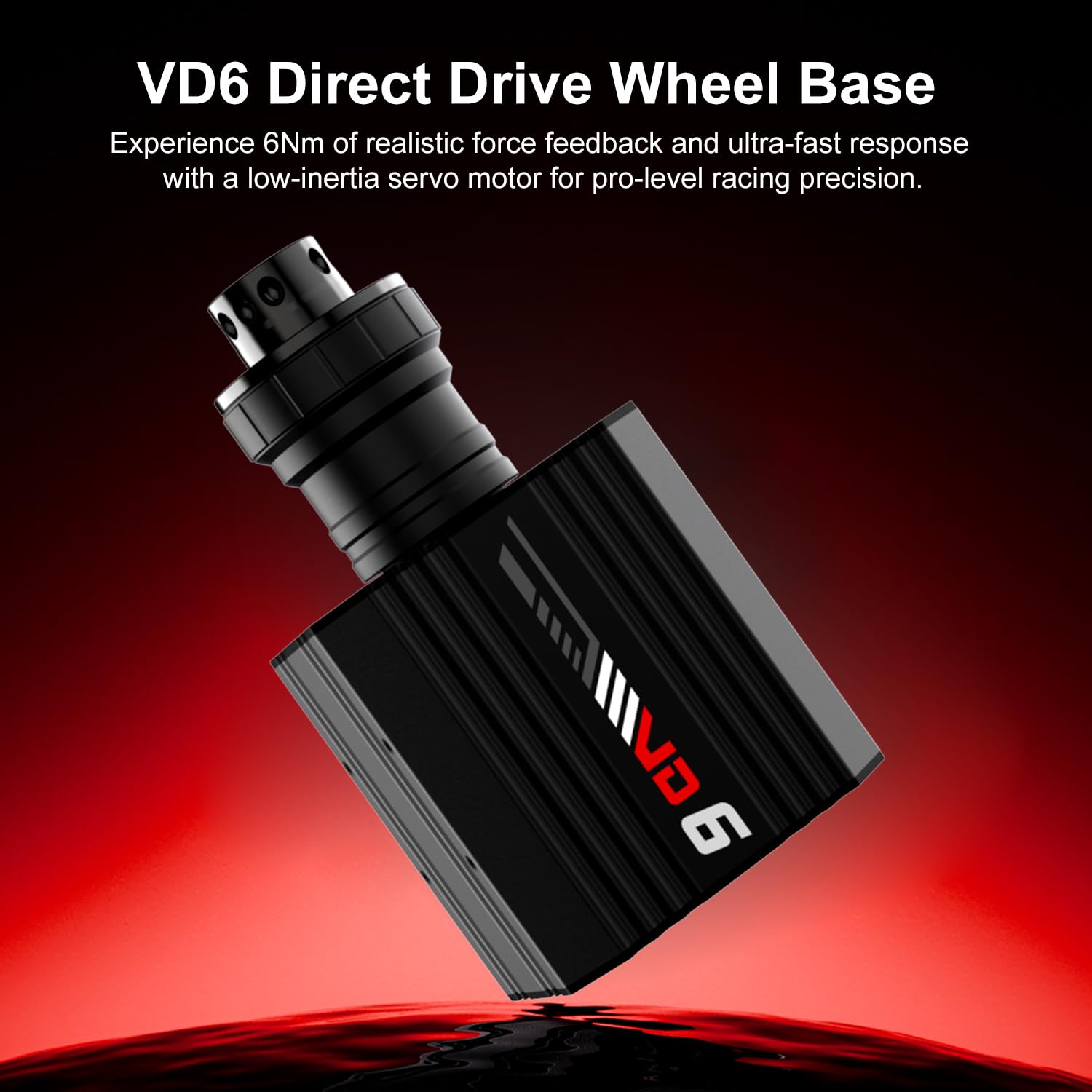
Сүрөт 3.1: Бурчтуу view of the PXN VD6 Direct Drive Wheel Base, highlighting its compact design.
3.2 Custom Racing-Grade Servo Motor (6Nm)
Equipped with a PXN-developed 20-pole low-inertia servo motor, the VD6 delivers 6Nm of continuous torque and 7Nm peak torque. This motor is specifically engineered for racing simulation, providing ultra-smooth rotation, fast response, and exceptional road feel for both casual and competitive sim racers.

Сүрөт 3.2: Жарылып кеткен view illustrating the components of the low-inertia direct drive servo motor within the PXN VD6.
3.3 Precision Magnetic Encoder & Multi-Core Processor
The integrated 24-bit magnetic encoder ensures ultra-fine positioning accuracy, capturing even the smallest steering inputs. Coupled with a high-speed multi-core processor, the VD6 guarantees seamless data processing and consistent force feedback output, enhancing the realism of your racing experience.

Сүрөт 3.3: деталдуу view of the high-performance driver chip, responsible for real-time physics computation.
3.4 Advanced Sense+ Force Feedback Algorithm
PXN’s proprietary Sense+ algorithm accurately simulates realistic car physics with high fidelity. This system delivers smooth, detailed force feedback that mirrors real-world racing dynamics, including tire grip loss, road texture, suspension compression, and curb vibrations.

Image 3.4: A visual representation of the Sense+ algorithm, showing how it translates vehicle dynamics and road conditions into force feedback.
3.5 Intelligent Temperature Control System
The aluminum alloy chassis incorporates thermally regulated sensors and an intelligent cooling system. This design sustains peak torque stability and prevents overheating, ensuring consistent performance during extended use.

Image 3.5: A diagram illustrating the intelligent temperature control system and its effectiveness compared to older models.
3.6 PXN SimRacing Software
The PXN SimRacing software allows you to fine-tune force feedback, steering sensitivity, and customize presets. Downloadable from PXN’s official website, this software enables easy saving and loading of profiles and quick game launches.
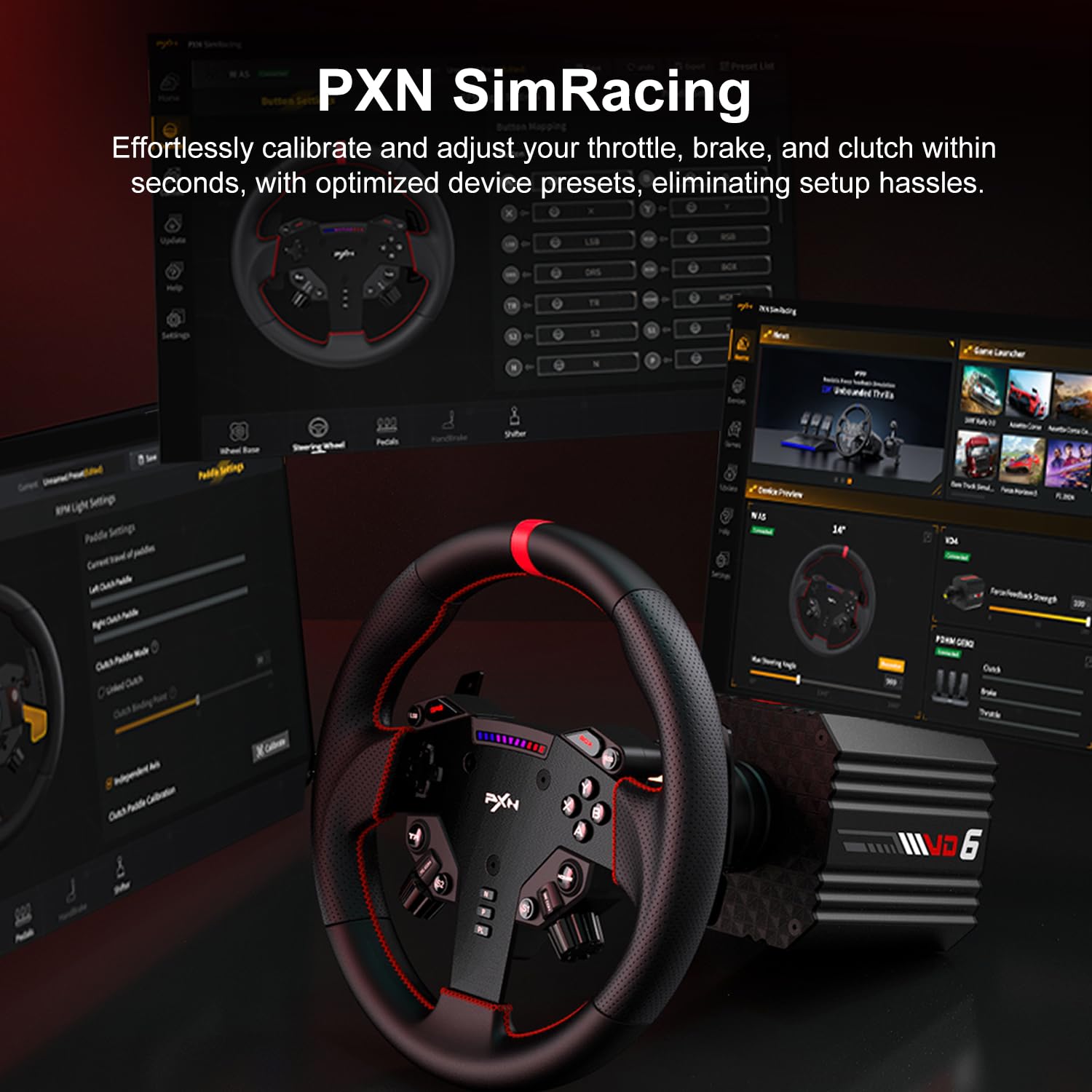
Image 3.6: The PXN SimRacing software interface, showing customization options for the steering wheel base.
4. Орнотуу нускамалары
Follow these steps to set up your PXN VD6 PC Steering Wheel Base:
- Базаны орнотуу: Securely attach the VD6 base to your racing rig or desk using the provided mounting hardware. Ensure it is stable and does not wobble during use.
- Компьютерге туташуу: Plug the main USB cable from the VD6 base into an available USB port on your PC.
- Кубат туташуу: Connect the power adapter to the VD6 base and then plug it into a power outlet.
- Перифериялык түзүлүштөрдү туташтыруу: Connect your PXN steering wheel, pedals, shifter, and any other accessories to their respective ports on the back of the VD6 base. Refer to Image 2.1 for port locations.
- Күйгүзүү: Press the [POWER Switch] on the back of the wheel base to turn it on.
- Драйверди орнотуу: Расмий PXNге барыңыз website to download and install the latest drivers and the PXN SimRacing software for your VD6 base. Follow the on-screen instructions for installation.
- Программанын конфигурациясы: Launch the PXN SimRacing software to calibrate your steering wheel, adjust force feedback settings, and customize button mappings according to your preferences and the specific racing game you intend to play.
Video 4.1: An unboxing and initial setup guide for the PXN VD Direct Drive Servo Motor Bases, demonstrating how to connect the components.
5. Иштөө нускамалары
Once the PXN VD6 is set up and configured, you can begin your sim racing experience:
- Launch SimRacing Software: Open the PXN SimRacing software to ensure your preferred profileс жүктөлгөн.
- Оюнду баштоо: Launch your desired PC racing simulator (e.g., iRacing, Assetto Corsa).
- Оюн ичиндеги жөндөөлөр: Within the game's controller settings, select the PXN VD6 as your primary steering device. Adjust in-game force feedback and steering linearity settings to match your personal preference and the game's requirements.
- Айдоо: Begin driving and experience the realistic force feedback and precise control offered by the direct drive system.
Video 5.1: A demonstration of the PXN VD Series Racing Wheel, highlighting the direct drive servo motor's performance during gameplay.
Video 5.2: An extended overview of the PXN VD Series Direct Drive Racing Wheel, showcasing its features and immersive racing experience.
6. Шайкештик
The PXN VD6 PC Steering Wheel Base is compatible with PC systems running Windows 7, Windows 8, Windows 10, and Windows 11. It supports a variety of popular racing simulation titles, including but not limited to:
- iRacing
- Assetto Corsa Series
- F1 сериясы
- WRC
- Forza Horizon 5
- Forza Motorsport
- DiRT Rally 2.0
- CARS 2 долбоору
- Euro Truck Simulator 2
- American Truck Simulator
- Le Mans Ultimate
For a comprehensive and updated list of compatible games, please contact PXN customer support or visit the official PXN webсайт.

Image 6.1: A visual representation of the PXN VD6's compatibility with a selection of popular PC racing games.
7. Техникалык тейлөө
To ensure the longevity and optimal performance of your PXN VD6 PC Steering Wheel Base, follow these maintenance guidelines:
- Тазалоо: Use a soft, dry cloth to wipe down the exterior of the wheel base. Avoid using abrasive cleaners or solvents, as these can damage the finish.
- Чаңдын алдын алуу: Keep the unit in a clean, dust-free environment. Dust can accumulate in vents and affect cooling performance.
- Кабелдик башкаруу: Ensure all cables are neatly organized and not under tension to prevent damage to connectors or the cables themselves.
- Сактагыч: Эгерде түзмөктү узак убакытка сактап койсоңуз, аны электр тармагынан сууруп, салкын, кургак жерде сактаңыз.
8. Кыйынчылыктарды
If you encounter issues with your PXN VD6, refer to the following common problems and solutions:
| Көйгөй | Мүмкүн себеп | Чечим |
|---|---|---|
| Күч жок | Power cable not connected, power switch off, faulty adapter. | Ensure power cable is securely connected and plugged into a working outlet. Check if the power switch on the back of the base is ON. Test with a different outlet if possible. |
| Not Recognized by PC | USB cable loose, drivers not installed, incompatible USB port. | Verify USB cable connection. Install the latest drivers from the PXN website. Try a different USB port (preferably a USB 2.0 or 3.0 port directly on the motherboard). |
| Күч колдонбостон пикир билдирүү | FFB settings incorrect in software/game, drivers issue. | Check force feedback settings in PXN SimRacing software and in-game. Ensure drivers are correctly installed. Restart PC and wheel base. |
| Steering Not Calibrated | Initial calibration not performed or corrupted. | Perform a calibration through the PXN SimRacing software. Follow the software's instructions for full range of motion. |
If these steps do not resolve your issue, please contact PXN customer support for further assistance.
9. Техникалык шарттар
| Өзгөчөлүк | Деталь |
|---|---|
| Модел | PXN VD6 |
| Момент чыгаруу | 6Nm Continuous, 7Nm Peak |
| Мотор түрү | 20-pole Low-Inertia Servo Motor |
| Кодер | 24-bit Magnetic Encoder |
| Процессор | High-Speed Multi-Core Processor |
| Пикирди мажбурлоо | PXN Sense+ Algorithm |
| Шайкештик | PC (Windows 7, 8, 10, 11) |
| Байланыш | USB |
| Өлчөмдөр | Болжол менен 17 x 16.5 x 8.6 дюйм (Таңгак) |
| Салмагы | Approximately 18.71 pounds (Item) |
10. Кепилдик жана колдоо
The PXN VD6 PC Steering Wheel Base includes a 12-month warranty from the date of purchase. For warranty claims, technical support, or any product-related inquiries, please contact PXN customer support through their official website. Ensure you have your purchase receipt and product serial number available when contacting support.
For the latest drivers, software updates, and additional product information, please visit the official PXN webсайт: www.pxn.cn


