1. Киришүү
This manual provides essential information for the proper setup, operation, and maintenance of your KOORUI E2711K 27 Inch 144Hz FHD IPS Monitor. Please read this manual thoroughly before using the product and retain it for future reference.
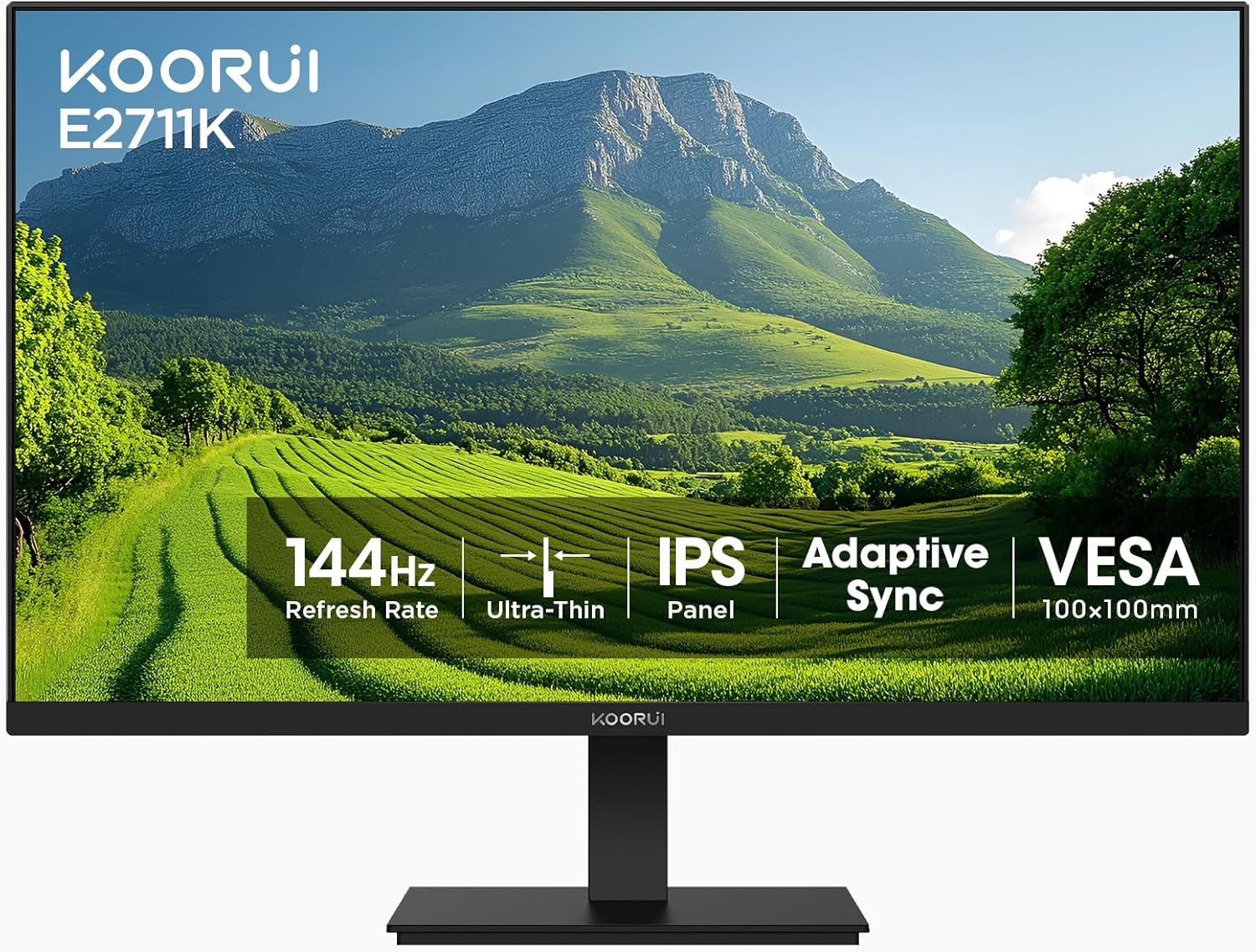
Сүрөт 1.1: Алдыңкы view of the KOORUI E2711K 27 Inch Monitor, showcasing анын ичке жээктерин жана стенди.
2. Пакеттин мазмуну
Пакетте бардык буюмдар бар экенин текшериңиз:
- 27 дюймдук монитор
- Электр кабели
- HDMI кабели
- User Manual
3. Орнотуу нускамалары
3.1 Стендди чогултуу
- Мониторду жана стенд компоненттерин таңгактан этияттык менен алып салыңыз.
- Тургучтун негизин тирөөчтүн мойнуна бекитип, аны берилген бурама менен бекитиңиз.
- Align the assembled stand with the mounting slot on the back of the monitor and push until it clicks into place. Ensure it is securely fastened.
3.2 VESA орнотуу
The monitor supports VESA 100x100mm mounting for alternative installation options such as wall mounts or monitor arms. Remove the stand before attaching a VESA-compatible mount.

Сүрөт 3.1: Арткы view of the monitor showing the VESA 100x100mm mounting points for attaching to a monitor arm or wall mount.
3.3 Түзмөктөргө туташуу
Connect the monitor to your computer or other devices using the available ports:
- HDMI: Use the provided HDMI cable to connect to an HDMI port on your device. The HDMI port supports a 144Hz refresh rate.
- VGA: Use a VGA cable (not included) to connect to a VGA port on your device. The VGA port supports a 60Hz refresh rate.
- Аудио чыгаруу: Connect external speakers or headphones to the 3.5mm audio output jack.
- DC кубаттуулугу: Connect the power cable to the DC input on the monitor and then to a power outlet.

Image 3.2: Close-up of the monitor's rear panel, highlighting the HDMI, VGA, Audio Output, and DC power ports, along with an illustration of the tilt adjustment range.
4. Иштөө нускамалары
4.1 Күйгүзүү/өчүрүү
Аны күйгүзүү же өчүрүү үчүн монитордо жайгашкан кубат баскычын басыңыз. Монитор активдүү болгондо кубат индикаторунун жарыгы күйөт.
4.2 Экрандагы дисплей (OSD) менюсу
The OSD menu allows you to adjust various monitor settings. Use the vertical buttons on the back of the monitor to navigate and select options within the OSD menu.

Сүрөт 4.1: Каптал view of the monitor emphasizing its slim design and the location of the vertical control buttons for OSD navigation.
4.3 Дисплей орнотуулары
- Чечим: The monitor supports a native Full HD (1920 x 1080) resolution for clear and detailed images.
- Жаңыртуу ылдамдыгы: Enjoy smooth visuals with a 144Hz refresh rate, reducing motion blur in fast-paced content.
- Адаптивдүү синхрондоштуруу (FreeSync): This technology synchronizes the monitor's refresh rate with your graphics card's frame rate, eliminating screen tearing and stuttering for a fluid experience.
- HDR10: High Dynamic Range 10 provides enhanced contrast and color depth for compatible content.
- Түс гаммасы: The monitor covers 99% sRGB color gamut, offering accurate and vibrant color reproduction.

Image 4.2: A comparison demonstrating sharper text and clearer motion at 144Hz refresh rate compared to 75Hz, highlighting reduced eye fatigue.

Image 4.3: A visual representation of the monitor's 99% sRGB color gamut, indicating its ability to display a wide range of accurate colors.
4.4 Көзгө кам көрүүнүн өзгөчөлүктөрү
The monitor incorporates features designed to reduce eye strain during extended use:
- Жаркылдоосуз: Көздүн чарчоосуна алып келген экрандын бүлбүлдөгөнүн жок кылат.
- Көк жарык чыпкасы: Көзүңүздү коргоо үчүн зыяндуу көк жарыктын бөлүнүп чыгышын азайтат.
- Жарыкка каршы: The matte screen surface minimizes reflections, improving visibility in various lighting conditions.
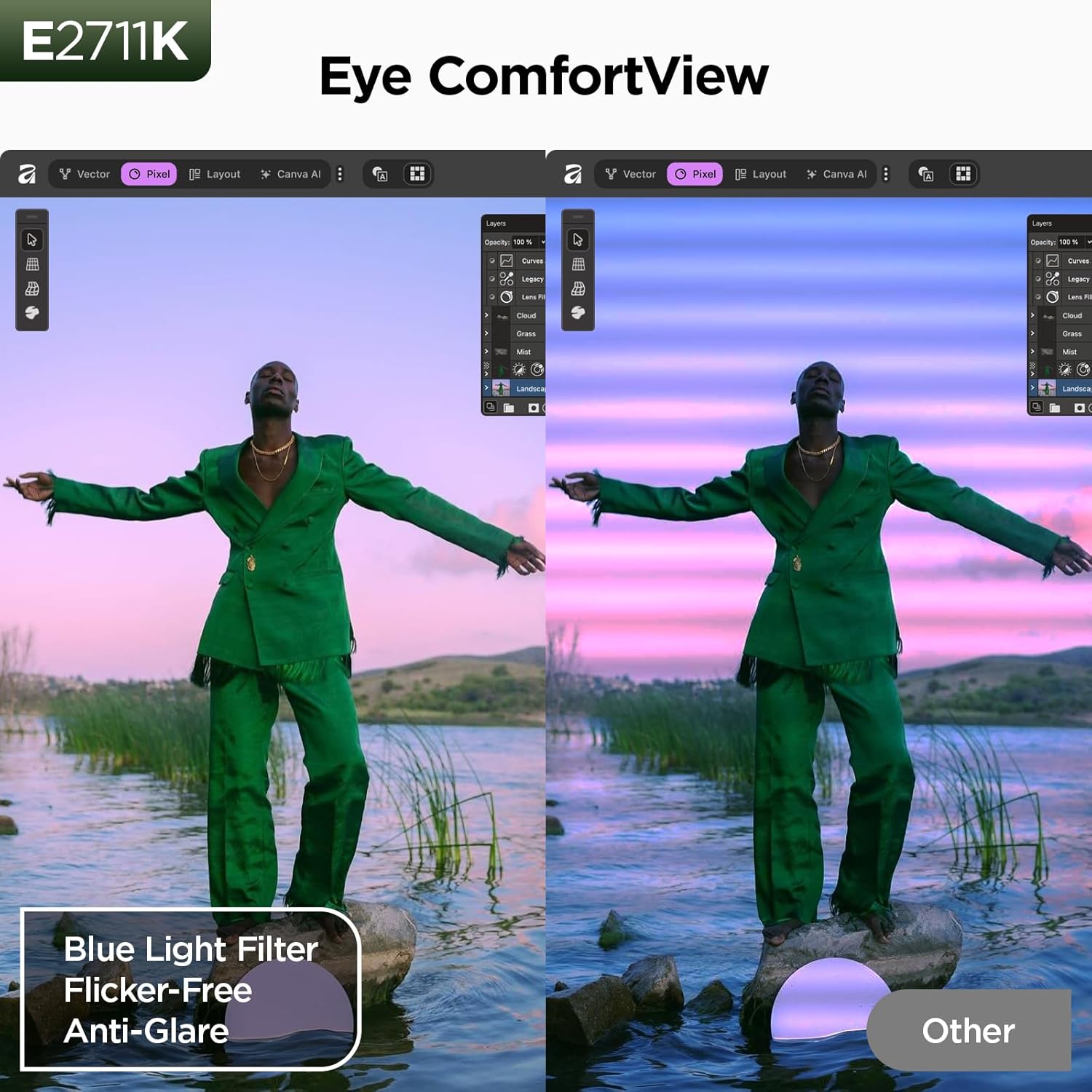
Image 4.4: A split-screen comparison illustrating the benefit of Eye ComfortView features, showing reduced blue light and glare compared to a standard display.
4.5 Эргономикалык жөндөөлөр
The monitor stand allows for tilt adjustment to optimize your viewing comfort. You can tilt the screen from -5 degrees forward to 15 degrees backward.

Image 4.5: A visual demonstration of the 178-degree wide viewing angle provided by the IPS panel, ensuring consistent image quality from various perspectives.
5. Техникалык тейлөө
5.1 Мониторду тазалоо
Монитордун экранын тазалоо үчүн аны жумшак, түксүз чүпүрөк менен акырын сүртүңүз. өжөр белгилери үчүн, жеңил гampчүпүрөккө суу же жумшак, абразивдүү эмес экран тазалагыч. Катуу химиялык заттарды же абразивдүү материалдарды колдонуудан алыс болуңуз.
5.2 Сактоо
Мониторду сактап жатканда, анын өчүрүлгөнүн жана бардык кабелдерден ажыратылганын текшериңиз. Чаңдан жана физикалык зыяндан коргоо үчүн аны салкын, кургак жерде, мүмкүн болсо, баштапкы таңгагында сактаңыз.
6. Кыйынчылыктарды
Мониторуңузда көйгөйлөргө туш болсоңуз, төмөнкү жалпы көйгөйлөрдү жана чечимдерди караңыз:
- Кубат жок: Кубат кабели мониторго да, иштеген электр розеткасына да бекем туташтырылганын текшериңиз.
- Сигнал жок: Verify that the video cable (HDMI or VGA) is correctly connected to both the monitor and your device. Check that the correct input source is selected on the monitor.
- Сүрөттүн сапаты маселелери: Adjust resolution and refresh rate settings on your computer. Check for driver updates for your graphics card.
- Экрандын айрылышы/кекечтениши: Ensure Adaptive Sync (FreeSync) is enabled in both your monitor's OSD settings and your graphics card control panel.
7. Техникалык шарттар
| Өзгөчөлүк | Спецификация |
|---|---|
| Модель номери | MB27V29Q |
| Screen Size | 27 дюйм |
| Резолюция | 1920 x 1080 (FHD 1080p) |
| Жаңыртуу ылдамдыгы | 144 Гц (HDMI аркылуу) |
| Панел түрү | IPS |
| Аспект катышы | 16:9 |
| Сүрөттүн жарыктыгы | 250 Кандела |
| Контраст катышы | 20,000,000:1 (Динамикалык) |
| Түс гаммасы | 99% sRGB |
| Viewбурч | 178° |
| Байланыш | HDMI 1.4, VGA, Audio Output |
| VESA шайкештиги | 100x100мм |
| Тилтти тууралоо | -5°тан 15°ка чейин |
| Продукциянын өлчөмдөрү | 24.13 x 7.28 x 18.15 дюйм |
| Элемент Салмагы | 10.68 фунт |
8. Продукт видеосу бүттүview
Watch this video for a visual guide on the features and benefits of the KOORUI E2711K monitor.
Видео 8.1: Продукциянын расмий көргөзмөсүasing the KOORUI 27 inch 144hz monitor E2711K, demonstrating its design, features, and connectivity options.
9. Кепилдик жана колдоо
KOORUI provides a 3 жылдык Чектелген Кепилдик for this product. For technical assistance, troubleshooting, or warranty claims, please contact KOORUI customer support. Refer to the contact information provided in your product packaging or on the official KOORUI webсайт.


