1. Киришүү
Welcome to the user manual for your JLab JBuds Party Portable Bluetooth Speaker. This guide provides essential information for setting up, operating, maintaining, and troubleshooting your speaker. The JBuds Party speaker delivers powerful audio with dual full-range drivers and passive woofers, features customizable RGB lighting, and offers multi-speaker connectivity via LabSync technology. Its IP56 waterproof rating ensures durability for various environments.

Image: The JLab JBuds Party Portable Bluetooth Speaker in Cyan, showcasing анын дизайны.
2. Эмнелер камтылган
Сураныч, пакеттин мазмунун текшерип, бардык буюмдар бар экенин текшериңиз:
- JLab JBuds Party Bluetooth Speaker
- USB-C заряддоо кабели
- Колдонуучунун колдонмосу
3. Башкаруу элементтери жана өзгөчөлүктөрү
Динамиктин компоненттери жана башкаруу элементтери менен таанышып алыңыз:

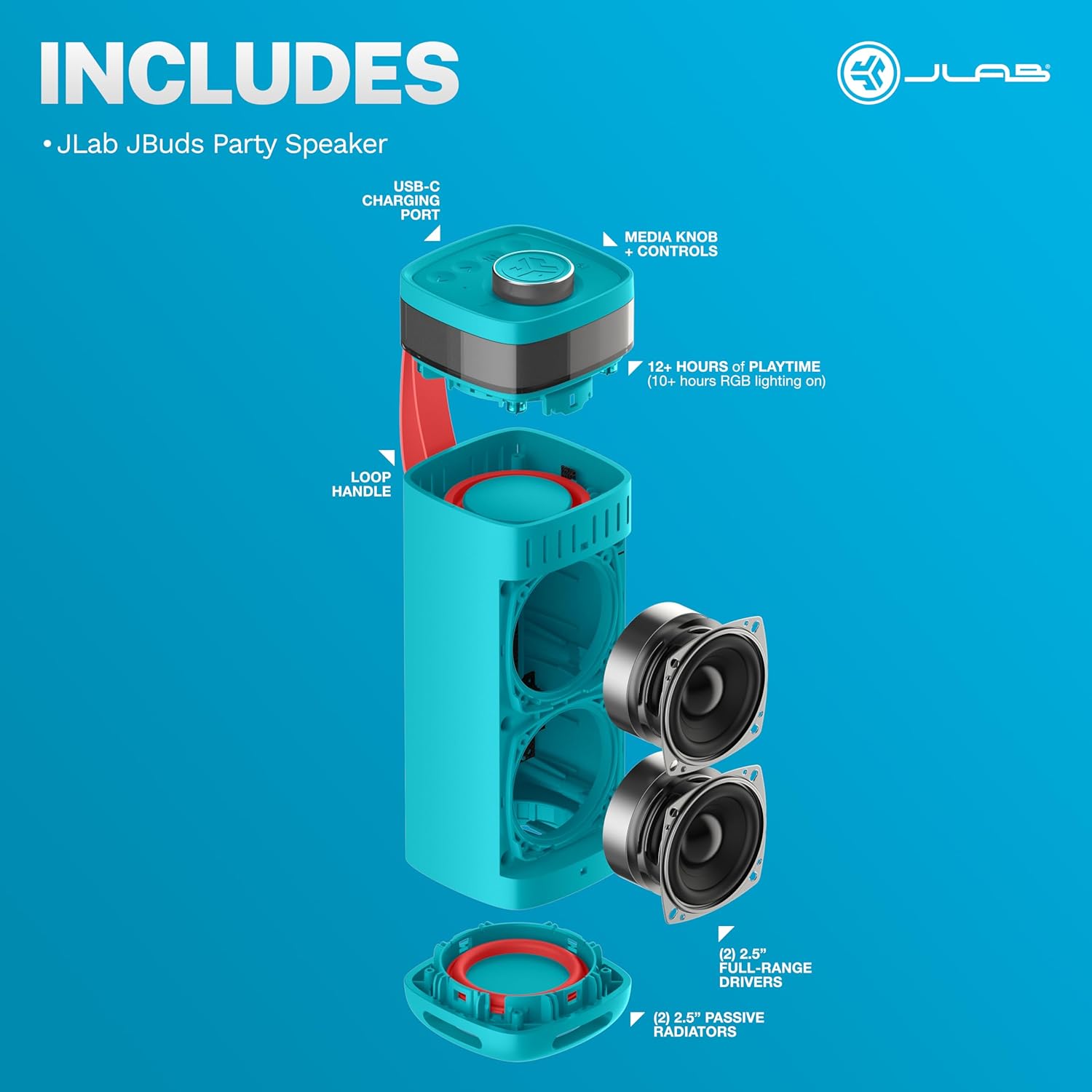
Image: An exploded diagram of the JLab JBuds Party speaker, highlighting its internal components such as the USB-C charging port, media knob and controls, loop handle, 2.5-inch full-range drivers, and 2-inch passive radiators.
- Media Knob + Controls: Located on the top panel for power, volume, playback, and other functions.
- USB-C заряддоо порту: Динамиктин ички батареясын заряддоо үчүн.
- Loop Handle: Integrated for easy transport and hanging.
- Full-Range Drivers (2x 2.5"): Deliver clear and powerful audio.
- Passive Radiators (2x 2"): Басс жоопту жогорулатуу.
- RGB жарыктандыруу: Customizable lighting effects around the top of the speaker.
4. Орнотуу
4.1 Заряддоо
Before first use, fully charge your JBuds Party speaker. Connect the provided USB-C charging cable to the speaker's charging port and a compatible USB power source. The charging indicator will show the charging status.
4.2 Bluetooth жупташтыруу
- Power on the JBuds Party speaker by pressing and holding the power button.
- The speaker will automatically enter Bluetooth pairing mode, indicated by a flashing light.
- Түзмөгүңүздө (смартфон, планшет, ноутбук) Bluetooth жөндөөлөрүнө өтүңүз.
- Select "JBuds Party" from the list of available devices.
- Once connected, the speaker will confirm with an audible prompt, and the light indicator will become solid.
4.3 JLab App Integration
For enhanced control and customization, download the JLab App from the App Store or Google Play Store. The app allows you to customize RGB lighting, adjust sound settings (EQ4 presets), and receive software updates.

Image: A hand interacting with the JLab App on a smartphone, showing options to customize the RGB lighting of the JBuds Party speaker.
5. Динамикти иштетүү
5.1 Негизги ойнотуу
After successful Bluetooth pairing, you can play audio from your connected device. Use the media knob on the speaker or your device's controls to adjust volume, play/pause, and skip tracks.
5.2 RGB жарыктандыруу
The JBuds Party speaker features integrated RGB lighting. You can customize the color, pattern, and frequency of these lights using the JLab App to match your preference.
Сүрөт: адам viewing their JLab JBuds Party speaker while customizing its sound and RGB lighting settings through the JLab App on their smartphone.
5.3 LabSync Multi-Speaker Connectivity
LabSync allows you to connect up to 100 JLab Party speakers for synchronized sound and lighting. Refer to the JLab App for detailed instructions on initiating and managing LabSync connections.

Image: Two JLab JBuds Party speakers shown side-by-side, illustrating the LabSync feature for synchronizing sound and lights across multiple units.
5.4 LabSync Stereo Pairing
For a more immersive audio experience, you can use LabSync to designate two JLab Party speakers as left and right channels, creating a powerful 2-channel stereo system. This feature is managed through the JLab App.
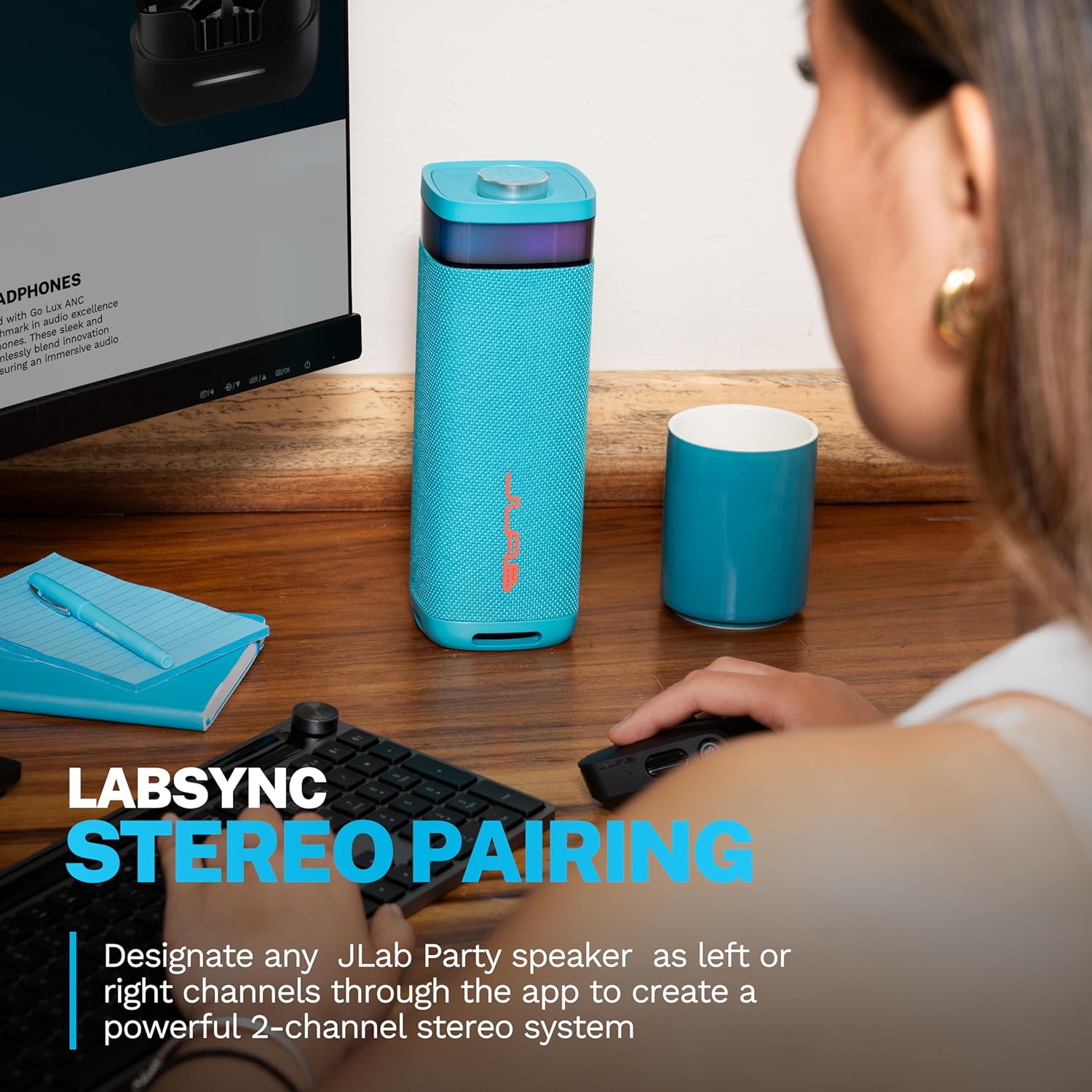
Image: A JLab JBuds Party speaker positioned on a desk next to a computer, demonstrating its use in a stereo pairing setup for an enhanced audio experience.
5.5 Суу өткөрбөйт рейтинги (IP56)
The JBuds Party speaker is IP56 rated, meaning it is protected against dust ingress and high-pressure water jets from any direction. This makes it suitable for outdoor use and resistant to splashes or light rain. Do not submerge the speaker in water.
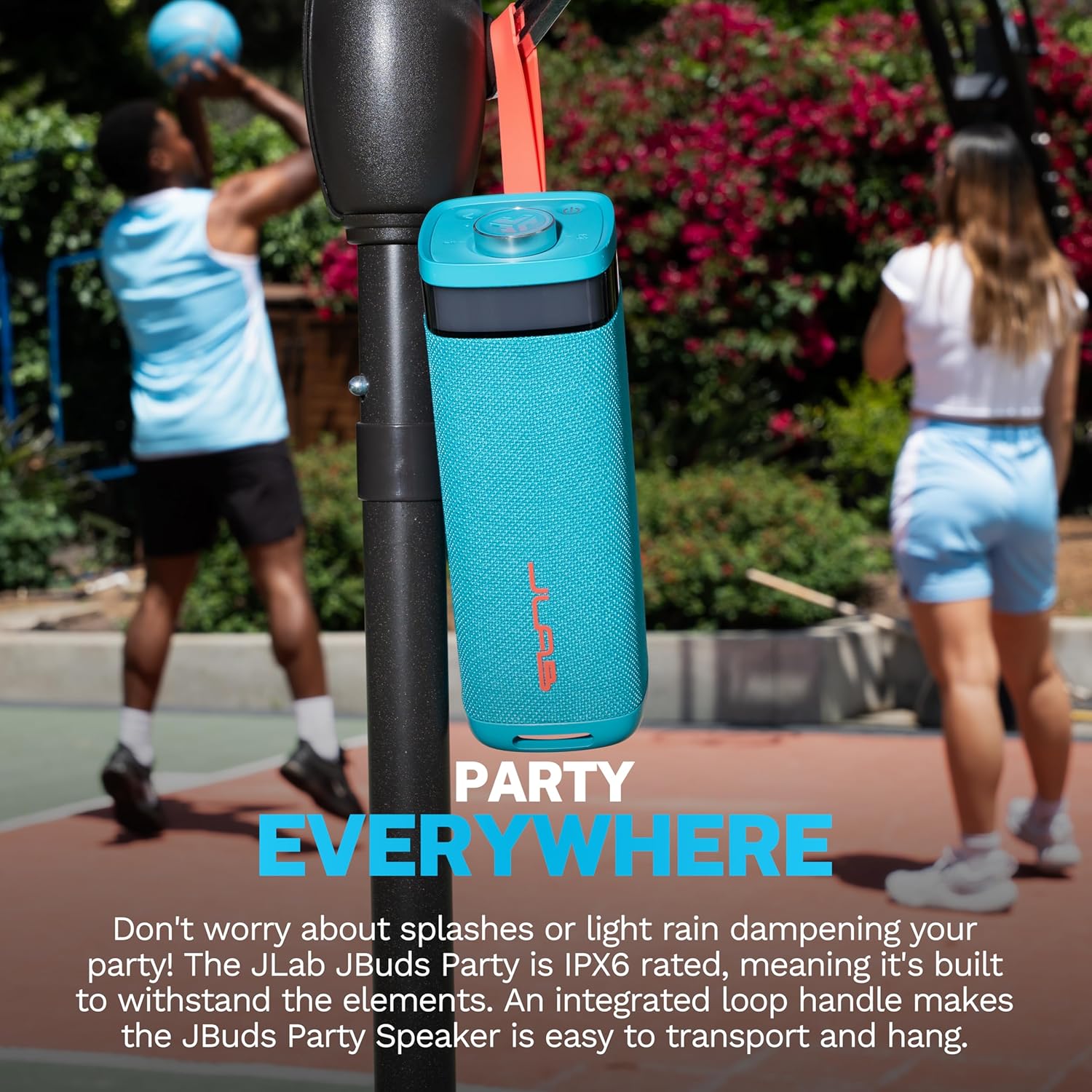
Image: A JLab JBuds Party speaker, equipped with its loop handle, hanging from a basketball hoop outdoors, demonstrating its portability and suitability for various environments.
6. Техникалык тейлөө
- Тазалоо: Динамикти жумшак менен сүртүңүз, гamp кездеме. Катуу химиялык заттарды же абразивдүү тазалагычтарды колдонуудан алыс болуңуз.
- Сактагыч: Колдонулбаганда динамикти салкын, кургак жерде сактаңыз.
- Суу таасири: While IP56 rated, ensure the charging port cover is securely closed before exposure to water. After exposure, dry the speaker thoroughly before charging.
7. Кыйынчылыктарды
| Маселе | Мүмкүн чечим |
|---|---|
| Динамик күйбөйт | Динамик заряддалганын текшериңиз. USB-C кабели аркылуу кубат булагына туташуу. |
| Үн жок | Check if the speaker is paired correctly. Increase volume on both the speaker and your connected device. Ensure the audio source is playing. |
| Bluetooth жупташтыруу ишке ашпай калды | Ensure the speaker is in pairing mode. Turn off and on Bluetooth on your device. Move the speaker closer to your device. Forget "JBuds Party" from your device's Bluetooth list and try pairing again. |
| LabSync connection issues | Ensure all speakers are within range and powered on. Check the JLab App for connection status and troubleshooting steps specific to LabSync. |
8. Техникалык шарттар
| Өзгөчөлүк | Деталь |
|---|---|
| Модель аты | JBuds Party |
| Элемент моделинин номери | SBJBUDSCYA12WEB |
| Динамик түрү | Көчмө спикер |
| Байланыш технологиясы | Bluetooth |
| Зымсыз байланыш технологиясы | Bluetooth |
| Аудио чыгаруу режими | Стерео |
| Көлөмдүү үн каналынын конфигурациясы | 2.0 |
| Динамиктин максималдуу чыгаруу күчү | 30 Ватт |
| Динамик өлчөмү | 2.5 Inches (Full-Range Drivers) |
| Вуфердин диаметри | 2 Inches (Passive Woofers) |
| Power Source | Батарея менен иштейт |
| Батареялар | 2 стандарттуу эмес батарейка талап кылынат (кошулган) |
| Оюн убактысы | 12 Hours (10+ hours with RGB lighting) |
| Сууга туруктуулук деңгээли | IP56 (Суу өткөрбөйт) |
| Башкаруу ыкмасы | Баскыч, тийүү |
| Продукциянын өлчөмдөрү | 3.35"D x 3.35"W x 9.76"H |
| Элемент Салмагы | 3.56 фунт |
| Шайкеш түзмөктөр | Laptop, MP3 Player, Smartphone, Tablet |
| UPC | 810119074768 |
9. Кепилдик жана колдоо
9.1 Кепилдик маалыматы
The JLab JBuds Party Portable Bluetooth Speaker comes with a Full Warranty. Please refer to the official JLab website or your purchase documentation for specific terms and conditions of the warranty.
9.2 Кардарларды колдоо
For further assistance, technical support, or warranty claims, please visit the official JLab support website or contact their customer service department. Contact information can typically be found on the JLab webсайтында же продуктунун таңгагында.


