1. Киришүү
The LD Systems DAVE 15 G4X is a powered compact PA system designed for various live sound applications, including DJs, live bands, and solo entertainers. This system comprises a 15-inch subwoofer and two 8-inch satellites, delivering a total peak power of 2060 Watts. It features an integrated 6-channel mixer, versatile input options, Bluetooth connectivity, and advanced DSP technology for clear and powerful sound reproduction.
This manual provides essential information for the safe and efficient setup, operation, and maintenance of your DAVE 15 G4X PA system. Please read it thoroughly before initial use and keep it for future reference.
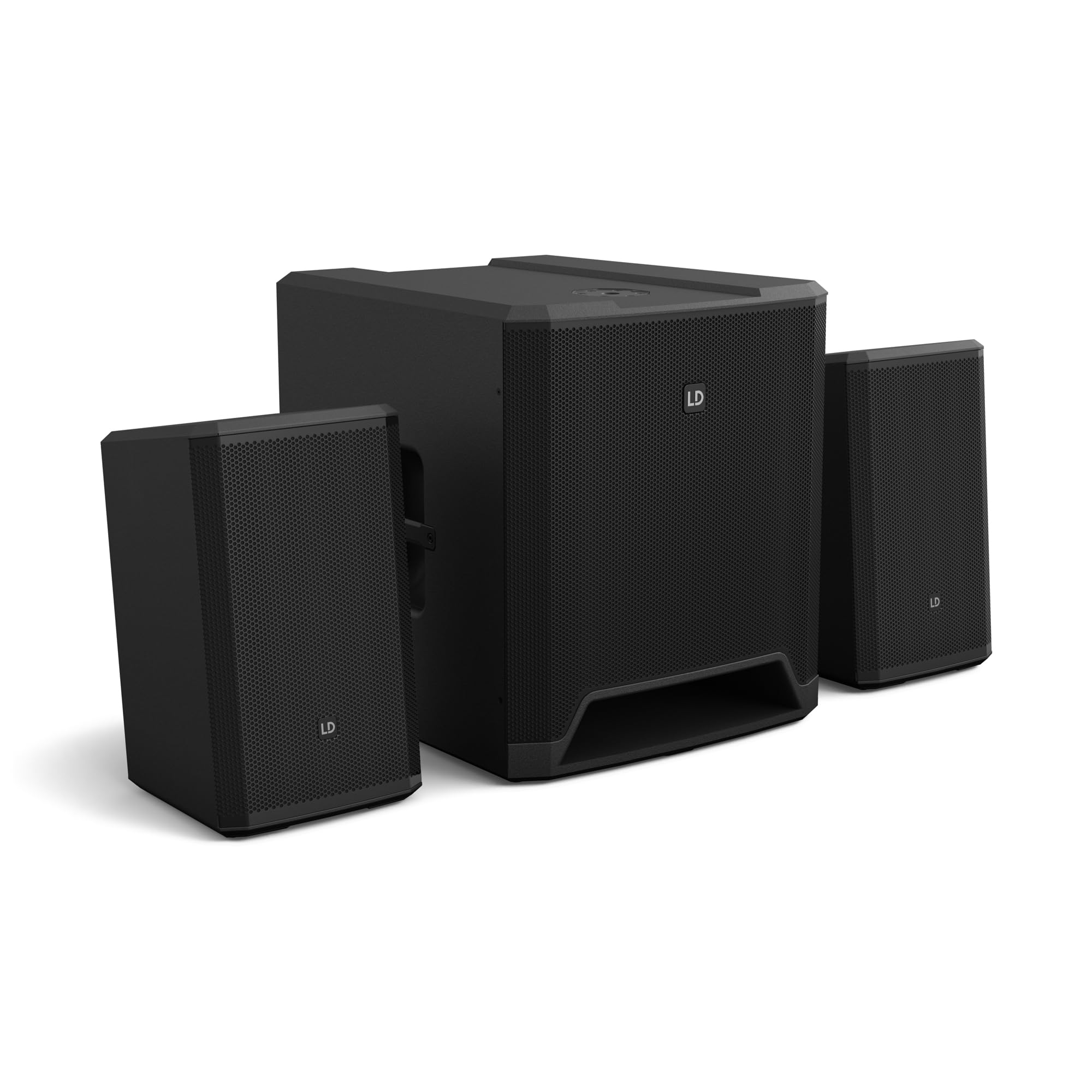
Figure 1: ашыкview of the LD Systems DAVE 15 G4X PA System components.
2. Коопсуздук нускамалары
Электр шокунун, өрттүн же жаракаттын алдын алуу үчүн ар дайым төмөнкү коопсуздук чараларын сактаңыз:
- электр менен жабдууну камсыз кылуу voltage matches the rating on the unit.
- Агрегатты жамгырга же нымдуулукка дуушар кылбаңыз.
- в ачпагылаasing; бардык тейлөөлөрдү квалификациялуу кызматкерлерге тапшырыңыз.
- Агрегатты туруктуу, түз бетке коюңуз.
- Агрегаттын айланасында жетиштүү желдетүүнү камсыз кылыңыз.
- Агрегаттын үстүнө нерселерди коюудан качыңыз.
- Түзмөктү тазалоодон же жылдыруудан мурун электр кубатынан ажыратыңыз.
3. Орнотуу
Proper setup is crucial for optimal performance and safety. Follow these steps to assemble your DAVE 15 G4X system:
3.1 Пакеттен чыгаруу жана жайгаштыруу
- Carefully unpack all components: one 15-inch subwoofer and two 8-inch satellite speakers.
- Place the subwoofer on a stable, flat surface.
- Position the satellite speakers. They can be placed on speaker stands (not included) or mounted on a T-stand above the subwoofer (accessories sold separately).

2-сүрөт: Мисample of a stereo setup with one satellite speaker mounted on a pole above the subwoofer. Speaker pole not included.

3-сүрөт: Мисample of a stereo setup with both satellite speakers on separate poles. Speaker poles not included.

4-сүрөт: Мисample of a cluster mode setup with both satellite speakers mounted on a T-stand above the subwoofer. Speaker pole not included.
3.2 Динамиктерди туташтыруу
- Connect the two satellite speakers to the "SAT LEFT" and "SAT RIGHT" outputs on the rear panel of the subwoofer using appropriate speaker cables.
- Ensure secure connections.

Figure 5: Rear panel connections of the DAVE 15 G4X subwoofer, including power input, satellite outputs, and various audio inputs.
3.3 Кубат туташтыруу
- Connect the supplied power cable to the "POWER INPUT" on the subwoofer's rear panel.
- Plug the other end into a suitable AC power outlet.
- Ensure the power switch is in the "OFF" position before connecting to power.
4. Миксерди иштетүү
The DAVE 15 G4X features an integrated 6-channel mixer for connecting various audio sources. Familiarize yourself with the control panel:

6-сүрөт: Детальдуу view of the DAVE 15 G4X mixer control panel, showing input controls, EQ, reverb, and mode selection.
4.1 Input Channels 1 & 2 (Mono)
- Киргизүү түрүн тандоо: Use the "SELECT" button to toggle between Microphone (MIC), High-Impedance Instrument (HI-Z), or Line-level (LINE) input.
- Көзөмөлдү алуу: Adjust the "HIGH" knob for input sensitivity.
- 2 тилкелүү EQ: Use the "LOW" and "HIGH" knobs to adjust bass and treble frequencies for each channel.
- Реверб: Select one of three reverb presets (SMALL, LARGE, PLATE) and adjust the "REVERB" knob for the desired effect level.
4.2 Input Channels 3 & 4 (Stereo Line)
- These inputs are designed for stereo line-level sources such as keyboards, synthesizers, or drum machines.
- Adjust the "INPUT 3/4" knob for the overall volume of these channels.
4.3 Input Channels 5 & 6 (Digital/Bluetooth)
- SPDIF киргизүү: Connect a digital audio source via the SPDIF TOSLINK input on the rear panel.
- Bluetooth жупташууда: Press and hold the "HOLD TO LINK" button to activate Bluetooth pairing mode. Издөө "LD Systems DAVE 15 G4X" on your device and connect.
- Булак тандоо: Use the "SOURCE" button to switch between SPDIF and Bluetooth inputs.
- Adjust the "INPUT 5/6" knob for the overall volume of these channels.
4.4 Башкы башкаруу каражаттары
- MAIN Volume: The large "MAIN" knob controls the overall output volume of the system.
- SUB Volume: Adjust the "SUB" knob to control the volume level of the subwoofer.
- ЖОГОРКУ Көлөм: Adjust the "HIGH" knob to control the volume level of the satellite speakers.
- Режимдин алдын ала орнотуулары: Use the "SELECT" button under "MODE" to choose between different setup presets (e.g., Stereo, Cluster Mode) for optimized sound dispersion.
5. Техникалык тейлөө
Regular maintenance ensures the longevity and optimal performance of your DAVE 15 G4X PA system.
- Тазалоо: Use a soft, dry cloth to wipe down the surfaces. For stubborn dirt, a slightly damp cloth can be used, followed by a dry cloth. Avoid abrasive cleaners or solvents, as they may damage the polyurea coating.
- Вентиляция: Ашыкча ысып кетүүнүн алдын алуу үчүн бардык желдетүү тешиктери чаңдан жана таштандылардан таза экенине ынаныңыз.
- Сактагыч: When not in use for extended periods, store the system in a dry, dust-free environment. Consider using protective covers or bags (accessories sold separately) to prevent damage.
- Кабелдик башкаруу: Бардык кабелдердин эскиргендигин же бузулгандыгын үзгүлтүксүз текшерип туруңуз. Бузулган кабелдерди дароо алмаштырыңыз.
6. Кыйынчылыктарды
If you encounter issues with your DAVE 15 G4X system, refer to the following common problems and solutions:
6.1 Үн чыгышы жок
- Күчтү текшерүү: Ensure the system is powered on and the power cable is securely connected. Verify the "POWER" indicator light is illuminated.
- Үн деңгээли: Confirm that the "MAIN," "SUB," and "HIGH" volume knobs are turned up. Check individual channel gain controls.
- Киргизүүнү тандоо: Ensure the correct input source is selected for the active channel (e.g., MIC, HI-Z, LINE, SPDIF, Bluetooth).
- Кабелдик байланыштар: Verify all audio cables (input sources, satellite speakers) are correctly and securely connected.
- Булак түзмөк: Check if your audio source device (microphone, instrument, media player) is functioning correctly and outputting sound.
6.2 Бурмаланган же так эмес үн
- Киргизүү пайдасы: Reduce the input gain for the affected channel if the "SIGNAL" or "LIMIT" indicator lights are constantly red.
- Негизги том: Lower the "MAIN" volume if the overall sound is distorted.
- EQ Орнотуулары: Adjust the EQ (LOW, HIGH) settings on individual channels to improve clarity.
- Кабелдин сапаты: Ensure you are using high-quality, shielded audio cables.
6.3 Bluetooth туташуу маселелери
- Жупташтыруу режими: Ensure the DAVE 15 G4X is in Bluetooth pairing mode (press and hold "HOLD TO LINK").
- Түзмөктүн көрүнүүсү: Make sure Bluetooth is enabled on your source device and it is discoverable.
- Аралык: Keep your Bluetooth device within the effective range of the PA system.
- Интерференция: Тоскоолдукка алып келиши мүмкүн болгон башка зымсыз түзмөктөрдөн алыс болуңуз.
- Түзмөктү унут: If previously paired, try "forgetting" the DAVE 15 G4X on your device and re-pairing.
7. Техникалык шарттар
Detailed technical specifications for the LD Systems DAVE 15 G4X PA System:
| Өзгөчөлүк | Спецификация |
|---|---|
| Модель аты | LDS-DAVE15G4X |
| Динамик түрү | Powered 2.1 PA System |
| Сабвуфердин өлчөмү | 15 дюйм |
| Спутниктик динамиктин өлчөмү | 2 x 8 дюйм |
| Чокусу чыгаруу күчү | 2060 Ватт |
| Миксер каналдары | 6-Channel Integrated Mixer |
| Байланыш технологиясы | Bluetooth, SPDIF TOSLINK, XLR, 1/4" Jack, RCA |
| Монтаж түрү | Floor Standing (Subwoofer), Pole Mount (Satellites) |
| Продукциянын өлчөмдөрү (сабвуфер) | 20"D x 19"W x 21"H (болжол менен) |
| Элемент Салмагы | 119 pounds (total system approximate) |
| Камтылган компоненттер | LDDAVE15G4X (Subwoofer, 2 Satellites, Power Cable) |
| DSP технологиясы | DynX DSP (Gen.2), FIR Filters |
| Кабинеттин материалы | Durable Polyurea Coating |
8. Кепилдик маалыматы
Warranty terms and conditions for the LD Systems DAVE 15 G4X PA System are typically provided with your purchase documentation or can be found on the official LD Systems webсайт. Сураныч, кепилдик дооматтар үчүн сатып алуу далилиңизди сактап коюңуз.
Кепилдик боюнча кенен маалымат алуу үчүн төмөнкү дарекке кириңиз LD Systems official webсайт or contact your authorized dealer.
9. Кардарларды колдоо кызматы
Should you require technical assistance, service, or have questions regarding your LD Systems DAVE 15 G4X PA System, please contact LD Systems customer support or your local authorized dealer.
For further support and resources, please visit the LD Systems official webсайт.