1. Киришүү
Thank you for choosing the BAOFENG UV-32 Ham Radio. This device is a high-performance dual-band, dual-display two-way radio designed for reliable communication in various environments. It features GPS/BeiDou tracking, APP programming, adjustable power output, and versatile charging options. Please read this manual thoroughly before operating the radio to ensure proper use and optimal performance.
1.1 Камтылган компоненттер
The BAOFENG UV-32 package typically includes the following items:
- BAOFENG UV-32 Radio Unit
- Антенна
- Li-ion Батарея
- Desktop Charger Dock
- Кубаттуу адаптер
- USB-C заряддоо кабели
- Belt Clip
- Lanyard
- Колдонуучунун Колдонмосу (бул документ)

Image 1.1: Contents of the BAOFENG UV-32 package, including the radio, antenna, battery, charger, and cables.
2. Коопсуздук маалыматы
Observe the following safety precautions to prevent injury or damage to your radio:
- Радиону жарылуучу чөйрөдө (мисалы, күйүүчү газдар, чаң бөлүкчөлөрү, металл порошоктору) иштетпеңиз.
- Радиону бөлүктөргө бөлбөңүз же өзгөртпөңүз. Оңдоо иштерин квалификациялуу техниктер гана жүргүзүшү керек.
- Use only BAOFENG approved batteries and chargers. Using unapproved accessories may void your warranty and cause damage.
- Радиону узак убакыт бою түз күн нурунун таасирине же өтө жогорку температурага дуушар кылбаңыз.
- Keep the radio dry. It is not water-resistant.
- Антеннасы жок өткөрбөңүз.
- Maintain a safe distance from the antenna during transmission, especially for high-power settings.
3. Орнотуу
3.1 Батареяны орнотуу
- Батарея блогун радионун арткы жагындагы оюктар менен тегиздеңиз.
- Батареяны ордунан чыккыча өйдө жылдырыңыз.
- Чыгаруу үчүн, батареяны чыгаруу илгичин басып (эгер бар болсо) жана батареяны ылдый жылдырыңыз.
3.2 Антеннаны бекитүү
- Screw the antenna clockwise into the connector on the top of the radio until it is finger-tight.
- Ашыкча катуулабагыла.
3.3 Батареяны заряддоо
The UV-32 offers multiple charging methods:
- Үстөл үстүндөгү кубаттагыч: Place the radio (with battery installed) or the battery alone into the desktop charging dock. Ensure the charging contacts align. The indicator light will show charging status.
- USB-C Direct Charging: Connect a USB-C cable to the port on the radio and to a compatible power source (e.g., power bank, car adapter, computer, wall charger).
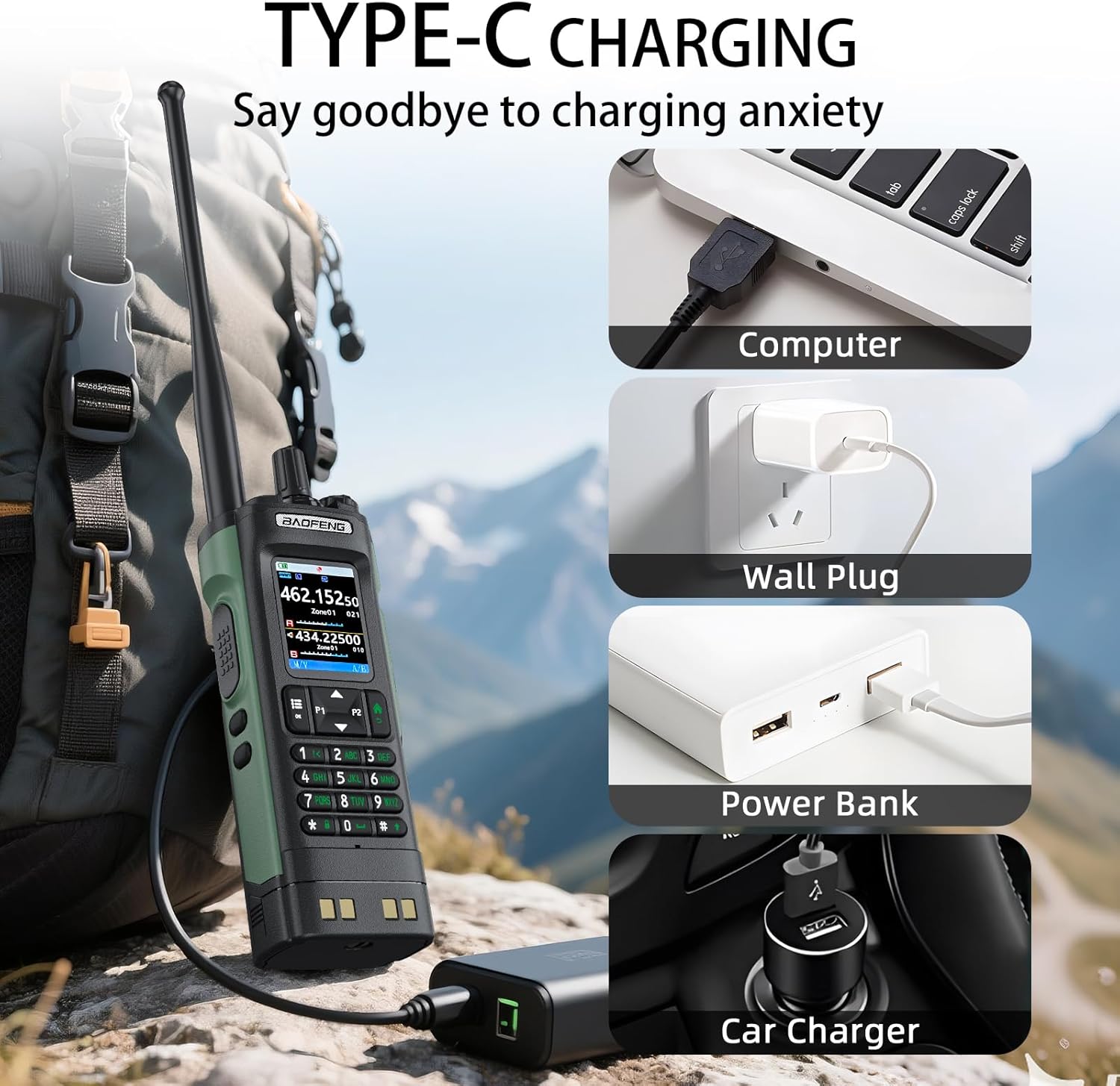
Image 3.1: Various methods for charging the BAOFENG UV-32 via USB-C.
3.4 Баштапкы күйгүзүү
Rotate the power/volume knob clockwise to turn on the radio. Adjust the knob to set the desired volume level.
4. Иштөө нускамалары
4.1 Күйгүзүү/өчүрүү жана үндү башкаруу
The top-right knob controls both power and volume. Rotate clockwise to power on and increase volume; rotate counter-clockwise to decrease volume and power off.
4.2 Channel Selection and Frequency Input
The UV-32 supports 1000 channels across 10 zones. Use the keypad to directly input frequencies or navigate through stored channels. The radio features a dual display, allowing monitoring of two frequencies simultaneously.

Image 4.1: The UV-32's dual frequency display and multi-band reception capabilities.
4.3 Dual GPS/BeiDou Tracking and Location Sharing
The radio integrates dual GPS/BeiDou modules for precise positioning. This feature allows you to share your coordinates and request the positions of other team members, which is particularly useful in areas without cellular service, such as off-road or disaster scenarios.
4.4 Bluetooth APP Programming
Program up to 1000 channels wirelessly using the mobile application "Radio Frequency Programmer" via Bluetooth. This allows for convenient editing and management of radio settings from your smartphone.

Image 4.2: Bluetooth APP programming interface for the BAOFENG UV-32.
4.5 Adjustable Power Output
The UV-32 offers adjustable transmission power settings: 10W (High), 5W (Mid), and 1W (Low). Adjusting the power output allows you to conserve battery life during shorter-range communications or extend range when necessary.
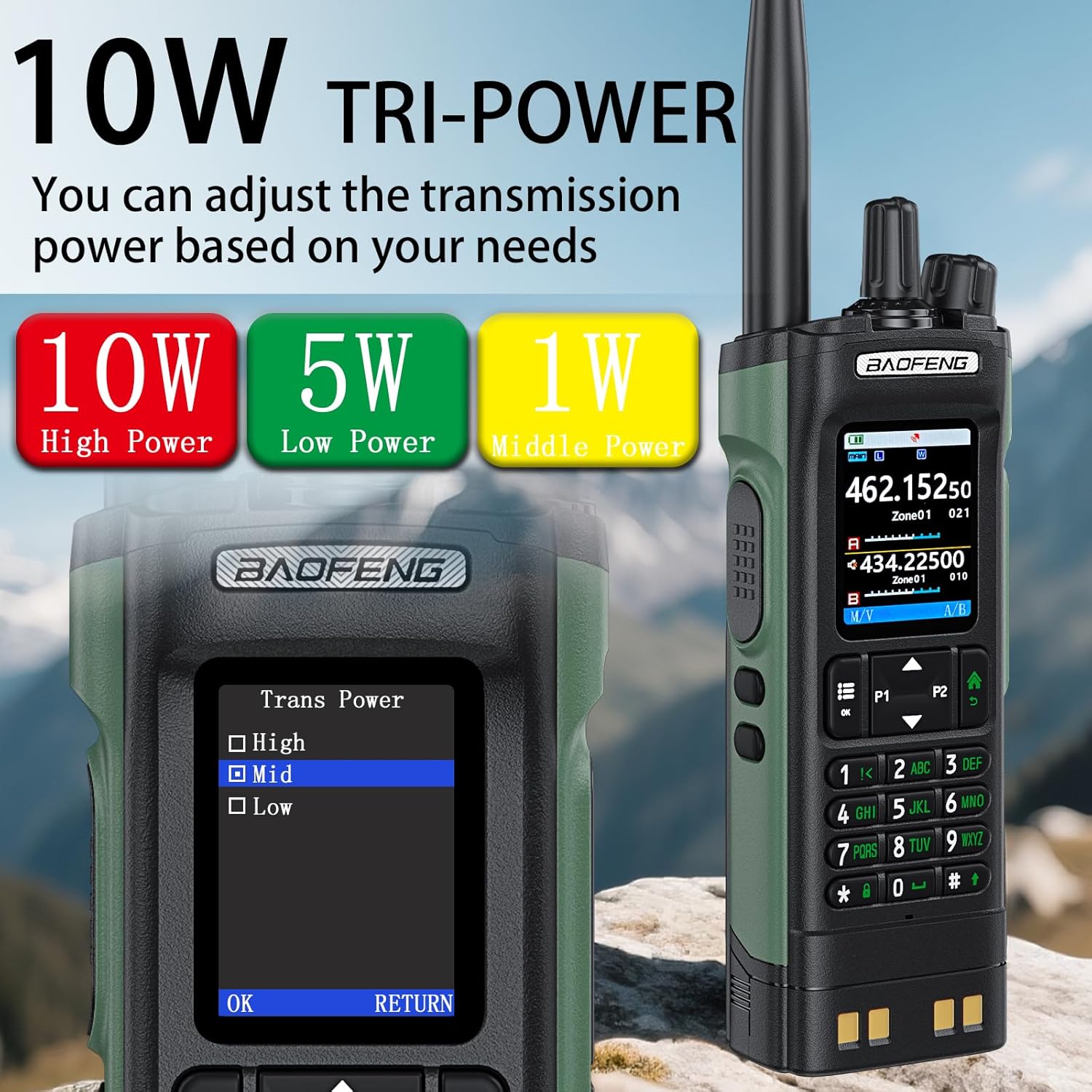
Image 4.3: Power output selection on the BAOFENG UV-32.
4.6 One-touch Frequency Scan
Utilize the smart scan feature to quickly clone channels or find active frequencies. This simplifies channel setup and allows for rapid adaptation to new communication environments.
4.7 HD Audio
Equipped with a 40mm speaker, the UV-32 delivers clear audio, even in noisy environments up to 120dB, ensuring effective communication.
4.8 Multi-band Monitoring
The radio supports monitoring across AM, FM, VHF, and UHF bands, including the 108-136MHz aviation band. This broad frequency coverage enhances versatility for various communication needs.
4.9 Side Button Customization
The programmable side buttons can be customized to quickly access frequently used functions, improving operational efficiency.
4.10 Dual Display / Dual Guard
The dual display allows simultaneous monitoring of two different frequencies. The dual guard function ensures that you do not miss calls on either frequency.

Image 4.4: Dual Watch feature on the BAOFENG UV-32.
5. Техникалык тейлөө
5.1 Тазалоо
Радионун бетин жумшак, гamp cloth. Do not use harsh chemicals or abrasive cleaners. Ensure the radio is powered off and dry before cleaning.
5.2 Батареяга кам көрүү
- Батареяны бат-баттан толук кубаттап калуудан алыс болуңуз.
- Charge the battery in a cool, dry place.
- If storing the radio for an extended period, remove the battery and store it separately at approximately 50% charge.
5.3 Сактоо
Store the radio in a dry, dust-free environment away from direct sunlight and extreme temperatures. Remove the battery if storing for long periods.
6. Кыйынчылыктарды
6.1 Radio Does Not Power On
- Батарея туура орнотулганын жана заряддалганын текшериңиз.
- Ensure the power/volume knob is rotated clockwise.
- Try charging the battery using a different method (USB-C or desktop charger).
6.2 Cannot Transmit or Receive
- Verify the antenna is securely attached.
- Check if the frequency/channel is correctly set.
- Батареянын жетиштүү заряды бар экенин текшериңиз.
- Confirm that the power output is not set to 0W (if such a setting exists).
- Check for interference or obstructions in your environment.
6.3 Аудио сапаты начар
- Үн деңгээлин тууралаңыз.
- Антенна туташуусун текшериңиз.
- Ensure you are within range of the other radio.
- Verify that the squelch level is appropriately set.
7. Техникалык шарттар
| Модель номери | UV-32 |
| Бренд | БАОФЕНГ |
| Жыштык диапазону | UHF 350-390MHz / 400-520MHz, VHF 136-174MHz / 220-260MHz |
| Каналдардын саны | 1000 |
| Power Output | 10W / 5W / 1W (Adjustable) |
| Өзгөчөлүктөр | Dual Band, GPS, Type-C Charging, USB-C Charging, APP Programming |
| Сүйлөшүү диапазону максималдуу | 10 Kilometers (under optimal conditions) |
| Тtage | 7.4 вольт (ток) |
| Батарея түрү | Nonstandard Battery (Li-ion) |
| Сууга туруктуулук деңгээли | Сууга чыдамдуу эмес |
| Өлчөмдөрү (болжол менен) | Height: 6.26", Width: 2.28", Depth: 1.57" |
| Салмагы (болжол менен) | 13.58 унц |

Image 7.1: Physical dimensions and weight of the BAOFENG UV-32 radio.
8. Кепилдик маалыматы
The BAOFENG UV-32 Ham Radio comes with a 1-year manufacturer's warranty from the date of purchase. This warranty covers defects in materials and workmanship under normal use. It does not cover damage caused by misuse, accidents, unauthorized modifications, or exposure to water.
Кепилдик дооматтары үчүн сатып алганыңыздын далилин сактап коюңуз.
9. Колдоо
For technical assistance, troubleshooting beyond this manual, or warranty inquiries, please contact BAOFENG customer support through their official webпродукт сатылып алынган сайт же сатуучу.
Always refer to the latest software and firmware updates available from BAOFENG for optimal performance and new features.


