Introduction
This manual provides detailed instructions for the MageGee GK960 Wireless Gaming Keyboard. Please read this manual thoroughly before using the product to ensure proper operation and to maximize your user experience. The GK960 offers versatile connectivity, customizable RGB lighting, and an ergonomic design for extended use.

Image: The MageGee GK960 Wireless Gaming Keyboard, showcasing анын толук жайгашуусу жана RGB жарыктандыруусу.
Пакеттин мазмуну
Төмөндө тизмеленген нерселердин баары пакетиңизге камтылганын текшериңиз:
- MageGee GK960 Wireless Gaming Keyboard
- USB-C заряддоо кабели
- 2.4G USB кабыл алгыч
- User Manual
- Колдонуучунун колдонмосу
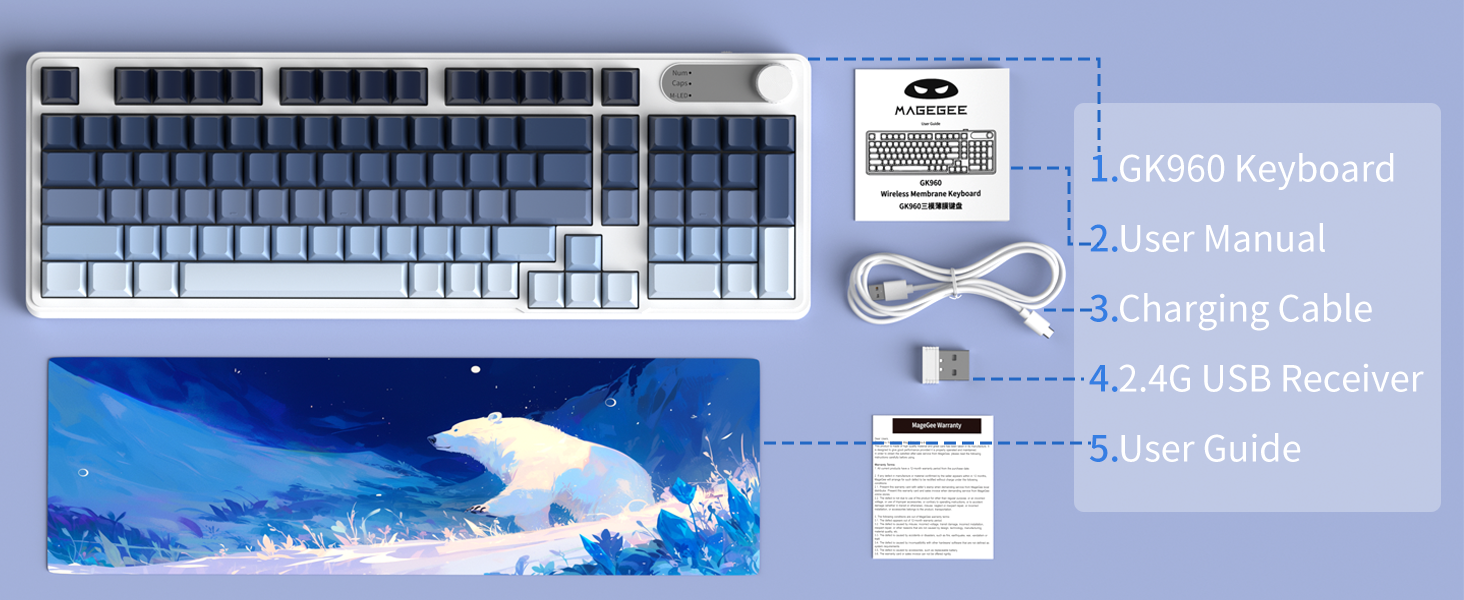
Image: An illustration showing the MageGee GK960 keyboard and its included accessories: USB-C cable, 2.4G receiver, user manual, and user guide.
Орнотуу жана туташуу
The GK960 keyboard supports three connection modes: Wired (USB-C), 2.4GHz Wireless, and Bluetooth.
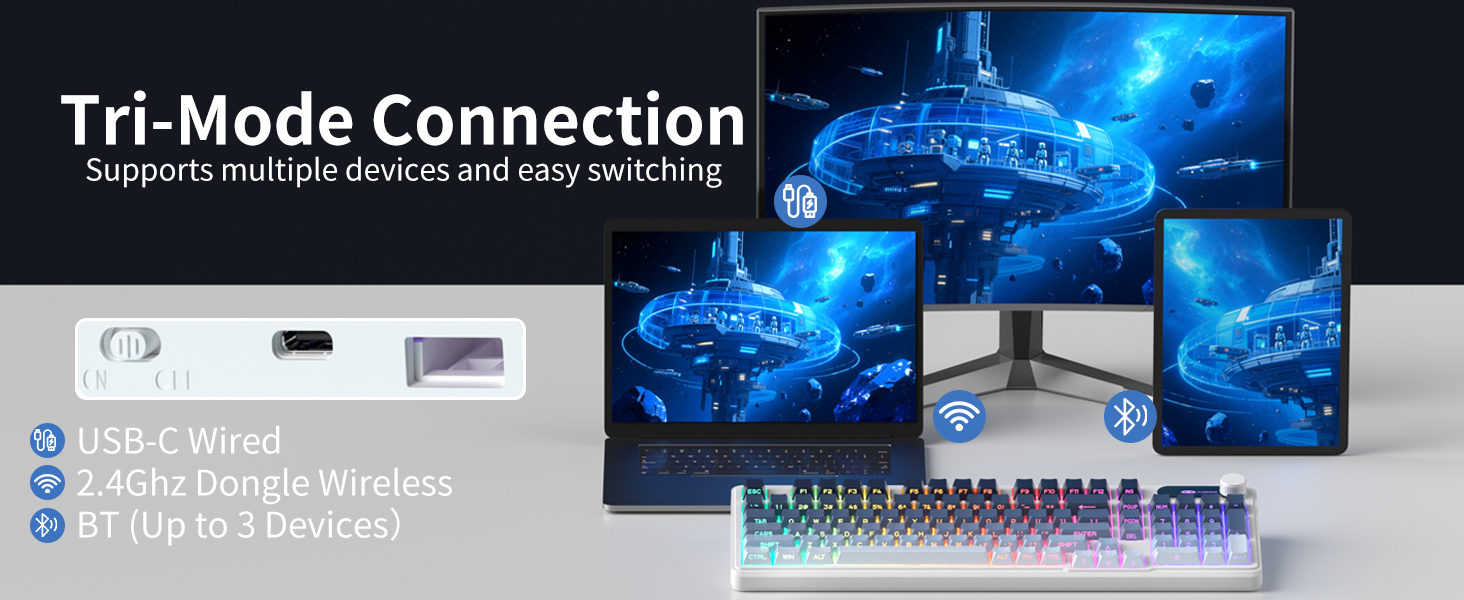
Image: A visual representation of the keyboard connecting to multiple devices (laptop, monitor, tablet) via USB-C, 2.4G dongle, and Bluetooth.
1. Зымдуу туташуу (USB-C)
- Берилген USB-C кабелин клавиатуранын USB-C портуна туташтырыңыз.
- USB-C кабелинин экинчи учун компьютериңиздеги жеткиликтүү USB портуна туташтырыңыз.
- Баскычтоп автоматтык түрдө таанылып, колдонууга даяр болот.
2. 2.4 ГГц зымсыз туташуу
- Locate the 2.4G USB receiver in the package.
- 2.4G USB ресиверди компьютериңиздеги жеткиликтүү USB портуна сайыңыз.
- On the keyboard, switch the mode selector to the '2.4G' position.
- The keyboard will connect wirelessly to your device.
3. Bluetooth туташуусу
The GK960 supports up to three Bluetooth devices (BT1, BT2, BT3).
- On the keyboard, switch the mode selector to the 'BT' position.
- Басып кармап туруңуз FN + 1 (BT1 үчүн), FN + 2 (BT2 үчүн), же FN + 3 (BT3 үчүн) индикатор жарыгы тез күйүп-өчкөнгө чейин 3-5 секунд басып туруңуз, бул жупташуу режимин көрсөтөт.
- Түзмөгүңүздө (компьютер, планшет, смартфон) Bluetooth'ду иштетиңиз жана жаңы түзмөктөрдү издеңиз.
- Select 'GK960' from the list of available devices to pair.
- Жупташтырылгандан кийин, индикатор жарыгы күйүп-өчүүнү токтотот.
Режимдердин ортосунда которулуу
Use the mode selector switch on the keyboard to easily switch between Wired, 2.4G, and Bluetooth modes. For Bluetooth, press FN + 1/2/3 to switch between paired Bluetooth devices.
Иштөө нускамалары
RGB арткы жарыкты башкаруу
The GK960 features vibrant RGB backlighting with adjustable effects, brightness, and speed.
- FN + INS: Switch between different light modes.
- FN + Backspace: Turn the backlight on/off.
- FN + -/_: Adjust light speed (slower).
- FN + =/+: Adjust light speed (faster).
- FN + PgUp: Increase light brightness.
- FN + PgDn: Decrease light brightness.
- FN + P: Toggle logo color.
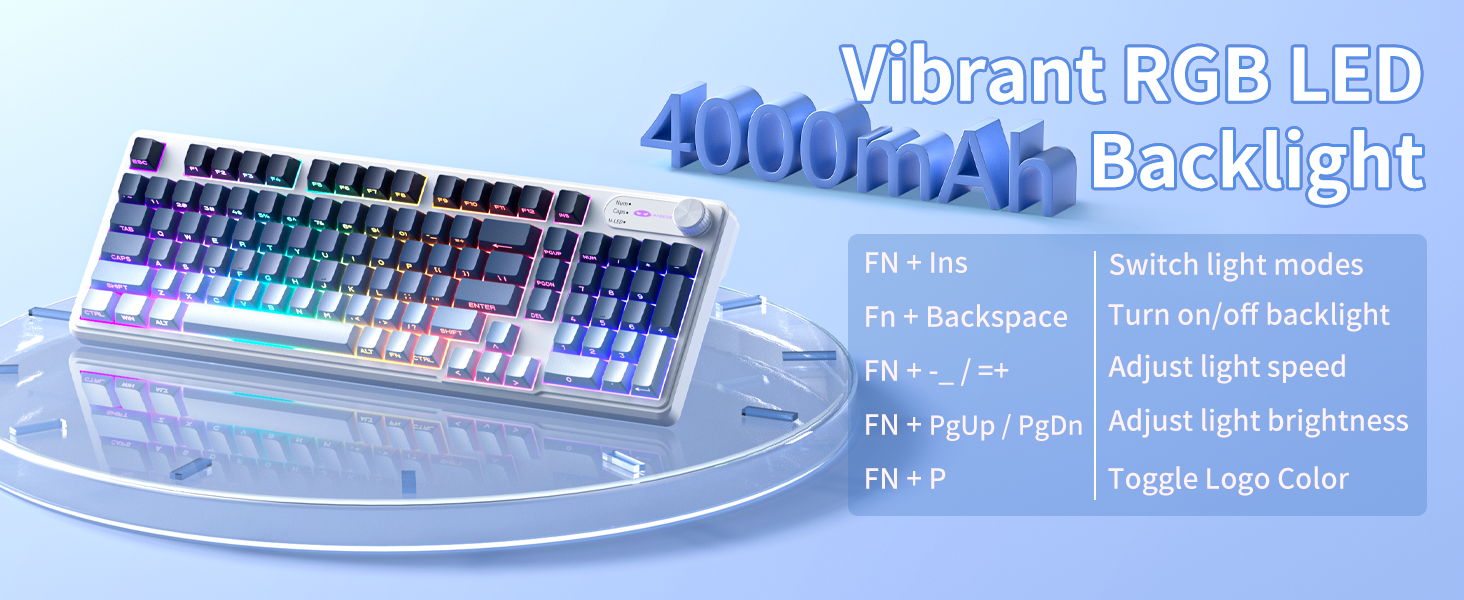
Image: A diagram illustrating the FN key combinations for controlling the RGB backlight modes, speed, brightness, and logo color.
Dual-Mode Rotary Knob
The multi-functional knob allows quick adjustments for volume and lighting.
- Өчүрүү режими: Long-press FN + баскыч Үн режими жана Жарык режиминин ортосунда которулуу үчүн 5 секунд басыңыз.
- Үн режими: Rotate the knob to adjust volume. Press down on the knob to mute/unmute.
- Жарык режими: Rotate the knob to adjust backlight brightness. Press down on the knob to cycle through lighting effects.
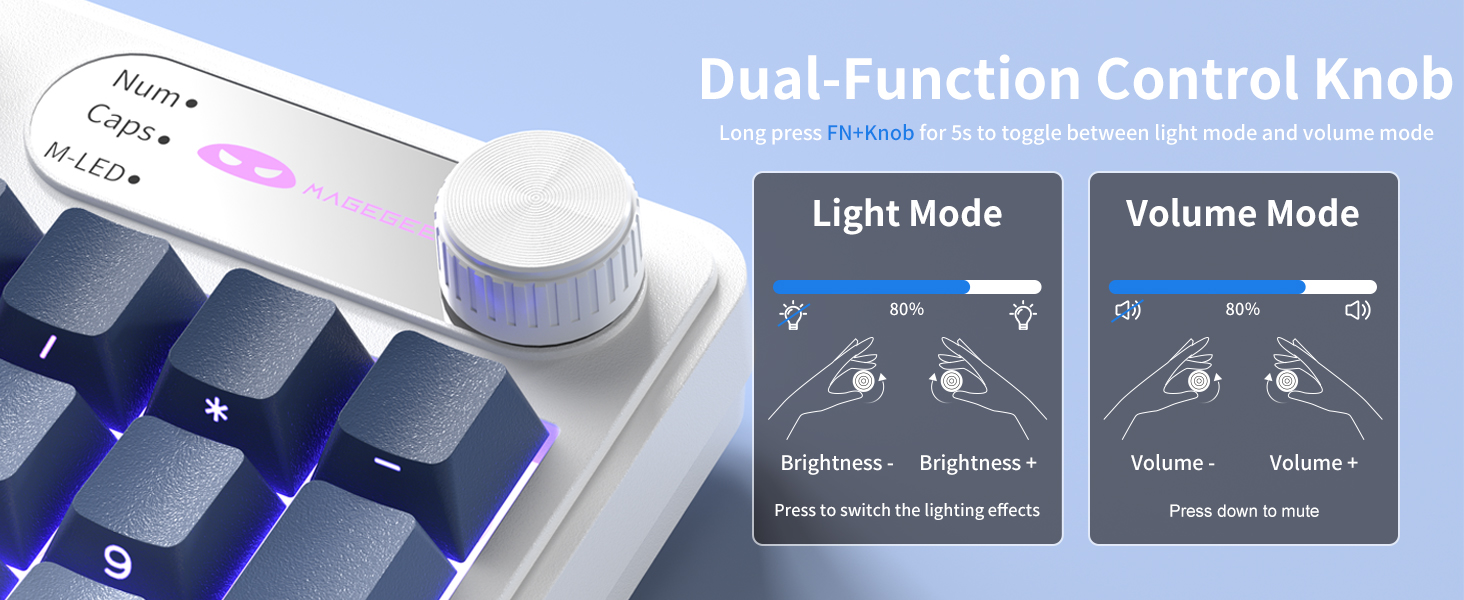
Image: A close-up of the multi-functional knob, detailing its operation for both volume and lighting adjustments, including the FN+Knob long-press for mode switching.
Side-Printed Keycaps
The GK960 features double-shot injection molded keycaps with side-printed legends. This design allows the backlight to shine through the letters, enhancing visibility and durability, preventing fading from prolonged use.

Сүрөт: жакын план view of the keyboard's side-printed keycaps, highlighting how the backlight illuminates the legends.
19-Ачкыч Анти-Гостинг
The GK960 keyboard is equipped with 19-key anti-ghosting technology. This ensures that every keystroke registers accurately, even when multiple keys are pressed simultaneously during fast-paced gaming or typing. This prevents missed inputs and enhances performance.
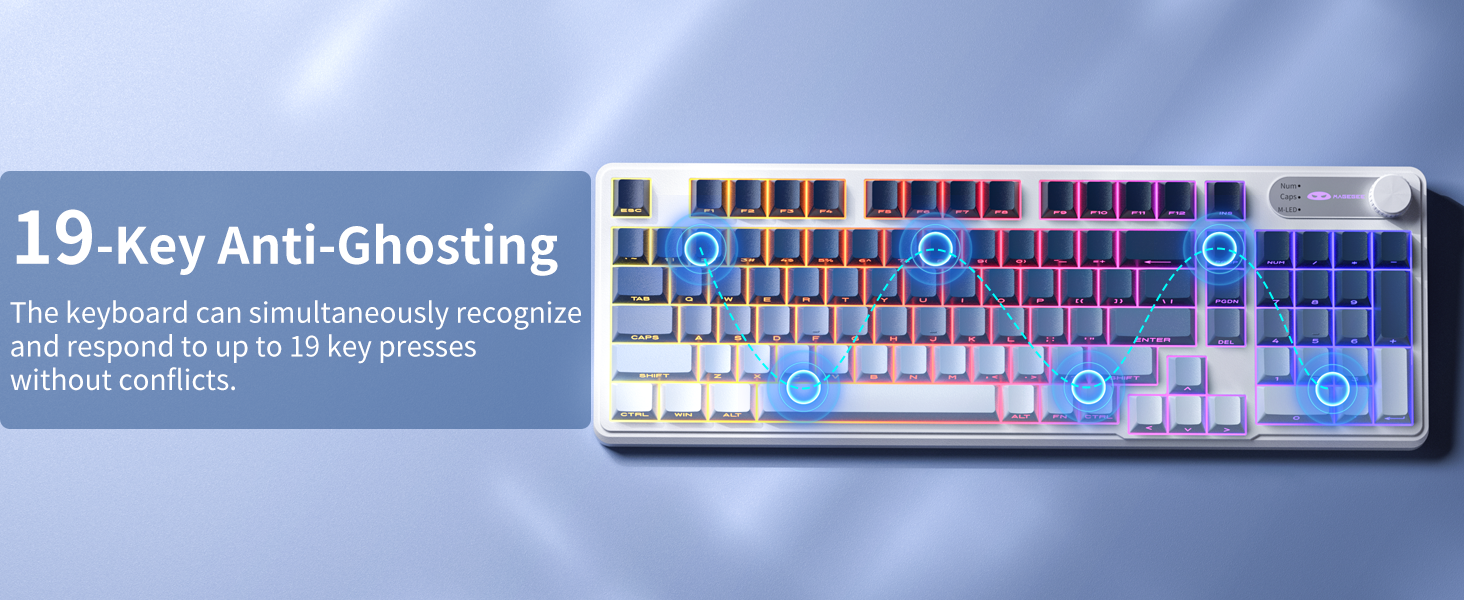
Image: A visual diagram illustrating the 19-key anti-ghosting feature, showing multiple simultaneous key presses being registered without conflict.
Системанын шайкештиги
The keyboard supports both Windows and Mac operating systems. You can switch between them using a simple key combination (refer to specific key combinations if provided on the keyboard or in a quick start guide).
Батарея башкаруу
The GK960 is equipped with a 4000mAh high-capacity battery for extended usage.
- Заряддоо: Connect the keyboard using the provided USB-C cable to a power source. The keyboard can be used in wired mode while charging.
- Батареянын иштөө мөөнөтү: Approximately 22 hours with backlight on, and up to 200 hours with backlight off.
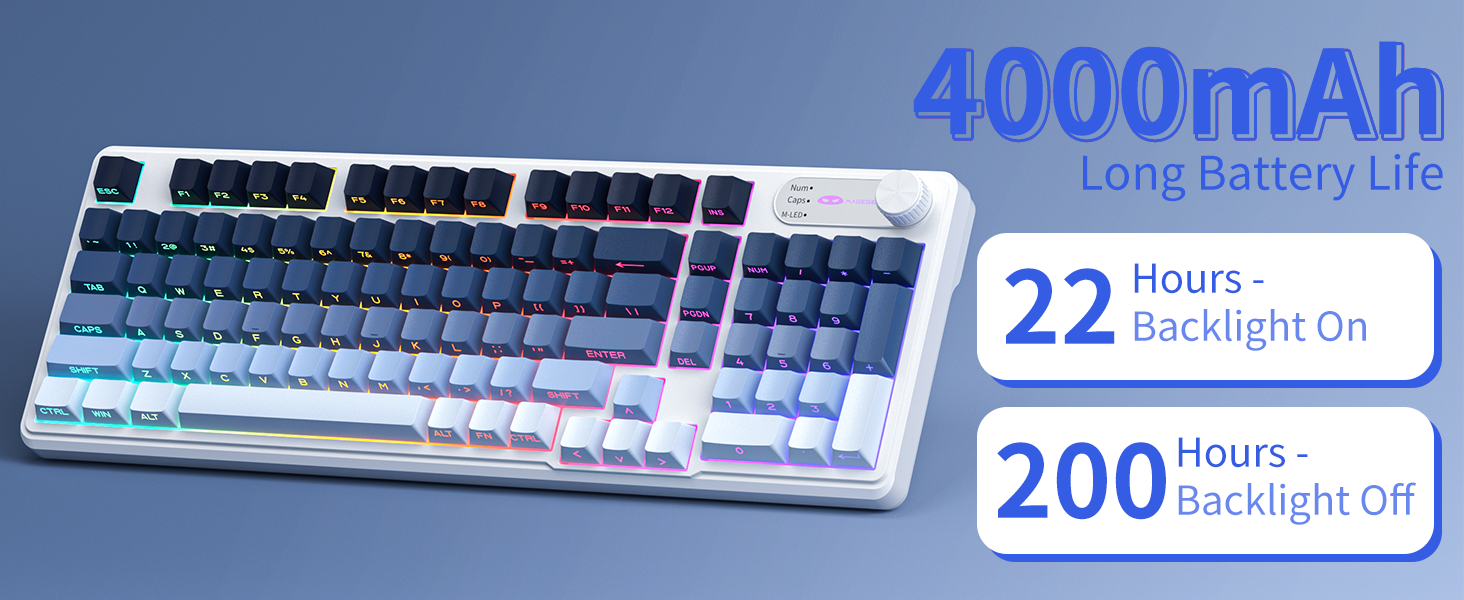
Image: A graphic displaying the 4000mAh battery capacity and estimated usage times: 22 hours with backlight on and 200 hours with backlight off.
Эргономикалык дизайн
The GK960 features a stepped keycap structure and adjustable stands to promote a comfortable typing posture. This design helps reduce wrist fatigue during long periods of use.
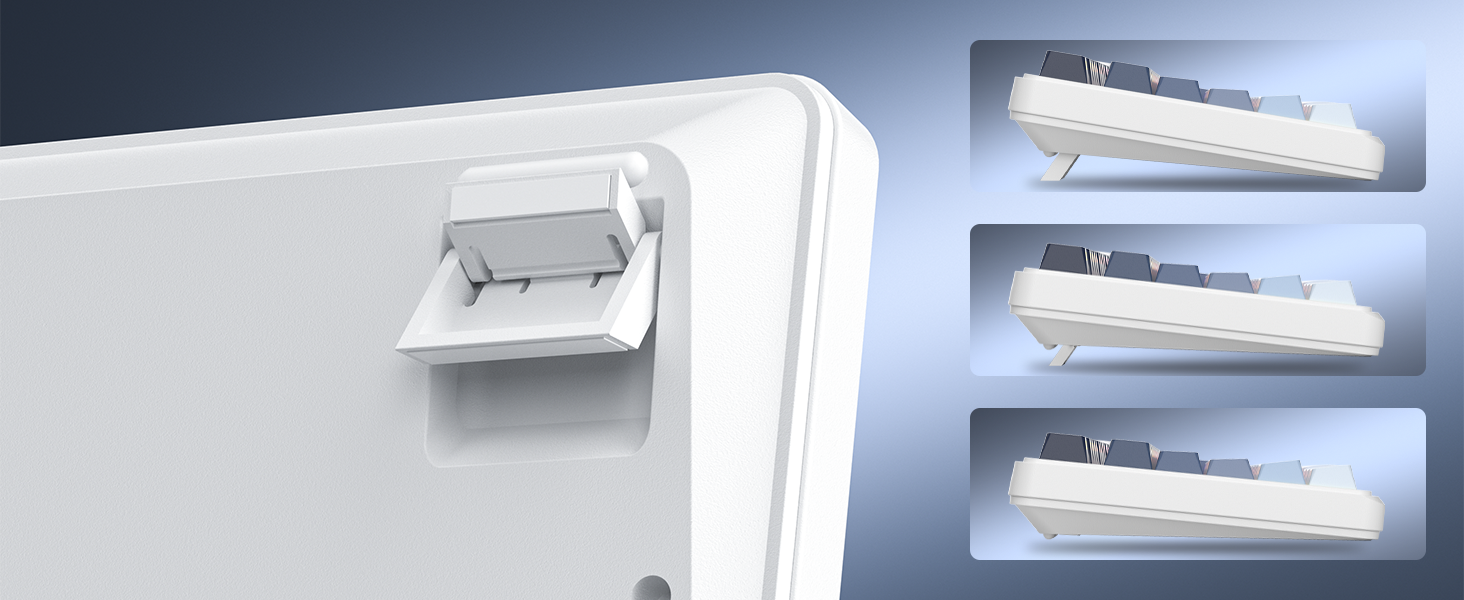
Image: A depiction of the keyboard's adjustable feet and stepped keycap profile, illustrating its ergonomic features for comfortable typing angles.
Техникалык тейлөө
- Тазалоо: Use a soft, dry cloth to wipe the keyboard surface. For deeper cleaning, use compressed air to remove dust and debris from between keycaps. Avoid using harsh chemicals or abrasive materials.
- Сактагыч: Store the keyboard in a cool, dry place away from direct sunlight and extreme temperatures.
- Суюктук таасири: Avoid spilling liquids on the keyboard. If liquid exposure occurs, immediately disconnect the keyboard and allow it to dry completely before reconnecting.
Проблемаларды чечүү
- Баскычтоп жооп бербей жатат: Ensure the keyboard is charged. Check the connection mode (Wired, 2.4G, BT) and ensure it matches your device's connection. For 2.4G, ensure the USB receiver is properly inserted. For Bluetooth, re-pair the device if necessary.
- Арткы жарык иштебейт: Басыңыз FN + Backspace to toggle the backlight. Ensure brightness is not set to minimum (FN + PgUp).
- үзгүлтүктүү байланыш: Ensure the keyboard is within range of the receiver/device. Avoid sources of strong electromagnetic interference.
- Ачкычтар катталбайт: Clean under the keycaps to remove any obstructions. Ensure the keyboard is fully charged.
Техникалык шарттар
| Өзгөчөлүк | Спецификация |
|---|---|
| Модель аты | GK960 |
| Байланыш технологиясы | Зымдуу (USB-C), 2.4G зымсыз, Bluetooth |
| Батарея сыйымдуулугу | 4000mAh |
| Арткы жарыктандыруу | RGB |
| Anti-Ghosting | 19-ачкыч |
| Клавиатура түрү | Side-Printed, Double-Shot Injection |
| Шайкеш түзмөктөр | Ноутбук, компьютер, смартфон, планшет |
| Элемент Салмагы | 1.88 фунт |
| Пакеттин өлчөмдөрү | 17.56 x 7.17 x 2.05 дюйм |

Image: A diagram illustrating the physical dimensions of the MageGee GK960 keyboard.
Кепилдик жана колдоо
MageGee products are designed for reliability and performance. For warranty information or technical support, please refer to the warranty card included in your package or visit the official MageGee webсайт. Кепилдик дооматтары үчүн сатып алуу дүмүрчөгүңүздү сактаңыз.


