1. Киришүү
This manual provides comprehensive instructions for the installation, operation, and maintenance of your Roinvou 9-inch Android Car Stereo. This unit is specifically designed for Fiat 500 models manufactured between 2007 and 2015, offering advanced features such as Android 15, Wireless CarPlay, Android Auto, GPS navigation, Bluetooth, and a high-definition touchscreen. Please read this manual thoroughly before installation and use to ensure proper functionality and safety.

Figure 1.1: Roinvou 9-inch Android Car Stereo with Android 15 interface.
2. Коопсуздук маалыматы
- Ар дайым коопсуз айдоо артыкчылыктуу. Аппаратты жолдон алаксыта тургандай иштетпеңиз.
- Ensure the vehicle is parked and the parking brake is engaged before performing any complex operations on the stereo.
- Professional installation is recommended to prevent damage to the unit or vehicle's electrical system.
- Агрегатты ажыратууга же өзгөртүүгө аракет кылбаңыз. Бул зыян келтирип, кепилдикти жокко чыгарышы мүмкүн.
- Агрегатты суудан жана ашыкча нымдан алыс кармаңыз.
3. Пакеттин мазмуну
Төмөндө тизмеленген нерселердин баары пакетиңизге камтылганын текшериңиз:
- Roinvou 9-inch Android Car Stereo Unit
- Электр кабели
- CANBUS декодери
- RCA Harness
- GPS антеннасы
- AHD камдык камерасы
- Тышкы микрофон
- Арткы камера киргизүү кабели
- 2 х USB кабелдери
- Installation Tool & Accessories

Figure 3.1: Package contents and unit dimensions.
4. Орнотуу боюнча колдонмо
4.1. Шайкештикти текшерүү
This Android Car Stereo is compatible with Fiat 500 models from 2007 to 2015. Before installation, confirm your vehicle's model and year. If unsure, consult a professional or the manufacturer.
4.2. Орнотууга чейинки эскертүүлөр
- Disconnect the vehicle's battery before starting installation to prevent electrical shorts.
- Ensure all wiring is correctly routed and secured to avoid interference or damage.
- Refer to your vehicle's specific dashboard removal instructions.

Сүрөт 4.1: орнотууга чейин жана кийин view in a Fiat 500 dashboard.
4.3. Зымдарды туташтыруу
Carefully connect all cables according to the diagrams provided. Incorrect wiring can damage the unit or vehicle.

Figure 4.2: Wiring port diagram for the car stereo.
4.3.1. Reversing Camera Wiring
Connect the red cable to the positive terminal of the car's reverse light cable and the black cable to the negative terminal. The reverse input cable must be plugged in even if the camera is not used, as it affects Bluetooth and WiFi signal reception.

4.3-сүрөт: Арткы камеранын зымдарынын схемасы.
4.3.2. CANBUS туташуусу
The CANBUS decoder facilitates communication between the stereo and your vehicle's systems, including steering wheel controls.
- CANBUS декодери жок: Connect the steering wheel control wires (Key1/Key2) in the power cable to the corresponding port or wire of your original car. Then, navigate to Settings > Car Settings > General (Enter SWC setting interface) to manually match and activate button functions.
- CANBUS декодери менен: Connect the CANBUS before powering on the machine. Go to Settings > Car Settings > Factory (000000) > CarType Setting. Select the brand of the CANBUS decoder, then the matching model and year to ensure SWC works correctly.
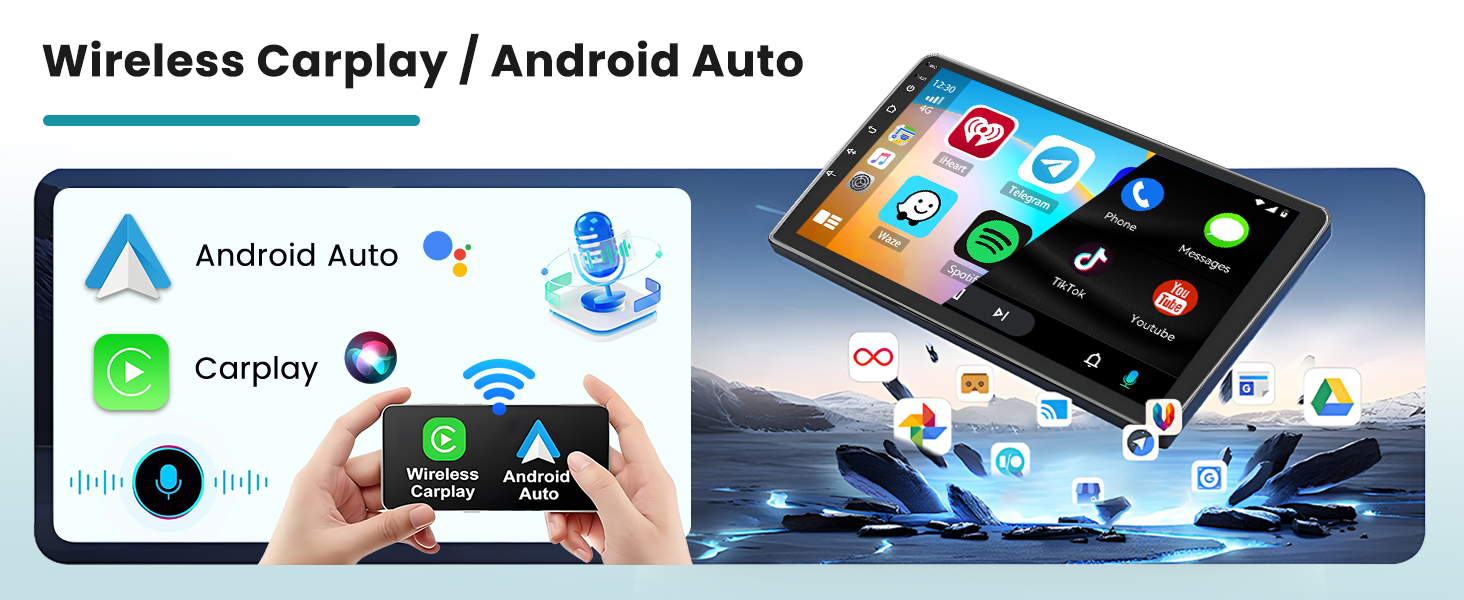
Figure 4.4: CANBUS connection and setup instructions.
5. Иштөө нускамалары
5.1. Күйгүзүү/өчүрүү
The unit typically powers on automatically with the vehicle's ignition. To manually power off or restart, press and hold the power button on the unit's front panel.
5.2. Сенсордук экран интерфейси
The 9-inch HD touchscreen provides intuitive control over all functions. Navigate through menus by tapping icons and swiping. The 1024*600P resolution ensures clear visibility.
5.3. Зымсыз CarPlay жана Android Auto
Connect your smartphone wirelessly or via USB to access Apple CarPlay or Android Auto. This allows for seamless integration of phone functions like navigation, calls, messages, and music directly on the stereo's display.
- Телефонуңузда жана унааңыздын стереосунда Bluetooth күйгүзүлгөнүн текшериңиз.
- Телефонуңузду Bluetooth аркылуу унаа стерео менен жупташтырыңыз.
- Select the CarPlay or Android Auto icon on the stereo's main menu.
- Туташууну аяктоо үчүн экрандагы көрсөтмөлөрдү аткарыңыз.

Figure 5.1: CarPlay, Android Auto, and Mirror Link features.
5.4. GPS навигациясы
The unit supports GPS navigation. You can use pre-installed maps or download additional navigation applications via WiFi from the Play Store for offline use. Connect to a 5G WiFi network for real-time traffic updates and online map services.

Figure 5.2: GPS Navigation and WiFi connectivity.
5.5. Bluetooth байланышы
Pair your phone via Bluetooth for hands-free calling and audio streaming. The unit supports automatic phone book loading.
- Стереодо Bluetooth менюсуна өтүңүз.
- Телефонуңузда Bluetooth'ду иштетип, жеткиликтүү түзмөктөрдү издеңиз.
- Select the stereo's name (e.g., "Roinvou Car Stereo") and confirm pairing.
5.6. FM/RDS радиосу
Access FM radio stations. The RDS (Radio Data System) feature provides station names, traffic conditions, and news where available. The unit includes intelligent channel memory for frequently listened-to stations.

Figure 5.3: Bluetooth hands-free and FM/RDS radio interface.
5.7. Рулду башкаруу (SWC)
The unit supports original steering wheel control buttons. After proper CANBUS configuration (refer to Section 4.3.2), you can control volume, track changes, and other functions directly from your steering wheel.

Figure 5.4: Steering wheel control and AHD rear view камера дисплей.
5.8. DSP & EQ Settings
Utilize the Digital Sound Processor (DSP) and Equalizer (EQ) settings to customize your audio experience. The EQ offers multi-mode one-key switching and manual adjustment for high, medium, and low frequency bands.
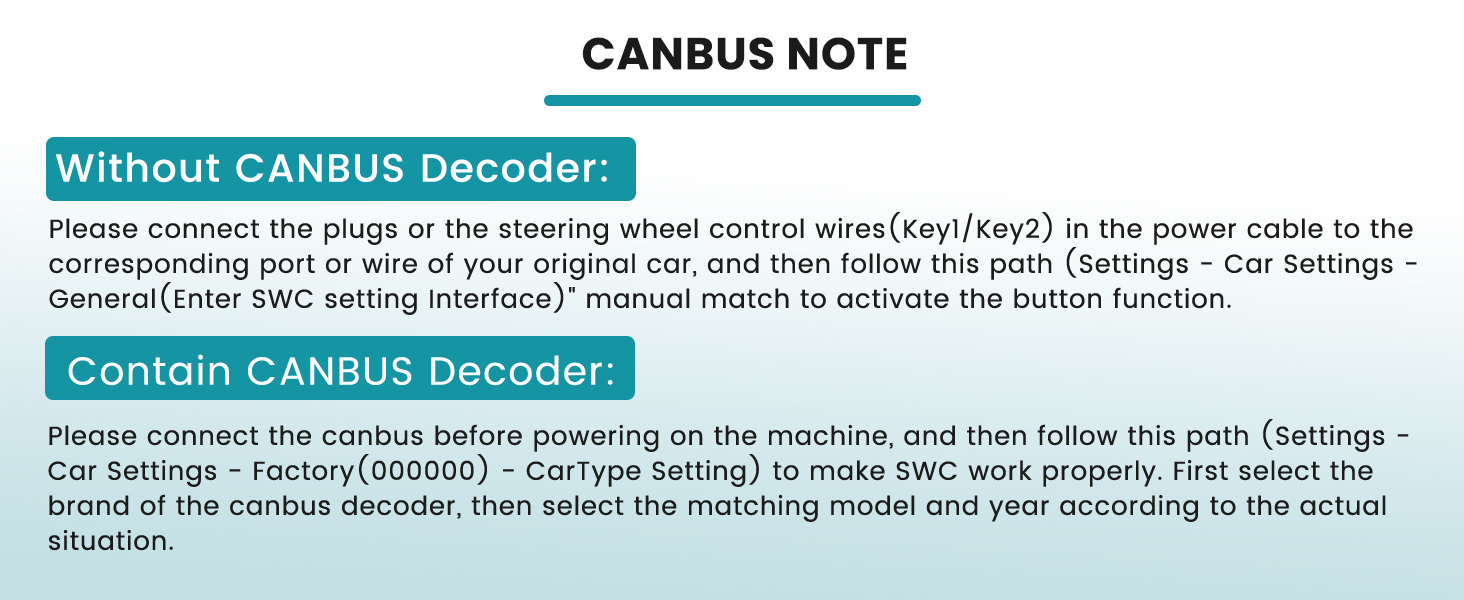
Figure 5.5: Customizable UI themes and EQ settings.
5.9. Mirror Link
The Mirror Link function allows you to mirror your smartphone's screen onto the car stereo display, providing access to apps and content not directly supported by CarPlay or Android Auto.
6. Техникалык тейлөө
- Тазалоо: Экранды жана аппаратты тазалоо үчүн жумшак, кургак чүпүрөктү колдонуңуз. Абразивдүү тазалагычтардан же эриткичтерден качыңыз.
- Программалык камсыздоо жаңыртуулары: Periodically check for system updates via the settings menu to ensure optimal performance and access to new features. A stable internet connection is required for updates.
- Температура: Avoid exposing the unit to extreme temperatures, which can affect its lifespan and performance.
7. Кыйынчылыктарды
If you encounter issues with your Roinvou car stereo, refer to the following common problems and solutions:
| Көйгөй | Мүмкүн себеп | Чечим |
|---|---|---|
| Түзмөк күйбөйт. | Туура эмес зымдар, сактагыч күйүп кеткен, электр менен камсыздоодо көйгөй бар. | Check power cable connections, inspect vehicle fuses, ensure proper grounding. |
| Үн жок. | Volume too low, incorrect audio output settings, speaker wiring issues. | Increase volume, check audio settings (e.g., balance, fader), verify speaker connections. |
| GPS сигналы жоголду же так эмес. | GPS антеннасы тосулган же туура эмес орнотулган. | GPS антеннасынын таза болушун текшериңиз view асмандын жана коопсуз байланышта. |
| Bluetooth/WiFi connectivity issues. | Interference, incorrect pairing, reverse camera cable not connected. | Ensure reverse camera input cable is connected. Re-pair devices, check for other wireless interference. |
| System crashes or is sluggish. | Software issue, too many applications running, outdated firmware. | Restart the unit. Close unnecessary applications. Check for and install system updates. If issues persist, perform a factory reset (note: this will erase all user data). |
| Рулдун башкаруу элементтери иштебейт. | Incorrect CANBUS setup or wiring. | Review CANBUS wiring and software configuration steps in Section 4.3.2. |
8. Техникалык шарттар
| Өзгөчөлүк | Деталь |
|---|---|
| Операция системасы | Android 15 |
| Дисплей өлчөмү | 9 дюйм |
| Display Resolution | 1024*600P |
| RAM | 2 ГБ |
| ROM | 64 ГБ |
| Байланыш технологиясы | Bluetooth, USB, Wi-Fi (5G) |
| Өзгөчөлүктөр | Wireless CarPlay/Android Auto, Touchscreen, FM RDS Radio, Mirror Link, GPS Navigation, DSP, EQ, SWC, 26 Desktop Themes |
| Аудио чыгаруу режими | Стерео |
| Монтаж түрү | Куралдар тактасы |
| Унаа кызматынын түрү | Car (Fiat 500 2007-2015) |
| Элемент Салмагы | 4.88 фунт |
| Пакеттин өлчөмдөрү | 11.81 x 7.68 x 7.48 дюйм |
9. Кепилдик маалыматы
The Roinvou 9-inch Android Car Stereo comes with a 1 жылдык кепилдик from the date of purchase. This warranty covers manufacturing defects and malfunctions under normal use. It does not cover damage caused by improper installation, misuse, accidents, or unauthorized modifications. Please retain your proof of purchase for warranty claims.
10. Кардарларды колдоо кызматы
For technical assistance, warranty claims, or any questions not covered in this manual, please contact Roinvou customer support. You can typically find contact information on the product packaging or the official Roinvou website. When contacting support, please have your product model (2+64G) and purchase details ready.


