1. Киришүү
Thank you for choosing the XFX Swift AMD Radeon RX 9070 OC Triple Fan Gaming Edition Graphics Card. This manual provides essential information for the proper installation, operation, and maintenance of your new graphics card. Please read this manual thoroughly before installation to ensure optimal performance and to prevent damage.
The XFX Swift RX 9070 is designed to deliver high-performance gaming and computing experiences, featuring 16GB GDDR6 memory and the XFX SWFT Triple Fan Cooling Solution for efficient thermal management.
2. Коопсуздук маалыматы
Орнотуу жана эксплуатациялоо учурунда төмөнкү коопсуздук чараларын сактаңыз:
- Компоненттерди орнотуудан же алып салуудан мурун ар дайым компьютериңизден кубат менен камсыздоону ажыратыңыз.
- Статикалык электр энергиясын чыгаруу үчүн антистатикалык билек боонун тагыныңыз же жерге туташтырылган металл нерсеге тез-тез тийип туруңуз, ал электрондук компоненттерге зыян келтирет.
- Сезимтал компоненттерге тийбеш үчүн графикалык картаны четинен кармаңыз.
- Ашыкча ысып кетүүнүн алдын алуу үчүн компьютериңиздин корпусунун ичинде туура желдетүүнү камсыз кылыңыз.
- Графикалык картаны нымдуулукка же экстремалдык температурага дуушар кылбаңыз.
- Балдар жетпеген жерде сактаңыз.
3. Пакеттин мазмуну
Пакетиңизде бардык буюмдар бар экенин текшериңиз:
- XFX Swift AMD Radeon RX 9070 OC Triple Fan Gaming Edition Graphics Card
- Ыкчам орнотуу көрсөтмөсү
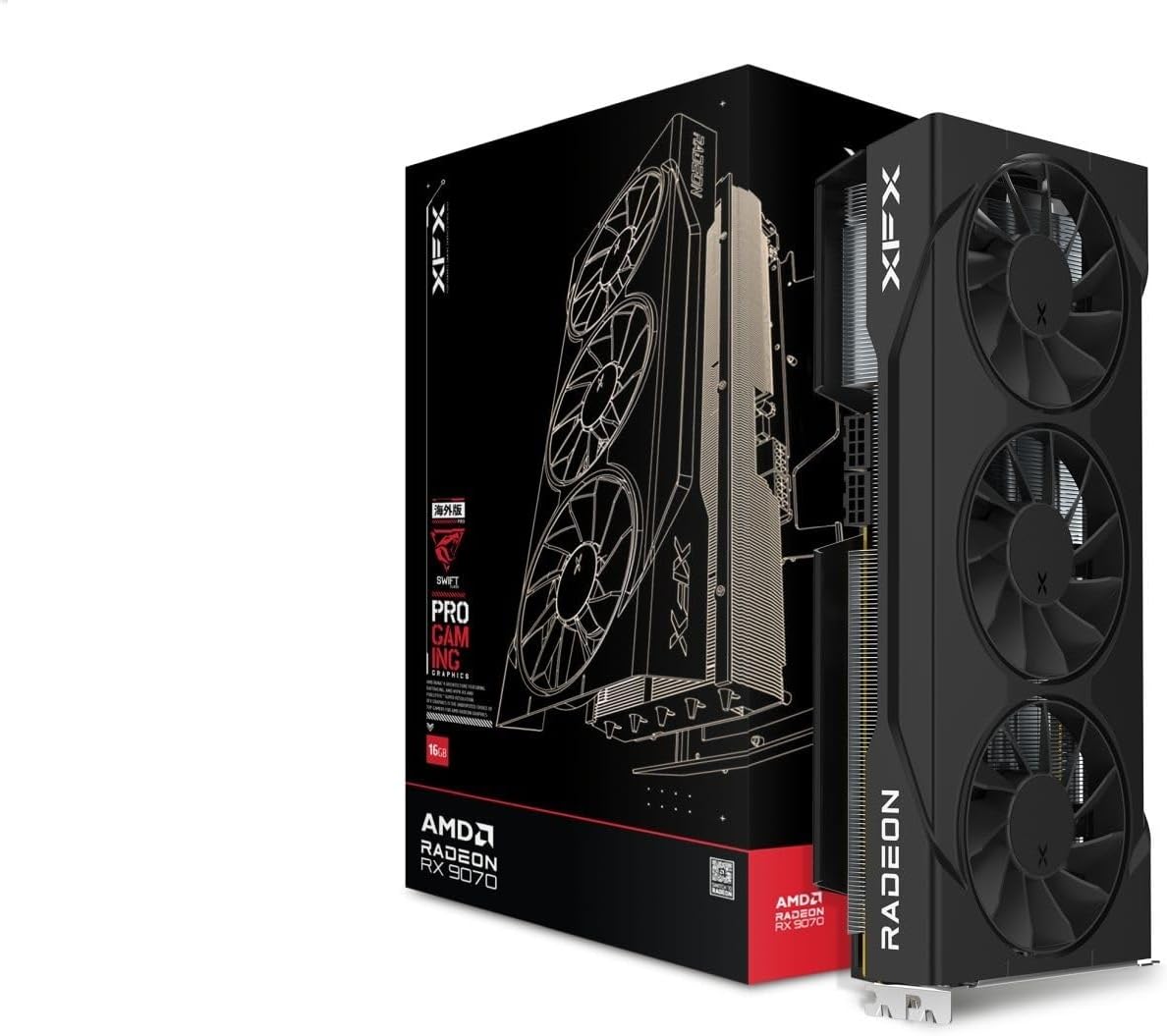
Figure 3.1: XFX Swift RX 9070 Graphics Card and its retail packaging.
4. Орнотуу жана орнотуу
4.1 Системалык талаптар
- Бир x16 графикалык уячасы бар PCI Express стандартына шайкеш келген энелик плата.
- Minimum 750W power supply with appropriate PCIe power connectors (e.g., 8-pin + 8-pin).
- Минималдуу 8 ГБ тутум эстутуму (16 ГБ сунушталат).
- Операциялык система: Windows 10/11 64-бит же Linux 64-бит.
- Драйверди орнотуу үчүн интернет байланышы.
4.2 Аппараттык камсыздоону орнотуу
- Системаңызды даярдаңыз: Компьютериңизди өчүрүп, кубат кабелин сууруп алыңыз. Компьютердин корпусун ачыңыз.
- PCIe уячасын табыңыз: Энелик платаңыздагы PCI Express x16 уячасын аныктаңыз. Уячаны жаап турган кеңейтүү уячасынын капкактарын алып салыңыз.
- Графикалык картаны орнотуу: Carefully align the graphics card with the PCIe x16 slot. Press down firmly and evenly until the card is securely seated in the slot. A click may be heard.
- Картаны коргоо: Use a screw to fasten the graphics card to the computer case's expansion slot bracket.
- Электр кабелдерин туташтыруу: Connect the required PCIe power cables from your power supply to the graphics card's power connectors. The XFX RX 9070 typically requires two 8-pin PCIe power connectors. Ensure they are fully seated.
- Ишти жаап, кайра туташтыруу: Компьютериңиздин корпусун жаап, бардык перифериялык түзүлүштөрдү жана кубат кабелин кайра туташтырыңыз.

4.1-сүрөт: Каптал view of the graphics card, highlighting the PCIe power connectors.

4.2-сүрөт: Арткы view of the graphics card, showing the video output interfaces (DisplayPort and HDMI).
4.3 Драйверди орнотуу
- Күйгүзүү: Turn on your computer. The operating system may install a basic display driver.
- Драйверлерди жүктөп алыңыз: Расмий AMDге барыңыз webсайт (www.amd.com/support) or the XFX support page (www.xfxforce.com/support) AMD Radeon RX 9070 графикалык картаңыз үчүн эң акыркы драйверлерди жүктөп алуу үчүн.
- Драйверлерди орнотуу: Run the downloaded driver installer and follow the on-screen instructions. It is recommended to perform a clean installation.
- Кайра баштоо: Драйверди орнотуу аяктагандан кийин компьютериңизди өчүрүп күйгүзүңүз.
5. Иштөө нускамалары
5.1 Дисплейлерди туташтыруу
Connect your monitor(s) to the available DisplayPort or HDMI ports on the graphics card. The XFX RX 9070 supports multiple displays. Ensure your display cables are securely connected.
5.2 AMD программасы: Адреналин чыгарылышы
After driver installation, the AMD Software: Adrenalin Edition will be available. This software allows you to:
- Adjust graphics settings for games and applications.
- Monitor GPU performance, temperature, and fan speeds.
- Драйверлерди жаңыртыңыз.
- Access features like Radeon Anti-Lag, Radeon Boost, and Radeon Image Sharpening.
Refer to the AMD Software: Adrenalin Edition documentation for detailed usage instructions.
6. Техникалык тейлөө
6.1 Тазалоо
To maintain optimal performance and longevity, periodically clean your graphics card:
- Өчүрүү: Always power off your computer and disconnect the power cable before cleaning.
- Чаңды тазалоо: Use compressed air to gently blow dust from the fans, heatsink fins, and other components. Hold the fans to prevent them from spinning rapidly during cleaning.
- Бетти тазалоо: Use a soft, dry, lint-free cloth to wipe the exterior surfaces of the card. Do not use liquid cleaners directly on the card.

6.1-сүрөт: Жогорку view of the graphics card, illustrating the triple fan cooling system. Regular cleaning of these fans is recommended.
6.2 Драйвер жаңыртуулары
Regularly check for and install the latest graphics drivers from AMD's official website. Driver updates often include performance improvements, bug fixes, and support for new games and applications.
7. Кыйынчылыктарды
If you encounter issues with your graphics card, refer to the following common solutions:
| Көйгөй | Мүмкүн чечим |
|---|---|
| Дисплейдин чыгышы жок. |
|
| System crashes or freezes during gaming. |
|
| Драйверди орнотуудагы ката. |
|
| Fans are not spinning or are excessively loud. |
|
8. Техникалык шарттар
Key technical specifications for the XFX Swift AMD Radeon RX 9070 OC Triple Fan Gaming Edition Graphics Card:
| Өзгөчөлүк | Деталь |
|---|---|
| Модель номери | RX-97SWFT3B7 |
| Графикалык сопроцессор | AMD RX 9070 |
| Эс | 16 ГБ GDDR6 |
| Саатты күчөтүү | 2700 МГц чейин |
| GPU саат ылдамдыгы | 1440 МГц (базалык) |
| Муздатуу чечими | XFX SWFT Triple Fan |
| Видео чыгаруу интерфейси | DisplayPort, HDMI (3xDP, 1xHDMI) |
| Продукциянын өлчөмдөрү | 11.42 x 5.91 x 0.04 дюйм |
| Элемент Салмагы | 3.83 фунт |
9. Кепилдик жана колдоо
XFX products are manufactured to the highest quality standards. For information regarding your product's warranty, please refer to the warranty card included with your purchase or visit the official XFX webсайт:
For technical support, driver downloads, and frequently asked questions, please visit the XFX support page. You may also contact XFX customer service directly through the contact information provided on their webсайт.
10. Ченемдик укуктук актыларга ылайык келүү
This device complies with Part 15 of the FCC Rules. Operation is subject to the following two conditions: (1) This device may not cause harmful interference, and (2) this device must accept any interference received, including interference that may cause undesired operation. For full regulatory compliance details, please refer to the documentation provided with your product or the XFX official webсайт.


