DIERYA M1 Wireless Gaming Mouse User Manual
Модел: M1
Introduction
Thank you for choosing the DIERYA M1 Wireless Gaming Mouse. This manual provides detailed instructions on setting up, operating, maintaining, and troubleshooting your new mouse. The M1 offers flexible tri-mode connectivity, a high-precision optical sensor, customizable RGB lighting, and an ergonomic design for optimal performance in both gaming and professional environments.
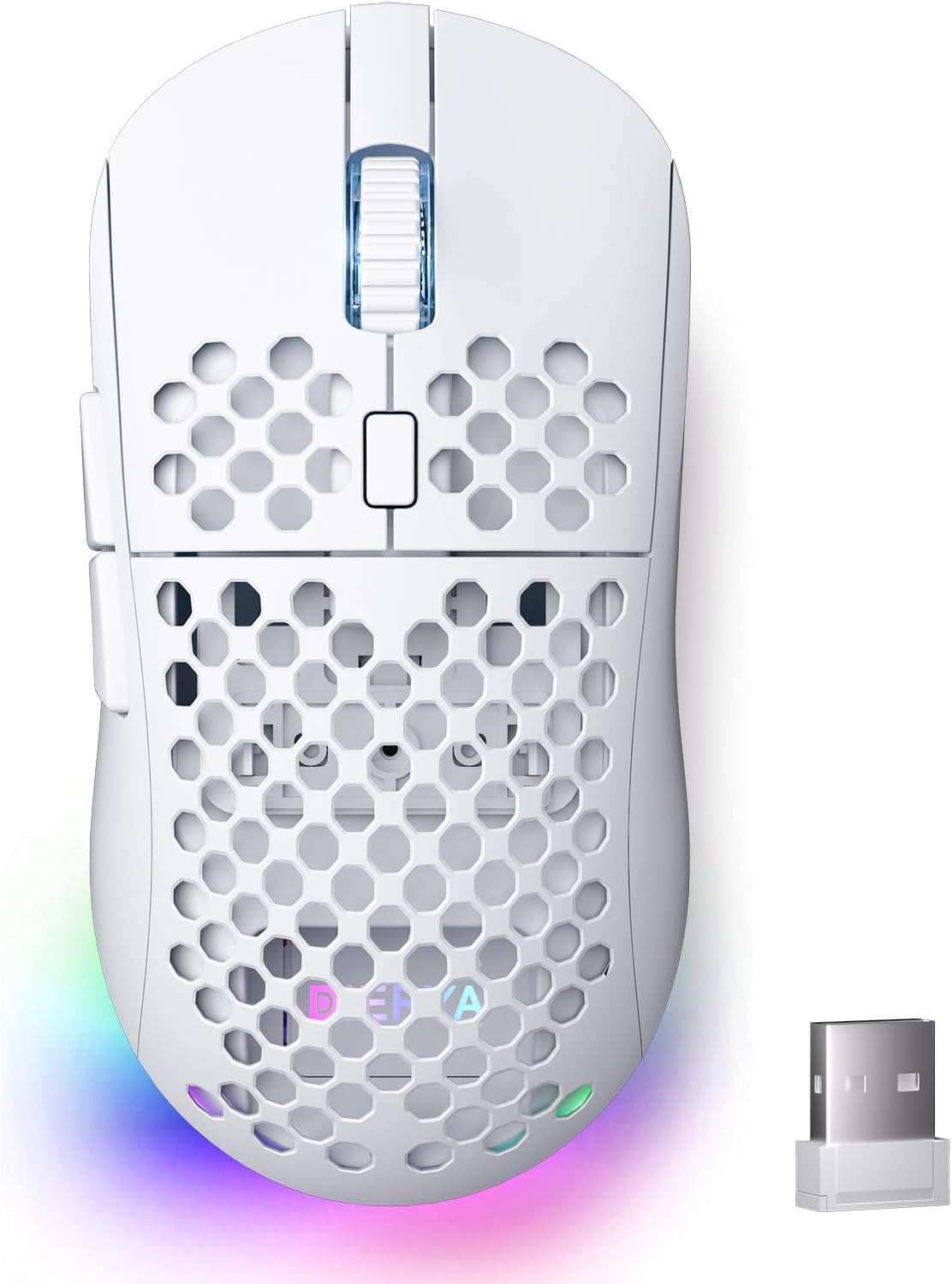
Figure 1: DIERYA M1 Wireless Gaming Mouse
Пакеттин мазмуну
- M1 Wireless Mouse x1
- Nylon USB-A to C Cable x1
- Колдонуучунун колдонмосу x1
Продукт бүттүview
Familiarize yourself with the various components of your DIERYA M1 mouse:
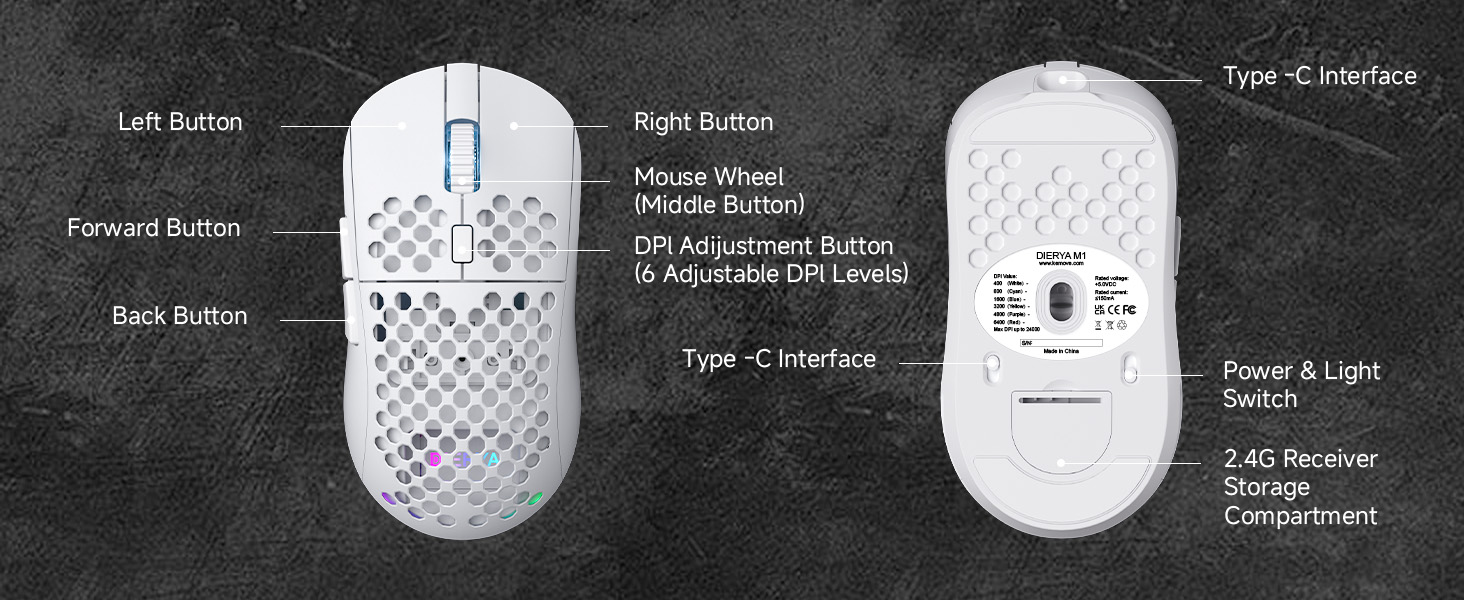
Figure 2: DIERYA M1 Mouse Components
- Сол баскыч: Стандарттык сол чыкылдатуу функциясы.
- Оң баскыч: Стандарттык оң баскычты чыкылдатуу функциясы.
- Mouse Wheel (Middle Button): Scroll up/down, click for middle-button function.
- DPI жөндөө баскычы: Алдын ала коюлган DPI деңгээлдери аркылуу айлануу.
- Алга баскычы: Алга карай жылдырат web браузерлер же тиркемелер.
- Артка баскычы: Артка карай багыт алат web браузерлер же тиркемелер.
- Type-C интерфейси: Зымдуу туташуу жана кубаттоо үчүн.
- Power & Light Switch: Turns the mouse on/off and controls RGB lighting.
- 2.4G Receiver Storage Compartment: Stores the USB receiver when not in use.
Жайгашуу
Чычканды заряддоо
Connect the provided USB-A to C cable to the mouse's Type-C interface and a USB power source (e.g., computer USB port, wall adapter). The mouse features a 1000mAh rechargeable battery. A full charge takes approximately 1 hour.
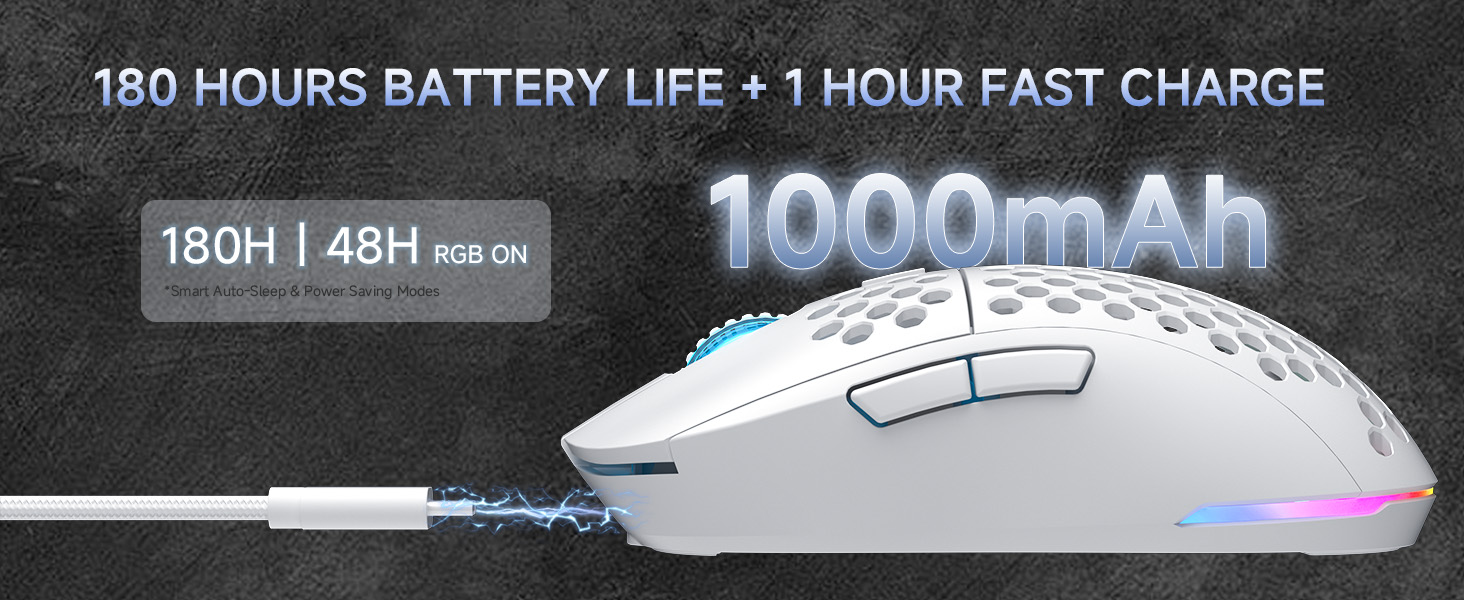
3-сүрөт: Заряддоо жана батареянын иштөө мөөнөтү
Connecting the Mouse (Tri-Mode Connectivity)
The DIERYA M1 mouse supports three connection modes: 2.4GHz wireless, Bluetooth 5.2, and USB-C wired. Use the switch on the bottom of the mouse to select your desired mode.
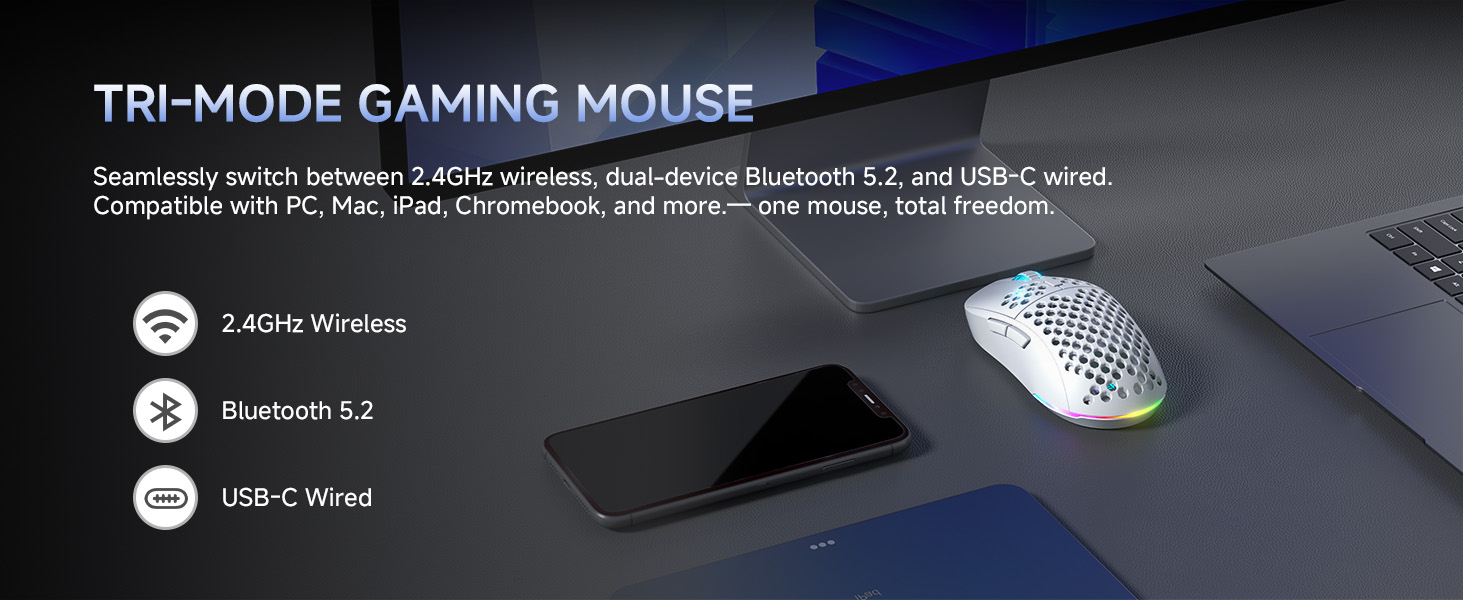
Figure 4: Tri-Mode Connectivity Options
2.4 ГГц зымсыз режим
- Take out the 2.4G USB receiver from the storage compartment on the bottom of the mouse.
- USB ресиверди компьютериңиздеги жеткиликтүү USB портуна сайыңыз.
- Чычкандын астындагы которгучту "2.4G" абалына коюңуз.
- Чычкан автоматтык түрдө компьютериңизге туташат.
Bluetooth 5.2 режими
- Чычкандын астындагы которгучту "BT" абалына коюңуз.
- Компьютериңизде же түзмөгүңүздө Bluetooth жөндөөлөрүн ачып, жаңы түзмөктөрдү издеңиз.
- Select 'DIERYA M1' from the list of available devices to pair. The mouse supports dual-device pairing in Bluetooth mode.
USB-C Wired Mode
- Connect the provided USB-A to C cable to the mouse's Type-C interface and to a USB port on your computer.
- Чычкан автоматтык түрдө зымдуу режимге өтүп, заряддоону баштайт.
Иштөө нускамалары
DPI тууралоо
The mouse features a 24,000 DPI sensor with six preset levels. Press the DPI adjustment button (located behind the scroll wheel) to cycle through the following DPI settings:
- 400 DPI
- 800 DPI
- 1600 DPI
- 3200 DPI
- 4800 DPI
- 6400 DPI
The scroll wheel LED and RGB lighting strip provide instant color-coded feedback to indicate the current DPI level.
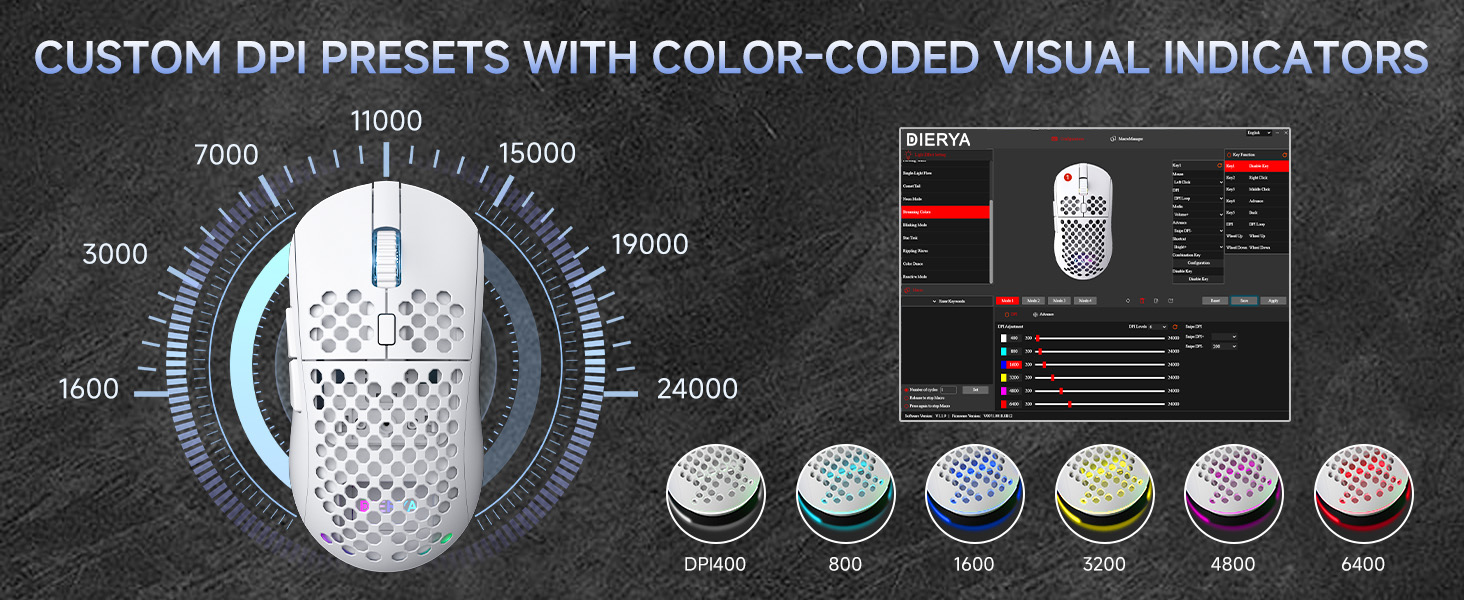
Figure 5: Custom DPI Presets and Color Indicators
Программалануучу баскычтар
The DIERYA M1 mouse features 6 programmable buttons. To customize button functions, create macros, or remap controls, download and install the dedicated driver software from the official DIERYA webсайт.
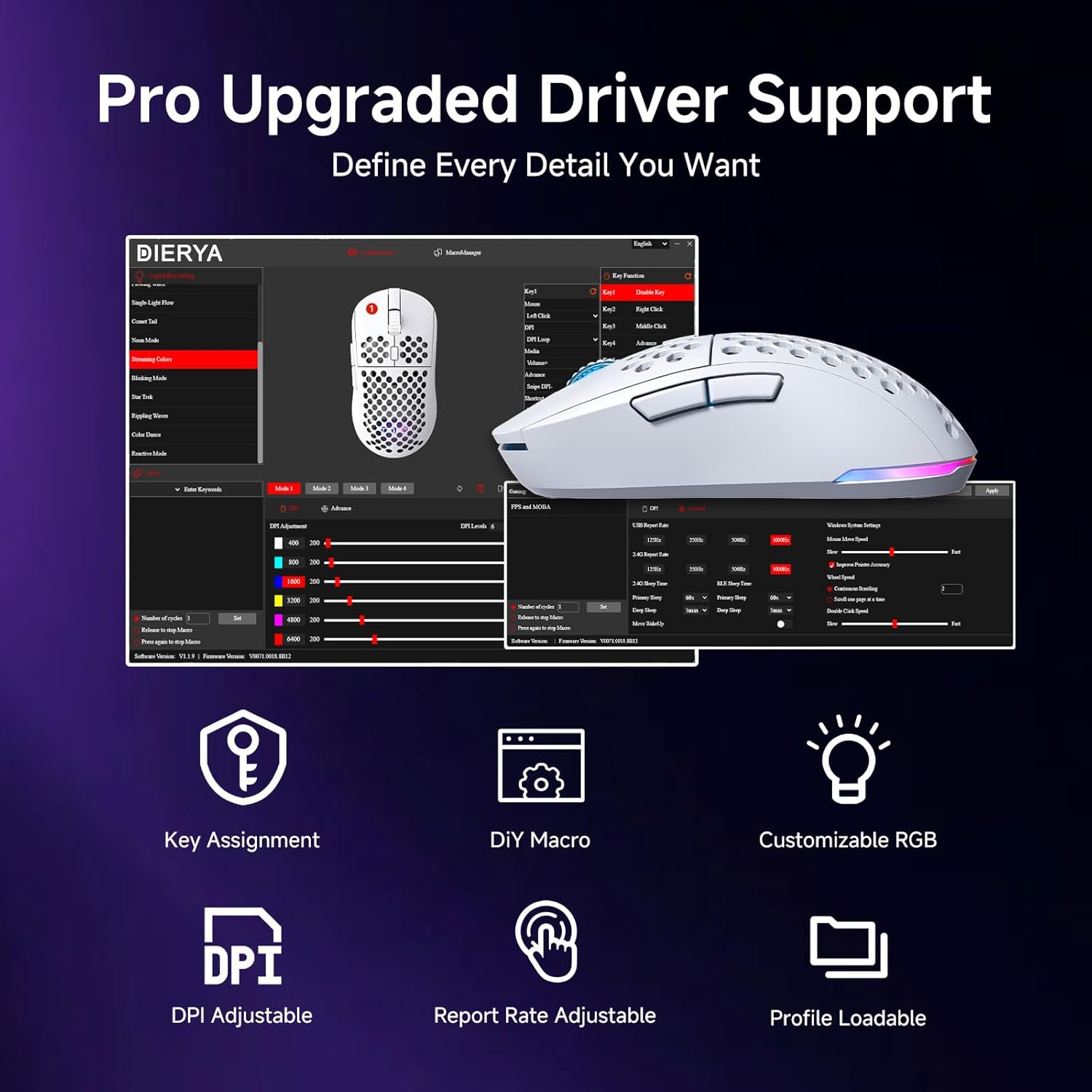
6-сүрөт: Ыңгайлаштыруу үчүн драйвер программалык интерфейси
RGB жарык көзөмөлдөө
The mouse features vibrant 16.8 million color RGB lighting with 13 different effects (e.g., Breath, Static, Flow, Starlight). Lighting effects can be customized and controlled via the dedicated driver software.
Power Management
The M1 mouse is designed for efficient power consumption. It features intelligent sleep modes that activate after 1 and 5 minutes of inactivity to conserve battery life. You can quickly resume use by moving or clicking the mouse. Sleep timers can be customized through the driver software.
Техникалык тейлөө
- Тазалоо: Чычканды сүртүү үчүн жумшак, кургак чүпүрөктү колдонуңуз. өжөр кир үчүн, бир аз гampчүпүрөктү суу же жумшак тазалоо эритмеси менен жууп салыңыз. Катуу химиялык заттардан же абразивдүү материалдардан алыс болуңуз.
- Сактагыч: Чычканды күн нурунан жана экстремалдык температурадан алыс салкын, кургак жерде сактаңыз.
- Батареяга кам көрүү: Батареянын иштөө мөөнөтүн узартуу үчүн чычканды бат-баттан толук кубаттап турбаңыз. Батарея индикатору аз болгондо аны заряддаңыз.
Проблемаларды чечүү
- Чычкан жооп бербей жатат: Ensure the mouse is charged. Check the power switch on the bottom of the mouse. Re-plug the USB receiver (for 2.4GHz) or re-pair Bluetooth. Try wired mode to confirm functionality.
- DPI өзгөрбөйт: Ensure the mouse is powered on. Press the DPI button firmly. If using custom profiles, check settings in the driver software.
- RGB жарыктандыруу иштебейт: Check the power & light switch on the bottom of the mouse. Ensure the mouse is not in ECO mode (which may disable RGB). Adjust settings in the driver software.
- Lag or disconnections in wireless mode: Ensure the USB receiver is not obstructed and is close to the mouse. Avoid interference from other wireless devices. Try a different USB port.
- Баскычтар күтүлгөндөй иштебей жатат: Check the button assignments in the driver software. Reset to default settings if necessary.
Техникалык шарттар
| Өзгөчөлүк | Деталь |
|---|---|
| Продукциянын өлчөмдөрү | 4.39 x 2.48 x 0.1 дюйм (125 x 63 x 41 мм) |
| Элемент Салмагы | 5.6 унция (90 грамм) |
| Байланыш технологиясы | 2.4 ГГц зымсыз, Bluetooth 5.2, USB-C зымдуу |
| DPI диапазону | 200 - 24,000 DPI (6 preset levels: 400/800/1600/3200/4800/6400) |
| Добуш берүү көрсөткүчү | 125-1000Hz (2.4G/USB-C), 125Hz (Bluetooth) |
| Көз салуу ылдамдыгы | 300IPS |
| Ылдамдатуу | 35G |
| Батарея сыйымдуулугу | 1000mAh |
| Батареянын иштөө мөөнөтү | Up to 180 hours (ECO mode), 48 hours (RGB on) |
| Которгучтар | Huano Micro Switches (20 million clicks) |
| Программалануучу баскычтар | 6 |
| RGB жарыктандыруу | 16.8 Million Colors, 13 Effects |
| Шайкеш системалар | PC, Mac, Laptop (Windows, macOS, Chrome OS, iPadOS) |
Кепилдик жана колдоо
For warranty information and technical support, please refer to the warranty card included in your product packaging or visit the official DIERYA website. You can also contact DIERYA customer service for assistance with any product-related inquiries or issues.


