Introduction
This manual provides detailed instructions for the Mcezdy H6C-2(BLE)-5-Pin Ebike LCD Display. This cycling computer offers a vibrant color gradient screen, app connectivity, and essential riding data. It is designed to enhance your electric biking experience by providing clear control and comprehensive information. Please ensure your e-bike controller uses the UART No. 2 protocol for proper functionality.
Коопсуздук маалыматы
Before installation and use, carefully read all instructions. Pay close attention to the compatibility requirements. This display is exclusively compatible with controllers utilizing the UART No. 2 protocol. Using it with other UART protocols may lead to malfunction or damage. Always ensure secure mounting and connections to prevent accidents during your ride.

Сүрөт: Important notice regarding UART No. 2 protocol compatibility and connector types (5-Pin and 6-Pin options shown).
Пакеттин мазмуну
- LCD дисплей
- Колдонуучунун колдонмосу
- Күнөө кодунун сүрөттөмөсү
Орнотуу жана орнотуу
Follow these steps to correctly install your Mcezdy Ebike LCD Display:
- Дисплейди орнотуу: Securely attach the display to your e-bike's handlebar using the provided nylon bracket. The adjustable mount fits handlebar diameters of 22.2mm, 25.4mm, 28.6mm, and 31.8mm.
- Кабелдерди туташтыруу: Connect the display's cable to your e-bike's main harness. Ensure the connector type (5-Pin or 6-Pin) matches your e-bike's system.
- Башкаруу панелин орнотуу: Install the separate control panel (keyboard) on the handlebar in an easily accessible position.
Видео: A demonstration of the installation process for the Electric Bicycle Display H6C-2, showing how to mount it on the handlebar and connect the cables.
Сүрөт: The display mounted on a handlebar, illustrating its compatibility with various handlebar diameters.

Сүрөт: Close-up of the 5-Pin and 6-Pin waterproof connectors, highlighting the importance of matching your e-bike's system.
Иштөө нускамалары
The H6C-2 display provides comprehensive data and control for your e-bike. Use the integrated keyboard for easy adjustments.
Негизги функциялары:
- Күйгүзүү/өчүрүү: Press and hold the power button on the control panel to turn the display on or off.
- PAS деңгээлин тууралоо: Use the '+' and '-' buttons to adjust the Pedal Assist System (PAS) levels.
- Маалымат дисплей: Cycle through various data displays such as real-time speed, trip distance, total mileage (ODO), voltage, жана ватtage.
- Басууга жардам берүү режими: Activate walk-assist for easy maneuvering when not riding.
- Cruise Control: Engage cruise control for consistent speed on flat terrain.
- Direction Turn Signals: Utilize integrated turn signals for enhanced safety.
- Фараны башкаруу: Press and hold the '+' button to turn on the bike lights.
- Parameter Modification: Access settings to modify key bike parameters like wheel diameter and speed limits.
Видео: A demonstration of the display's various functions and how to navigate through settings and modes.
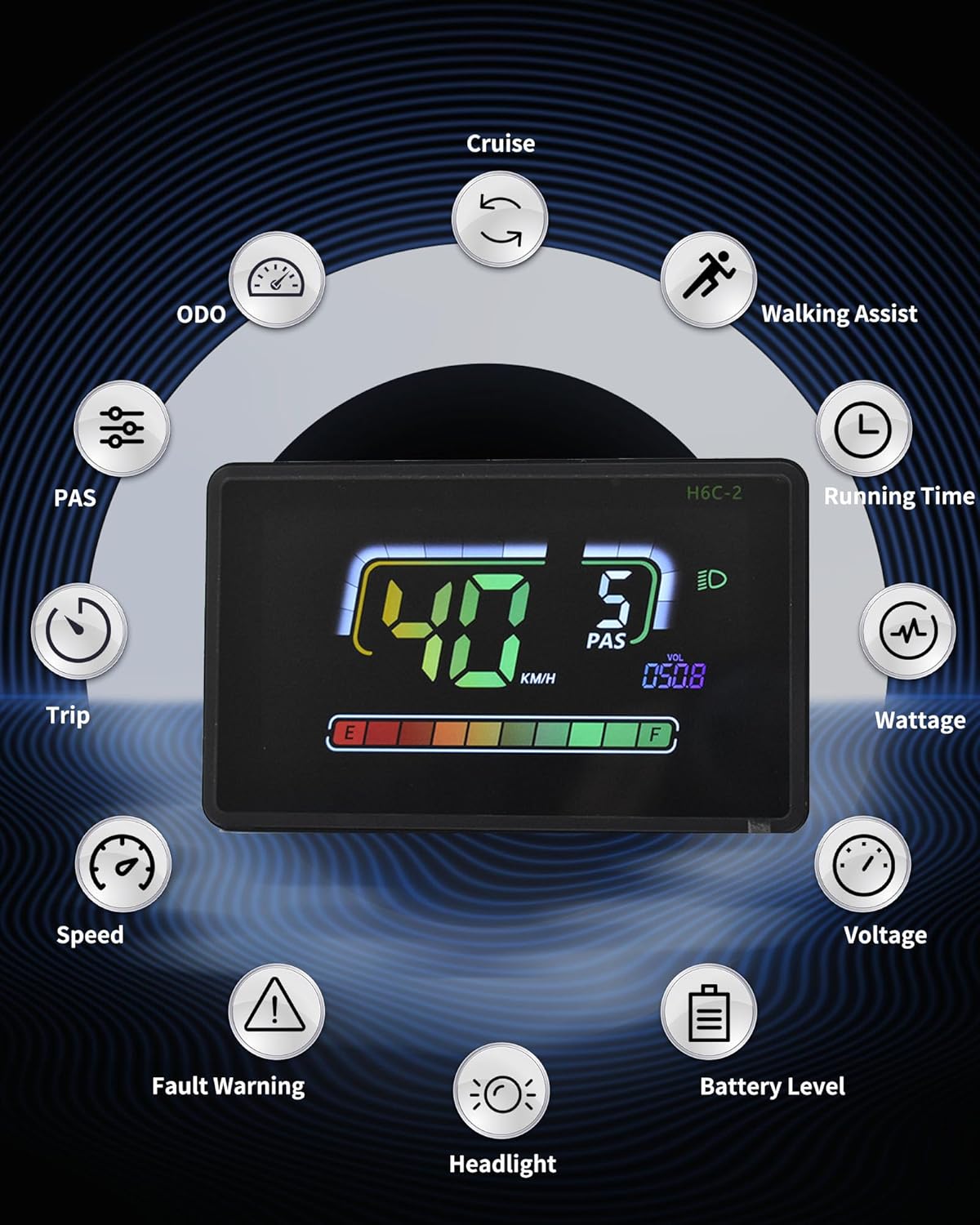
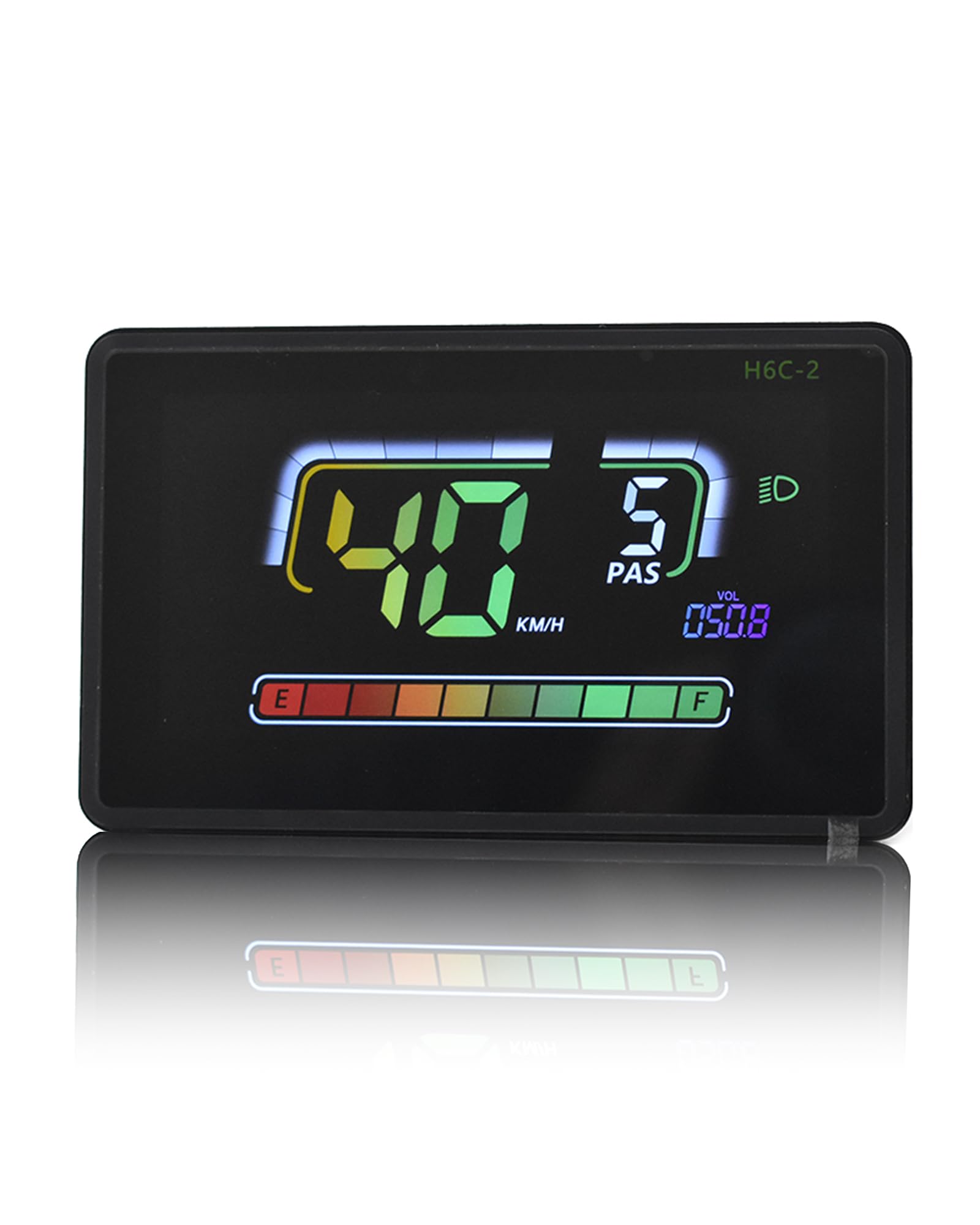
Сүрөт: An overview of the display's features, including ODO, Cruise, Walking Assist, Running Time, Wattagд, Тtage, Battery Level, Headlight, Speed, Trip, and PAS.
Колдонмо туташуусу
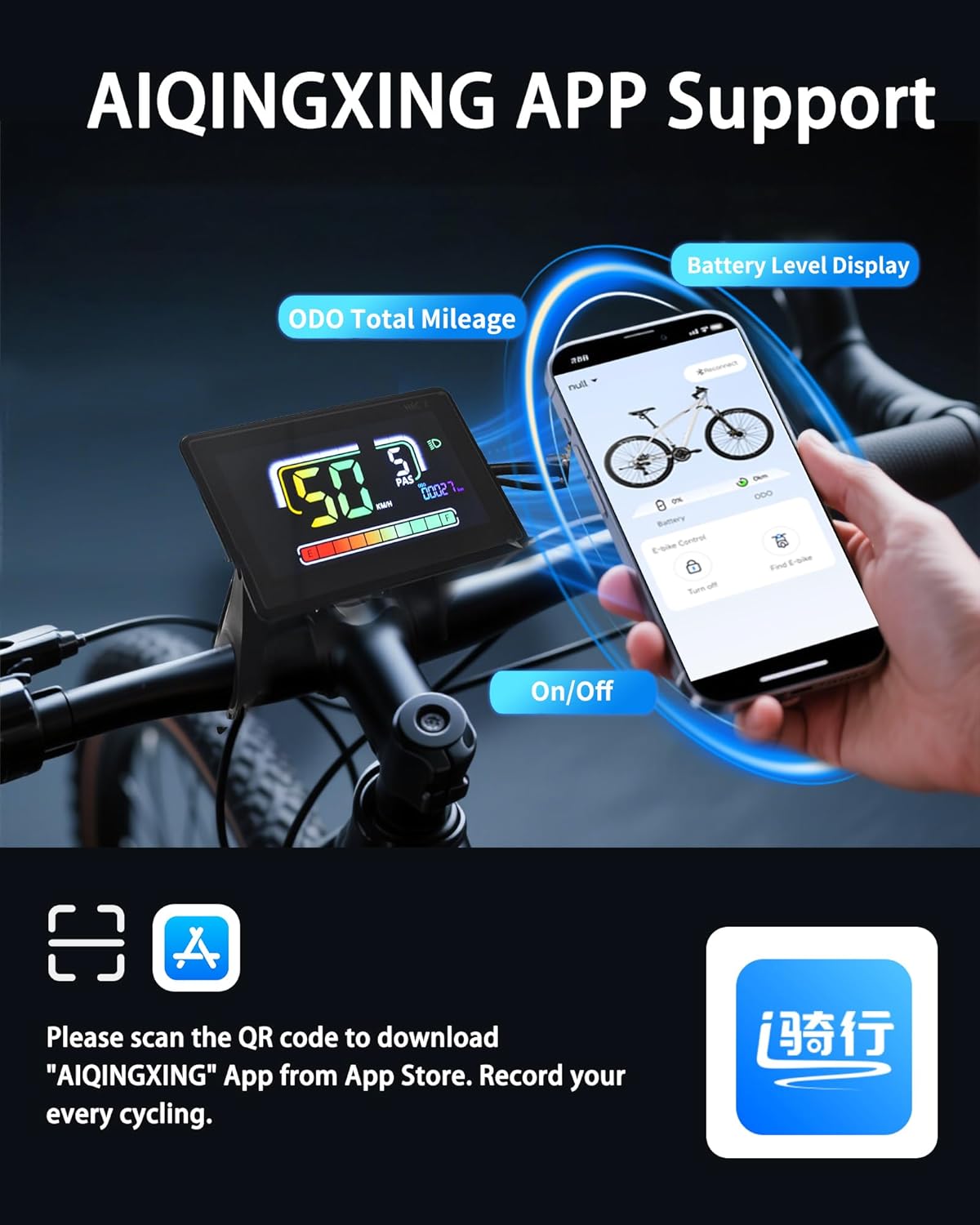
The H6C-2 display supports connection with cycling applications via Bluetooth, allowing you to record routes and statistics.
- Колдонмону жүктөп алуу: Scan the QR code provided in the product packaging or search for the "AIQINGXING" app on your mobile phone's app store.
- Кирүү/Катталуу: Follow the in-app instructions to log in or create an account.
- Дисплейди туташтыруу: Enable Bluetooth on your phone and within the app, search for and connect to your H6C-2 display.
- Record Cycling Data: Once connected, the app will record your cycling data, including total mileage and battery level.
Видео: A demonstration of connecting the Electric Bicycle Display H6C-2 to a mobile application via Bluetooth.

Сүрөт: Visual guide for downloading and connecting to the AIQINGXING app to record cycling data.
Over Over Featuresview
- IPX65 суу өткөрбөйт рейтинги: Engineered with a rugged ABS and PC housing and tempered glass screen, the display is built to withstand tough terrains and various weather conditions, ensuring durability and performance.
- Built-in USB Charging Port: Features a 5V/500mA Type-C USB port, allowing you to charge your devices on the go during rides.
- Автоматтык арткы жарык: The anti-glare LCD screen provides clear visibility in both day and night conditions, automatically adjusting for optimal readability even in indirect sunlight.
- Кемчиликсиз шайкештик: Integrates with 24V, 36V, 48V, or 60V batteries, offering full control and access to essential information for an optimized riding experience.

Сүрөт: The display submerged in water, demonstrating its strong water resistance for use in rainy conditions.

Сүрөт: Illustrates the automatic backlight feature, showing clear visibility during both day and night riding.

Сүрөт: The display with a Type-C cable connected, demonstrating its built-in charging port for external devices.
Техникалык шарттар
| Өзгөчөлүк | Деталь |
|---|---|
| Бренд | Mcezdy |
| Модель аты | H6C-2(BLE)-5-Pin |
| Түс | Кара |
| Дисплей түрү | LCD |
| Сенсор түрү | Speed Sensor, Voltage Sensor, Accelerometer, Gyroscope |
| Байланыш технологиясы | Bluetooth, USB |
| Монтаж түрү | Рул монтажы |
| Адам интерфейсинин киргизүү | Сенсордук экран |
| Материал | Пластик |
| Элемент Салмагы | 0.27 килограмм |
| Work Voltage | DC24V, 36V, 48V, 60V |
| Cable Length Exposed | 150мм |
Сүрөт: Diagram showing the display dimensions (4.57" x 2.88"), exposed cable length (150mm), product model (5PIN, 6PIN), and compatible work voltages (DC24V, 36V, 48V, 60V).
Техникалык тейлөө
To ensure the longevity and optimal performance of your Mcezdy Ebike LCD Display, follow these maintenance guidelines:
- Тазалоо: Regularly wipe the display screen and housing with a soft, damp кездеме. Экранга же пластикке зыян келтириши мүмкүн болгон абразивдүү тазалоочу каражаттарды же эриткичтерди колдонуудан алыс болуңуз.
- Сактагыч: When not in use for extended periods, store the e-bike and display in a cool, dry place away from direct sunlight and extreme temperatures.
- Кабелдик текшерүү: Periodically check all cables and connectors for any signs of wear, damage, or loose connections. Ensure they are securely fastened.
- Суу таасири: While the display is IPX65 waterproof, avoid prolonged submersion or high-pressure water jets directly on the unit.
Проблемаларды чечүү
If you encounter issues with your Mcezdy Ebike LCD Display, refer to the following common troubleshooting steps:
- Дисплей күйбөйт:
- Электр велосипединин аккумулятору заряддалганын жана туура туташтырылганын текшериңиз.
- Ensure all display cables are securely plugged into the e-bike's system.
- Verify the power button on the control panel is functioning correctly.
- Туура эмес ылдамдык/километр көрсөткүчтөрү:
- Confirm that the wheel diameter setting in the display's parameters matches your e-bike's wheel size.
- Check the speed sensor for any obstructions or damage.
- Колдонмого туташуу маселелери:
- Ensure Bluetooth is enabled on both your phone and the display.
- Restart the app and the display.
- Колдонмонун акыркы версиясына жаңыртылганын текшериңиз.
- Display Showing Error Codes:
- Refer to the included "Fault Code Description" document for specific error code meanings and recommended actions.
Бул кадамдарды жасагандан кийин көйгөйлөр чечилбесе, кардарларды колдоо кызматына кайрылыңыз.
Кепилдик маалымат
The Mcezdy Ebike LCD Display comes with a 1 жылдык Өндүрүүчүнүн Кепилдиги. This warranty covers defects in materials and workmanship under normal use. Please retain your proof of purchase for warranty claims. The warranty does not cover damage caused by misuse, accidents, unauthorized modifications, or improper installation.
Колдоо
For further assistance, technical support, or warranty inquiries, please contact Mcezdy customer service through the retailer where you purchased the product or visit the official Mcezdy webбайланыш маалыматы үчүн сайт.


