Introduction
Thank you for choosing the Maxfree Dual Portable Monitor M4. This manual provides essential information for setting up, operating, and maintaining your new dual monitor system. Please read this manual thoroughly before use to ensure optimal performance and longevity of your device.
Продукт бүттүview
The Maxfree Dual Portable Monitor M4 is designed to expand your workspace with two 15.6-inch 1080P FHD IPS displays. Its folding design enhances portability, making it ideal for travel and various work environments.

Image: The Maxfree Dual Portable Monitor M4, featuring two 15.6-inch screens in an open, stacked configuration, ready for use.
Негизги өзгөчөлүктөрү:
- Dual 15.6-inch 1080P FHD IPS Displays
- Plug & Play USB-C Connectivity
- Folding Design for Portability
- Matte Screen with Anti-glare, No Flicker, and Eye Care Functions
- 100% sRGB түстөр гаммасы
- Multiple Display Modes and 330° Rotation
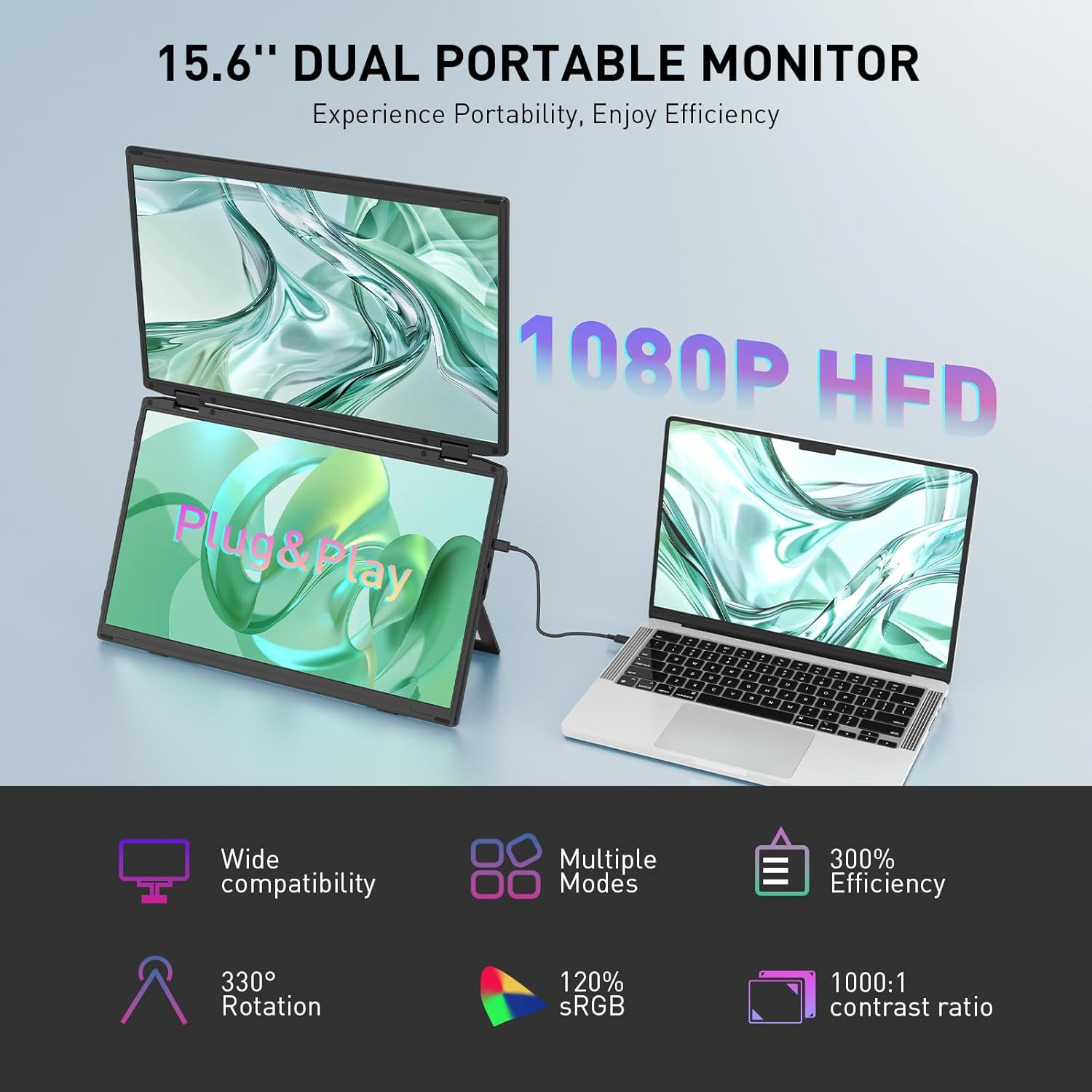
Image: The Maxfree Dual Portable Monitor M4 connected to a laptop, illustrating its plug-and-play functionality and various display modes.
Орнотуу нускамалары
- Мониторду таңгактан чыгаруу: Мониторду жана бардык аксессуарларды таңгактан этияттык менен алып чыгыңыз.
- Мониторду жайгаштырыңыз: Place the monitor on a stable, flat surface. Adjust the integrated stand to your desired viewбурч.
- Connect to Power (Recommended): For optimal performance, connect the monitor to a power source using the provided USB-C power adapter (if included) or a compatible USB-C port on your device that supports power delivery.
- Түзмөккө туташуу:
- USB-C туташуу: Connect one end of the provided USB-C cable to the monitor's USB-C port and the other end to a full-featured USB-C port on your laptop or PC. This single cable can transmit video, audio, and power.
- HDMI + USB-A Connection (if applicable): If your device does not have a full-featured USB-C port, you may need to use an HDMI cable for video and a USB-A to USB-C cable for power and touch functionality (if supported by your model). Refer to your device's manual for specific port requirements.
- Күйгүзүү: Press the power button on the monitor. Your device should automatically detect and extend the display.
- Дисплей орнотууларын тууралоо: On your computer, navigate to Display Settings to configure the dual monitors (e.g., extend, duplicate, arrange displays).
Иштөө нускамалары
Көрсөтүү режимдери:
The Maxfree Dual Portable Monitor supports various display modes to enhance productivity:
- Кеңейтилген режим: Expands your desktop across both screens, providing a larger workspace. This is ideal for multitasking.
- Кайталануу режими: Mirrors your primary display onto the portable monitors. Useful for presentations or sharing content.
- Вертикалдуу жайгашуусу: The unique vertical stacking design minimizes scrolling and page switching, reducing eye and neck fatigue, especially for document review or coding.
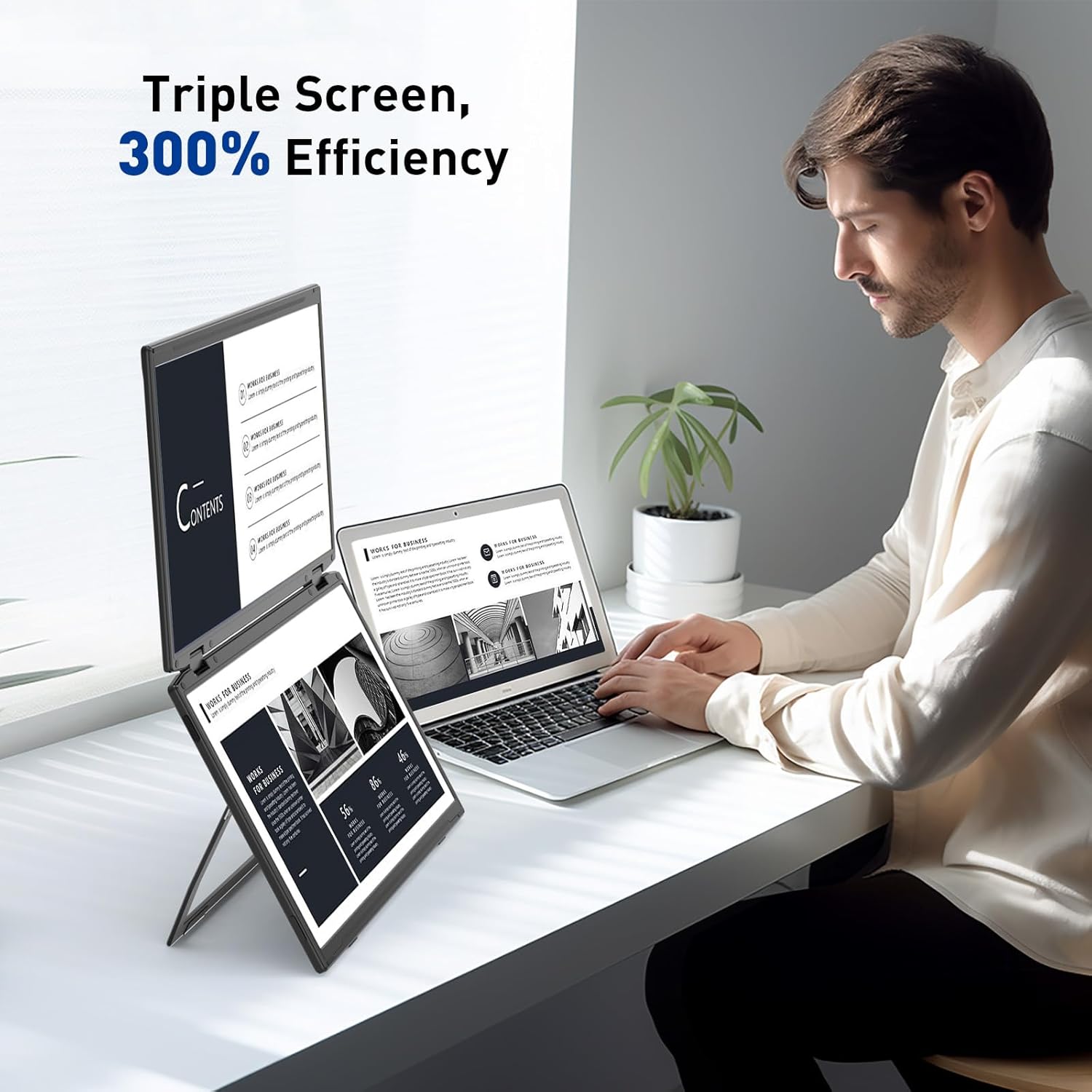
Image: A user demonstrating the Maxfree Dual Portable Monitor M4 in a vertical stacked setup, illustrating how it creates an efficient triple-screen workspace.
Экрандагы дисплей (OSD) менюсу:
Use the buttons on the side of the monitor to access and navigate the OSD menu. This menu allows you to adjust settings such as:
- Жарыктык жана контраст
- Color Settings (e.g., sRGB, color temperature)
- Киргизүү булагын тандоо
- Аспект катышы
- Volume (if applicable)
Refer to the on-screen prompts for specific button functions (e.g., Menu, Up, Down, Exit).
Техникалык шарттар
| Өзгөчөлүк | Деталь |
|---|---|
| Screen Size | Кош 15.6 дюйм |
| Резолюция | 1920 x 1080 (FHD 1080p) |
| Панел түрү | IPS |
| Аспект катышы | 16:9 |
| Screen Surface | Мт |
| Сүрөттүн жарыктыгы | 300 Кандела |
| Түс гаммасы | 100% sRGB |
| Байланыш | USB-C (Full-featured), HDMI (if applicable) |
| Жалпы USB порттору | 1 (USB-C for main connection) |
| Тtage | 5 вольт |
| Продукциянын өлчөмдөрү | 0.5 x 14 x 9 дюйм |
| Элемент Салмагы | 3.5 фунт |
| Модель номери | M4 |
Проблемаларды чечүү
- Дисплей жок:
- Ensure the USB-C cable is securely connected to both the monitor and your device.
- Verify that your device's USB-C port supports video output (DisplayPort Alternate Mode).
- Connect the monitor to an external power source if your device cannot provide sufficient power.
- Тышкы монитор аныкталганын жана иштетилгенин текшерүү үчүн компьютериңиздин дисплей жөндөөлөрүн текшериңиз.
- Жаркылдаган экран:
- Ensure the cable connections are secure.
- Башка USB-C кабелин колдонуп көрүңүз.
- Reduce the display resolution or refresh rate on your computer.
- Image Quality Issues (Blurry, Incorrect Colors):
- Adjust the brightness, contrast, and color settings via the OSD menu.
- Ensure your computer's display resolution matches the monitor's native resolution (1920x1080).
- Монитор күйбөй жатат:
- Confirm the power cable is properly connected and the power outlet is functional.
- Кубат баскычын бекем басыңыз.
Техникалык тейлөө
- Экранды тазалоо: Экранды жумшак, түксүз чүпүрөк менен акырын сүртүңүз. өжөр белгилери үчүн, бир аз гampчүпүрөккө суу же экранды тазалоо эритмеси. Катуу химиялык заттардан же абразивдүү материалдардан алыс болуңуз.
- Тазалоо Casing: Мониторду сүртүү үчүн жумшак, кургак чүпүрөктү колдонуңуз casing.
- Сактагыч: When not in use, fold the monitor and store it in a cool, dry place, preferably in its original packaging or a protective case to prevent damage.
- Экстремалдуу шарттарды болтурбоо: Мониторду өтө жогорку температурага, нымдуулукка же түз күн нуруна дуушар кылбаңыз.
Кепилдик жана колдоо
For warranty information, technical support, or service inquiries, please refer to the warranty card included with your product or visit the official Maxfree webсайт.
Өндүрүүчү: Shenzhen Baijiayoupu Technology CO., Ltd.


