1. Киришүү
This manual provides essential information for setting up, operating, and maintaining your OnePlus Nord 5 smartphone. Please read this guide thoroughly to ensure optimal performance and longevity of your device.

Сүрөт 1: Алдыңкы жана арткы view of the OnePlus Nord 5 smartphone.
2. Кутунун Мазмуну
Upon unboxing your OnePlus Nord 5, verify that all the following items are included:
- OnePlus Nord 5 Smartphone
- Кубат адаптери (80 Вт)
- USB кабели (Type-C)
- SIM лоток чыгаруучу
- Экран коргоочу (алдын ала колдонулган же кутуда)
- Телефон корпусу
- Quick Start Guide
- Кепилдик картасы
Video 1: Unboxing the OnePlus Nord 5 and reviewing its contents.

Сүрөт 2: Алдыңкы view of the OnePlus Nord 5.

3-сүрөт: Артка view of the OnePlus Nord 5.
3. Орнотуу
3.1 SIM картаны орнотуу
- Аппараттын капталындагы SIM лотокту табыңыз.
- SIM чыгаруучу куралды лотоктун жанындагы кичинекей тешикке киргизип, лоток чыгып кеткенче бекем басыңыз.
- Nano-SIM картаңызды(ларыңызды) лотоктогу белгиленген уячаларга салыңыз. Алтын контакттары ылдый карасын.
- SIM лотокту кылдаттык менен телефонго кайра кыстарыңыз.
3.2 Баштапкы күйгүзүү
Press and hold the Power button on the side of the device until the OnePlus logo appears. Follow the on-screen instructions to complete the initial setup, including language selection, Wi-Fi connection, and Google account setup.
4. Аппаратыңызды иштетүү
4.1 Аткаруу
The OnePlus Nord 5 is equipped with the Snapdragon 8s Gen 3 processor and LPDDR5X RAM, designed for demanding applications and gaming. The device features a 7300mm² VC cooling system to maintain optimal temperatures during extended use.
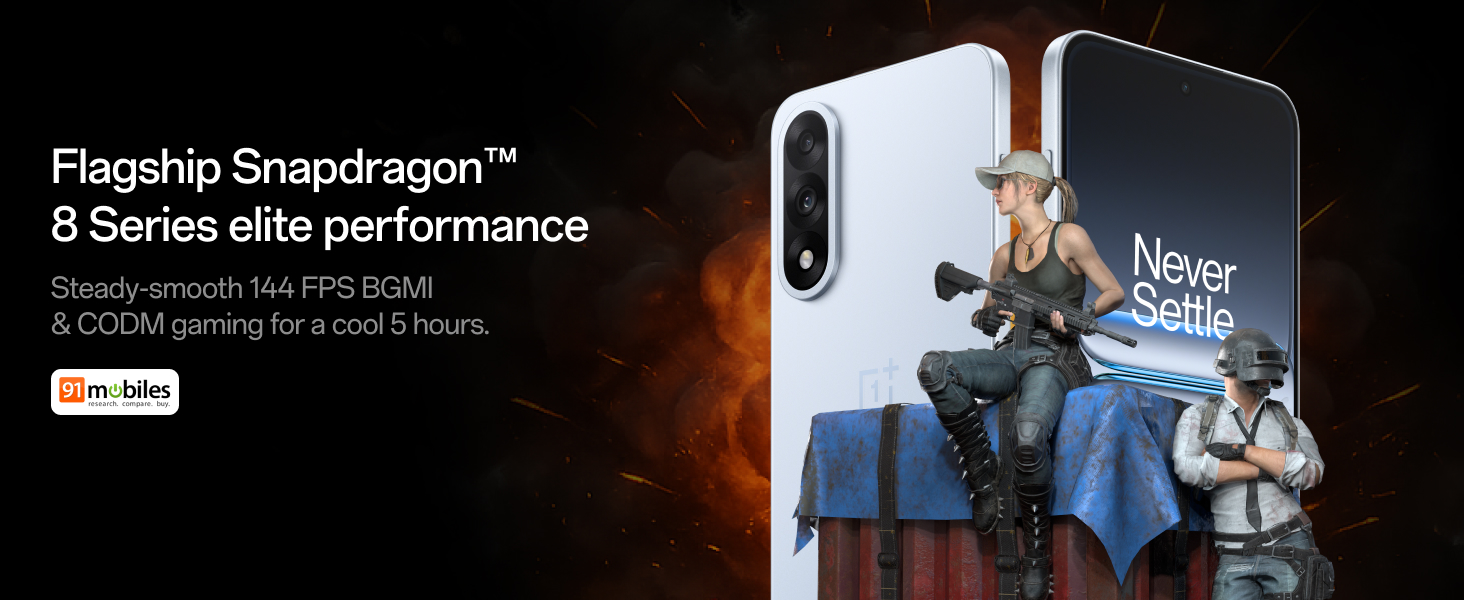
Figure 4: Snapdragon 8s Gen 3 processor for elite performance.
Video 2: Demonstration of gaming performance on the OnePlus Nord 5.
4.2 Камеранын өзгөчөлүктөрү
The device features a dual 50MP camera system, including a 50MP front camera (ISOCELL JN5 with hardware autofocus) and a 50MP Sony LYT-700 back camera with Optical Image Stabilization (OIS). It supports 4K 60 FPS video capture.
AI Camera Enhancements:
- AI өчүргүч: Removes unwanted objects or people from photos.
- AI Detail Boost: Сүрөттүн тактыгын жана майда-чүйдөсүнө чейин жакшыртат.
- AI Unblur: Corrects blurry images.
- AI Reframe: Suggests improved compositions for photos.
- AI Perfect Shot: Adjusts facial expressions and corrects blinked eyes in group photos.

Figure 5: Dual 50MP camera system overview.

Figure 6: AI features for photo enhancement.
4.3 Батарея жана заряддоо
The OnePlus Nord 5 features a 6800 mAh battery and supports 80W ultra-fast charging. It also includes an all-new Bypass Charging feature, which powers the phone directly from the charger during gaming to reduce heat and maintain performance.

Figure 7: Illustration of Bypass Charging technology.
4.4 Дисплей
Experience visuals on a 144Hz 1.5K AMOLED display with Aqua Touch 2.0 technology, offering a resolution of 2800 x 1272 pixels and up to 1400 nits brightness. Aqua Touch 2.0 improves touch responsiveness, even with wet or oily fingers.

Figure 8: Details of the 144Hz AMOLED display.
4.5 AI өзгөчөлүктөрү
The OnePlus Nord 5 integrates various AI functionalities to enhance user experience:
- AI Voice Scribe: Transcribe, translate, and summarize meetings or content.
- Издөө үчүн чөйрө: Экраныңыздагы мазмунду тегеректеп, маалыматты тез издеңиз.
- Gemini Live: An AI assistant for queries and information.
- AI издөө: Intuitively understands natural language prompts for searching device content.

Figure 9: AI VoiceScribe interface.
4.6 Multitasking with Open Canvas
The Open Canvas feature allows for enhanced split-screen multitasking, enabling flexible resizing of applications and drag-and-drop functionality between apps. This improves productivity by extending split-screen capabilities beyond physical display limits.
Video 3: Demonstration of multitasking features on the OnePlus Nord 5.

Figure 10: Open Canvas for advanced multitasking.
4.7 Байланыш
The Nord 5 supports 5G-Advanced networking, offering faster internet speeds and improved signal stability, particularly in congested areas.

Figure 11: 5G-Advanced network features.
4.8 программалык камсыздоо
The device runs on OxygenOS 15, based on Android 15. It is guaranteed to receive 4 Android version upgrades and 6 years of security updates, ensuring long-term software support and system smoothness.
5. Техникалык тейлөө
- Программалык камсыздоо жаңыртуулары: Regularly install system updates to ensure optimal performance, security, and access to new features.
- Батареяга кам көрүү: To prolong battery life, avoid extreme temperatures and frequent full discharges. The device includes a 4-year healthy battery promise.
- Тазалоо: Экранды жана денени тазалоо үчүн жумшак, түксүз чүпүрөктү колдонуңуз. Абразивдүү материалдардан же катуу химиялык заттардан алыс болуңуз.
- Сактагычты башкаруу: Мезгил-мезгили менен ачык-айкын керексиз files and apps to maintain device speed and free up storage space.
6. Кыйынчылыктарды
If you encounter issues with your OnePlus Nord 5, consider the following general troubleshooting steps:
- Түзмөктү кайра иштетүү: Жөнөкөй кайра иштетүү көптөгөн майда программалык мүчүлүштүктөрдү чечет.
- Жаңыртууларды текшерүү: Түзмөгүңүздүн программалык камсыздоосу жаңыртылганын текшериңиз.
- Кэшти тазалоо: For app-specific issues, try clearing the app's cache in Settings.
- Заводдун баштапкы абалга келтирүү: Акыркы чара катары, баштапкы абалга кайтаруу программалык камсыздоонун туруктуу көйгөйлөрүн чече алат. Эскертүү: Бул түзмөгүңүздөгү бардык дайындарды жок кылат. Улантуудан мурун маанилүү маалыматтын камдык көчүрмөсүн сактаңыз.
- Колдоо кызматы менен байланышуу: If the issue persists, refer to the support section for contact information.
7. Техникалык шарттар
| Өзгөчөлүк | Деталь |
|---|---|
| Операция системасы | Android 15, OxygenOS 15 |
| Процессор | Snapdragon 8s Gen 3 (CPU Speed: 2, 2.8, 3 GHz) |
| RAM | 12 ГБ (учурдагы моделге ылайык) |
| Дисплей | 144Hz 1.5K AMOLED, 2800 x 1272 Resolution |
| Арткы камера | 50MP Sony LYT-700 with OIS |
| Алдыңкы камера | 50MP ISOCELL JN5 with Autofocus |
| Батарея | 6800 мАч, 80 Вт тез кубаттоо |
| Байланыш | 5G-Advanced, Bluetooth, NFC, USB, Wi-Fi |
| Өлчөмдөр | 16.41 x 7.7 x 0.81 см |
| Салмагы | 211 г |
| Модель номери | CPH2707 |
| Өндүрүүчү | Oppo Mobiles India Private Limited |
8. Кепилдик жана колдоо
The OnePlus Nord 5 comes with a Lifetime Display Warranty, covering green line issues. For detailed terms and conditions, please refer to the official OnePlus website or the warranty card included in the box.

Figure 12: Lifetime Display Warranty information.
For customer service and technical support, you can contact OnePlus using the following information:
- Customer Service Contact Number: 1800 102 8411
- WhatsApp колдоо: +91-9289606888
- Өндүрүүчүнүн дареги: PLOT-NO.1, SECTOR ECOTECH-VII, GREATER, NOIDA, UTTAR PRADESH, India-201306


