1. Киришүү
This manual provides essential instructions for the safe and efficient use of your OPPO A5 5G smartphone (Model CPH2751). Please read this manual thoroughly before using your device.
1.1. Кутуда эмне бар
- OPPO A5 5G смартфону
- Телефон корпусу
- Кубаттуу адаптер
- USB кабели
- Экран коргоочу (алдын ала колдонулган же өзүнчө)
- SIM лоток чыгаруучу
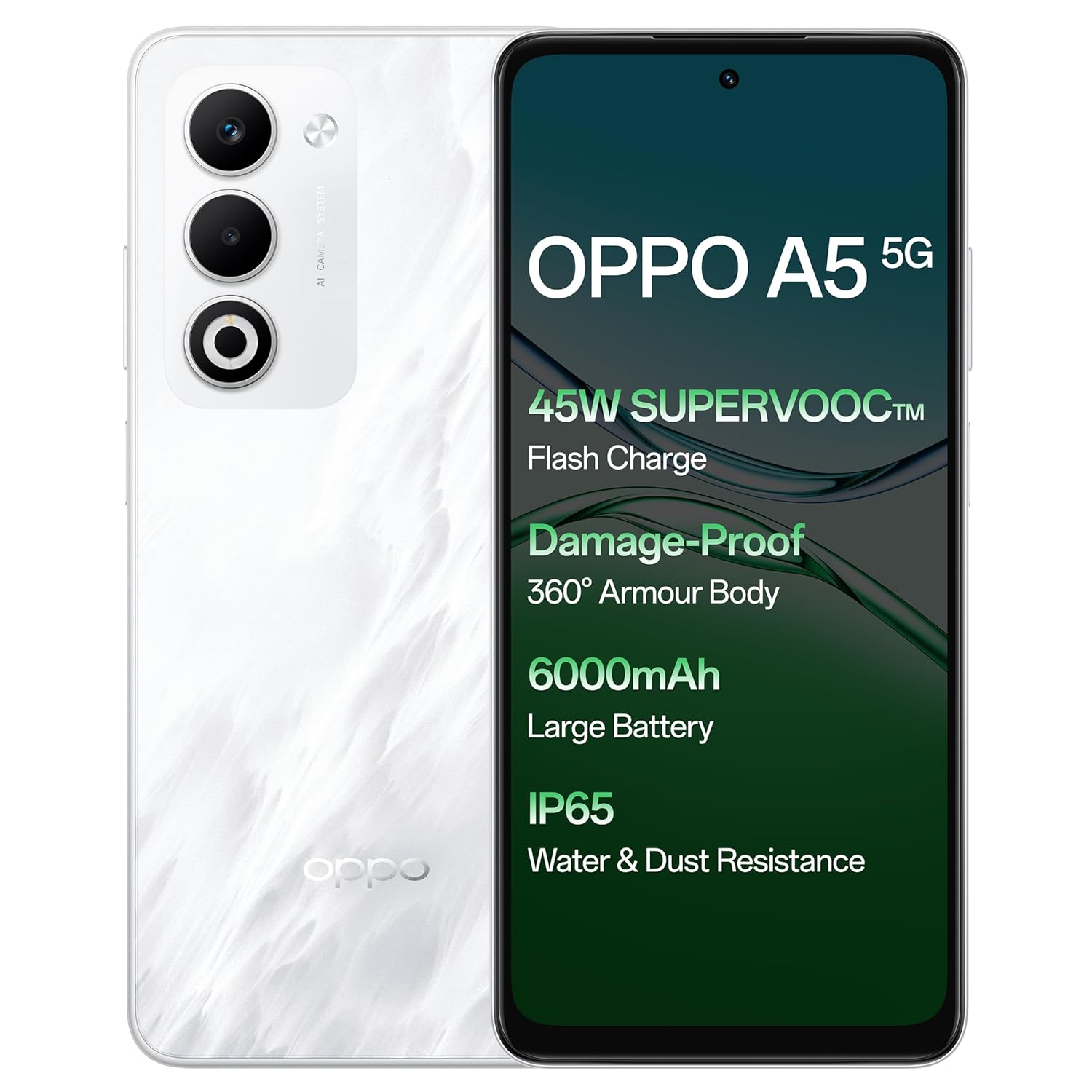
Сүрөт: алдыңкы жана арткы view of the OPPO A5 5G smartphone, highlighting features like 45W SuperVOOC Flash Charge, Damage-Proof 360° Armour Body, 6000mAh Large Battery, and IP65 Water & Dust Resistance.
2. Баштапкы орнотуу
2.1. SIM картаны орнотуу
- Түзмөгүңүздүн капталындагы SIM карта салгычын табыңыз.
- SIM лоток чыгаруучу куралды лотоктун жанындагы кичинекей тешикке салыңыз.
- Табаны чыккыча акырын түртүңүз.
- Place your Nano-SIM card(s) and/or microSD card into the tray with the gold contacts facing down. The OPPO A5 5G supports Dual 5G SIM.
- Телефонго лотокту кылдаттык менен кайра салыңыз.

Сүрөт: Side profile of the OPPO A5 5G smartphone, illustrating the location of the SIM card tray and volume buttons.
2.2. Күйгүзүү / Өчүрүү
- Күйгүзүү үчүн: OPPO логотиби пайда болгонго чейин Кубат баскычын (оң жакта жайгашкан) басып, кармап туруңуз.
- Өчүрүү үчүн: Кубат баскычын басып, кармап туруңуз, андан кийин экрандагы параметрлерден "Өчүрүү" дегенди тандаңыз.
- Кайра баштоо: Кубат баскычын басып, кармап туруңуз, андан кийин параметрлерден "Кайра баштоо" тандаңыз.
3. Аппаратыңызды иштетүү
3.1. Дисплей жана навигация
The OPPO A5 5G features a 16.94 cm (6.67-inch) HD+ LCD 120Hz Ultra Bright Display. This display offers enhanced smoothness for touch interactions. It also includes a Splash Touch feature, allowing for smooth control even when the screen has water droplets, mist, or oil stains.

Image: The OPPO A5 5G display showcasing its 120Hz refresh rate for a bright, smooth, and satisfying visual experience.
3.2. Камеранын функциялары
Your device is equipped with an AI Dual Ultra-Clear Camera system:
- Негизги камера: 50MP
- Portrait Camera: 2MP
- Алдыңкы селфи камерасы: 8MP
Key camera features include AI Portrait Retouching, AI Clarity Enhancer, AI Reflection Remover, and AI Studio. The Dual-View Video function allows simultaneous recording from both front and rear cameras.

Image: Close-up of the OPPO A5 5G's rear camera module, featuring the dual camera setup and AI Camera System branding.
3.3. Батарея жана заряддоо
The OPPO A5 5G has a 6000mAh large battery. It supports 45W SuperVOOC charging for fast and efficient power replenishment. The battery is designed to maintain over 80% health after 1700 charge cycles, ensuring extended durability.

Сүрөт: ички view of the OPPO A5 5G, highlighting the large 6000mAh battery component.
3.4. Байланыш
The device supports Bluetooth and Wi-Fi connectivity. It is equipped with Dual 5G SIM slots for enhanced network capabilities.
3.5. Өзгөчөлүктөр
- Damage-Proof 360° Armour Protection Technology: Features a high-strength alloy framework for component safety.
- IP65 Суу жана чаңга туруктуулугу: Provides protection against water splashes and dust ingress.
- Сырткы режим: Boosts brightness, sound, and network performance for outdoor use.
- Glove Touch: Ensures screen responsiveness even with thick gloves or waterproof cases.

Image: The OPPO A5 5G smartphone being splashed with water, demonstrating its IP65 water and dust resistance.

Image: The OPPO A5 5G smartphone shown with a cracked ground effect, illustrating its 360° Armour Body and enhanced impact resistance.

Image: The OPPO A5 5G mounted on a motorcycle, demonstrating the Outdoor Mode for boosted performance and Glove Touch for screen responsiveness.
4. Техникалык тейлөө
4.1. Кам көрүү жана тазалоо
- Телефондун экранын жана корпусун тазалоо үчүн жумшак, түксүз чүпүрөктү колдонуңуз.
- Катуу химиялык заттарды же абразивдүү материалдарды колдонуудан алыс болуңуз.
- Аппаратты экстремалдык температурадан жана тике күн нурунан алыс кармаңыз.
- The device has IP65 water and dust resistance, but it is not fully waterproof. Avoid submerging it in water.
4.2. Программалык камсыздоону жаңыртуу
Regularly check for and install software updates to ensure optimal performance, security, and access to new features. You can usually find this option in the phone's settings under "About Phone" or "System Updates".
5. Кыйынчылыктарды
If you encounter issues with your OPPO A5 5G, try the following common solutions:
- Түзмөк жооп бербей жатат: Кайра күйгүзүүгө мажбурлоо үчүн кубат баскычын 10-15 секунд басып туруңуз.
- Батареянын бат түгөнүп калышы: Check background app usage, reduce screen brightness, disable unnecessary features like GPS or Bluetooth when not in use.
- Тармакка туташуу көйгөйлөрү: Toggle Airplane Mode on and off, restart the device, or check your SIM card installation.
- Колдонмолор бузулуп жатат: Clear the app's cache and data in settings, or reinstall the app.
- Жай аткаруу: Колдонулбаган колдонмолорду жаап, кэшти тазалаңыз же сактагычта орун бошотуңуз.
Татаал маселелер үчүн расмий OPPO колдоосуна кайрылыңыз webсайтка же кардарларды тейлөөгө кайрылыңыз.
6. Техникалык шарттар
| Өзгөчөлүк | Деталь |
|---|---|
| Модель номери | CPH2751 |
| Операция системасы | Android 14 (ColorOS 15.0) |
| RAM | 8 ГБ |
| Ички сактагыч | 128 ГБ |
| Screen Size | 16.94 cm (6.67 Inches) HD+ LCD |
| Жаңыртуу ылдамдыгын көрсөтүү | 120Hz |
| Процессор | MediaTek Dimensity 6300 |
| Башкы камера | 50MP + 2MP (Portrait) |
| Алдыңкы камера | 8MP |
| Батарея сыйымдуулугу | 6000mAh |
| Заряддоо | 45W SuperVOOC |
| Байланыш | Dual 5G SIM, Bluetooth, Wi-Fi |
| Суу жана чаңга туруктуулук | IP65 |
| Өлчөмдөрү (LxWxH) | 16.5 x 7.6 x 0.8 см |
| Салмагы | 195 г |
| Өндүрүүчү | OPPO MOBILES INDIA PVT LTD. |
| Келип чыккан өлкө | Индия |
7. Коопсуздук маалыматы
7.1. Жалпы коопсуздук
- Аппаратты ажыратууга же өзгөртүүгө аракет кылбаңыз.
- OPPO тарабынан бекитилген кубаттагычтарды жана аксессуарларды гана колдонуңуз.
- Түзмөктү өтө жогорку температурага, түз күн нуруна же отко тийгизбеңиз.
- Аппаратты медициналык аппараттардан алыс кармаңыз, анткени ал алардын иштешине тоскоол болушу мүмкүн.
- Аппаратты жана анын батареясын жергиликтүү эрежелерге ылайык таштаңыз.
7.2. Батарейканын коопсуздугу
- Do not puncture, drop, or expose the battery to high impact.
- If the battery appears damaged or swollen, discontinue use immediately.
- Do not place the battery in direct sunlight or near heat sources.
8. Кепилдик жана колдоо
Кепилдик маалыматы жана кардарларды колдоо үчүн продуктуңузга камтылган кепилдик картасын караңыз же расмий OPPOго баш багыңыз website. You can also contact OPPO customer service at 18001032777.
Manufacturer: OPPO MOBILES INDIA PVT LTD., 5th FLOOR, Tower B, BUILDING, N-8, DLF Cyber City, DLF Phase 2, Gurugram, Haryana 122002.


