1. Киришүү
The Autel MaxiDiag MD909 Pro is a 2025 wireless all-system diagnostic tool designed for comprehensive vehicle analysis and maintenance. This device combines advanced diagnostic capabilities with essential service functions, offering extensive vehicle coverage for US, Asian, and European models from 1996 onwards. It features a user-friendly Android-based touchscreen interface and supports modern communication protocols like CAN FD and DoIP.
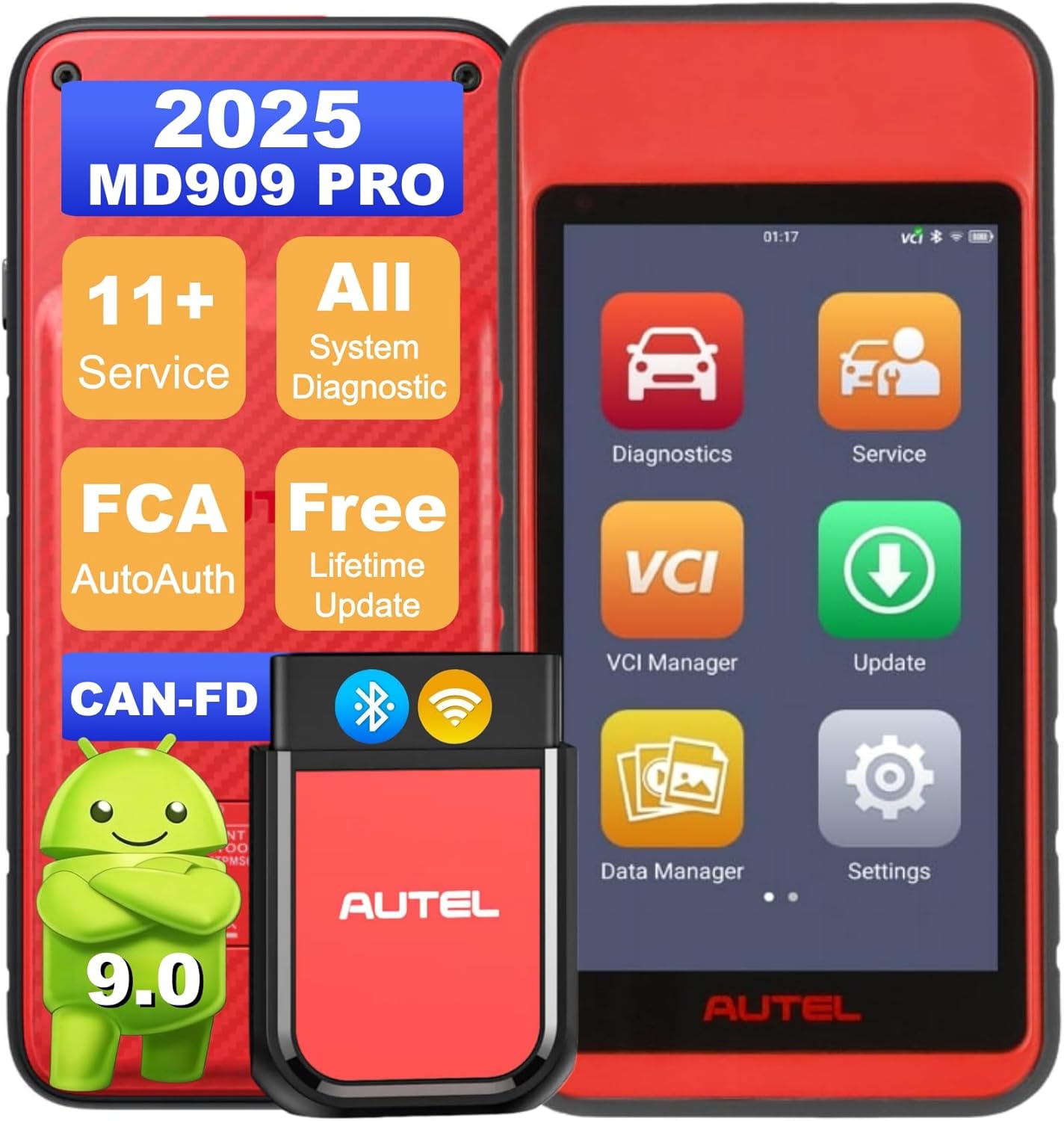
Image 1.1: Autel MaxiDiag MD909 Pro main unit and VCI module.
2. Продукт бүтүп калдыview жана Негизги өзгөчөлүктөрү
The MD909 Pro is engineered to provide professional-grade diagnostics and service functions in a portable, wireless format. Its robust hardware and intuitive software make it suitable for both DIY enthusiasts and professional repair shops.
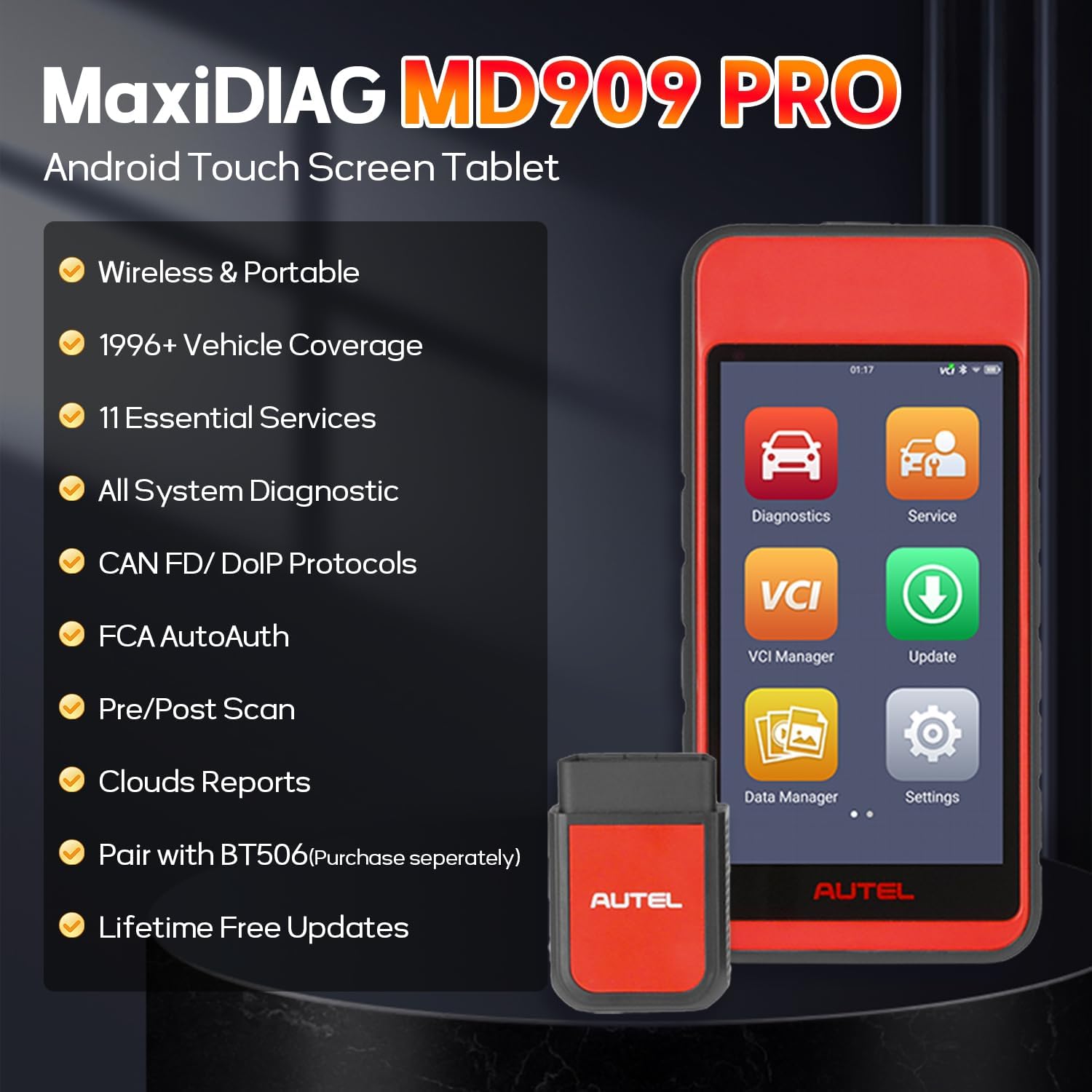
Сүрөт 2.1: Бүттүview of Autel MaxiDiag MD909 Pro features.
2.1. Core Diagnostic Capabilities
- Бардык система диагностикасы: Scans all available vehicle systems and subsystems including Engine, ABS, SRS, EPB, PCM, ECM, EPS, PDM, etc.
- Read/Erase DTCs: Retrieves and clears Diagnostic Trouble Codes.
- Жандуу маалыматтар: Views real-time data streams such as transmission temperature, cylinder balance, and engine speed.
- Кадр дайындарын тоңдуруп коюу: Captures a snapshot of sensor values when a fault occurs.
- ECU маалымат: Retrieves Electronic Control Unit information.
- 10 Modes OBD2 Functions: Performs all 10 modes of OBD2 tests for emission conditions, including O2 monitor test and on-board monitor test.

Image 2.2: All-Systems Diagnostic capabilities.
2.2. Essential Service Functions
The MD909 Pro supports over 11 common maintenance functions to streamline routine repairs.
- Майды калыбына келтирүү: Resets the engine oil life system.
- EPB баштапкы абалга келтирүү: Resets the Electronic Parking Brake.
- SAS баштапкы абалга келтирүү: Resets the Steering Angle Sensor.
- TPMS кайра үйрөнүү: Relearns Tire Pressure Monitoring System sensors.
- Тормоздун каны: Performs ABS brake bleeding.
- DPF калыбына келтирүү: Дизель бөлүкчөлөрүнүн чыпкасын калыбына келтирүүнү башкарат.
- Батареяны каттоо: Registers new batteries.
- Дроссельди кайра үйрөнүү: Relearns throttle body settings.
- Air Fuel Ratio Reset: Adjusts air/fuel ratio settings.
- Инжектор коддоо: Codes new injector numbers.
- Headlamp Жөнгө салуу: Adjusts headlamp кызмат орундары.
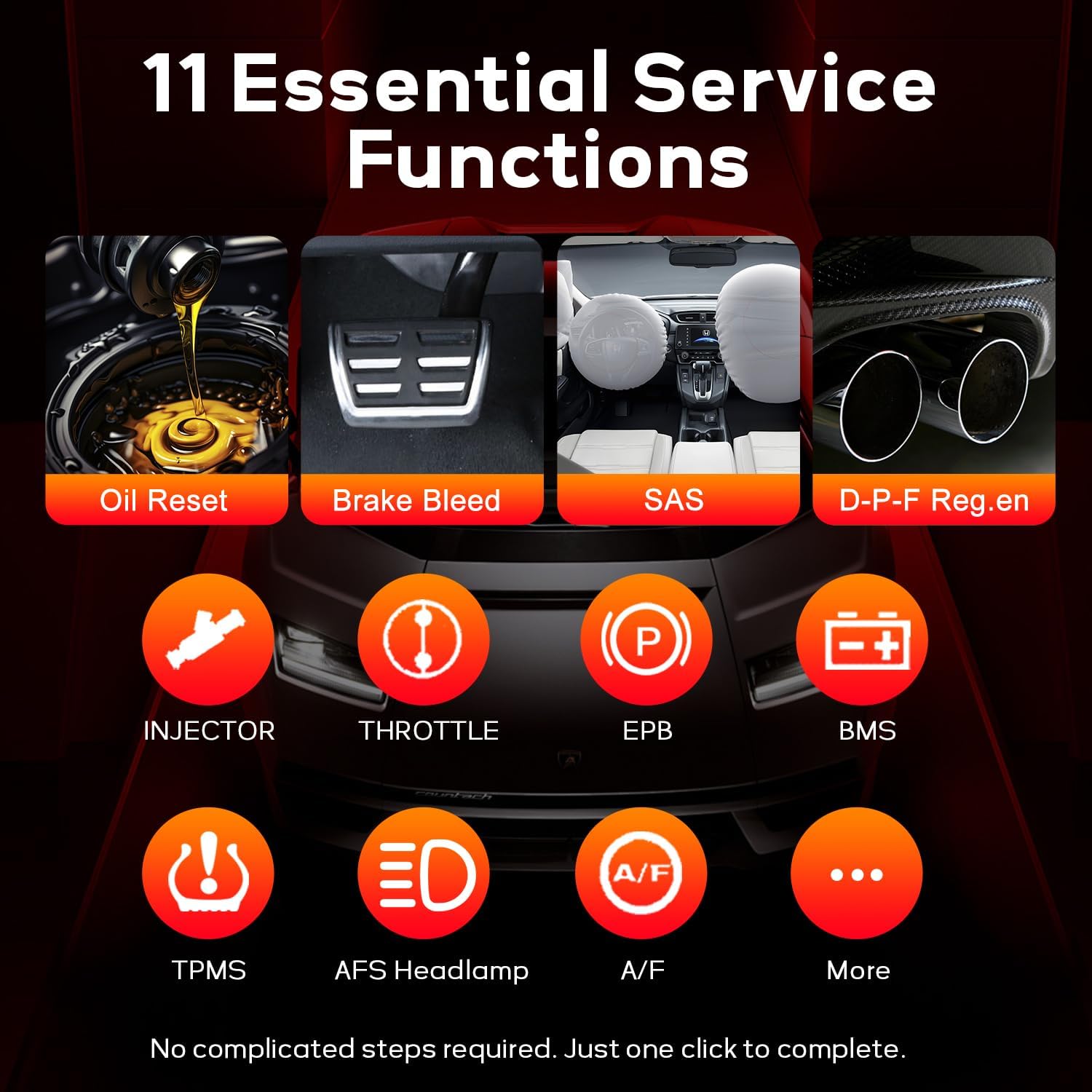
Image 2.3: 11 Essential Service Functions.
2.3. Advanced Connectivity and Protocols
- CAN FD & DoIP Support: Compatible with newer vehicle models using advanced communication protocols.
- FCA AutoAuth: Allows access to security gateways on select Dodge, Chrysler, Jeep, RAM, Alfa Romeo, Fiat, Maserati, and Nissan vehicles (AutoAuth account required).
- Bluetooth VCI: Wireless connectivity for flexible operation.

Image 2.4: CAN FD/DoIP Support & Security Gateway Access.
2.4. Reporting and Data Management
- Pre/Post-Scan Reporting: Generates reports before and after repairs for comparison.
- Cloud Management Storage: Stores diagnostic reports in the cloud for easy access and retrieval.
- Report Sharing: Share reports via email or SMS.
- Зымсыз басып чыгаруу: Диагностикалык отчетторду зымсыз басып чыгарууну колдойт.

Image 2.5: Pre/Post-Scan Reporting & Cloud Sharing.
2.5. Аппараттык спецификациялар
- Дисплей: 5.5-inch touchscreen.
- Сактагыч: 64 ГБ.
- Батарея: 5000mAh for up to 8 hours of continuous use.
- Операция системасы: Android 9.0.
3. Орнотуу
Follow these steps for initial setup of your Autel MaxiDiag MD909 Pro:
- Аппаратты заряддоо: Connect the main unit to the power adapter using the USB Type-C cable and charge it fully before first use.
- Күйгүзүү: Түзмөктү иштетүү үчүн кубат баскычын басып, кармап туруңуз.
- VCI туташтырыңыз: Plug the MaxiVCI 150 Lite into the vehicle's OBD2 port. Ensure the vehicle's ignition is in the ON position.
- Pair VCI: The main unit will automatically attempt to pair with the VCI via Bluetooth. Follow any on-screen prompts to confirm the connection.
- Тармак туташуусу: Connect the MD909 Pro to a Wi-Fi network to enable software updates and cloud services.
4. Иштөө нускамалары
The MD909 Pro features an intuitive Android interface. Navigate through the main menu to access various functions.
4.1. Диагностика
To perform vehicle diagnostics:
- From the home screen, tap on the 'Diagnostics' icon.
- Select the vehicle manufacturer from the list.
- Choose 'Auto Scan' to automatically identify the vehicle and scan all systems, or select specific systems for diagnosis.
- Review the displayed DTCs, live data, or freeze frame information.
- Use the 'Clear Codes' function to erase DTCs after repairs are completed.
Video 4.1: Autel MD909 Pro Full System Diagnostic Tool Overview. This video demonstrates the device's diagnostic capabilities, including vehicle selection, auto-scanning, and viewтүз маалыматтарды алуу.
4.2. Кызматтын функциялары
To access maintenance and service functions:
- From the home screen, tap on the 'Service' icon.
- Select the desired service function (e.g., Oil Reset, EPB Reset).
- Follow the on-screen instructions to perform the specific service task.
Video 4.2: Autel MaxiDiag MD909 Pro Menu Function Introduction. This video provides a walkthrough of the device's menu, including how to access and utilize various service functions.
4.3. Battery Testing (with BT506, sold separately)
The MD909 Pro can be paired with the Autel BT506 Battery Tester for comprehensive battery and charging system analysis.
- Ensure the BT506 is connected to the vehicle's battery terminals.
- On the MD909 Pro, navigate to the 'Battery Test' function.
- Select 'In-Vehicle Test' or 'Out-of-Vehicle Test' as appropriate.
- Follow the on-screen instructions to perform the battery health (SOH) analysis, voltage detection, and adaptive conductance test.

Image 4.3: Expandable Battery Testing with BT506.
5. Техникалык тейлөө
To ensure the longevity and optimal performance of your Autel MaxiDiag MD909 Pro:
- Тазалыкты сактоо: Regularly wipe the touchscreen and device body with a soft, damp кездеме. Катуу химиялык заттардан алыс болуңуз.
- Программалык камсыздоо жаңыртуулары: Connect the device to Wi-Fi regularly and perform available software updates to ensure compatibility with new vehicle models and features.
- Сактагыч: Аппаратты салкын, кургак жерде, тике күн нурунан жана экстремалдык температурадан алыс сактаңыз.
- Батареяга кам көрүү: Батареянын тез-тез толук зарядын жоготуп алуудан алыс болуңуз. Батареянын иштөө мөөнөтүн сактоо үчүн, колдонулбай турган учурда да, түзмөктү үзгүлтүксүз кубаттап туруңуз.
6. Кыйынчылыктарды
If you encounter issues with your MD909 Pro, consider the following common solutions:
- Түзмөк күйбөй жатат: Батарея заряддалганын текшериңиз. Кубат адаптерине туташтырып, кайра аракет кылыңыз.
- VCI туташпай жатат: Verify the VCI is securely plugged into the vehicle's OBD2 port and the vehicle's ignition is ON. Check Bluetooth settings on the main unit to ensure the VCI is paired.
- Унаа менен байланыш жок: Confirm the vehicle is OBD2 compliant (1996 or newer for US, Asian, European models). Check the vehicle's battery voltage. Ensure the VCI is properly connected and the device software is up to date.
- Программалык камсыздоону жаңыртуудагы көйгөйлөр: Ensure a stable Wi-Fi connection. If an update fails, try restarting the device and attempting the update again.
- Сенсордук экран жооп бербейт: Restart the device. If the issue persists, contact Autel support.
7. Техникалык шарттар
| Өзгөчөлүк | Деталь |
|---|---|
| Өндүрүүчү | Autel |
| Модел | Autel MaxiDiag MD909 PRO |
| Элемент Салмагы | 2 фунт |
| Пакеттин өлчөмдөрү | 12.99 x 9.84 x 3.9 дюйм |
| Операция системасы | Android 9.0 |
| Байланыш | BT-enabled VCI 150-Lite (Bluetooth) |
| Батарея | 5000mAh |
| Сактагыч | 64 ГБ |
| Экран | 5.5 дюймдук сенсордук экран |
| Automotive Fit түрү | Universal Fit |
| UPC | 792499190989 |
8. Кутуда эмне бар
The Autel MaxiDiag MD909 Pro package includes the following items:
- Main Unit (Autel MaxiDiag MD909 PRO)
- MaxiVCI 150 Lite
- USB Type-C кабели
- Кубаттуу адаптер
- Ыкчам маалымдама колдонмосу
- Пакет куту

Image 8.1: Contents of the Autel MaxiDiag MD909 Pro package.
9. Кепилдик жана колдоо
The Autel MaxiDiag MD909 Pro comes with lifetime free software updates, ensuring your tool remains current with the latest automotive technologies and vehicle models.
For detailed warranty information, technical support, or service inquiries, please refer to the official Autel webсайтына кириңиз же Autel кардарларды тейлөө кызматына түз кайрылыңыз. Кепилдик боюнча дооматтар үчүн сатып алуу дүмүрчөгүңүздү сактап коюңуз.


