1. Киришүү
This manual provides essential information for setting up, operating, maintaining, and troubleshooting your new VIBOX III-445 PC Gamer. Please read this guide thoroughly before using your computer to ensure optimal performance and longevity.
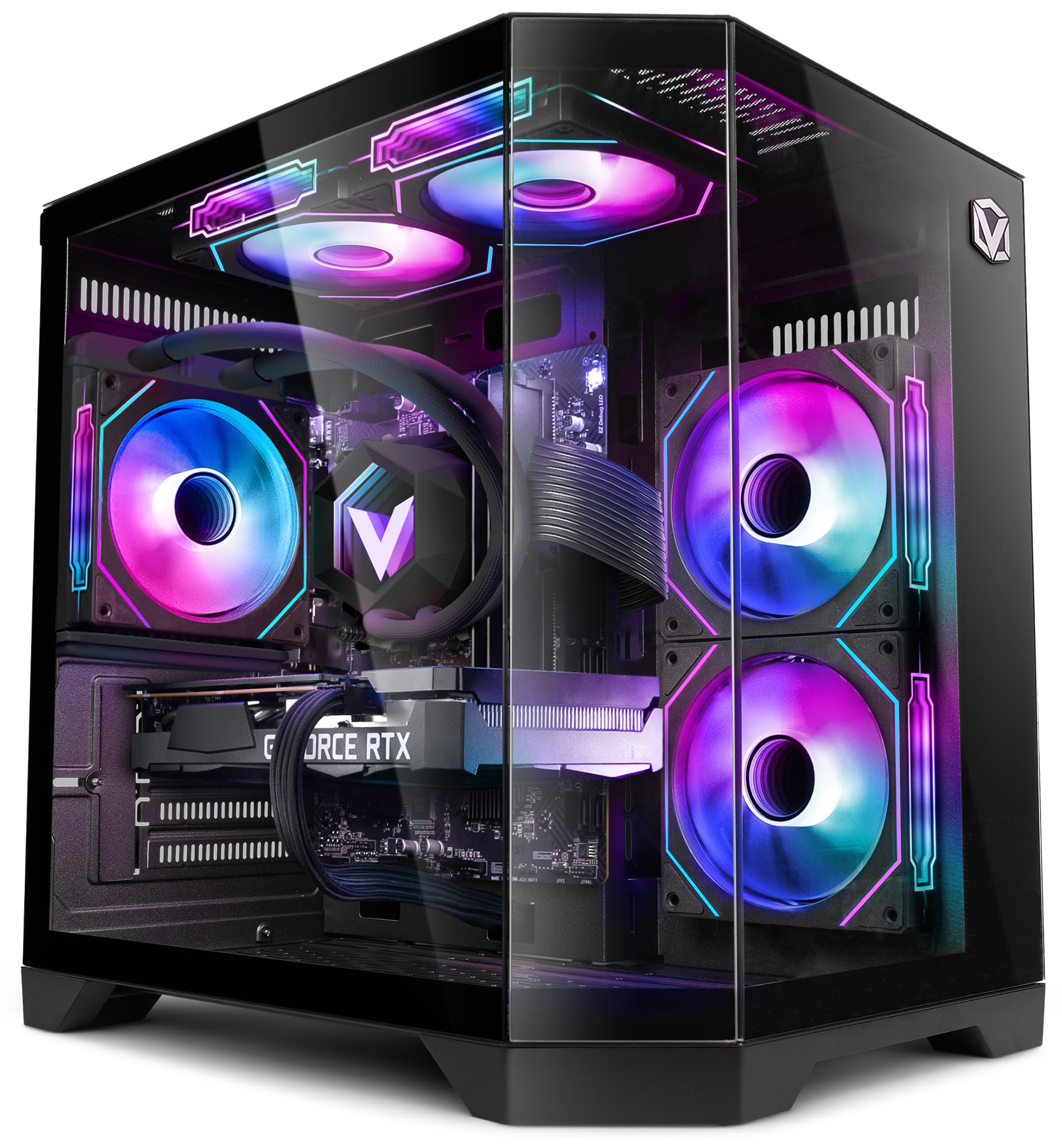
Figure 1: VIBOX III-445 PC Gamer, showcasing its internal components and RGB lighting.
2. Орнотуу
2.1. Кутудан чыгаруу жана алгачкы текшерүү
- Компьютерди таңгагынан кылдаттык менен алып салыңыз.
- Inspect the computer for any visible damage that may have occurred during shipping.
- Remove any internal packaging materials, such as foam inserts, designed to protect components during transit.
- Ensure all accessories (power cable, Wi-Fi adapter, documentation) are present.
2.2. Перифериялык түзүлүштөрдү туташтыруу
Connect your monitor, keyboard, mouse, and other peripherals to the appropriate ports on the back and front of the PC. Refer to the image below for front panel connectivity.

Figure 2: Front panel connectivity. Includes power button, USB 2.0 ports, USB 3.0 ports, headphone jack, reset button, and RGB lighting control button.
- Монитор: Connect your monitor to the graphics card (Nvidia RTX 5060) using an HDMI or DisplayPort cable.
- Баскычтоп жана чычкан: Connect to any available USB ports.
- Күч: Connect the power cable to the PC and a wall outlet.
- Тармак: Use the included Wi-Fi adapter for wireless internet or connect an Ethernet cable to the LAN port for a wired connection.
2.3. Биринчи жүктөө жана Windows 11 орнотуу
- ЖКнын алдындагы кубат баскычын басыңыз.
- Follow the on-screen instructions to complete the Windows 11 setup process. This typically involves selecting your region, language, creating a user account, and connecting to a network.
- Ensure all drivers are installed and updated after the initial setup. You can check for updates via Windows Update and the Nvidia website for graphics drivers.
3. Компьютериңизди иштетүү
3.1. Windows 11 Home
Your VIBOX III-445 PC comes pre-installed with Windows 11 Home, optimized for gaming and productivity.

Figure 3: Windows 11 Home operating system.
- Faster Loading Times: Benefit from DirectStorage for quicker game loading.
- Өркүндөтүлгөн графика: AutoHDR improves visual quality in supported games.
- Xbox Game Pass Integration: Seamless access to a library of games.
- Optimized CPU Performance: Windows 11 is designed to leverage modern CPU architectures efficiently.
3.2. Негизги компоненттер
The VIBOX III-445 is equipped with powerful components for a smooth computing experience.
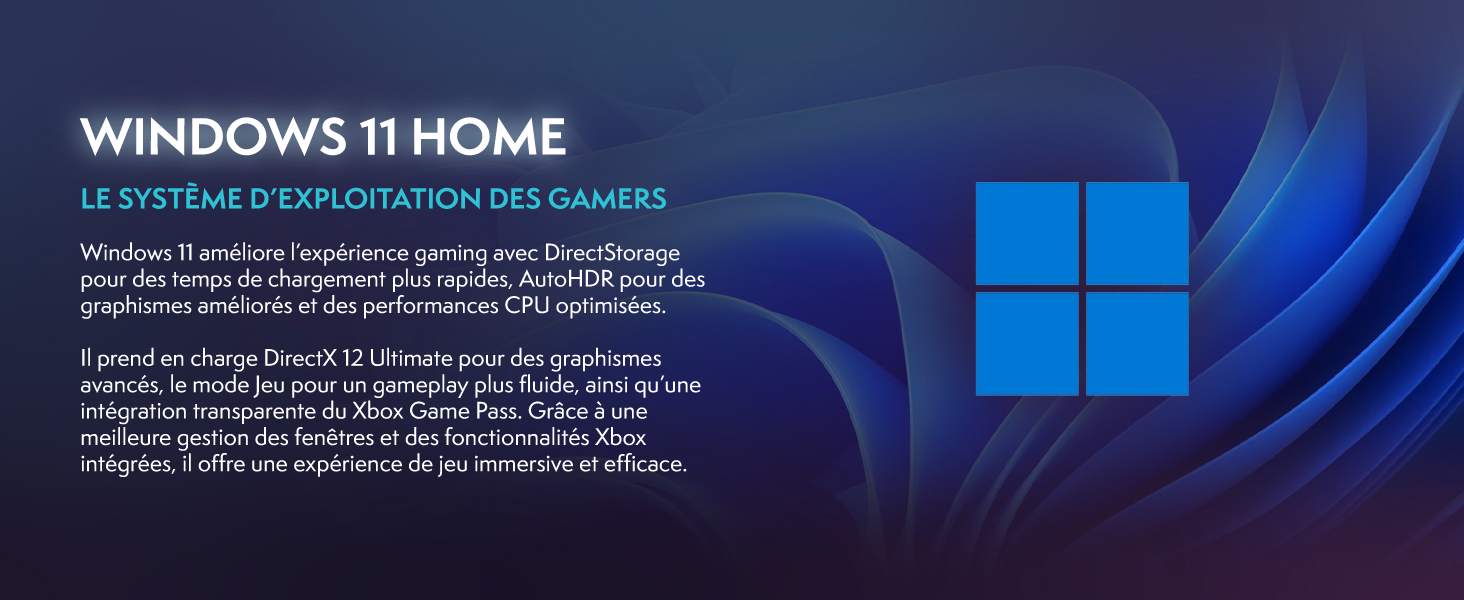
Figure 4: ашыкview of the VIBOX III-445's core components.
- Процессор: Intel Core i7-12700KF (12 Cores, up to 5.0 GHz) for high-performance gaming, streaming, and content creation.
- Графикалык карта: Nvidia GeForce RTX 5060 (8GB GDDR7) for advanced graphics and gaming.
- RAM: 16GB DDR4 3200MHz Dual Channel for smooth multitasking.
- Сактагыч: 500GB SSD for fast boot times and application loading.
3.3. Муздатуу системасы
The PC features an advanced cooling system to maintain optimal temperatures.

Figure 5: VIBOX AIO 120MM liquid cooler for stable processor temperatures.

Figure 6: Reversed airflow design for optimized air circulation and reduced heat accumulation.

Figure 7: Hex RGB Infinity 120mm fans for customizable lighting and enhanced airflow.
- VIBOX AIO 120MM: Provides compact and efficient liquid cooling for the CPU.
- Reversed Airflow: Optimizes air circulation to reduce heat buildup.
- Hex RGB Infinity 120MM Fans: High-performance fans with customizable RGB lighting.
4. Техникалык тейлөө
4.1. Жалпы тазалоо
- Сырткы: жумшак колдонуу, damp cloth to clean the exterior of the case. Avoid abrasive cleaners.
- Чаңды тазалоо: Periodically use compressed air to clean dust from fans, vents, and internal components. Ensure the PC is powered off and unplugged before cleaning.
- Чыпкалар: If your case has removable dust filters, clean them regularly to maintain optimal airflow.
4.2. Программалык камсыздоону жаңыртуу
- Windows жаңыртуулары: Regularly check for and install Windows updates to ensure system stability and security. Go to Settings > Windows Update.
- Драйвер жаңыртуулары: Keep your graphics card drivers updated by downloading the latest versions from the Nvidia website. Other component drivers can be updated via Windows Update or the motherboard manufacturer's webсайт.
4.3. System Backups
- Дайыма маалыматтын жоголушун алдын алуу үчүн тышкы дискке же булут сактагычка маанилүү маалыматтардын камдык көчүрмөсүн сактоо.
5. Кыйынчылыктарды
Бул бөлүм сиз кабылышы мүмкүн болгон жалпы көйгөйлөрдү карайт. Татаал көйгөйлөр үчүн техникалык колдоо менен байланышыңыз.
5.1. Күч жок
- Кубат кабели компьютерге да, розеткага да бекем туташып турганын текшериңиз.
- Check if the power supply unit (PSU) switch on the back of the PC is in the 'ON' position.
- Дубалдагы розеткада кубат бар экенин ырастоо үчүн башка аспап менен сынап көрүңүз.
5.2. Монитордо дисплей жок
- Verify that the monitor is powered on and connected to the graphics card (Nvidia RTX 5060) ports, not the motherboard's video outputs.
- Check the monitor's input source setting (HDMI, DisplayPort).
- Ensure the graphics card is properly seated in its slot.
5.3. Poor Performance or Freezing
- Керексиз фон колдонмолорун жабуу.
- Бардык драйверлер, айрыкча графикалык драйверлер жаңыртылганын текшериңиз.
- Check system temperatures using monitoring software to rule out overheating.
- Run a disk cleanup and defragmentation (for HDDs, not necessary for SSDs).
5.4. Wi-Fi туташуу маселелери
- Ensure the Wi-Fi adapter is securely plugged into a USB port.
- Check Wi-Fi settings in Windows to ensure it's enabled and connected to the correct network.
- Роутериңизди жана модемиңизди өчүрүп күйгүзүңүз.
- Consider using a wired Ethernet connection if Wi-Fi signal is consistently weak or unstable.
6. Техникалык шарттар
| Өзгөчөлүк | Деталь |
|---|---|
| Бренд | VIBOX |
| Модель номери | III-445 |
| Сериялар | VTX-8 |
| Түс | VTX-8 Black |
| Операция системасы | Windows 11 Home |
| Процессор бренди | Intel |
| Процессордун түрү | Core i7-12700KF |
| Процессордун ылдамдыгы | 3.6 ГГц (5.0 ГГц чейин күчөтүү) |
| Өзөктөрдүн саны | 12 |
| Колдоого алынган максималдуу эс тутум | 128 ГБ |
| Катуу диск технологиясы | SSD |
| Катуу диск интерфейси | SSD |
| Сактоо сыйымдуулугу | 500 ГБ |
| Графикалык чипсет бренди | NVIDIA |
| Графикалык картанын сүрөттөлүшү | арналган |
| GPU | NVIDIA GeForce RTX 5060 |
| Графикалык карта RAM | 8 ГБ |
| Графикалык RAM түрү | GDDR6 |
| Процессор розеткасы | LGA 1700 |
| Байланыш түрү | Wi-Fi |
| Аппараттык интерфейс | HDMI, USB |
| HDMI портторунун саны | 1 |
| USB 2.0 порттордун саны | 3 |
| USB 3.0 порттордун саны | 3 |
| Туташтыргыч түрү | Ethernet, HDMI, USB, Wi-Fi |
| Шайкеш түзмөктөр | Headphones, Keyboard, Printer, Monitor, Mouse |
| Элементтин өлчөмдөрү (L x W x Y) | 35 x 28 x 38 сантиметр |
| Белгилүү продуктуларды колдонуу | Gaming, Photo Editing, Video Editing |
| PC түрү | Компьютер мунарасы |
7. Кепилдик
Your VIBOX III-445 PC Gamer comes with a manufacturer's warranty:
- Бөлүктөр: 2 жыл
- Эмгек: Өмүр бою
Please retain your proof of purchase for warranty claims. For detailed terms and conditions, refer to the warranty documentation included with your product or visit the VIBOX official webсайт.
8. Колдоо
If you encounter issues not covered in this manual or require further assistance, please contact VIBOX customer support. Have your model number (III-445) and purchase details ready when contacting support.
For additional resources, visit the official VIBOX webсайт:


