Продукт бүттүview
The Tukio Air Tracker Tag is an Apple MFi Certified Bluetooth tracker designed to help you locate your valuables quickly and efficiently. Compatible exclusively with iOS devices, it integrates seamlessly with the Apple Find My app, offering features like real-time location tracking, left-behind reminders, and a lost mode. Its compact, durable design and long-lasting replaceable battery make it an ideal solution for keeping track of keys, bags, luggage, pets, and more.


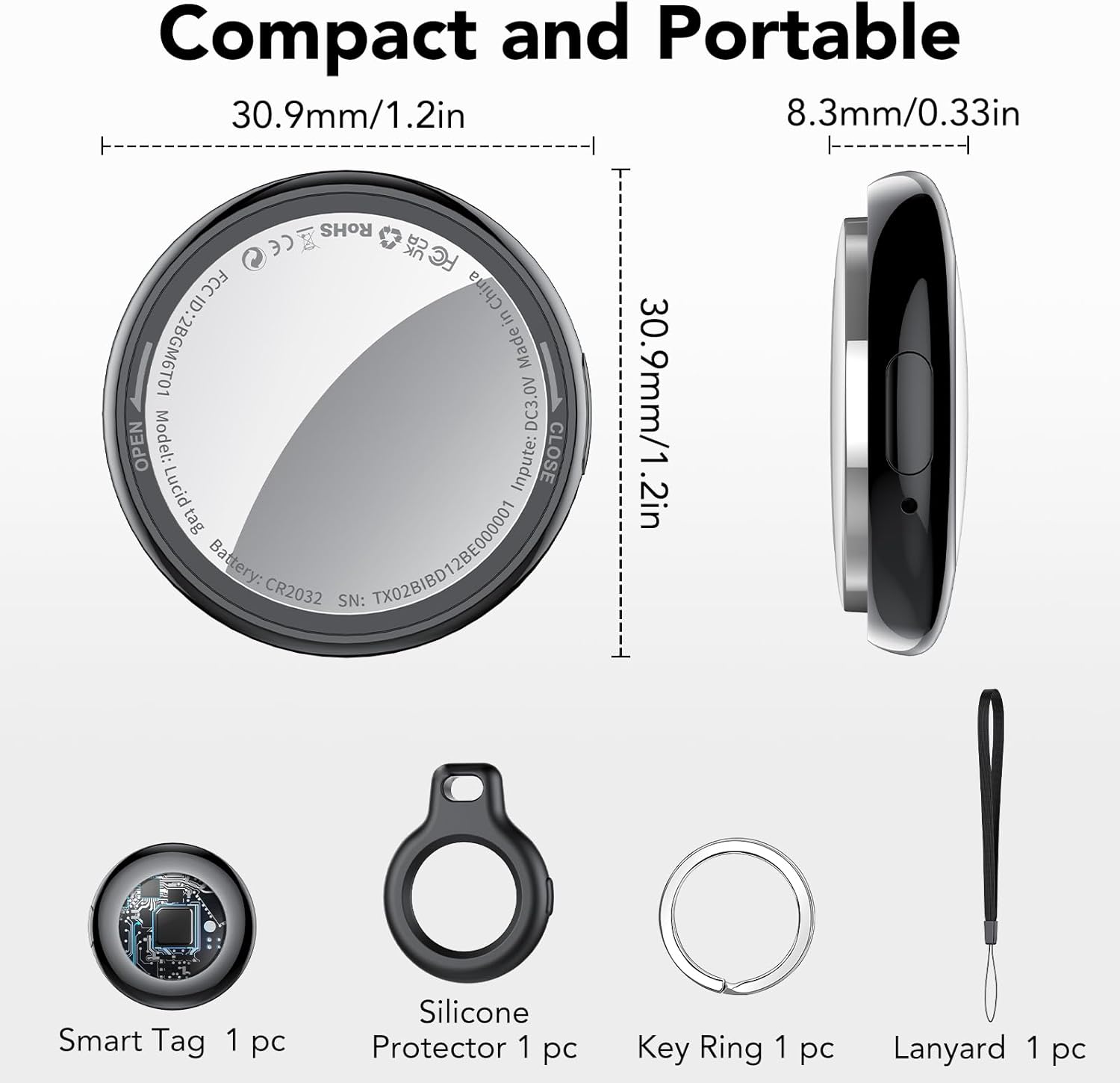
Пакеттин мазмуну
- 1 x Air Tracker Tag
- 1 x коргоочу силикон кутусу
- 1 х ачкыч шакеги
- 1 x Lanyard
- 1 x CR2032 Батареясы (алдын ала орнотулган)
- 1 x User Manual

Орнотуу колдонмосу
The Tukio Air Tracker Tag is designed for easy integration with your Apple devices. Please ensure your iOS device is updated to iOS 17/iPadOS 17/macOS 14 or above for full functionality, especially for sharing features.
Initial Connection (iOS Only)
- Bluetooth иштетүү: On your iPhone or iPad, open the "Find My" application and ensure Bluetooth is enabled.
- Жаңы нерсе кошуу: In the "Find My" app, navigate to the "Items" tab. Tap on "Add New Item" and then select "Other Supported Item". Note: This is not for "Add AirTag".
- Туташуу: Bring the Tukio Air Tracker Tag close to your iPhone. The app will detect "Lucid tag". Tap "Connect" and follow the on-screen prompts until the setup is complete.

Compatibility Note: This device is only compatible with iOS devices and does not support Android.
Иштөө нускамалары
Буюмдарыңызды көзөмөлдөө
Once connected, you can track your items using the pre-installed "Find My" app on your iOS device.
- Locate Nearby: When the tracker is within Bluetooth range (less than 200 feet), open the "Find My" app and tap "Play Sound". The tracker will emit an 80-100dB beep to help you pinpoint its location. You can also ask Siri for assistance by saying, for example, "Hey Siri, where are my keys?"
- Locate Far Away: If the item is beyond 200 feet, the "Find My" network, composed of hundreds of millions of Apple devices worldwide, will help you locate it. The app will display the last known location on a map.


Артта калган эскертүүлөр
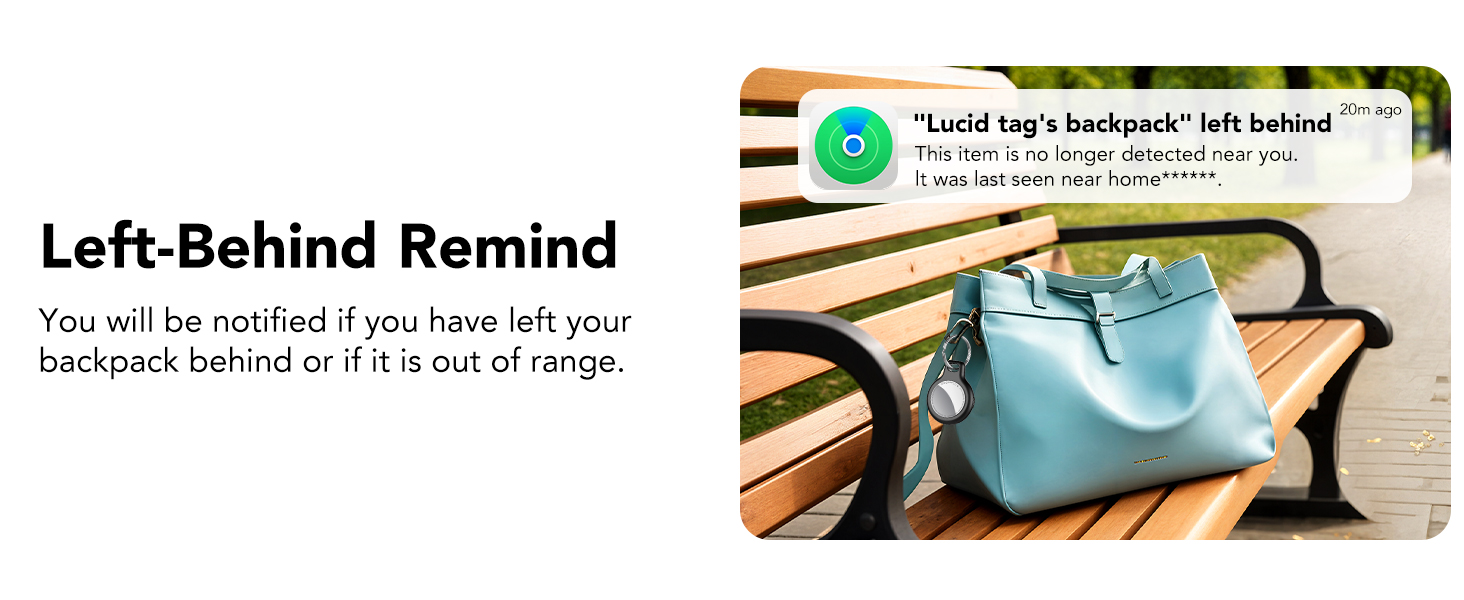
If your Air Tracker Tag goes out of Bluetooth range from your iOS device, you will receive a notification with its last known location. This helps prevent you from leaving important items behind.

Жоголгон режим
If an item with your tracker is lost, you can activate "Lost Mode" in the Find My app. This allows any nearby Apple device to detect your tracker and securely provide you with its location. You can also include your contact information so that anyone who finds your item can reach you.

Share with Family and Friends
With iOS 17 or later, you can share the location of your Air Tracker Tag with up to 5 other individuals in the "Find My" app. This is ideal for items used by multiple family members or friends, allowing everyone to track its location. Borrowers will not receive tracking notifications when the item moves with them.
Техникалык тейлөө
Батареяны алмаштыруу
The Tukio Air Tracker Tag uses a replaceable CR2032 battery, providing up to 1 year of continuous use. The item locator will notify you when the battery is low, prompting you to replace it.
Official video demonstrating the step-by-step process for replacing the battery in your Tukio Air Tracker Tag (Model TX02).
Батареяны алмаштыруу үчүн:
- Hold the back cover with both thumbs and turn it to the left to open.
- Эски CR2032 батарейкасын этияттык менен алып салыңыз.
- Insert the new CR2032 battery, ensuring the "+" sign (battery logo) is facing up and aligned with the power port.
- Align the notch on the back cover with the corresponding position on the tag, then press gently and turn the cover to the right to secure it.
Суу жана чаңга туруктуулук
The Tukio Air Tracker Tag has an IP67 rating, meaning it can withstand immersion in water up to 3 feet (1 meter) for 30 minutes. It is also dustproof, making it suitable for various outdoor activities.
Проблемаларды чечүү
If you encounter any issues with your Tukio Air Tracker Tag, төмөнкү кеңири таралган чечимдерди караңыз:
- Tracker not connecting: Ensure Bluetooth is enabled on your iOS device and the tracker is within range. Try restarting your iOS device and the tracker.
- Трекерден үн чыкпайт: Check the battery level in the Find My app. If low, replace the battery. Ensure the sound is enabled in the app.
- Так эмес жайгашкан жер: Ensure your iOS device has a stable internet connection (Wi-Fi or cellular data) and location services are enabled for the Find My app.
- Батареянын бат түгөнүп калышы: Verify that you are using a new, genuine CR2032 battery. Excessive use of the "Play Sound" feature can also consume battery faster.
For further assistance, please contact our customer support team.
Техникалык шарттар
| Өзгөчөлүк | Деталь |
|---|---|
| Продукциянын өлчөмдөрү | 1.22 x 1.22 x 0.35 дюйм (30.9 x 30.9 x 8.9 мм) |
| Элемент Салмагы | 0.247 унция (7 грамм) |
| Модель номери | TX02 |
| Батарея түрү | 1 x CR2032 литий металл (кошулган) |
| Батареянын иштөө мөөнөтү | 1 жылга чейин |
| Байланыш | Bluetooth 5.3 |
| Суу каршылык | IP67 (up to 3 feet for 30 minutes) |
| Өзгөчөлүктөр | Alert Notification, Shock Resistant, Battery Life Indicator, Location History, Water Resistant |
| Колдоого алынган колдонмо | Apple Find My (iOS үчүн гана) |

Кепилдик
The Tukio Air Tracker Tag менен келет 2 жылдык кепилдик сатып алынган күндөн тартып. Бул кепилдик нормалдуу колдонуудагы материалдардагы жана жасалгадагы кемчиликтерди камтыйт. Кепилдик дооматтары үчүн сатып алганыңыздын далилин сактап коюңуз.
Колдоо
Our dedicated customer service team is available to assist you with any questions or concerns regarding your Tukio Air Tracker Tag.
Колдоо кызматы менен байланышуу
For quick assistance, please follow these steps:
- Go to your order page on Amazon.
- Find the order number for your Tukio Air Tracker Tag.
- Use the "Contact Seller" option to reach our support team directly.
We are committed to providing friendly and responsive customer service.


