1. Киришүү
This manual provides essential information for the proper setup, operation, and maintenance of your Kalobee H9 Smart Watch. Please read these instructions carefully before using your device to ensure optimal performance and longevity.
The Kalobee H9 Smart Watch features a 49mm clear case design with an orange and black band, offering a blend of style and functionality. It includes a digital display with chronograph-style complications and wireless charging capability.
2. Пакеттин мазмуну
Пакетте бардык буюмдар бар экенин текшериңиз:
- Kalobee H9 Smart Watch Unit
- Заряддоо кабели
- Колдонуучунун Колдонмосу (бул документ)
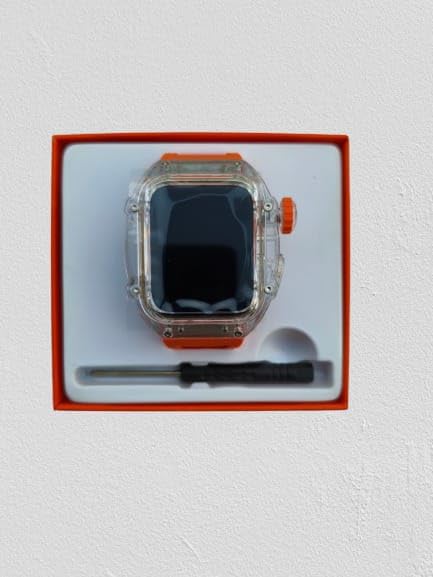
Image: The Kalobee H9 Smart Watch, charging cable, and a small tool are neatly arranged within its retail packaging.
3. Продукт бүтүп калдыview
Familiarize yourself with the components of your Kalobee H9 Smart Watch:

Image: An exploded diagram illustrating the main components of the Kalobee H9 Smart Watch, including the face cover, non-slip crown, function key, middle frame, rear cover, and liquid silicone strap.
- Face Cover: The transparent protective layer over the display.
- Non-slip Crown: A rotating and pressable button for navigation and selection.
- Функция ачкычы: An additional button for specific functions.
- Middle Frame: The central housing of the watch.
- Арткы капкак: The back panel of the watch, typically housing sensors and charging contacts.
- Liquid Silicone Strap: The comfortable and durable watch band.
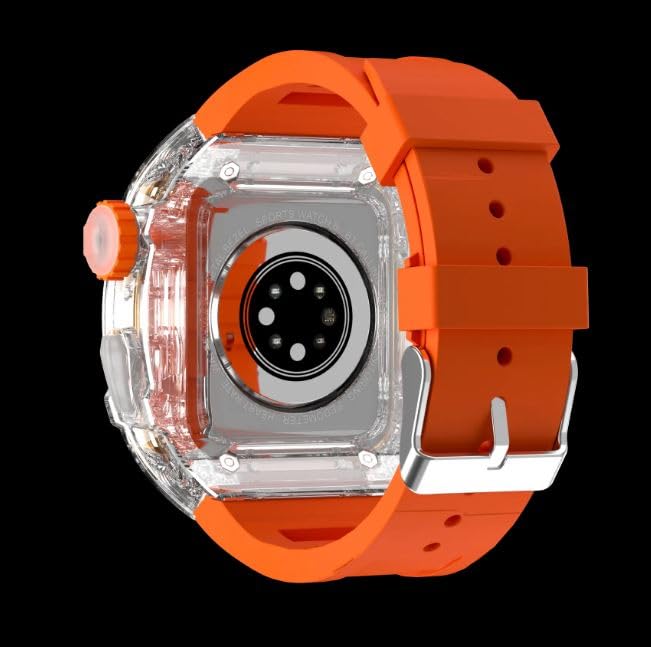
Сүрөт: арткы view of the Kalobee H9 Smart Watch, highlighting the sensor array and wireless charging area on the back panel.
4. Орнотуу
4.1 Акылдуу саатты кубаттоо
The Kalobee H9 Smart Watch supports wireless charging. Before initial use, fully charge the device.
- Connect the provided charging cable to a compatible USB power adapter (not included).
- Place the rear cover of the watch onto the wireless charging pad. Ensure the watch is centered on the pad for proper contact.
- The watch display will indicate charging status. Allow sufficient time for a full charge.
4.2 Күйгүзүү/өчүрүү
- Күйгүзүү үчүн: Press and hold the Non-slip Crown until the Kalobee logo appears on the screen.
- Өчүрүү үчүн: Press and hold the Non-slip Crown, then select the 'Power Off' option on the screen.
4.3 Смартфон менен жупташтыруу
To access all smart features, pair your H9 Smart Watch with a compatible smartphone via Bluetooth.
- Смартфонуңуздун Bluetooth иштетилгенин текшериңиз.
- On your H9 Smart Watch, navigate to the Bluetooth settings (refer to Section 5.1 for navigation).
- On your smartphone, open the dedicated Kalobee companion app (if available) or go to Bluetooth settings to search for devices.
- Select 'Kalobee H9' from the list of available devices on your smartphone.
- Жупташуу өтүнүчүн саатыңызда жана смартфонуңузда ырастаңыз.
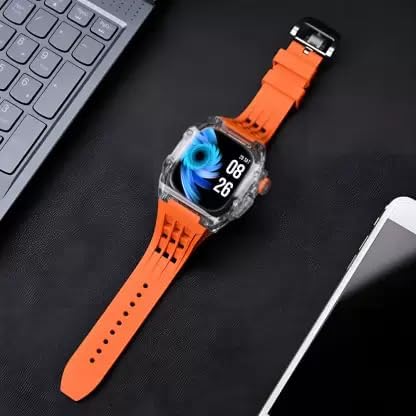
Image: The Kalobee H9 Smart Watch displayed on a desk alongside a smartphone and laptop, illustrating its connectivity with other devices.
5. Иштөө нускамалары
5.1 Негизги навигация
The H9 Smart Watch features both touchscreen and physical button controls:
- Сенсордук экран: Менюлар жана экрандар аркылуу өтүү үчүн солго, оңго, өйдө же ылдый серпиңиз. Элементтерди тандоо үчүн таптаңыз.
- Non-slip Crown: Rotate to scroll through lists or adjust settings. Press to return to the home screen or confirm selections.
- Функция ачкычы: Typically used for quick access to a specific feature or as a back button. Refer to the on-screen prompts for its exact function in different contexts.
5.2 Негизги өзгөчөлүктөрү
The Kalobee H9 Smart Watch offers several features to enhance your daily activities:
- Активдүүлүккө көз салгыч: Кадамдарды, аралыкты жана күйгөн калорияларды көзөмөлдөйт.
- Ойготкуч саат: Ойготкучтарды түз саатыңыздан коюңуз.
- Күнүмдүк машыгуу эс тутуму: Records and stores your workout data.
- Санариптик дисплей: Provides clear time, date, and other information.
- Эскертмелер: Жупташтырылган смартфонуңуздан чалуулар, билдирүүлөр жана колдонмо эскертмелери үчүн эскертүүлөрдү алыңыз.
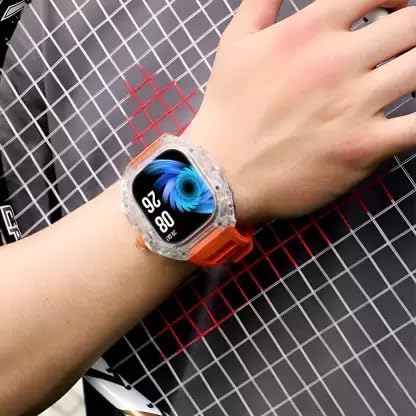
Image: The Kalobee H9 Smart Watch worn on a wrist, displaying the current time and date on its digital interface.
6. Техникалык тейлөө
To ensure the longevity and proper functioning of your Kalobee H9 Smart Watch, follow these maintenance guidelines:
- Тазалоо: Саатты жана боону жумшак, кургак чүпүрөк менен дайыма сүртүп туруңуз. өжөр кир үчүн, бир аз d колдонууamp кездеме жана жумшак самын менен сүртүп, андан кийин жакшылап кургатыңыз. Катуу химиялык заттардан же абразивдүү материалдардан алыс болуңуз.
- Суу каршылык: While the watch features a robust construction, avoid prolonged submersion in water or exposure to high-pressure water jets. Dry the watch thoroughly if it gets wet.
- Заряддоо: Use only the provided charging cable. Avoid exposing the charging contacts to moisture or corrosive substances.
- Температура: Do not expose the watch to extreme temperatures (hot or cold) or direct sunlight for extended periods.
- Сактагыч: Саатты көпкө чейин колдонбогон учурда, салкын, кургак жерде сактаңыз.
7. Кыйынчылыктарды
If you encounter issues with your Kalobee H9 Smart Watch, refer to the following common problems and solutions:
| Көйгөй | Мүмкүн себеп | Чечим |
|---|---|---|
| Саат күйбөй жатат | Батареянын аздыгы; аппараттын бузулушу | Charge the watch fully. If the issue persists, contact customer support. |
| Смартфон менен жупташтыруу мүмкүн эмес | Bluetooth off; watch not in pairing mode; interference | Ensure Bluetooth is enabled on both devices. Restart both devices. Try pairing again. |
| Билдирмелер алынган жок | Not paired; app permissions; notification settings | Verify successful pairing. Check notification permissions in your smartphone's settings for the companion app. Ensure notifications are enabled on the watch. |
| Иш-аракеттерге так эмес көз салуу | Improper wear; software glitch | Ensure the watch is worn snugly on your wrist. Restart the watch. |
8. Техникалык шарттар
Detailed technical specifications for the Kalobee H9 Smart Watch:
- Бренд: Generic (Manufactured by Kalobee)
- Модел: H9
- Модель номери: H9
- Пакеттин өлчөмдөрү: 15 x 8 x 3.5 см
- Элемент Салмагы: 85 г
- Эстутум сактоо сыйымдуулугу: 32 MB
- Операция системасы: Менчик OS
- Шайкеш түзмөктөр: Смартфон
- Өзгөчөлүктөр: Activity Tracker, Alarm Clock, Daily Workout Memory, Digital Display, Notifications
- Монтаждоочу аппаратура: Charging Cable, Smart Watch, User Manual
- Туруктуу экран дисплей өлчөмү: 49 миллиметр
- Дисплей түрү: Санарип
- Батарея сыйымдуулугу: 10000 Amp Саат
- Зымсыз түрү: Bluetooth
- Туташтыргыч түрү: Bluetooth, зымсыз
- Device Interface - Primary: Баскычтар, сенсордук экран
- Келип чыккан өлкө: Кытай
9. Кепилдик жана колдоо
Кепилдик жөнүндө маалымат жана кардарларды колдоо кызматы үчүн, сатып алуу учурунда берилген документтерди караңыз же сатуучуңузга кайрылыңыз. Кепилдик боюнча дооматтар үчүн сатып алууну тастыктаган документти сактап коюңуз.
Көбүрөөк жардам алуу үчүн, өндүрүүчүнүн расмий веб-сайтына да кайрылсаңыз болот webсайтка же кардарларды тейлөө бөлүмүнө кайрылыңыз.


