1. Киришүү
This manual provides detailed instructions for the Redragon M810 MAX 3-Mode Wireless Gaming Mouse. Designed for versatility and performance, this mouse offers wired, 2.4GHz wireless, and Bluetooth connectivity options, along with customizable features to enhance your computing and gaming experience.
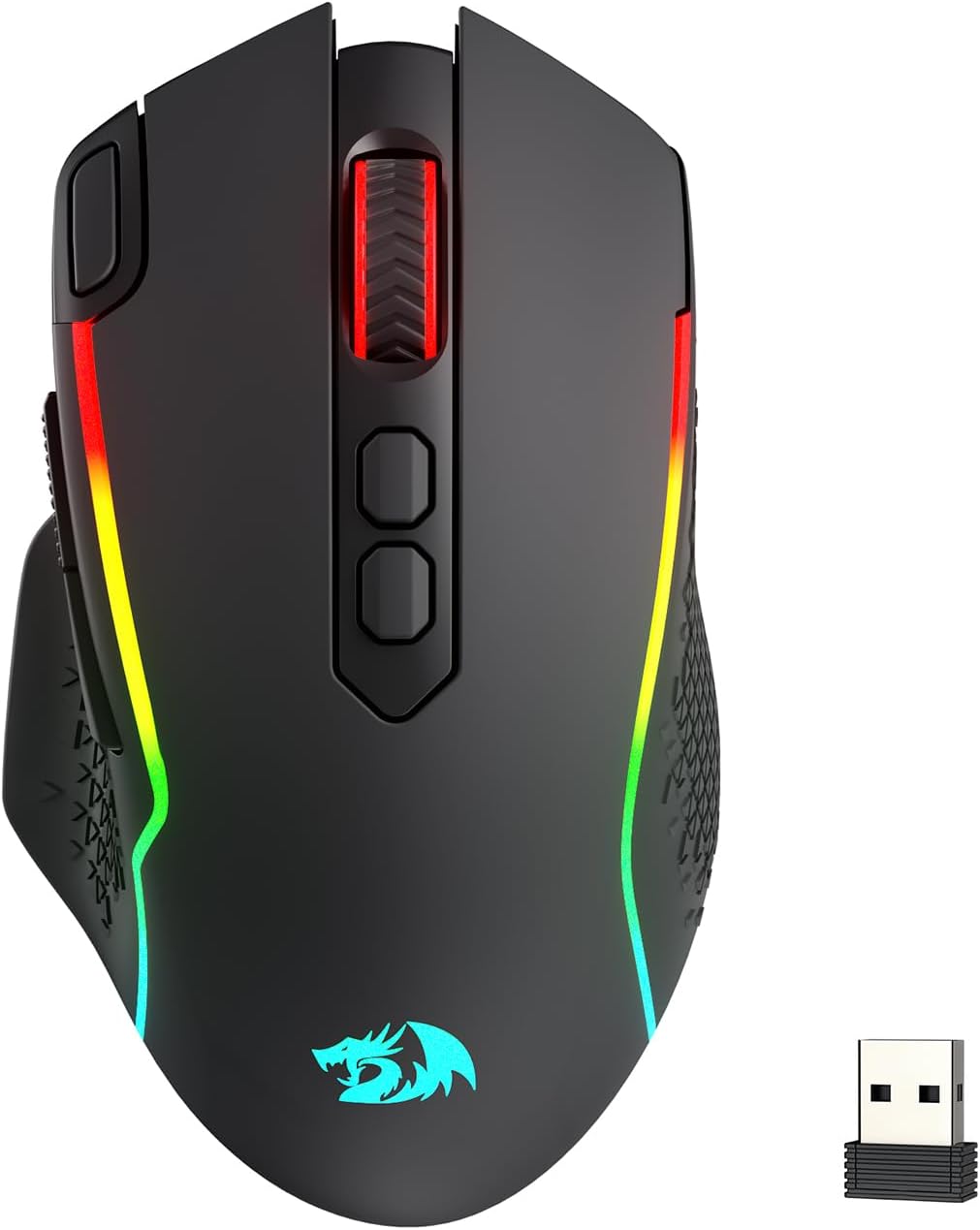
Image: The Redragon M810 MAX 3-Mode Wireless Gaming Mouse, showcasinанын эргономикалык дизайны жана RGB жарыктандыруу.
2. Пакеттин мазмуну
Пакетиңизде бардык буюмдар бар экенин текшериңиз:
- Redragon M810 MAX Wireless Gaming Mouse
- USB-Cден USB-Aга чейин кубаттоочу кабель
- 2.4 ГГц USB зымсыз Dongle
- Колдонуучунун Колдонмосу (бул документ)

Сүрөт: An overview of the Redragon M810 MAX mouse highlighting its key features such as 3-mode connection, PAW3311 sensor, 8 macro buttons, 1000mAh battery, 12000 MAX DPI, DIY RGB lighting, rapid fire button, and Pro Software.
3. Mouse Layout and Features
The Redragon M810 MAX is equipped with multiple buttons and features for optimal control:
- Сол баскыч: Стандарттык сол чыкылдатуу функциясы.
- Оң баскыч: Стандарттык оң баскычты чыкылдатуу функциясы.
- Жылдыруу дөңгөлөгү: For scrolling and middle-click. Features high texture for enhanced grip.
- DPI+ / DPI- Buttons: Adjust DPI levels on the fly.
- Ыкчам өрт баскычы: Pre-programmed for rapid firing (default 3-click burst).
- Алга баскычы: Навигация баскычы (демейки: алдыга).
- Артка баскычы: Navigational button (default: backward).
- Mode Switch (Underside): Toggles between different polling rates/refresh rates.
- On/Off/Eco Mode Switch (Underside): Powers the mouse on/off or activates eco mode for battery saving.
- Wireless Dongle Compartment (Underside): Secure storage for the 2.4GHz USB dongle.
- USB-C порту (алдыңкы): Зымдуу туташуу жана кубаттоо үчүн.
- Non-slip Side Wings: Textured grip on the sides for improved handling.

Сүрөт: деталдуу view of the Redragon M810 MAX mouse, labeling its 8 freely programmable buttons: Left Button, Right Button, Scroll, Rapid Fire Key, DPI+, DPI-, Forward Button, and Backward Button.
4. Орнотуу жана туташуу
The M810 MAX offers three connection modes:
4.1. Зымдуу туташуу
- Берилген кабелдин USB-C учун чычканга туташтырыңыз.
- Кабелдин USB-A учунун компьютериңиздеги жеткиликтүү USB портуна туташтырыңыз.
- Чычкан автоматтык түрдө зымдуу режимге өтүп, заряддоону баштайт.
4.2. 2.4 ГГц зымсыз туташуу
- Locate the 2.4GHz USB wireless dongle stored in the compartment on the underside of the mouse.
- Донглди компьютериңиздеги жеткиликтүү USB портуна сайыңыз.
- Turn on the mouse using the On/Off/Eco mode switch on the underside.
- Чычкан автоматтык түрдө туташуу керек.
4.3. Bluetooth туташуусу
- Turn on the mouse using the On/Off/Eco mode switch on the underside.
- Activate Bluetooth pairing mode on the mouse (refer to specific software instructions if needed, usually indicated by a blinking LED).
- Компьютериңизден Bluetooth жөндөөлөрүнө өтүп, жаңы түзмөктөрдү издеңиз.
- Select "Redragon M810 MAX" from the list of available devices to pair.

Image: The Redragon M810 MAX mouse demonstrating its tri-mode silky connection options: 2.4GHz wireless, Bluetooth, and wired USB-C, ensuring reliable transmission.
5. Иштөө режимдери жана тууралоолору
5.1. DPI тууралоо
The mouse features 5 on-board DPI levels that can be adjusted using the DPI+ and DPI- buttons. The default settings are 400/800/1600/2400/3200 DPI. These levels can be customized further using the Redragon Pro driver software.

Image: The Redragon M810 MAX mouse illustrating its 12000 MAX DPI capability and adjustable DPI levels at 400, 800, 1600, 2400, and 3200, each indicated by a different color.
5.2. Добуш берүү көрсөткүчүн тууралоо
The polling rate can be adjusted via the mode switch on the underside of the mouse or through the Redragon Pro driver. The mouse supports a 1000Hz polling rate in dual mode for optimized performance.
5.3. Эко режими
To conserve battery life, switch the mouse to Eco Mode using the On/Off/Eco mode switch on the underside. In this mode, the mouse's power consumption is optimized, extending usage time.
6. Customization (Redragon Pro Driver)
Unlock the full potential of your M810 MAX mouse with the Redragon Pro driver software. This software allows for extensive customization:
- Keybinding: All 8 programmable buttons can be assigned custom tactical keybinds for various games or work applications.
- DPI деңгээли: Customize the 5 on-board DPI levels to suit your preferences.
- RGB жарыктандыруу: DIY endless lighting styles including dynamic streaming, breathing, and waving effects. Adjust colors, brightness, and speed.
- Добуш берүү көрсөткүчү: Fine-tune the polling rate for optimal responsiveness.

Image: The Redragon M810 MAX mouse displayed alongside the Redragon Pro driver software interface, showing options for DPI stages, отчет ылдамдыгы, сенсор орнотуулары жана DPI жарык эффекттери.
7. Заряддоо жана батареянын иштөө мөөнөтү
The M810 MAX features an ultra long-lasting core and a rechargeable battery. To charge the mouse, connect it to your computer using the provided USB-C cable. The mouse can be used in wired mode while charging.
- Maximum Battery Life (RGB off): 188 саатка чейин.
- Battery Life (RGB on): Болжол менен 29 саат.

Image: The Redragon M810 MAX mouse highlighting its durable battery life, showing 188 hours with RGB off and 29 hours with RGB on.
8. Техникалык тейлөө
To ensure the longevity and optimal performance of your Redragon M810 MAX mouse, follow these maintenance guidelines:
- Тазалоо: Use a soft, dry cloth to wipe the mouse surface. Avoid harsh chemicals or abrasive materials.
- Сенсорго кам көрүү: Астыңкы жагындагы оптикалык сенсорду таза жана чаңдан же таштандылардан таза кармаңыз.
- Кабелдик башкаруу: Store the USB-C cable neatly to prevent kinks or damage.
- Сактагыч: When not in use, store the wireless dongle in its designated compartment to prevent loss.
9. Кыйынчылыктарды
If you encounter issues with your Redragon M810 MAX mouse, try the following solutions:
- Чычкан жооп бербейт:
- Чычкан күйгүзүлгөнүн текшериңиз.
- Батареянын деңгээлин текшерип, керек болсо заряддаңыз.
- For wireless connections, ensure the dongle is securely plugged in and within range.
- For Bluetooth, ensure the mouse is paired correctly and Bluetooth is enabled on your device.
- Зымсыз көйгөйлөрдү болтурбоо үчүн зымдуу режим аркылуу туташып көрүңүз.
- Lag or Disconnections:
- Reduce distance between mouse and wireless dongle/Bluetooth device.
- Жакын жерде күчтүү тоскоолдук булактарынын (мисалы, башка зымсыз түзмөктөрдүн) жоктугун текшериңиз.
- Update mouse drivers via the Redragon Pro software.
- RGB жарыктандыруу маселелери:
- Ensure RGB is not turned off in Eco Mode.
- Adjust lighting settings using the Redragon Pro driver.
10. Техникалык шарттар
| Өзгөчөлүк | Деталь |
|---|---|
| Бренд | Redragon |
| Модель номери | M810 PRO |
| Байланыш технологиясы | BT, 2.4 ГГц, USB-C |
| Кыймылды аныктоо технологиясы | Оптикалык (PAW3311 сенсор) |
| Макс DPI | 12000 |
| Программалануучу баскычтар | 8 |
| Battery Life (RGB off) | 188 саатка чейин |
| Battery Life (RGB on) | Болжол менен 29 саат |
| Добуш берүү көрсөткүчү | 1000Hz (dual mode) |
| Элемент Салмагы | 8.8 унция |
| Өзгөчө өзгөчөлүк | Ergonomic Design, Programmable Buttons |
11. Кепилдик жана колдоо
Кепилдик маалымат, техникалык колдоо же кошумча жардам алуу үчүн расмий Redragon сайтына кириңиз webсайтка же кардарларды тейлөөгө кайрылыңыз. Кепилдик дооматтар үчүн сатып алуу дүмүрчөгүңүздү сактаңыз.
Расмий Redragon Webсайт: www.redragonzone.com


