1. Киришүү
This manual provides essential instructions for the safe and efficient operation of your Hisense R632 3.1 Channel 380W Soundbar with Wireless Subwoofer and Dolby Atmos. Please read this manual thoroughly before using the product and retain it for future reference.

Image 1.1: The Hisense R632 Soundbar and its accompanying wireless subwoofer, designed to deliver immersive audio.
2. Коопсуздук маалыматы
Электр шокунан, өрттөн же аппараттын бузулушунан сактануу үчүн төмөнкү коопсуздук чараларын сактаңыз:
- Бул шайманды жамгырга же нымга тийгизбеңиз.
- Эч кандай желдетүүчү тешиктерди жаап албаңыз.
- Бардык электр байланыштары үчүн туура жерге туташтырууну камсыз кылыңыз.
- Өндүрүүчү белгилеген тиркемелерди/аксессуарларды гана колдонуңуз.
- Чагылган бороондо же узак убакыт бою колдонбогондо аппаратты розеткадан ажыратыңыз.
- Бардык тейлөөлөрдү квалификациялуу тейлөө кызматкерлерине тапшырыңыз.
3. Пакеттин мазмуну
Төмөндө тизмеленген нерселердин баары пакетиңизге камтылганын текшериңиз:
- Саундбар
- Зымсыз сабвуфер
- HDMI кабели
- Оптикалык кабель
- Remote Control with Batteries (2 AAA batteries required)
- AC Power Cables (for Soundbar and Subwoofer)
- Дубалга орнотуу комплекти
- Колдонуучунун колдонмосу (бул документ)
4. Орнотуу
4.1 Орнотуу
Place the soundbar on a stable, flat surface directly in front of your television. The wireless subwoofer can be placed anywhere in the room, ideally within 30 feet of the soundbar, for optimal bass distribution.
4.2 Байланыштар
Connect the soundbar to your television or other audio sources using one of the following methods:
- HDMI eARC (Сунушталат): Connect one end of the HDMI cable to the HDMI eARC port on the soundbar and the other end to the HDMI eARC/ARC port on your television. This connection supports the highest quality audio formats, including Dolby Atmos.
- Оптикалык: Connect one end of the optical cable to the OPTICAL port on the soundbar and the other end to the optical digital output port on your television.
- Bluetooth: For wireless audio streaming from mobile devices, refer to Section 5.2 for Bluetooth pairing instructions.
- AUX/USB: For other devices, use the AUX or USB ports as appropriate.

Сүрөт 4.1: Арткы view of the soundbar showing HDMI eARC, Optical, AUX, and USB input ports for various connectivity options.
4.3 Кубат туташтыруу
Connect the AC power cables to the soundbar and the wireless subwoofer, then plug them into a wall outlet. The soundbar will enter standby mode.
4.4 Зымсыз сабвуферди жупташтыруу
The wireless subwoofer should automatically pair with the soundbar upon power-up. If the subwoofer does not connect, refer to the troubleshooting section or the full user manual for manual pairing instructions.
5. Иштөө нускамалары
5.1 Негизги башкаруу каражаттары
Use the included remote control to manage your soundbar. Functions include:
- Күч: Turn the soundbar On/Off.
- Киргизүүнү тандоо: Switch between HDMI eARC, Optical, Bluetooth, AUX, and USB inputs.
- Үндү көзөмөлдөө: Adjust master volume levels.
- Басс/жогорку ырларды көзөмөлдөө: Fine-tune bass and treble levels.
- EQ режимдери: Select from various audio enhancement modes.

Image 5.1: The remote control for the Hisense R632 Soundbar, enabling easy adjustment of settings and input sources.
5.2 Bluetooth жупташтыруу
- Press the Bluetooth button on the remote control or soundbar. The soundbar display will show "BT" and begin flashing.
- Enable Bluetooth on your mobile device and search for "Hisense R632".
- Select "Hisense R632" to pair. Once connected, the "BT" indicator will stop flashing.
5.3 Аудиону жакшыртуу режимдери
The soundbar features 7 tailored sound modes to optimize your listening experience:
- AI EQ Mode
- Музыка режими
- Түнкү режим
- Оюн режими
- Кино режими
- Жаңылыктар режими
- Спорт режими
Select the appropriate mode using the remote control to match your content or preference.
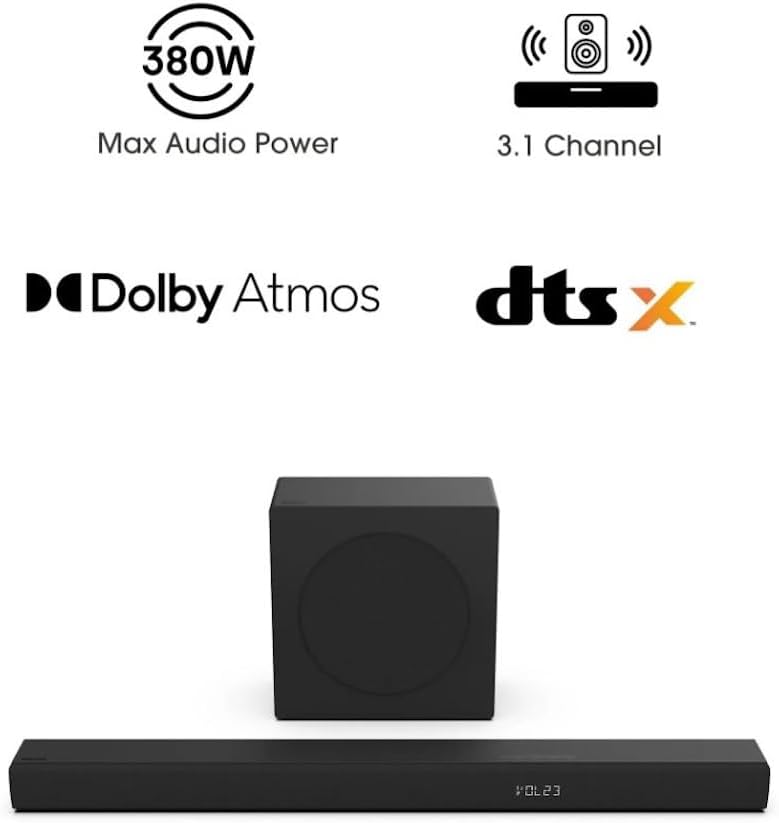
Image 5.2: Visual representation of the 7 tailored sound modes available on the Hisense R632 Soundbar, including AI EQ, Music, Night, Game, Movie, News, and Sport modes.
5.4 Dolby Atmos and DTS:X
The Hisense R632 soundbar supports Dolby Atmos and DTS:X, providing a spatial sound experience that immerses you in the audio. Ensure your source content and connected device (e.g., TV, streaming box) also support these formats for the full effect.

Image 5.3: Depiction of the immersive audio experience provided by Dolby Atmos and DTS:X technologies, with sound appearing to come from all directions.

Image 5.4: The 6.5-inch wireless subwoofer, illustrating its role in delivering deep and impactful bass frequencies to enhance the audio experience.
6. Техникалык тейлөө
Саундбарыңыздын узак мөөнөттүү иштешин жана оптималдуу иштешин камсыз кылуу үчүн:
- Тазалоо: Саундбардын жана сабвуфердин беттерин тазалоо үчүн жумшак, кургак чүпүрөктү колдонуңуз. Суюк тазалагычтарды же абразивдүү материалдарды колдонбоңуз.
- Вентиляция: Ашыкча ысып кетүүнүн алдын алуу үчүн желдетүү тешиктери жабылбагандыгын текшериңиз.
- Сактагыч: Эгерде түзмөктү узак убакытка сактап койсоңуз, аны электр тармагынан сууруп, салкын, кургак жерде сактаңыз.
7. Кыйынчылыктарды
Саундбарыңызда көйгөйлөргө туш болсоңуз, төмөнкү жалпы көйгөйлөрдү жана чечимдерди караңыз:
- Кубат жок:
- Ensure both the soundbar and subwoofer are properly plugged into a working power outlet.
- Check if the power indicator lights are on.
- Үн жок:
- Саундбарда туура киргизүү булагы тандалганын текшериңиз.
- Check the volume level on both the soundbar and your television/source device.
- Кабелдердин (HDMI, оптикалык) бекем туташтырылганын текшериңиз.
- Эгер Bluetooth колдонуп жатсаңыз, түзмөк жупташып турганын жана байланыштын жеткиликтүүлүк аралыгында экенин текшериңиз.
- Сабвуфер туташпай жатат:
- Сабвуфердин күйүп турганын текшериңиз.
- If automatic pairing fails, consult the full user manual for manual pairing instructions (usually involves pressing a pair button on both units).
- Алыстан башкаруу иштебейт:
- Check and replace the AAA batteries (2 required).
- Пульт менен саундбардын сенсорунун ортосунда эч кандай тоскоолдук жок экенин текшериңиз.
8. Техникалык шарттар
| Өзгөчөлүк | Деталь |
|---|---|
| Модель аты | R632 |
| Динамик түрү | Зымсыз сабвуфер менен үн панели |
| Көлөмдүү үн каналынын конфигурациясы | 3.1 |
| Динамиктин максималдуу чыгаруу күчү | 380 Ватт |
| Өзгөчөлүктөр | Dolby Atmos & DTS:X, 5-Speaker Array, Wireless Subwoofer |
| Байланыш технологиясы | Bluetooth, HDMI eARC, оптикалык |
| Зымсыз байланыш технологиясы | Bluetooth |
| Сабвуфердин туташуу технологиясы | Зымсыз |
| Продукциянын өлчөмдөрү (Soundbar) | 2.4"D x 36.2"W x 3.5"H |
| Элемент Салмагы | 17 фунт (жалпысынан) |
| Киргизүү көлөмүtage | 120 вольт |
| Башкаруу ыкмасы | Алыстан |
| UPC | 888143019710 |
9. Кепилдик маалыматы
This Hisense R632 Soundbar is covered by a Чектелген Кепилдик. For specific terms and conditions, including duration and coverage details, please refer to the warranty card included in your product packaging or visit the official Hisense webсайт.
10. Кардарларды колдоо кызматы
For technical assistance, troubleshooting beyond this manual, or warranty inquiries, please contact Hisense customer support:
- Webсайт: Hisense расмий колдоо кызматына баш багыңыз webКөп берилүүчү суроолор, жүктөөлөр жана байланыш маалыматы үчүн сайт.
- Телефон: Refer to your product packaging or the Hisense website for regional support telephone numbers.


