Introduction
This manual provides detailed instructions for the setup, operation, maintenance, and troubleshooting of your OnePlus Buds 4 wireless earbuds. Please read this manual thoroughly to ensure proper use and to maximize your listening experience.
Пакеттин мазмуну
Продукцияңыздын таңгагында бардык элементтер бар экенин текшериңиз:
- OnePlus Buds 4 Earbuds (Left and Right)
- Заряддоо кутусу
- USB-C заряддоо кабели
- Наушниктердин бир нече өлчөмү (S, M, L)
- Колдонуучунун колдонмосу (бул документ)
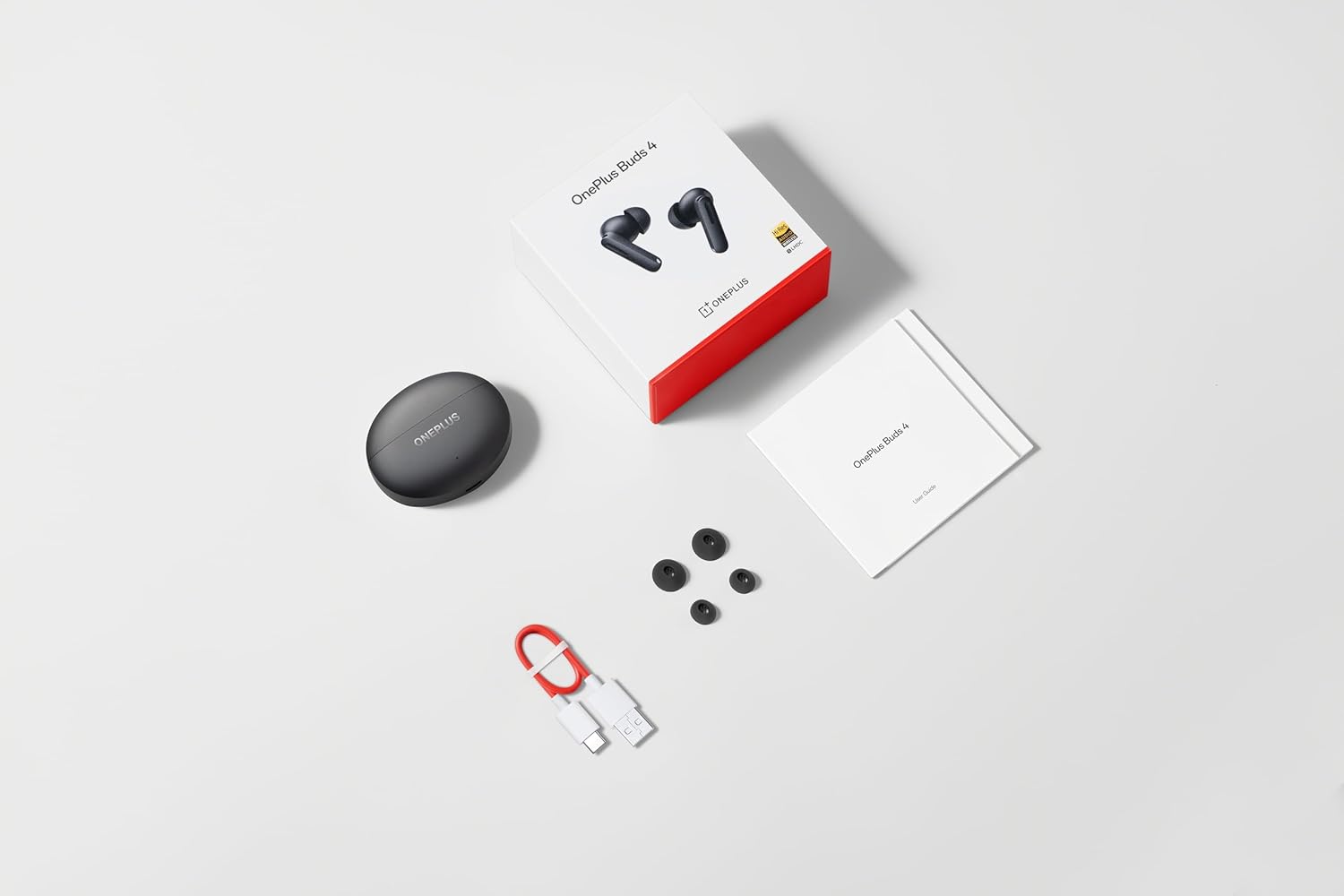
Image: The retail package contents for the OnePlus Buds 4, showing the earbuds, charging case, USB-C cable, and various ear tip sizes.
Продукт бүттүview
The OnePlus Buds 4 are advanced wireless in-ear headphones designed for high-quality audio and active noise cancellation. They feature an ergonomic design for comfort and secure fit, housed in a compact charging case.

Image: The OnePlus Buds 4 earbuds resting inside their open charging case. The earbuds and case are in Storm Gray, with the OnePlus logo visible on the case.

Image: This image shows the front perspective of the OnePlus Buds 4 earbuds and their charging case, highlighting the sleek Storm Gray finish.
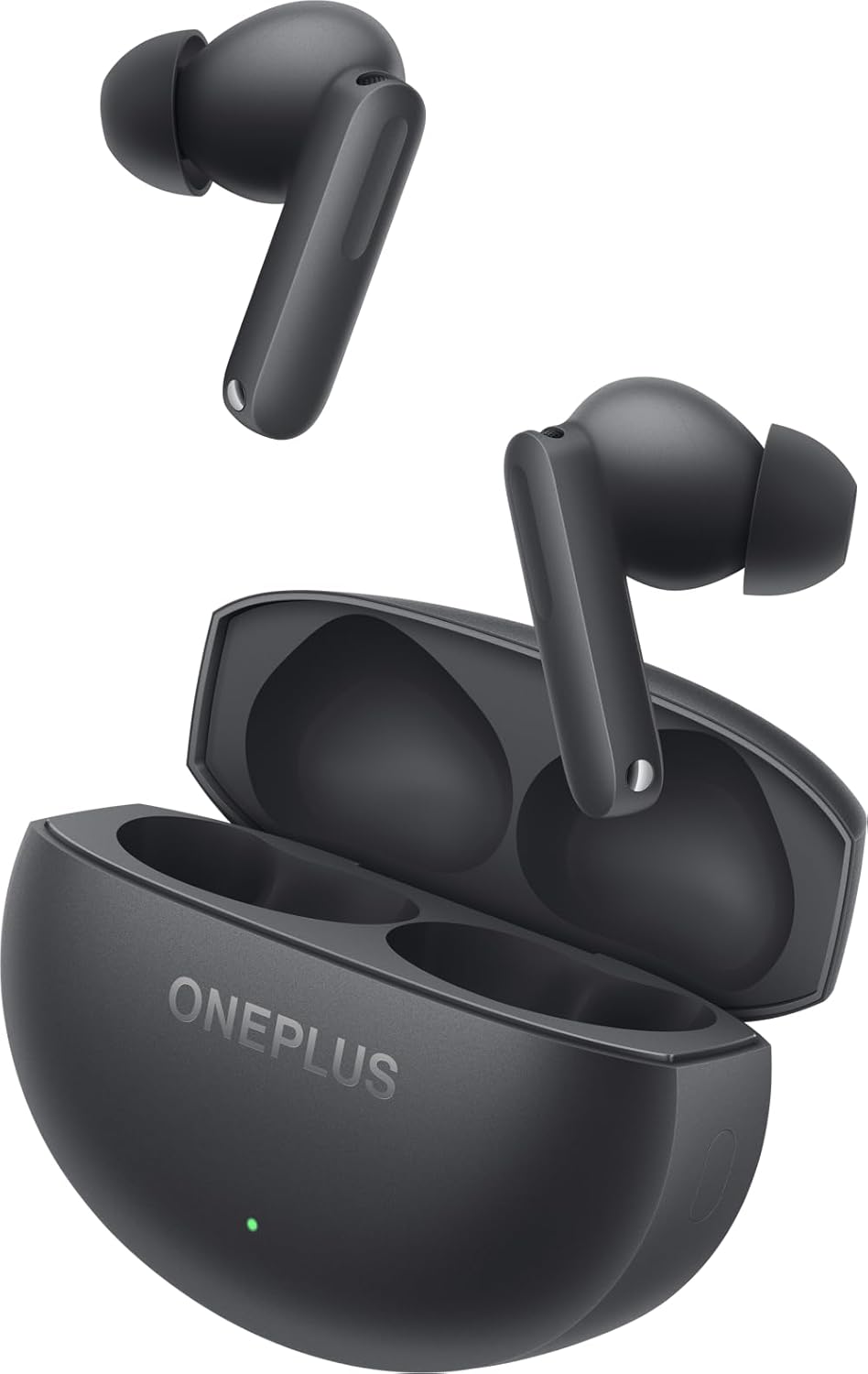
Image: The image features the two OnePlus Buds 4 earbuds separated from their charging case, showcasing алардын дизайны.
Жайгашуу
Баштапкы заряддоо
Before first use, place both earbuds into the charging case and connect the case to a power source using the provided USB-C cable. Ensure the indicator light on the case illuminates, signifying charging. A full charge is recommended for optimal battery performance.
Аспабыңыз менен жупташуу
- Заряддоо кутусунун жетиштүү кубаттуулугу бар экенин текшериңиз.
- Open the charging case with the earbuds inside. The indicator light will flash white, indicating pairing mode.
- Смартфонуңузда же Bluetooth иштетилген түзмөгүңүздө Bluetooth жөндөөлөрүнө өтүңүз.
- Select "OnePlus Buds 4" from the list of available devices.
- Туташтырылгандан кийин, корпустагы индикатор жарыгы өчөт.
For subsequent connections, the earbuds will automatically connect to the last paired device when the case is opened.
Installing the HeyMelody App
For advanced features, customization, and firmware updates, download and install the HeyMelody app from your device's app store. This app allows you to personalize touch controls, adjust sound profiles, and manage noise cancellation settings.
Туура кулак учтарын тандоо
Choosing the correct ear tip size is crucial for sound quality, noise cancellation, and comfort. Experiment with the included small, medium, and large ear tips to find the best fit for your ears. A good seal will enhance bass response and active noise cancellation effectiveness.

Image: This image illustrates the different sizes of silicone ear tips included with the OnePlus Buds 4, essential for a comfortable and secure fit.
Иштөө нускамалары
Touch Controls
The OnePlus Buds 4 feature intuitive touch controls on the stem of each earbud. These controls can be customized via the HeyMelody app.

Image: A close-up image of a single OnePlus Buds 4 earbud, indicating the specific area for touch controls on the stem.
- Бир жолу таптоо: Музыканы ойнотуу/тындыруу, Чалууга жооп берүү/аяктоо.
- Эки жолу таптоо: Кийинки трек, Чакырууну четке кагуу.
- Үч жолу таптоо: Мурунку трек.
- Басып кармап туруңуз: Switch between Active Noise Cancellation, Transparency Mode, and Noise Cancellation Off.
- Swipe Up/Down (on stem): Үндү тууралоо.
Активдүү ызы-чууну жокко чыгаруу (ANC) жана ачыктык режими
Кулакчындар ызы-чууну башкаруунун өркүндөтүлгөн функцияларын сунуштайт:
- Активдүү ызы-чууну жокко чыгаруу (ANC): Имерсивдүү угуу тажрыйбасы үчүн айланадагы ызы-чууларды азайтат.
- Ачыктык режими: Айлана-чөйрөңүздү угууга мүмкүндүк берет, ошол эле учурда аудиоңуздан ырахат алып, кырдаалды жакшыртат.
Switch between these modes by pressing and holding the touch area on either earbud, or through the HeyMelody app.

Image: This graphic depicts the concept of Active Noise Cancellation, showing how the OnePlus Buds 4 reduce ambient sound for an immersive listening experience.
Аудио өзгөчөлүктөрү
The OnePlus Buds 4 are equipped with features to deliver high-fidelity audio:
- Hi-Res Audio and LHDC 5.0: Supports high-resolution audio codecs for detailed and clear sound reproduction.
- Immersive 3D Spatial Audio: Provides a multi-directional sound experience, enhancing immersion in music and videos.

Image: An image highlighting the Hi-Res Audio and LHDC 5.0 capabilities of the OnePlus Buds 4, indicating high-fidelity sound reproduction.
Image: This graphic illustrates the immersive 3D Spatial Audio feature, suggesting a multi-directional sound experience provided by the earbuds.
Calls and Gaming
The earbuds feature enhanced voice cancellation for clear calls and low-latency connectivity for an optimized gaming and video watching experience.
Кулакчындарыңызды жана кутучаңызды кубаттоо
To charge the earbuds, place them into the charging case. The earbuds will begin charging automatically. To charge the case, connect the provided USB-C cable to the charging port on the back of the case and to a power adapter (not included).

Image: The rear of the OnePlus Buds 4 charging case, clearly showing the USB-C port for charging.
The charging case provides extended battery life, allowing for over 24 hours of total listening time with multiple recharges of the earbuds.
Техникалык тейлөө жана кам көрүү
- Тазалоо: Кулакчындарды жана заряддоо кутусун жумшак, кургак, түксүз чүпүрөк менен дайыма тазалап туруңуз. Катуу химиялык заттарды же абразивдүү материалдарды колдонбоңуз.
- Кулак кеңештери: Remove and clean ear tips with water and mild soap if necessary. Ensure they are completely dry before reattaching.
- Сактагыч: Колдонулбаганда, кулакчындарды коргоо жана кубаттоо үчүн кубаттоочу кутучага сактаңыз.
- Суу каршылык: The earbuds are water-resistant (IP55 rated), meaning they can withstand splashes and sweat. They are not designed for swimming or submersion in water. Ensure the earbuds are dry before placing them back in the charging case.
Проблемаларды чечүү
If you encounter issues with your OnePlus Buds 4, refer to the table below for common problems and solutions.
| Көйгөй | Мүмкүн себеп | Чечим |
|---|---|---|
| Кулакчындардан үн чыкпайт | Low battery; Not paired; Volume too low. | Charge earbuds; Re-pair with device; Increase device volume. |
| Кулакчындар жупташкан жок | Out of range; Pairing mode not active; Interference. | Ensure earbuds are in pairing mode (open case); Move closer to device; Turn off other Bluetooth devices. |
| Активдүү ызы-чууну жокко чыгаруу натыйжалуу эмес | Improper ear tip fit; ANC mode not active. | Try different ear tip sizes for a better seal; Ensure ANC is enabled via touch control or app. |
| Заряддоо куту заряддалбай жатат | Cable issue; Power source issue. | Check USB-C cable connection; Try a different power adapter or USB port. |
| Бир кулакчындын үнү жок | Earbud not connected; Low battery. | Place both earbuds in the case, close, then reopen; Ensure both earbuds are charged. |
Техникалык шарттар
| Өзгөчөлүк | Деталь |
|---|---|
| Модель аты | OnePlus Buds 4 |
| Модель номери | E513A |
| Байланыш технологиясы | Bluetooth 5.4 |
| Noise Control | Активдүү ызы-чууну жокко чыгаруу |
| Аудио драйверинин өлчөмү | 11 миллиметр |
| Жыштык диапазону | 40 Гц - 20 000 Гц |
| Сезимталдуулук | 100 дБ |
| Импеданс | 18 Ом |
| Башкаруу ыкмасы | Touch Controls |
| Сууга туруктуулук деңгээли | IP55 (Кулакчындар) |
| Батареянын иштөө мөөнөтү (наушник + куту) | 24 сааттан ашык (заряддоо кутусу менен) |
| Шайкеш түзмөктөр | Smartphones, Laptops, Desktops, Gaming Consoles, Tablets, Televisions |
Коопсуздук маалыматы
Please observe the following safety guidelines to prevent damage to your device or personal injury:
- Угуу коргоо: Угуу жөндөмүнө зыян келтирбөө үчүн узак убакыт бою жогорку үн деңгээлинде угуудан качыңыз.
- Айдоо коопсуздугу: Do not use earbuds while driving or cycling in situations where it may distract you or pose a hazard.
- Батареяга кам көрүү: Do not attempt to replace the battery yourself. Do not expose the device to extreme temperatures or direct sunlight.
- Жоюу: Dispose of the device and its batteries according to local regulations. Do not dispose of with household waste.
Кепилдик жана колдоо
Your OnePlus Buds 4 are covered by a limited warranty. For detailed warranty terms and conditions, please refer to the warranty card included in your package or visit the official OnePlus support website. For technical assistance or customer service, please contact OnePlus customer support.


