Introduction
This manual provides essential information for setting up, operating, and maintaining your HP 17.3" FHD Laptop. Designed for productivity and connectivity, this laptop features an Intel Core i3-N305 processor, a Full HD IPS anti-glare display, and runs on Windows 11 Pro. Please read this manual thoroughly to ensure proper use and to maximize your laptop's performance.
Кутуда эмне бар
Пакетте бардык буюмдар бар экенин текшериңиз:
- 1 x HP 17.3" FHD Laptop
- 1 х кубат адаптери
- 1 х Инструкция (бул документ)
- 1 x Accessory Kit (includes 32GB USB Flash Drive, Bluetooth Earbuds, Electronic Cleaning Kit, USB-C Hub, 3-in-1 Charging Cable, USB-C Cable)
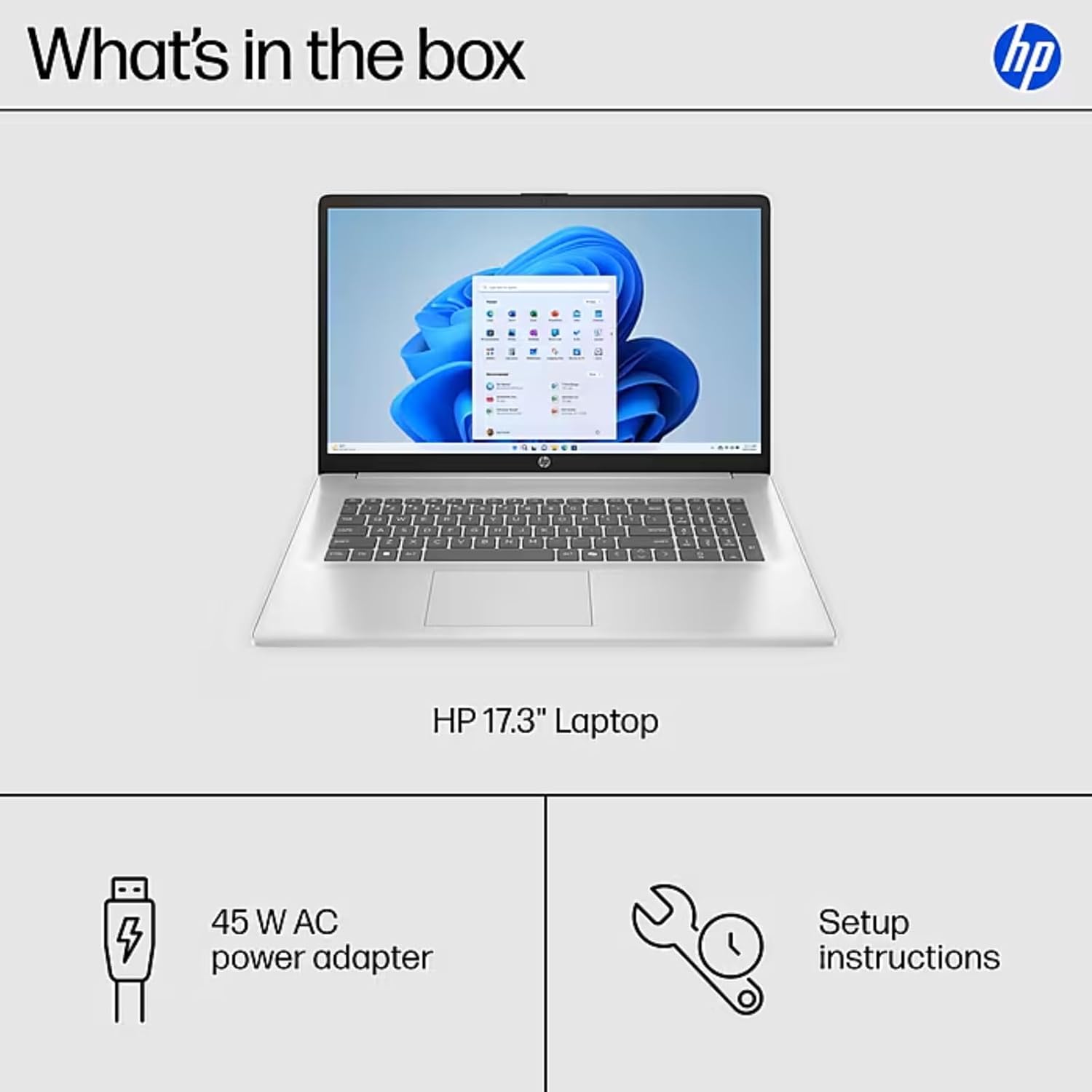
Image: The contents of the HP 17.3" Laptop box, including the laptop, power adapter, and a separate accessory kit.
Жайгашуу
- Ноутбукту таңгактан чыгаруу: Ноутбукту жана бардык аксессуарларды таңгактан этияттык менен алып салыңыз.
- Туташуу кубаты: Plug the power adapter into the laptop's AC Smart Pin port and then into a power outlet. Allow the battery to charge for at least 30 minutes before initial use.
- Баштапкы жүктөө: Open the laptop lid and press the power button. The laptop will guide you through the Windows 11 Pro setup process. Follow the on-screen instructions to configure your language, region, network, and user account.
- Wi-Fi'га туташуу: During the initial setup, you will be prompted to connect to a wireless network. Select your network and enter the password.
- Жаңыртууларды орнотуу: Орнотуудан кийин, оптималдуу аткарууну жана коопсуздукту камсыз кылуу үчүн бардык жеткиликтүү Windows жаңыртууларын текшерип, орнотуу сунушталат.
Ноутбугуңузду иштетүү
Дисплей өзгөчөлүктөрү
The HP 17.3" laptop features a Full HD (1920 x 1080) IPS anti-glare display. This screen provides vibrant colors and wide 178° viewing angles, reducing reflections for comfortable viewing in various lighting conditions. The large screen size is ideal for multitasking, document review, and media consumption.
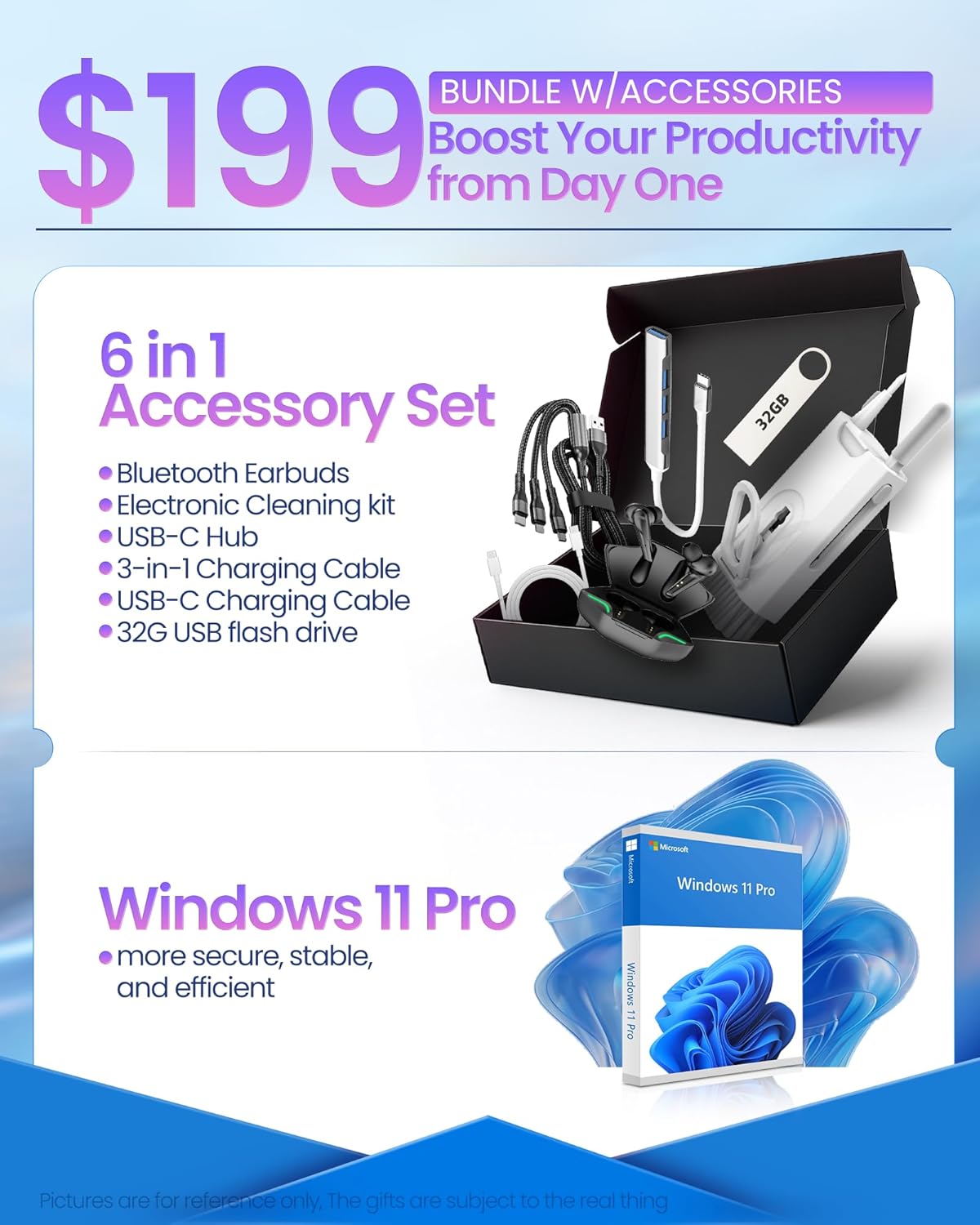
Image: The HP 17.3" laptop showcasing its Full HD display.
Процессор жана аткаруу
Equipped with an Intel Core i3-N305 processor (8 cores, up to 3.9 GHz turbo) and Intel UHD Graphics, this laptop delivers efficient performance for daily tasks, schoolwork, and business applications. The 32GB DDR4 RAM ensures smooth multitasking, while the 2TB NVMe SSD provides fast storage access and quick boot times.

Image: The HP laptop running multiple applications, illustrating its multitasking performance.
Copilot AI Key
The dedicated Copilot AI Key provides instant access to AI-powered productivity tools within Windows 11 Pro. Press this key to quickly get assistance with writing, brainstorming, or finding information, streamlining your workflow.

Сүрөт: жакын план view of the Copilot key on the HP laptop keyboard.
Порттор жана байланыш
The laptop offers a variety of ports for connecting peripherals and external displays:
- 1 x USB 2.0 Type-A
- 1 x USB 3.2 Gen 1 Type-A
- 1 x USB 3.2 Gen 1 Type-C (5 Gbps)
- 1 x HDMI 1.4b
- 1 x Headphone/Mic Combo Jack
- 1 x AC Smart Pin
For wireless connectivity, the laptop supports Wi-Fi 6 and Bluetooth 5.4.

Сүрөт: деталдуу view ноутбуктун каптал портторунун.
Продукт бүттүview Video
Видео: Аткаминерview of the HP 17.3" HD Laptop for Student & Business with Windows 11 Pro, highlighting its features and benefits.
Техникалык тейлөө
- Тазалоо: Экранды жана сыртын тазалоо үчүн жумшак, мамыксыз чүпүрөктү колдонуңуз. Өжөр тактар үчүн бир аз сүртүңүзampчүпүрөккө суу же экранды тазалоочу каражат. Катуу химиялык заттардан алыс болуңуз.
- Батареяга кам көрүү: Батареянын иштөө мөөнөтүн узартуу үчүн, өтө жогорку температурадан алыс болуңуз. Батареяны мезгил-мезгили менен 20% дан төмөн заряддап, андан кийин толук заряддап туруу сунушталат.
- Программалык камсыздоо жаңыртуулары: Regularly install operating system and driver updates to ensure security and optimal performance.
- Сактагычты башкаруу: Мезгил-мезгили менен ачык-айкын керексиз files and applications to maintain sufficient free storage space on your SSD.
- Физикалык коргоо: Transport your laptop in a protective sleeve or bag to prevent scratches and damage.
Проблемаларды чечүү
If you encounter issues with your HP laptop, consider the following common solutions:
- Ноутбук күйбөй жатат:
- Кубат адаптери ноутбукка да, иштеген электр розеткасына да бекем туташып турганын текшериңиз.
- Башка аспапка туташтыруу менен электр розеткасынын иштешин текшериңиз.
- Катуу баштапкы абалга келтирүү үчүн кубат баскычын 15-20 секунд басып туруңуз.
- Screen Issues (No Display, Flickering):
- Connect an external monitor to the HDMI port to check if the issue is with the laptop's display or graphics output.
- Ноутбукту кайра иштетиңиз.
- Ensure display drivers are up to date via Windows Update or HP Support Assistant.
- Wi-Fi туташуу көйгөйлөрү:
- Toggle Wi-Fi off and on in Windows settings.
- Роутериңизди жана модемиңизди өчүрүп күйгүзүңүз.
- Ensure Wi-Fi drivers are updated.
- Тармакты унутуп, кайра туташыңыз.
- Жай аткаруу:
- Фондо иштеп жаткан керексиз тиркемелерди жабыңыз.
- Жогорку CPU же RAM керектеген процесстер үчүн Task Managerди текшериңиз.
- Windows жана драйверлер жаңыртылганын текшериңиз.
- Сактоо ордун бошотуу үчүн дискти тазалоону иштетиңиз.
For more advanced troubleshooting or persistent issues, please refer to the HP support webсайтка же кардарларды тейлөөгө кайрылыңыз.
Техникалык шарттар
| Бренд | HP |
| Модель аты | HP 17 inch Laptop (B5RH2UA#ABA) |
| Операция системасы | Windows 11 Pro |
| Screen Size | 17.3 дюйм |
| Screen Resolution | 1920 x 1080 пиксел (Full HD) |
| Дисплей түрү | IPS, Anti-glare, LED, 178° wide viewбурчтар |
| Процессор | Intel Core i3-N305 (8 cores, up to 3.9 GHz) |
| Графика | Интеграцияланган Intel UHD графикасы |
| RAM | 32 ГБ DDR4 (3200 МГц) |
| Сактагыч | 2TB NVMe SSD |
| Зымсыз байланыш | Wi-Fi 6, Bluetooth 5.4 |
| Порттар | 1x USB 2.0 Type-A, 1x USB 3.2 Gen 1 Type-A, 1x USB 3.2 Gen 1 Type-C, 1x HDMI 1.4b, 1x Headphone/Mic Combo, 1x AC Smart Pin |
| Батареянын иштөө мөөнөтү | Up to 9.5 hours (Average: 9 hours) |
| Өлчөмдөрү (L x W x Y) | 15.78" x 10.15" x 0.78" |
| Салмагы | 4.6 фунт |
| Түс | Silver |
Кепилдик жана колдоо
Your HP 17 FHD Laptop comes with a standard manufacturer's warranty. For detailed information regarding warranty terms, coverage, and duration, please refer to the warranty card included with your product or visit the official HP support webсайт.
For technical assistance, driver downloads, and frequently asked questions, please visit the HP Support webсайт: support.hp.com. You can also contact HP customer service directly for personalized support.