Introduction
Thank you for choosing the Bagotte A22/A6 Pro Robot Vacuum and Mop. This device is designed to provide efficient and convenient cleaning for your home. This manual will guide you through the setup, operation, and maintenance of your robot vacuum to ensure optimal performance and longevity.
Сураныч, продуктуну колдонуудан мурун бул колдонмону кылдат окуп чыгыңыз жана аны келечекте маалымат үчүн сактап коюңуз.
Маанилүү коопсуздук нускамалары
Before using this product, please read all safety instructions. Failure to follow these instructions may result in electric shock, fire, or serious injury.
- Бул шайманды 8 жаштан жогорку балдар жана физикалык, сезүү же акыл-эс жөндөмү начар же тажрыйбасы жана билими жок адамдар колдонсо болот, эгерде алар көзөмөлгө алынган же шайманды коопсуз колдонуу боюнча нускама алган болсо жана келтирилген коркунучтарды түшүнсө. .
- Балдар шайман менен ойнобошу керек. Тазалоо жана колдонуучу тейлөөнү балдар көзөмөлсүз жасабашы керек.
- Өндүрүүчү тарабынан берилген оригиналдуу кубат адаптерин гана колдонуңуз.
- Do not use the product in environments with open flames or flammable materials.
- Ensure the charging station is placed on a flat surface against a wall, with no obstacles within 1 meter on either side and 2 meters in front.
- Do not immerse the robot or charging station in water.
- Оптималдуу иштеши үчүн щеткаларды жана чыпкаларды дайыма тазалаңыз.
- Чачты, кенен кийимдерди, манжаларды жана дененин бардык бөлүктөрүн тешиктерден жана кыймылдуу бөлүктөрдөн алыс кармаңыз.
Продукт бүттүview
Пакеттин мазмуну
Пакетте бардык компоненттер бар экенин текшериңиз:

Image: All components included in the Bagotte A22/A6 Pro Robot Vacuum and Mop package. This includes the robot vacuum cleaner, 2-in-1 water tank, charging station, remote control, power adapter, cleaning brush, mop holder, 2 mop cloths, 2 side brushes, and Hepa filters.
- Bagotte A22 Robot Vacuum Cleaner x 1
- 2-in-1 Water Tank x 1
- Заряддоо станциясы x 1
- Алыстан башкаруу x 1
- Кубат адаптери x 1
- Тазалоочу щетка x 1
- Mop Holder x 1
- Моп кездеме x 2
- Каптал щеткалар x 2
- HEPA Filters x 1
- Колдонуучунун колдонмосу x 1
Робот компоненттери
The Bagotte A22/A6 Pro features a compact design for efficient cleaning.

Image: The Bagotte A22/A6 Pro Robot Vacuum highlighting its slim profile of 2.87 inches, allowing it to clean under furniture. It also features automatic boost and can handle angles up to 15 degrees and obstacles up to 15mm in height.
The robot is equipped with various sensors for navigation and obstacle avoidance, including anti-drop sensors to prevent falls from elevated surfaces.
Жайгашуу
1. Каптал щеткаларды орнотуңуз
Каптал щеткаларды роботтун астыңкы жагындагы мамыларга алар ордуна чыкылдаганча басыңыз.
2. Place the Charging Station
Place the charging station against a wall in an open, uncluttered area. Ensure there are no obstacles within 1 meter (3 feet) on either side and 2 meters (6 feet) in front of the charging station. Connect the power adapter to the charging station and plug it into a wall outlet.

Image: The Bagotte A22/A6 Pro Robot Vacuum automatically returning to its charging station when its battery is low. The image illustrates the recommended clear space around the charging station for optimal docking.
3. Баштапкы төлөм
Place the robot on the charging station to fully charge the battery before first use. The indicator light on the robot will show charging status. A full charge typically takes 4-5 hours.
4. Connect to Tuya Smart App (Optional)
For advanced features and remote control, download the Tuya Smart app from your mobile app store. Follow the in-app instructions to connect your robot vacuum to your 2.4GHz Wi-Fi network.
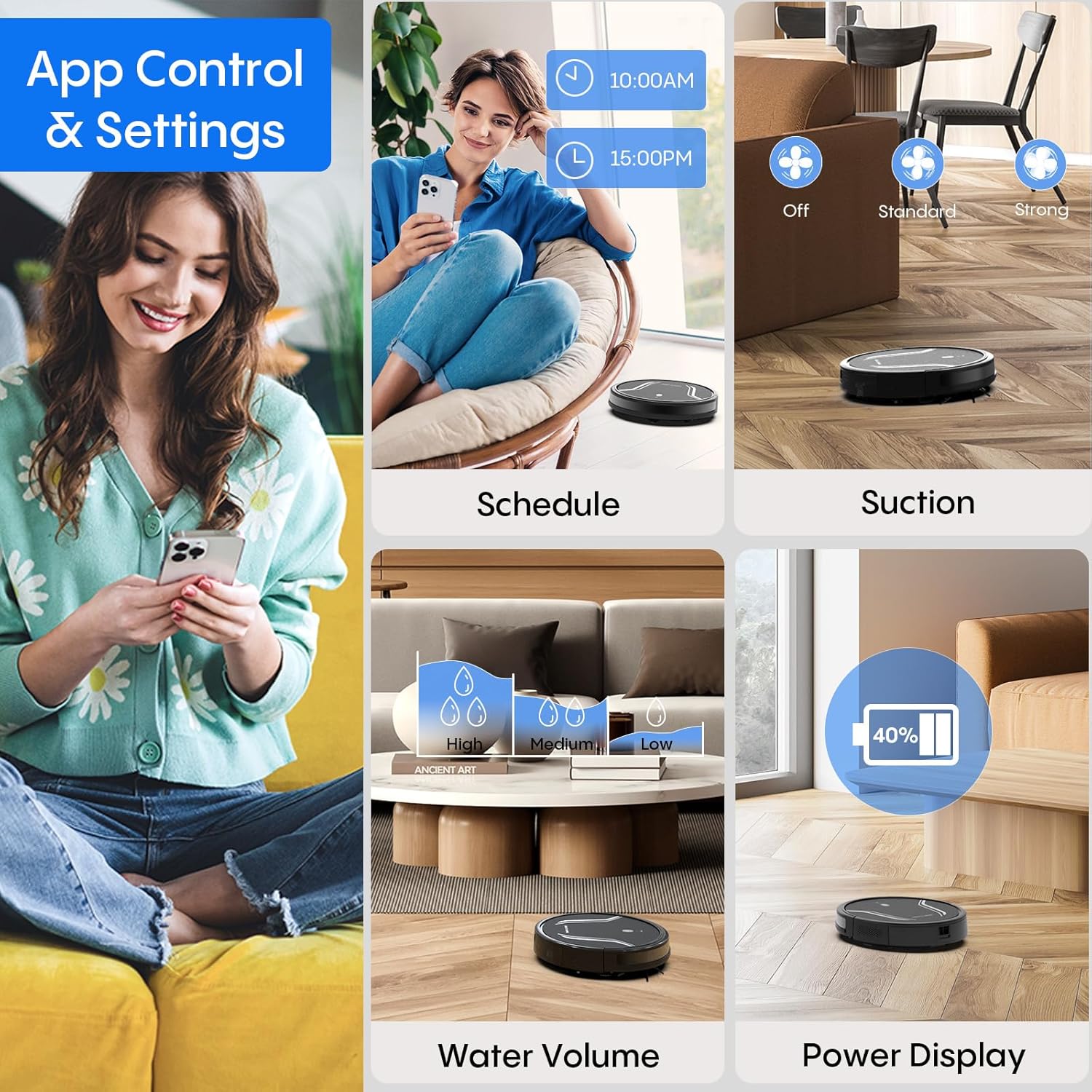
Image: A smartphone screen displaying the Bagotte A22/A6 Pro Robot Vacuum's app control interface, showing options for scheduling, suction adjustment, water volume control, and power display.
Иштөө нускамалары
Тазалоо циклин баштоо
Press the power button on the robot or the "Clean" button on the remote control/app to start an automatic cleaning cycle.
Тазалоо режимдери
The Bagotte A22/A6 Pro offers four cleaning modes:
- Автоматтык тазалоо: Робот акылдуу түрдө багыт алып, бүтүндөй полду тазалайт.
- Четтерин тазалоо: Робот дубалдарды жана эмеректердин четтерин тазалайт.
- Тазалоо: Робот белгилүү бир кир аймакка көңүл буруп, спираль схемасы боюнча тазалайт.
- Кол менен тазалоо: Роботтун багытын алыстан башкаруу пульту же тиркеме аркылуу башкарыңыз.

Сүрөт: үстүнкү view illustrating the four distinct cleaning modes of the Bagotte A22/A6 Pro Robot Vacuum: Auto Cleaning, Edge Cleaning, Spot Cleaning, and Manual Cleaning, showing their respective cleaning paths.
Чыпкалоо функциясы
Чыпкалоо функциясын колдонуу үчүн:
- Fill the 2-in-1 water tank with clean water.
- Attach a clean mop cloth to the mop holder and then attach it to the water tank.
- Толтурулган суу багын роботко салыңыз.
- Adjust the water flow level (low/medium/high) via the Tuya Smart app.

Image: The Bagotte A22/A6 Pro Robot Vacuum demonstrating its 3-in-1 functionality: vacuuming, sweeping, and mopping. The image highlights the two levels of waterflow adjustment and three levels of suction adjustment.
Соруу кубатын тууралоо
The robot features 5000Pa suction power with adjustable levels (Standard, Maximum) through the app or remote control to suit different cleaning needs.
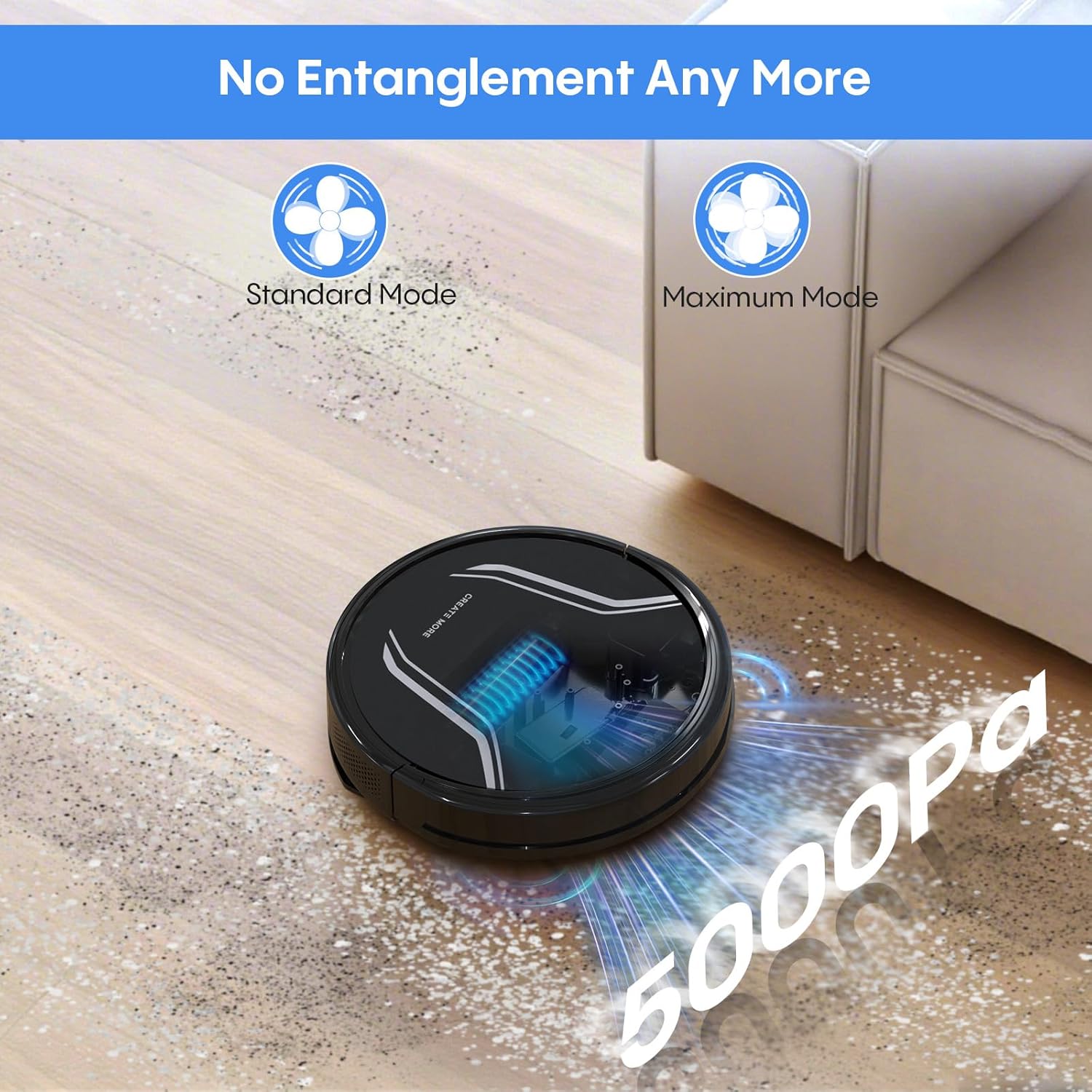
Image: The Bagotte A22/A6 Pro Robot Vacuum demonstrating its 5000Pa suction power, showing debris being collected. The image also indicates Standard Mode and Maximum Mode for suction adjustment.
Үн менен башкаруу (Alexa/Google Жардамчысы)
Integrate your robot vacuum with Amazon Alexa or Google Assistant for convenient voice commands. Follow the instructions in the Tuya Smart app to link your device.

Image: The Bagotte A22/A6 Pro Robot Vacuum being controlled via voice commands through an Amazon Echo device, alongside a smartphone displaying the app interface. This illustrates the convenience of both voice and app control.
Техникалык тейлөө
Regular maintenance ensures your robot vacuum operates efficiently.
Таштанды кутусун бошотуу
Empty the dustbin after each cleaning cycle. Press the release button to remove the dustbin, open it, and discard the collected debris.
Чыпкаларды тазалоо
Tap the HEPA filter to remove dust. Rinse the pre-filter and sponge filter with water. Allow them to air dry completely before reinstalling. Do not wash the HEPA filter with water.
Негизги щетканы тазалоо
Негизги щетканын капкагын алып, негизги щетканы көтөрүп чыгыңыз. Щетканын айланасында чырмалышып калган түктөр менен таштандыларды тазалоо үчүн тазалоочу куралды колдонуңуз.
Каптал щеткаларын тазалоо
Periodically check side brushes for wear or damage. Remove any tangled hair or debris. Replace worn brushes as needed.
Сенсорлорду жана заряддоо контакттарын тазалоо
Wipe the anti-drop sensors, obstacle sensors, and charging contacts on both the robot and the charging station with a clean, dry cloth.
Суу сактагычты жана швабра чүпүрөктү тазалоо
After mopping, empty any remaining water from the tank. Rinse the water tank and allow it to air dry. Wash the mop cloth by hand or machine and air dry.
Проблемаларды чечүү
| Көйгөй | Мүмкүн себеп | Чечим |
|---|---|---|
| Робот күйбөйт. | Батареянын аздыгы; Кубат өчүрүү. | Роботту кубаттаңыз; Кубат которгучу күйүк экенин текшериңиз. |
| Робот заряддалбайт. | Заряддоо контакттары кир; Заряддоо станциясы иштебейт. | Заряддоочу контакттарды тазалаңыз; Заряддоо станциясынын сайылып турганын текшериңиз. |
| Соруу күчү начар. | таштанды челек толгон; Фильтр тыгылып калган; Негизги щетка чаташып калган. | Empty dustbin; Clean/replace filters; Clean main brush. |
| Робот бат-баттан тыгылып калат. | Полдогу тоскоолдуктар; Сенсорлор кир. | Clear floor of cables/small items; Clean sensors. |
| Чыпкалоо функциясы иштебейт. | Water tank empty; Mop cloth dry; Water flow setting too low. | Fill water tank; Wet mop cloth; Adjust water flow in app. |
| App connection failed. | Incorrect Wi-Fi password; Not 2.4GHz Wi-Fi; Robot too far from router. | Verify password; Connect to 2.4GHz network; Move robot closer to router. |
Техникалык шарттар
| Өзгөчөлүк | Деталь |
|---|---|
| Бренд | Багот |
| Модель аты | A21 (A6 Pro) |
| Соруу күчү | 5000Па |
| Тазалоо режимдери | Auto, Edge, Spot, Manual |
| Башкаруу ыкмасы | App, Remote Control, Voice (Alexa, Google Assistant) |
| Батареянын иштөө мөөнөтү | 120 мүнөткө чейин |
| Заряддоо | Өзүн-өзү заряддоо |
| Чыпка түрү | HEPA |
| Продукциянын өлчөмдөрү | 15"L x 12.5"W x 4"H |
| Элемент Салмагы | 7.13 фунт |
| Surface Recommendation | Hard Floor, Low-Pile Carpet |
Кепилдик жана колдоо
Bagotte provides a 12-month service warranty for this product. For technical support, warranty claims, or any questions regarding your Bagotte A22/A6 Pro Robot Vacuum and Mop, please contact Bagotte customer service.
Please refer to the contact information provided in the original packaging or on the official Bagotte webакыркы колдоо маалымат үчүн сайт.


