1. Киришүү
This manual provides essential information for the proper setup, operation, and maintenance of your realme 14x 5G Smartphone. Please read this guide thoroughly to ensure optimal performance and longevity of your device. Keep this manual for future reference.

Сүрөт 1.1: Алдыңкы жана арткы view of the realme 14x 5G Smartphone, showcasing анын дизайны жана камера модулу.
Кутуда эмне бар
- realme 14x 5G смартфону
- Телефон корпусу
- SIM лоток чыгаруучу
- USB кабели
- Quick Start Guide (өзүнчө документ)
- Safety Information (separate document)
2. Баштоо (Орнотуу)
2.1 Түзмөктүн жайгашуусу
Realme 14x 5G смартфонуңуздун физикалык компоненттери менен таанышып алыңыз.
- Кубат баскычы: Located on the side, used to power on/off the device or wake/sleep the screen.
- Үн баскычтары: Located on the side, used to adjust media and call volume.
- USB порт: Төмөндө жайгашкан, заряддоо жана маалыматтарды өткөрүү үчүн.
- SIM карта салгычы: SIM жана microSD карталарын салуу үчүн капталында жайгашкан.
- Алдыңкы камера: Дисплейдин жогору жагында жайгашкан.
- Арткы камералар: Multiple lenses located on the back of the device.
2.2 SIM картаны орнотуу
- Түзмөгүңүздүн капталындагы SIM карта салгычын табыңыз.
- SIM лоток чыгаруучу куралды лотоктун жанындагы кичинекей тешикке киргизип, лоток чыгып кеткенче бекем басыңыз.
- Nano-SIM картаңызды жана/же microSD картаңызды алтын түстүү контакттары ылдый каратып, туура тегизделгенин текшерип, лотокко салыңыз.
- Табаны телефондун ичине кылдаттык менен кайра кыстарыңыз.
2.3 Баштапкы күйгүзүү жана орнотуу
- realme логотиби пайда болгонго чейин Кубат баскычын басып, кармап туруңуз.
- Follow the on-screen instructions to complete the initial setup, including selecting your language, connecting to Wi-Fi, and setting up your Google account.
2.4 Аппаратты заряддоо
Connect the provided USB cable to the phone's USB port and the other end to a compatible power adapter. Plug the adapter into a wall outlet. The battery indicator on the screen will show charging status.

Image 2.1: The realme 14x 5G Smartphone connected to a charger, illustrating its 5000mAh battery and estimated usage durations for calls, Instagram жана YouTube.
3. Using Your Device (Operating)
3.1 Дисплейдин өзгөчөлүктөрү
The realme 14x 5G features a 6.67-inch display with a 120Hz refresh rate for smooth visuals. It includes 10 visual protection modes to enhance eye comfort.

Image 3.1: The realme 14x 5G display highlighting its 120Hz refresh rate and various visual comfort settings like Black and White Display, Paper-like Display, and Scheduled Eye Comfort.
3.2 Камеранын иштеши
The device is equipped with a 50MP AI Camera system. This camera enhances details in various scenes, from architecture to landscapes, providing a reliable shooting experience.

Image 3.2: Close-up of the realme 14x 5G camera module, detailing its 50MP AI Camera capabilities and AI Clear Face feature for improved portraits.
3.3 Аткаруу жана сактоо
The realme 14x 5G is powered by the MediaTek Dimensity 6300 5G chipset, an advanced 6nm octa-core processor with clock speeds up to 2.4GHz. It comes with 8GB of RAM and 256GB of internal storage, ensuring efficient multitasking and ample space for your data.

Image 3.3: Visual representation of the MediaTek Dimensity 6300 5G chipset, highlighting its 6nm process, 50% GPU performance increase, 8-core architecture, and 11% power-efficiency enhancements.

Image 3.4: Diagram illustrating the 8GB of dynamic RAM and 256GB of ROM, emphasizing the phone's capacity for fast multitasking.
3.4 Байланыш
The device supports 5G connectivity for faster mobile data speeds. It also includes standard connectivity options:
- Wi-Fi: Интернетке кирүү үчүн зымсыз тармактарга туташыңыз.
- Bluetooth: Кулакчындар жана динамиктер сыяктуу зымсыз аксессуарлар менен жупташтырыңыз.
- GPS: Жайгашкан жерди аныктоо кызматтары жана навигация үчүн.
- NFC: Тийбей туруп төлөмдөр жана туура келген түзмөктөр менен тез жупташтыруу үчүн.

Image 3.5: Illustration of the realme 14x 5G Smartphone's 360° NFC capability, allowing multiple cards to be stored and accessed from the phone.
3.5 Операциондук система
The realme 14x 5G runs on Android 15 with realme UI 6.0, offering a user-friendly interface with various customization options and features.

Сүрөт 3.6: Бүттүview of realme UI 6.0 features, including new icon design, wallpaper depth effects, and improved notification and quick settings separation.
4. Кароо жана тейлөө
4.1 Физикалык коргоо
The realme 14x 5G features ArmorShell Protection and an IP64 rating, providing resistance against dust and splashes. This enhances the device's durability for daily use.
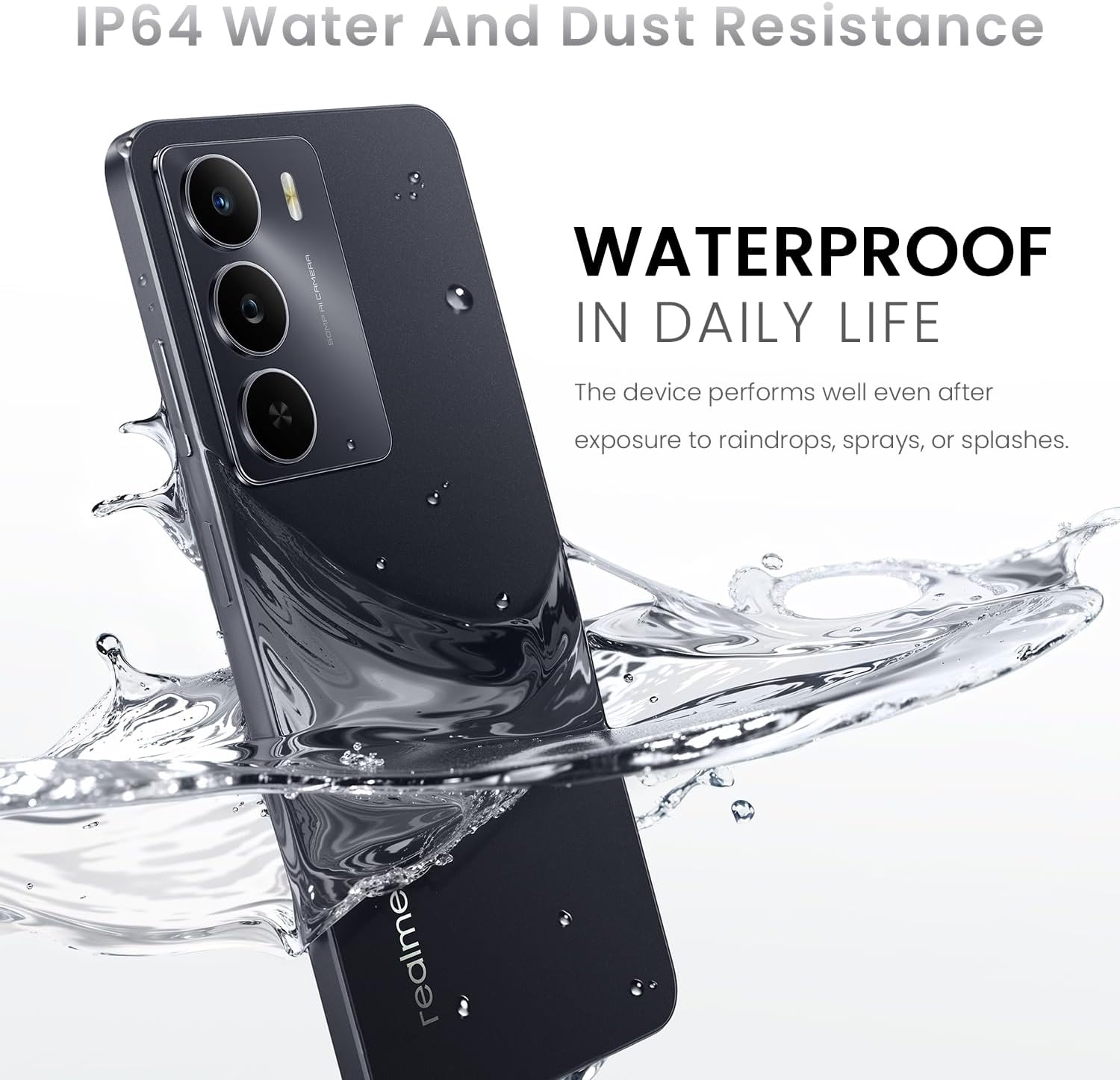
Image 4.1: The realme 14x 5G Smartphone partially submerged in water, illustrating its IP64 water and dust resistance for daily life protection.
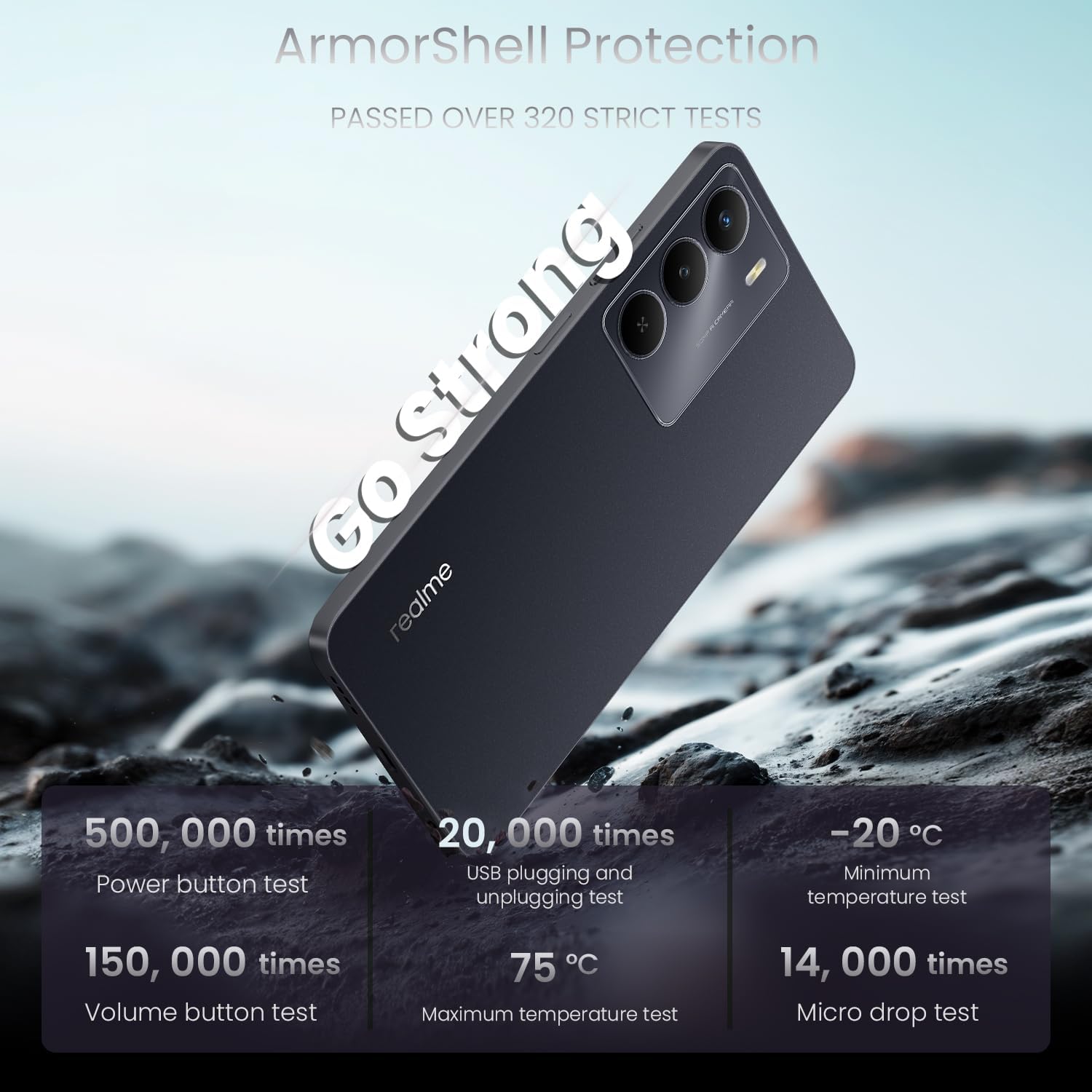
Image 4.2: The realme 14x 5G Smartphone highlighting its ArmorShell Protection, with text indicating it passed over 320 strict tests, including power button, USB plugging, volume button, temperature, and micro drop tests.
4.2 Тазалоо боюнча көрсөтмөлөр
- Телефондун экранын жана корпусун тазалоо үчүн жумшак, түксүз чүпүрөктү колдонуңуз.
- Катуу химиялык заттарды, абразивдүү материалдарды же аэрозолдук спрейлерди колдонуудан алыс болуңуз.
- өжөр тактар үчүн, бир аз гampчүпүрөккө суу же электроника үчүн атайын иштелип чыккан экран тазалагыч.
4.3 Battery Longevity Tips
- Ашыкча температурадан качыңыз, алар батареянын иштөө мөөнөтүн начарлатышы мүмкүн.
- Телефондун кубаты 100% жеткенден кийин аны узак убакытка кубаттап турбаңыз.
- Аспап менен кошо берилген оригиналдуу заряддагычты жана кабелди колдонуңуз.
5. Кыйынчылыктарды
This section addresses common issues you might encounter with your realme 14x 5G Smartphone.
5.1 Түзмөк күйбөй жатат
- Батарея заряддалганын текшериңиз. Телефонду заряддагычка туташтырыңыз жана аны кайра күйгүзүүдөн мурун бир нече мүнөт күтө туруңуз.
- Мажбурлап өчүрүп күйгүзүү үчүн Кубат баскычын жок дегенде 10-15 секунд басып туруңуз.
5.2 Экран жооп бербейт
- Restart the device by holding the Power button. If the screen is completely unresponsive, perform a forced restart as described above.
- Экрандын таза жана нымдуу же таштандысыз экенине ынаныңыз.
5.3 App Issues (Crashing, Freezing)
- Көйгөйлүү колдонмону жаап, кайра ачыңыз.
- Clear the app's cache and data through the phone's settings (Settings > Apps > [App Name] > Storage > Clear Cache/Clear Data).
- Колдонмону Google Play Дүкөнүнөн эң акыркы версиясына жаңыртыңыз.
- Эгер маселе чечилбесе, колдонмону чыгарып салып, кайра орнотуңуз.
5.4 Connectivity Problems (Wi-Fi, Bluetooth, 5G)
- Toggle Wi-Fi, Bluetooth, or Mobile Data off and on again.
- Телефонуңузду өчүрүп күйгүзүңүз.
- Wi-Fi үчүн, роутериңизди өчүрүп-күйгүзүңүз.
- For Bluetooth, ensure the device you are trying to connect to is in pairing mode and within range.
- For 5G, ensure you are in an area with 5G coverage and your plan supports 5G.
6. Техникалык шарттар
Detailed technical specifications for the realme 14x 5G Smartphone (Model RMA2306).
| Өзгөчөлүк | Спецификация |
|---|---|
| Модель аты | realme 14X |
| Элемент моделинин номери | RMA2306 |
| Продукциянын өлчөмдөрү | 1.28 x 0.83 x 0.81 дюйм |
| Элемент Салмагы | 1.47 унция (41.8 грамм) |
| Операция системасы | Android 15 |
| CPU модели | MediaTek Dimensity 6300 (Octa-Core) |
| CPU ылдамдыгы | 2.4 ГГц |
| Screen Size | 6.67 дюйм |
| Жаңыртуу ылдамдыгы | 120 Гц |
| RAM эстутум орнотулган өлчөмү | 8 ГБ |
| Эстутум сактоо сыйымдуулугу | 256 ГБ |
| Батарея сыйымдуулугу | 5000 мАч |
| Батарея кубаттуулугунун рейтинги | 45 Ватт саат |
| Connectivity Technologies | Bluetooth, USB, Wi-Fi, 5G |
| Өзгөчөлүктөр | Water Resistant (IP64), ArmorShell Protection, GPS, NFC |
| Камеранын өзгөчөлүктөрү | 50MP AI Rear Camera, Front Camera |
| Түс | Carbon Black |
| Өндүрүүчү | realme |
7. Кепилдик жана колдоо
7.1 Кепилдик маалыматы
Your realme 14x 5G Smartphone is covered by a manufacturer's warranty. Please refer to the warranty card included in your product packaging for specific terms, conditions, and duration. Keep your proof of purchase for warranty claims.
7.2 Кардарларды колдоо
Кошумча жардам, техникалык колдоо же кызмат суроо үчүн расмий realme колдоо бөлүмүнө баш багыңыз website or contact their customer service. Contact details can typically be found on the realme official webсайтында же кепилдик документтеринде.


