1. Getting Started: Unboxing and Components
This section details the contents of your TABWEE T80 package and provides an overview of the tablet's physical features.
1.1 Пакеттин мазмуну
Төмөндө тизмеленген нерселердин баары пакетиңизде бар экенин текшериңиз:
- TABWEE T80 Android Tablet
- Bluetooth баскычтоп
- Зымсыз чычкан
- Стилус калеми
- Коргоочу кап
- Экран коргоочу (алдын ала колдонулган же өзүнчө)
- Планшет стенди
- Charger and USB-C Cable

1.2 Продукт бүттүview
Familiarize yourself with the tablet's buttons, ports, and camera locations.
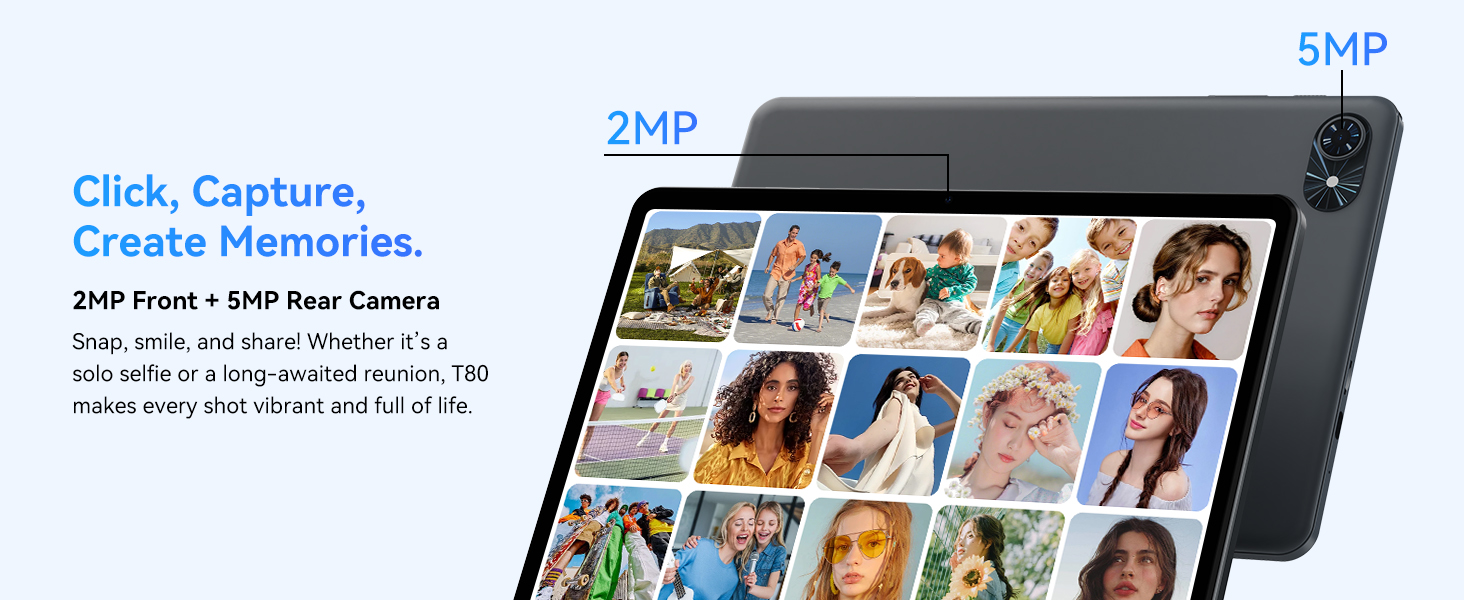
- Алдыңкы камера: Located at the top center when held in landscape orientation. (2MP)
- Арткы камера: Located on the back panel, typically in the upper left corner. (5MP)
- Кубат баскычы: Used to turn the tablet on/off or wake/sleep the screen.
- Үн баскычтары: Аудио чыгаруу деңгээлин тууралаңыз.
- USB-C порту: Заряддоо жана маалыматтарды өткөрүү үчүн.
- MicroSD картасынын уячасы: Сактагычты 2 ТБ чейин кеңейтүү үчүн.
- Баяндамачылар: Аудио чыгаруу үчүн кош динамиктер.
2. Орнотуу нускамалары
Follow these steps to set up your TABWEE T80 tablet for first-time use.
2.1 Баштапкы күйгүзүү жана негизги конфигурация
- Планшетти заряддоо: Connect the provided USB-C cable and charger to the tablet and a power outlet. Allow the tablet to charge for at least 30 minutes before first use.
- Күйгүзүү: Press and hold the Power button until the TABWEE logo appears on the screen.
- Тил жана аймак: Каалаган тилди жана аймакты тандоо үчүн экрандагы көрсөтмөлөрдү аткарыңыз.
- Wi-Fi'га туташуу: Select your Wi-Fi network from the list and enter the password. A stable internet connection is required for initial setup and updates.
- Google аккаунту: Google аккаунтуңуз менен кириңиз же жаңысын түзүңүз. Бул Google Play Дүкөнүнөн колдонмолорду жүктөп алуу үчүн керек.
- Дата жана убакыт: Күн жана убакыт жөндөөлөрүн ырастаңыз.
- Коопсуздук: Коопсуздук үчүн экран кулпусун (PIN код, үлгү же сырсөз) орнотуңуз.
2.2 Аксессуарларды туташтыруу
The TABWEE T80 comes with several accessories to enhance its functionality.
- Bluetooth Keyboard and Mouse:
- Ensure the keyboard and mouse are charged and powered on.
- Планшетиңизден төмөнкүгө өтүңүз Орнотуулар > Туташкан түзмөктөр > Bluetooth.
- Bluetooth'ту иштетип, жаңы түзмөктөрдү издеңиз.
- Select the keyboard and mouse from the list to pair them. Follow any on-screen prompts.
- Стилус калеми: The stylus pen can be used directly on the screen for navigation, drawing, or writing. No pairing is typically required for basic capacitive styluses.
- Protective Case and Stand: Attach the protective case to the tablet. The case often includes a foldable stand for hands-free viewing.
3. Иштөө нускамалары
This section covers the daily operation of your TABWEE T80 tablet.
3.1 Негизги навигация жана Android 15 функциялары
- Башкы экран: Swipe left or right to access different home screens. Tap and hold an empty space to customize widgets, wallpaper, and settings.
- Эскертмелер жана Ыкчам жөндөөлөр: Экрандын өйдө жагынан төмөн карай сүрүңүз view notifications and access quick settings like Wi-Fi, Bluetooth, and brightness.
- Колдонмо тартмасы: Бардык орнотулган колдонмолорго жетүү үчүн экранды ылдый жагынан өйдө сүрүңүз.
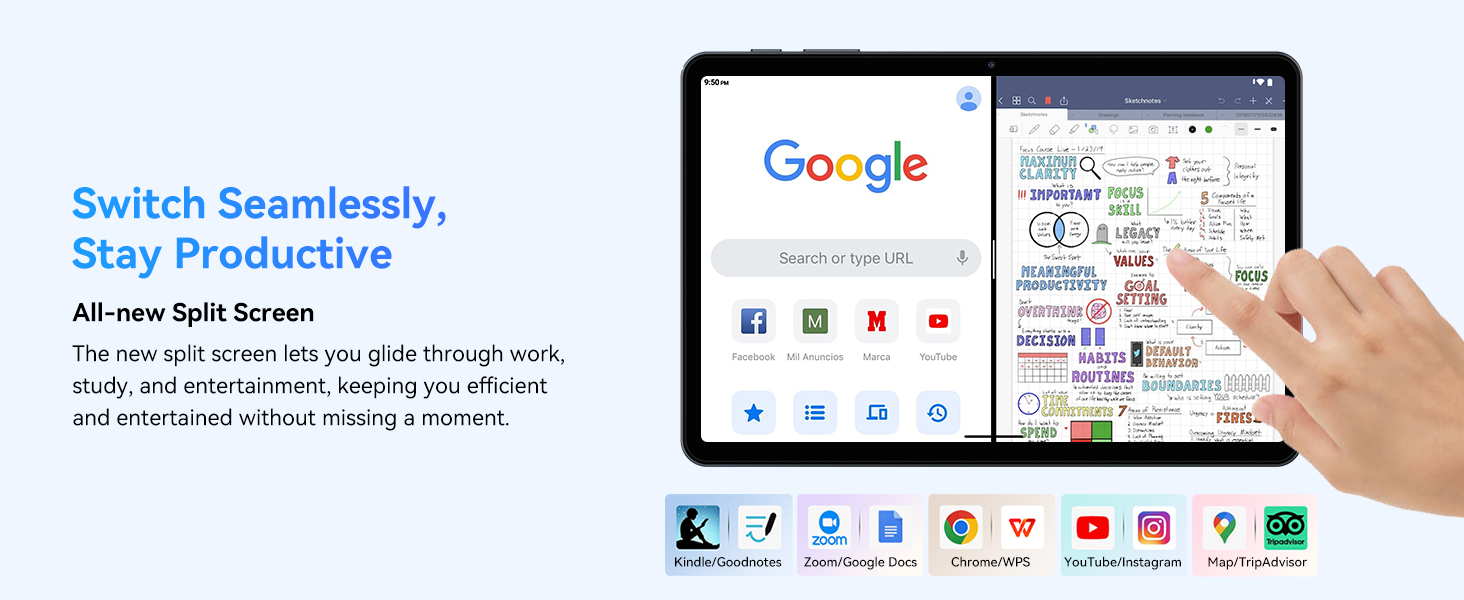
- Multitasking (Split Screen): Android 15 supports enhanced split-screen functionality. To use, open an app, then swipe up from the bottom, hold, and drag another app icon to either side of the screen.
- Gemini AI 2.0: Your tablet integrates Gemini AI 2.0 for enhanced task management, smart chats, text-to-image generation, voice-enabled Q&A, and real-time conversations. Access AI features through compatible apps or dedicated AI interfaces.
- Купуялык жана коопсуздук: Android 15 offers improved privacy controls. Review and adjust app permissions in Орнотуулар > Купуялык.
3.2 Байланыш
- Wi-Fi: Supports 802.11a/b/g/n/ac for fast 5G Wi-Fi connectivity. Manage Wi-Fi connections in Орнотуулар > Тармак жана интернет > Wi-Fi.
- Bluetooth 5.0: For connecting wireless headphones, speakers, keyboards, and mice. Manage Bluetooth devices in Орнотуулар > Туташкан түзмөктөр > Bluetooth.
- GPS: The tablet includes GPS functionality for location services and navigation apps.
- OTG (On-The-Go): Supports OTG, allowing you to connect USB devices like flash drives or external hard drives using an appropriate adapter.
3.3 Камераны колдонуу
The TABWEE T80 features a 2MP front camera and a 5MP rear camera.
- Үй экраныңыздан же колдонмо суурмасынан Камера колдонмосун ачыңыз.
- Сүрөткө тартуу үчүн жапкыч баскычын басыңыз.
- Камераны которуштуруу сүрөтчөсүн колдонуп, алдыңкы жана арткы камералардын ортосунда которуштуруу.
- Explore different modes such as video recording or panorama if available.

3.4 Сактоо жана иштөө
- RAM: The tablet comes with 6GB of physical RAM, expandable virtually to 18GB for smooth multitasking. Adjust RAM settings in Орнотуулар керек болсо.
- Ички сактагыч: 128GB ROM is provided for apps and files.
- Кеңейтүүчү сактагыч: A MicroSD card slot allows for storage expansion up to 2TB. Insert a compatible MicroSD card into the designated slot.
- Процессор: Powered by a Quad-Core Unisoc T310 processor (1x A75 2.0GHz, 3x A55 1.8GHz) and GE8300 GPU for efficient performance.
3.5 Батарея жана заряддоо
- Батарея сыйымдуулугу: Equipped with a 6000mAh battery, providing over 10 hours of typical usage.
- Заряддоо: Use the provided 10W fast charger and USB-C cable. Connect the cable to the tablet's USB-C port and the charger to a power outlet.
- Батареяны оптималдаштыруу: Android 15 includes AI Super Power Saving Algorithms to extend battery life. Monitor battery usage in Орнотуулар > Батарея.

3.6 Display and Entertainment
- Дисплей: 10-inch IPS display with a resolution of 1280 x 800 pixels.
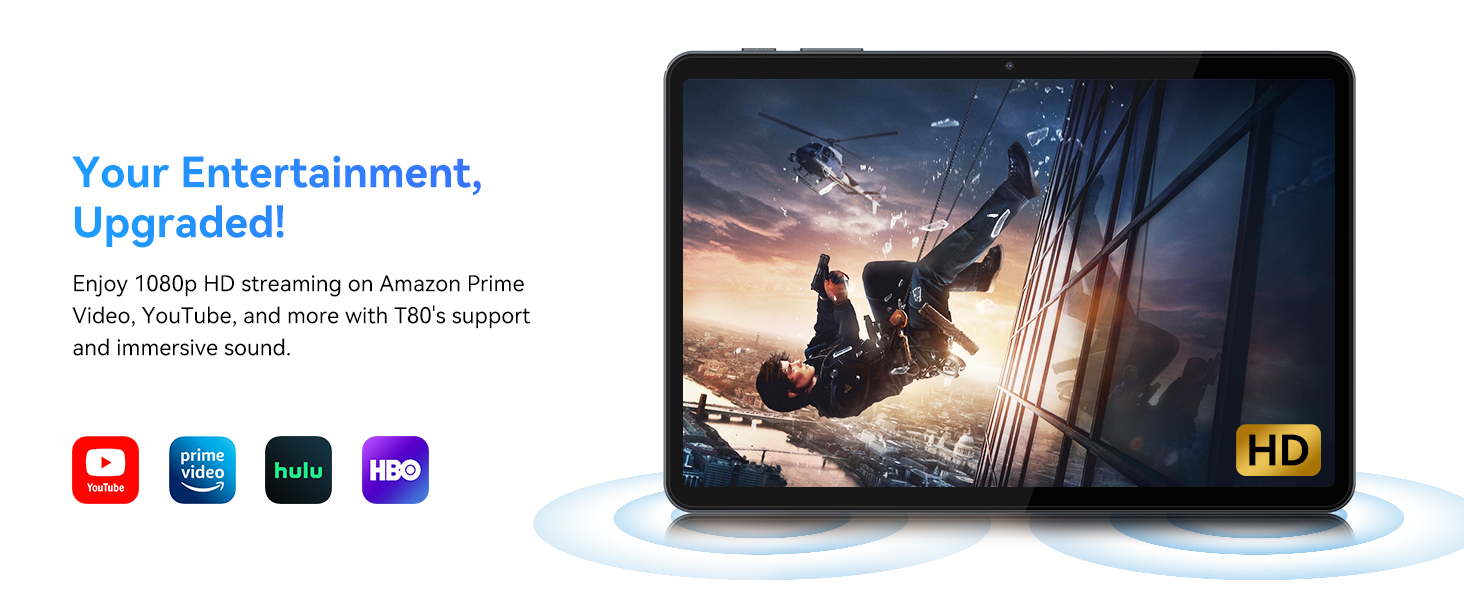
- Видеону ойнотуу: Supports 1080P video playback for streaming services like Amazon Prime Video, YouTube, Hulu, and HBO.
- Аудио: Dual speakers provide clear audio for media consumption.
4. Техникалык тейлөө
Туура техникалык тейлөө планшетиңиздин узак мөөнөттүү иштешин жана оптималдуу иштешин камсыз кылат.
4.1 Батареяга кам көрүү
- Ашыкча температурадан качыңыз, алар батареянын иштөө мөөнөтүн начарлатышы мүмкүн.
- Батареянын бат-баттан түгөнүп калышына жол бербеңиз. 0% жеткенге чейин аны заряддаңыз.
- Зыяндын алдын алуу үчүн берилген заряддагычты жана кабелди гана колдонуңуз.
4.2 Тазалоо
- Планшеттин экранын жана корпусун тазалоо үчүн жумшак, түксүз чүпүрөктү колдонуңуз.
- өжөр тактар үчүн, бир аз гampчүпүрөккө суу же экранды тазалоо эритмеси. Катуу химиялык заттардан алыс болуңуз.
- Бардык порттор чаңдан жана таштандыдан таза экенин текшериңиз.
4.3 Программалык камсыздоо жаңыртуулары
- Regularly check for and install system updates. These updates often include performance improvements, security patches, and new features.
- барыңыз Орнотуулар > Система > Системаны жаңыртуу жеткиликтүү жаңыртууларды текшерүү үчүн.
5. Кыйынчылыктарды
Бул бөлүмдө TABWEE T80 планшетиңиз менен кездешиши мүмкүн болгон кеңири таралган көйгөйлөр каралат.
5.1 Планшет күйбөй жатат
- Планшеттин жетиштүү заряддалганын текшериңиз. Аны кубаттагычка туташтырып, кайра күйгүзүүдөн мурун бир нече мүнөт күтө туруңуз.
- Өчүрүп-күйгүзүү үчүн "Күтүү" баскычын 10-15 секунд басып туруңуз.
5.2 Wi-Fi туташуу маселелери
- Тез жөндөөлөрдөн Wi-Fi'ды өчүрүп жана күйгүзүңүз.
- Wi-Fi роутериңизди өчүрүп күйгүзүңүз.
- Тармакты унутуңуз Орнотуулар > Тармак жана интернет > Wi-Fi жана кайра туташтырыңыз.
5.3 Жай аткаруу
- Керексиз фон колдонмолорун жабуу.
- Көп колдонулган колдонмолор үчүн кэшти тазалоо Орнотуулар > Колдонмолор > [Колдонмонун аты] > Сактагыч жана кэш > Кэшти тазалоо.
- Жетиштүү бош орун бар экенин текшериңиз. Эскисин жок кылыңыз files or move them to expandable storage.
- Планшетті мезгил-мезгили менен өчүрүп-күйгүзүңүз.
5.4 Accessories Not Connecting
- For Bluetooth accessories, ensure they are charged, powered on, and in pairing mode.
- Verify Bluetooth is enabled on the tablet and try re-pairing the device.
- Check the battery level of the accessories.
6. Техникалык шарттар
Detailed technical specifications for the TABWEE T80 Android 15 Tablet.
| Өзгөчөлүк | Спецификация |
|---|---|
| Модель аты | T80(6+128) |
| Операция системасы | Android 15 |
| Screen Size | 10 дюйм |
| Max Screen Resolution | 1280 x 800 пиксел |
| Процессор | Unisoc T310 Quad-Core (1x A75 2.0GHz, 3x A55 1.8GHz) |
| RAM | 18 ГБ (6 ГБ физикалык + 12 ГБ виртуалдык) |
| Flash Memory Size (ROM) | 128 ГБ |
| Кеңейтүүчү сактагыч | MicroSD картасы аркылуу 2 ТБ чейин |
| Зымсыз түрү | 802.11a, 802.11ac, 802.11b, 802.11g, 802.11n (5G WiFi) |
| Bluetooth | Bluetooth 5.0 |
| Батарея сыйымдуулугу | 6000mAh |
| Батареянын орточо иштөө мөөнөтү | 480 Hours (Standby) / 10+ Hours (Usage) |
| Алдыңкы камера | 2MP |
| Арткы камера | 5MP |
| Элемент Салмагы | 1.1 фунт |
| Продукциянын өлчөмдөрү | 9.5 x 6.3 x 0.3 дюйм |
| Түс | Silver Gray |
7. Кепилдик жана колдоо
Information regarding your product warranty and how to obtain customer support.
7.1 Продукциянын кепилдиги
The TABWEE T80 tablet comes with a 2 жылдык кепилдик, covering manufacturing defects and ensuring product reliability. This warranty provides peace of mind and support for your device.
7.2 Кардарларды колдоо
For any technical assistance, inquiries, or warranty claims, please contact TABWEE customer support:
- Электрондук почта: serviceplus.linda@gmail.com
- Телефон (АКШ): +1 (717) 896-6060
- Телефон (Улуу Британия): +44 7700 156388
- Phone (CA): +1 (587) 841-0500
- Телефон (DE): +49 157 3598 0115
TABWEE offers 24/7 customer support and lifetime technical assistance to ensure you have the best experience with your product.