1. Киришүү
This manual provides essential information for setting up, operating, and maintaining your SVITOO PL002 Android 15 Tablet. Please read this guide thoroughly to ensure optimal performance and longevity of your device. Keep this manual for future reference.
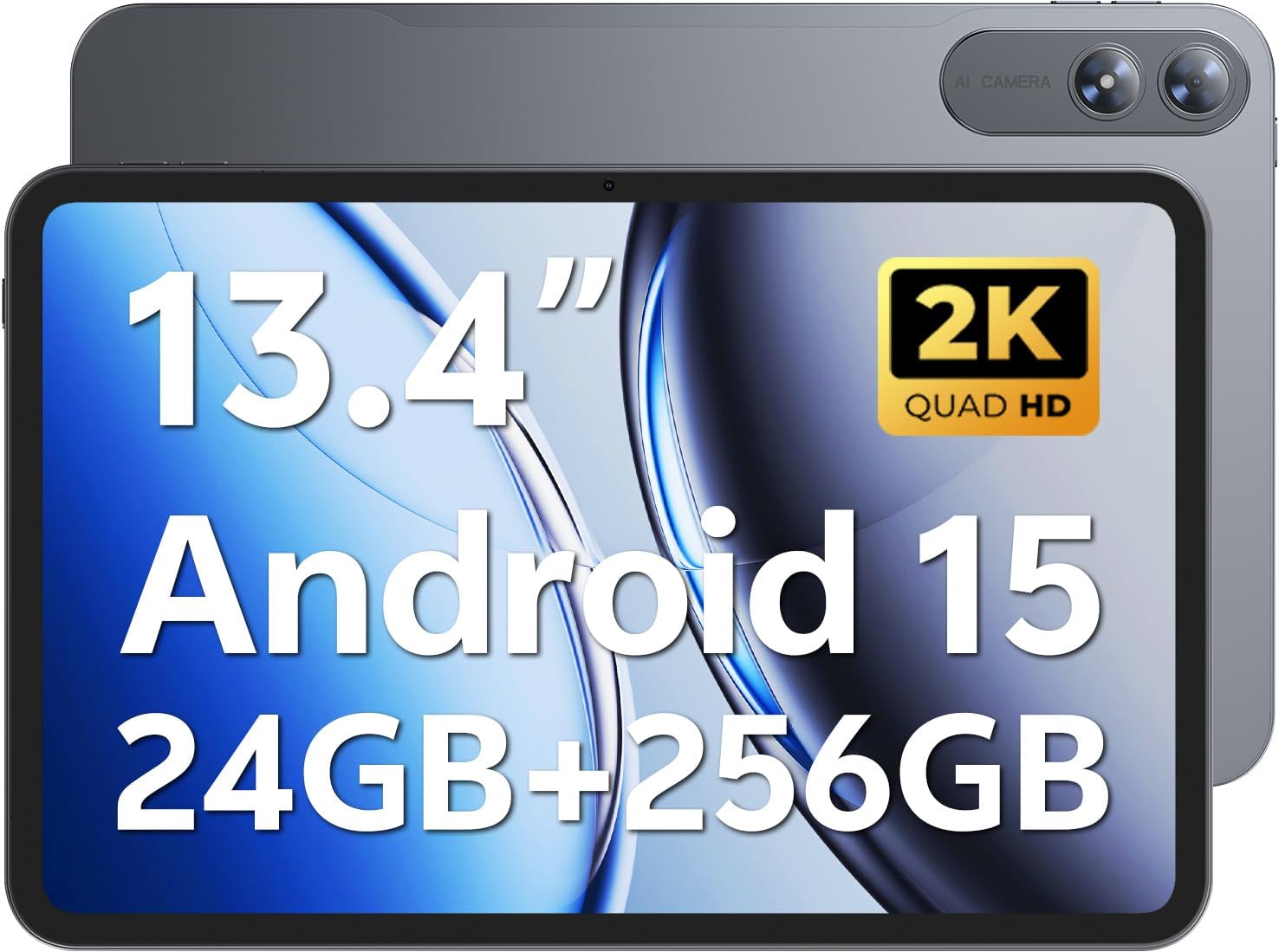
Image 1.1: SVITOO PL002 Android 15 Tablet, showcasing its sleek design and dual cameras.
Пакеттин мазмуну
- SVITOO PL002 Android 15 Tablet
- Protective Case with Magnetic Bracket
- USB-C заряддоо кабели
- Кубат адаптери (18 Вт тез кубаттоо)
- Колдонуучунун Колдонмосу (бул документ)
2. Продукт бүтүп калдыview
The SVITOO PL002 tablet features a 13.4-inch FHD IPS display, an Octa-Core processor, 24GB RAM, 256GB internal storage, and runs on Android 15. It is designed for versatile use, from entertainment to productivity.

Сүрөт 2.1: Бүттүview of the SVITOO PL002 tablet's main features.
Физикалык компоненттер
While a detailed diagram is not available, the tablet typically includes:
- Кубат баскычы: Капталында жайгашкан, аппаратты күйгүзүү/өчүрүү же ойготуу/уктатуу үчүн колдонулат.
- Үн баскычтары: Үн деңгээлин тууралоо үчүн кубат баскычынын жанында жайгашкан.
- USB Type-C порту: Заряддоо жана маалыматтарды өткөрүү үчүн.
- 3.5 мм гарнитура уячасы: Зымдуу аудио чыгаруу үчүн.
- MicroSD картасынын уячасы: For storage expansion.
- Алдыңкы камера: Видео чалуулар жана селфи үчүн.
- Арткы камералар: Сүрөттөрдү жана видеолорду тартуу үчүн.
- Баяндамачылар: Аудио чыгаруу үчүн кош динамиктер.
3. Орнотуу
3.1 Алгачкы заряддоо
Before first use, fully charge your tablet using the provided USB-C cable and power adapter. The tablet supports 18W fast charging.
3.2 Күйгүзүү/өчүрүү
- Күйгүзүү үчүн: Press and hold the Power button until the SVITOO logo appears.
- Өчүрүү үчүн: Кубат баскычын басып, кармап туруңуз, андан кийин экрандагы параметрлерден "Өчүрүү" дегенди тандаңыз.
- Уйку/ойгонуу үчүн: Кубат баскычын кыскача басыңыз.
3.3 Protective Case and Screen Protector
The tablet comes with a pre-installed screen protector and a protective case. The case features a magnetic bracket that automatically wakes the tablet when opened and puts it to sleep when closed.

Image 3.1: The smart wake-up case and pre-installed screen protector for convenience.
3.4 Wi-Fi туташуусу
- барыңыз Орнотуулар > Тармак жана интернет > Wi-Fi.
- Wi-Fi которуштуруу On.
- Тизмеден каалаган тармакты тандаңыз.
- Эгер суралса, сырсөздү киргизиңиз, андан кийин таптаңыз Туташуу. The tablet supports dual-band Wi-Fi (2.4GHz/5GHz).
3.5 Google Mobile Services (GMS) Setup
Your SVITOO PL002 tablet is GMS certified, providing full access to the Google ecosystem. During initial setup, follow the on-screen prompts to sign in with your Google account or create a new one. This enables access to Google Play Store, Gmail, YouTube, Google Maps, and other Google applications.

Image 3.2: GMS certification ensures access to a wide range of Google applications.
4. Иштөө нускамалары
4.1 Негизги навигация (Android 15)
The tablet runs on Android 15, offering an intuitive user interface. Swipe gestures are commonly used for navigation:
- Үй: Экранды ылдый жагынан өйдө сүрүңүз.
- Артка: Экранды сол же оң четинен сүрүңүз.
- Акыркы колдонмолор: Төмөндөн өйдө карай сүрүп, кармап туруңуз.
- Эскертмелер/Ыкчам жөндөөлөр: Экрандын өйдө жагынан ылдый сүрүңүз.
4.2 Дисплейдин өзгөчөлүктөрү
The 13.4-inch IPS Incell display provides a 1920x1200 resolution with a 16:10 aspect ratio and a 178° viewing angle. It features a smooth 60Hz refresh rate for fluid visuals.

Image 4.1: The 13.4-inch 2K IPS display offers vibrant colors and sharp details.
4.3 Аткаруу жана сактоо
The tablet is powered by a Unisoc T7250 Octa-Core processor, ensuring smooth multitasking. It comes with 24GB RAM (6GB physical + 18GB virtual) and 256GB internal storage, expandable up to 1TB via a MicroSD card (sold separately).

Image 4.2: The Unisoc T7250 Octa-Core processor provides efficient performance.

Сүрөт 4.3: Ample storage and expansion options for your fileлар жана колдонмолор.
4.4 Камералар
The tablet features a 13MP rear camera for high-quality photos and videos, and an 8MP front camera for clear video calls and selfies.

Image 4.4: Capture moments with the tablet's dual cameras.
4.5 Батареяны башкаруу
Equipped with a 10,000mAh battery, the tablet provides extended usage times. It supports USB-PD 18W fast charging for quick recharges.

Image 4.5: The 10,000mAh battery provides long-lasting power.
4.6 аудио
The tablet features dual speakers for immersive sound and includes a 3.5mm headphone jack for private listening.
4.7 Өзгөчөлүктөр
- Widevine L1 Certified: Enjoy full HD streaming on platforms like Netflix, Disney+, Prime Video, and Hulu.
- Жүзүнөн ачуу: Securely and quickly unlock your tablet using facial recognition.
- Бөлүнгөн экранда көп тапшырмалуулук: Өндүрүмдүүлүктү жогорулатуу үчүн эки тиркемени жанаша иштетиңиз.
- Wireless Casting (Screen Mirroring): Cast your tablet's screen to compatible smart TVs for a larger viewтажрыйбасы.
- Көздү коргоо режими: Узак колдонууда көздүн чыңалуусун азайтуу үчүн көк жарыктын чыгарылышын азайтат.
- Ата-энелик көзөмөл: Manage usage time and app access for children.
- Камтылган GPS: Provides navigation capabilities for travel and location services.

Image 4.6: Widevine L1 certification enables high-definition content streaming.

Image 4.7: Key operational features including multitasking, casting, security, and navigation.
5. Техникалык тейлөө
5.1 Тазалоо
Планшетиңизди тазалоо үчүн жумшак, түксүз чүпүрөктү колдонуңуз. өжөр тактар үчүн, бир аз гampкездемени суу же электроника үчүн атайын иштелип чыккан экран тазалагыч менен сүртүңүз. Катуу химиялык заттарды, абразивдүү материалдарды же ашыкча нымдуулукту колдонуудан алыс болуңуз.
5.2 Сактоо
Store the tablet in a cool, dry place away from direct sunlight and extreme temperatures. If storing for an extended period, ensure the battery is charged to approximately 50% to preserve battery health.
5.3 Программалык камсыздоо жаңыртуулары
Планшетиңизде эң акыркы функциялар, коопсуздук жаңыртуулары жана иштин жакшыртылышы бар экенине ынануу үчүн система жаңыртууларын үзгүлтүксүз текшерип жана орнотуп туруңуз. Орнотуулар > Система > Системаны жаңыртуу.
6. Кыйынчылыктарды
This section addresses common issues you might encounter with your SVITOO PL002 tablet.
6.1 Планшет күйбөйт
- Батарея заряддалганын текшериңиз. Планшетти заряддагыч түзүлүшкө туташтырып, кайра күйгүзүүдөн мурун бир нече мүнөт күтө туруңуз.
- Мажбурлап өчүрүп күйгүзүү үчүн Кубат баскычын жок дегенде 10-15 секунд басып туруңуз.
6.2 Wi-Fi'га туташуу мүмкүн эмес
- Wi-Fi күйгүзүлгөнүн текшериңиз Орнотуулар > Тармак жана интернет > Wi-Fi.
- Туура Wi-Fi сырсөзүн киргизип жатканыңызды текшериңиз.
- Wi-Fi роутериңизди жана планшетиңизди өчүрүп күйгүзүңүз.
- Try connecting to a different Wi-Fi network to determine if the issue is with the tablet or your network.
6.3 Applications Freeze or Crash
- Көйгөйлүү тиркемени жаап, кайра ачыңыз.
- Колдонмонун кэшин жана ичиндеги дайындарды тазалаңыз Орнотуулар > Колдонмолор > [Колдонмонун аты] > Сактоо жана кэш.
- Колдонмонун Google Play Дүкөнүнөн эң акыркы версиясына жаңыртылганын текшериңиз.
- Планшетти кайра иштетиңиз.
6.4 Жай аткаруу
- Керексиз фон колдонмолорун жабуу.
- Clear cached data from apps and the system.
- Ensure sufficient storage space is available. Delete unused apps or files.
- Планшетті мезгил-мезгили менен өчүрүп-күйгүзүңүз.
7. Техникалык шарттар
| Өзгөчөлүк | Спецификация |
|---|---|
| Модел | PL002 |
| Операция системасы | Android 15 |
| Дисплей өлчөмү | 13.4 дюйм |
| Screen Resolution | 1920 x 1200 Pixels (FHD IPS Incell) |
| Процессор | Unisoc T7250 сегиз ядролуу (1.8 ГГц) |
| Графикалык сопроцессор | Мали-G57 |
| RAM | 24 ГБ (6 ГБ + 18 ГБ виртуалдык) |
| Ички сактагыч | 256 ГБ |
| Кеңейтүүчү сактагыч | Up to 1TB via MicroSD (sold separately) |
| Арткы камера | 13MP |
| Алдыңкы камера | 8MP |
| Батарея сыйымдуулугу | 10,000mAh |
| Заряддоо | USB-C, 18W Fast Charging |
| Зымсыз байланыш | 802.11ax (Dual-Band Wi-Fi 2.4GHz/5GHz), Bluetooth 5.0 |
| Өлчөмдөрү (LxWxH) | 9.7 x 6.4 x 0.4 дюйм |
| Элемент Салмагы | 3.58 фунт (болжол менен 1.62 кг) |
8. Кепилдик жана колдоо
8.1 Кепилдик маалыматы
The SVITOO PL002 tablet comes with a One Year Protection warranty from the date of purchase. This warranty covers manufacturing defects and ensures quality assurance. Please note that the warranty does not cover damage caused by misuse, accidents, natural disasters, or other force majeure events.

Image 8.1: SVITOO's commitment to quality and customer support.
8.2 Кардарларды колдоо
For any questions, technical assistance, or warranty claims, please contact SVITOO customer support through your Amazon order details. Navigate to your order history on Amazon and select the option to "Contact Seller" for assistance.


