1. Киришүү
Welcome to the user manual for your new OnePlus Buds 4 Wireless Earbuds. These earbuds are designed to provide a superior audio experience with features such as adaptive noise cancellation, high-resolution audio support, and extended battery life. This manual will guide you through the setup, operation, maintenance, and troubleshooting of your device to ensure you get the most out of your earbuds.
2. Кутуда эмне бар
Сураныч, бардык буюмдар бар экенине ынануу үчүн пакетиңиздин мазмунун текшериңиз:
- OnePlus Buds 4 Earbuds
- OnePlus Buds 4 Charging Case
- C түрүндөгү кубаттоочу кабель
- Ear Tips (S, M, L pairs)
- User Manual & Safety and Warranty Information
3. Продукт бүтүп калдыview
The OnePlus Buds 4 feature an ergonomic design for comfortable wear and a compact charging case for portability and extended battery life. Key components include the earbuds with touch controls and the charging case with a USB-C port.

Image: OnePlus Buds 4 earbuds securely placed within their charging case.

Image: The OnePlus Buds 4 earbuds and their open charging case, showcasing the individual components.

Сүрөт: An overview of the OnePlus Buds 4's advanced features, including noise cancellation, audio quality, and smart functionalities.
3.1 Негизги өзгөчөлүктөрү
- Sensationally Sculpted Sound: Dual DACs and dual drivers with Hi-Res LHDC 5.0 for near-lossless audio, deep bass, and clear highs. Features Golden Sound for personalized listening and OnePlus 3D Audio for immersive sound.
- Silence Made Smarter: Up to 55dB Adaptive Noise Cancellation (ANC) dynamically reduces ambient noise. Adaptive Mode allows switching between ANC and Transparency Mode.
- AI Clear Call Algorithm: A 3-mic system filters out ambient noise and wind for crystal-clear calls.
- Smarter Connectivity: Steady Connect ensures reliable connectivity. Supports real-time AI Translation and voice assistant activation.
- Узартылган батареянын иштөө мөөнөтү: Заряддоо кутучасы менен жалпы ойнотуу 45 саатка чейин.

Image: Visual representation of BassWave™ 2.0 Dynamic Bass technology, enhancing low-frequency audio.

Image: Depiction of Golden Hearing technology, which customizes sound based on individual ear canal structure for optimized audio.
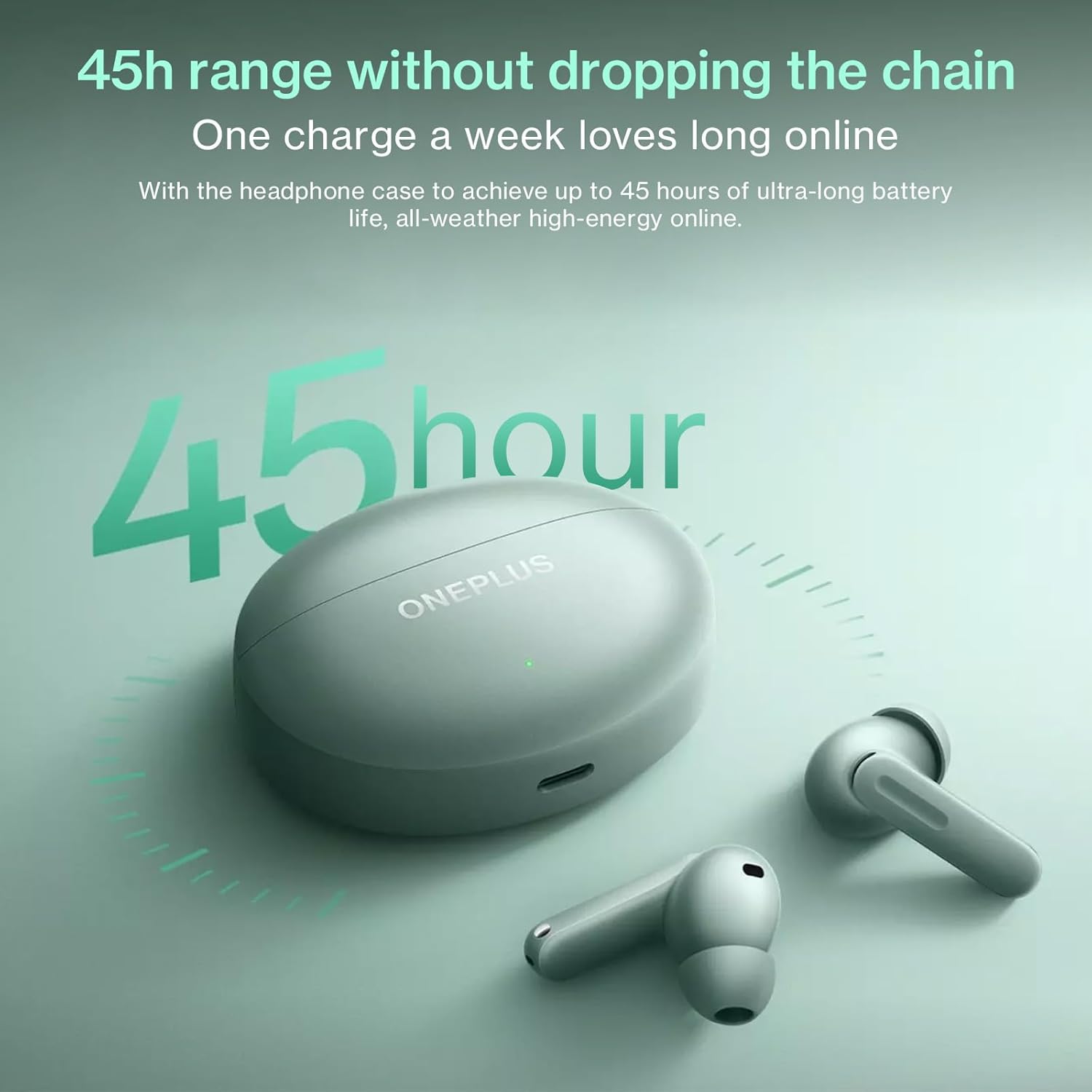
Image: The OnePlus Buds 4 and their charging case, highlighting the impressive 45-hour total battery life.

Image: Explanation of the enhanced Vocal Noise Reduction feature, demonstrating its effectiveness in noisy environments.

Сүрөт: деталдуу view of the Flagship Coaxial Dual Unit, illustrating its design for balanced high and low-frequency audio reproduction.
4. Орнотуу
4.1 Кулакчындарды жана кутучаны заряддоо
Before first use, fully charge the earbuds and the charging case. Place the earbuds into the charging case and close the lid. Connect the Type-C charging cable to the charging port on the case and plug the other end into a USB power adapter (not included). The indicator light on the case will show charging status.
- Заряддоо кутусу: Берилген USB-C кабелин колдонуп, кубат булагына туташыңыз.
- Кулакчындар: Аларды заряддоо кутусунун ичине салыңыз. Алар автоматтык түрдө төлөнөт.
4.2 Баштапкы жупташтыруу
- Кулакчындар кубаттоочу кутуда жана корпустун батареясы жетиштүү экенин текшериңиз.
- Open the charging case lid. The indicator light will flash, indicating pairing mode.
- Түзмөгүңүздө (смартфон, планшет ж.б.) Bluetooth жөндөөлөрүнө өтүп, Bluetooth'ду иштетиңиз.
- Издөө available devices and select "OnePlus Buds 4" from the list.
- Once connected, the indicator light on the case will turn solid.
4.3 Subsequent Pairing
The earbuds will automatically connect to the last paired device when the case lid is opened. If you wish to pair with a new device, follow the initial pairing steps.
4.4 App Installation (HeyMelody App)
For full functionality, including custom touch controls, sound customization (Golden Sound), and firmware updates, download the HeyMelody app from your device's app store (Google Play Store for Android, Apple App Store for iOS). Open the app and follow the on-screen instructions to connect your OnePlus Buds 4.
5. Иштөө нускамалары
5.1 Сенсордук башкаруу
The OnePlus Buds 4 feature intuitive touch controls on each earbud. The default controls are:
- Бир жолу таптоо: Музыканы ойнотуу/тындыруу, Чалууга жооп берүү/аяктоо.
- Эки жолу таптоо: Кийинки трек, Чакырууну четке кагуу.
- Үч жолу таптоо: Previous track, Activate AI Translation (on OnePlus phones).
- Press and Hold (Earbud Stem): Switch Noise Control modes (ANC/Transparency/Off).
- Press and Hold (Both Earbuds): Үн жардамчысын иштетүү.
Note: These controls can be customized via the HeyMelody app.
5.2 Ызы-чууну башкаруу режимдери
The OnePlus Buds 4 offer advanced noise control options:
- Адаптивдүү ызы-чууну жокко чыгаруу (ANC): Reduces ambient noise for an immersive listening experience. The earbuds dynamically adjust noise cancellation levels based on your environment.
- Ачыктык режими: Кулакчындарды чыгарбастан, айланаңызды так угууга мүмкүндүк берет, сүйлөшүү үчүн же трафиктен кабардар болуу үчүн пайдалуу.
- Өчүк: Disables both ANC and Transparency modes.
Switch between modes by pressing and holding the earbud stem.
5.3 Жасалма интеллекттин котормосу
For OnePlus phone users, triple-tapping an earbud can activate real-time AI Translation, facilitating seamless conversation in multiple languages. Ensure your OnePlus phone's translation features are set up.
5.4 Чакыруу функциялары
The earbuds are equipped with a 3-mic system and AI Clear Call algorithm for clear voice pickup during calls, even in noisy environments.
- Чалууга жооп берүү/аяктоо: Кулакчындарды бир жолу таптаңыз.
- Чалууну четке кагуу: Кулакчындарды эки жолу таптаңыз.
5.5 Оюн режими
The Low Latency Gaming Mode minimizes audio delay, providing a more synchronized audio-visual experience for gaming. This mode can typically be activated or managed through the HeyMelody app or your OnePlus phone's settings.
6. Техникалык тейлөө
6.1 Тазалоо
Үзгүлтүксүз тазалоо үндүн сапатын жана гигиенасын сактоого жардам берет:
- Кулакчындар: Gently wipe the earbuds, especially the ear tips and mesh, with a soft, dry, lint-free cloth. For stubborn dirt, slightly dampen the cloth with water or a mild, non-abrasive cleaner. Ensure no liquid enters the speaker openings.
- Заряддоо кутусу: Wipe the case with a soft, dry cloth. Use a cotton swab to clean the charging contacts inside the case if necessary.
- Кулак кеңештери: Remove the ear tips and wash them with water and mild soap. Rinse thoroughly and allow them to dry completely before reattaching.
Абразивдүү материалдарды, спиртти же химиялык тазалоочу каражаттарды колдонбоңуз.
6.2 Сактоо
Колдонулбай турган учурда, кулакчындарды чаңдан, кирден жана физикалык зыяндан коргоо үчүн ар дайым кубаттоочу кутучасында сактаңыз. Кутучаны салкын, кургак жерде, күндүн нуру түз тийбеген жана өтө жогорку температурадан алыс сактаңыз.
7. Кыйынчылыктарды
If you encounter issues with your OnePlus Buds 4, try the following solutions:
- Кулакчындар жупташкан жок: Ensure the earbuds are charged, in the case, and the lid is open. Check your device's Bluetooth settings. Try resetting the earbuds (refer to the HeyMelody app or online support for specific reset instructions).
- Бир кулакчындан үн чыкпайт: Place both earbuds back in the case, close the lid, wait a few seconds, then open it again. Check the battery level of both earbuds.
- Заряддоо маселелери: Ensure the charging cable is securely connected to both the case and the power source. Try a different cable or power adapter. Clean the charging contacts on the earbuds and inside the case.
- Үн сапаты начар: Ensure the ear tips provide a good seal in your ear canal. Try different sized ear tips. Clean the earbud mesh. Check for interference from other wireless devices.
- Сенсордук башкаруу жооп бербей жатат: Ensure your fingers are clean and dry. Try restarting the earbuds by placing them in the case and closing the lid.
For more detailed troubleshooting or persistent issues, refer to the HeyMelody app or the official OnePlus support webсайт.
8. Техникалык шарттар
| Спецификация | Деталь |
|---|---|
| Модель аты | E513A |
| Байланыш технологиясы | Зымсыз |
| Зымсыз байланыш технологиясы | Bluetooth |
| Bluetooth версиясы | 5.4 |
| Башкаруу түрү | Touch Control |
| Noise Control | Ыңгайлаштырылган ызы-чууну жокко чыгаруу |
| Кулак жайгаштыруу | Кулакта |
| Форма фактору | Кулакта |
| Сууга туруктуулук деңгээли | Сууга чыдамдуу (IP55) |
| Элемент Салмагы | 4.2 унция (0.12 килограмм) |
| Батареянын иштөө мөөнөтү (бардыгы куту менен) | 45 саатка чейин |
| Түс | Жашыл |
| Өндүрүүчү | ONEPLUS |
9. Кепилдик жана колдоо
Your OnePlus Buds 4 are covered by a limited warranty. Please refer to the "User Manual & Safety and Warranty" document included in your package for detailed warranty terms and conditions. For technical support, product information, or service requests, please visit the official OnePlus support webсайтка же кардарларды тейлөөгө кайрылыңыз. Кепилдик дооматтар үчүн сатып алганыңыздын далилин сактаңыз.
OnePlus Official Webсайт: https://www.oneplus.com/global/support


