1. Киришүү
The hohem iSteady V3 Ultra is an advanced 3-axis gimbal stabilizer designed for smartphones, offering enhanced video recording capabilities. It features AI auto-tracking, a detachable touchscreen remote, a built-in extension rod, a tripod, and an integrated fill light. This manual provides detailed instructions for the proper use and maintenance of your device.
2. Пакеттин мазмуну
Төмөндө тизмеленген нерселердин баары пакетиңизде бар экенин текшериңиз:
- iSteady V3 Ultra Gimbal Stabilizer
- Толтуруу жарыгы менен магниттик AI трекер
- Алынуучу сенсордук алыстан башкаруучу
- USB-C заряддоо кабели
- Hex ачкычы
- Сактоочу баштык
- Quick Start Guide
- Warranty Card and Safety Guidelines
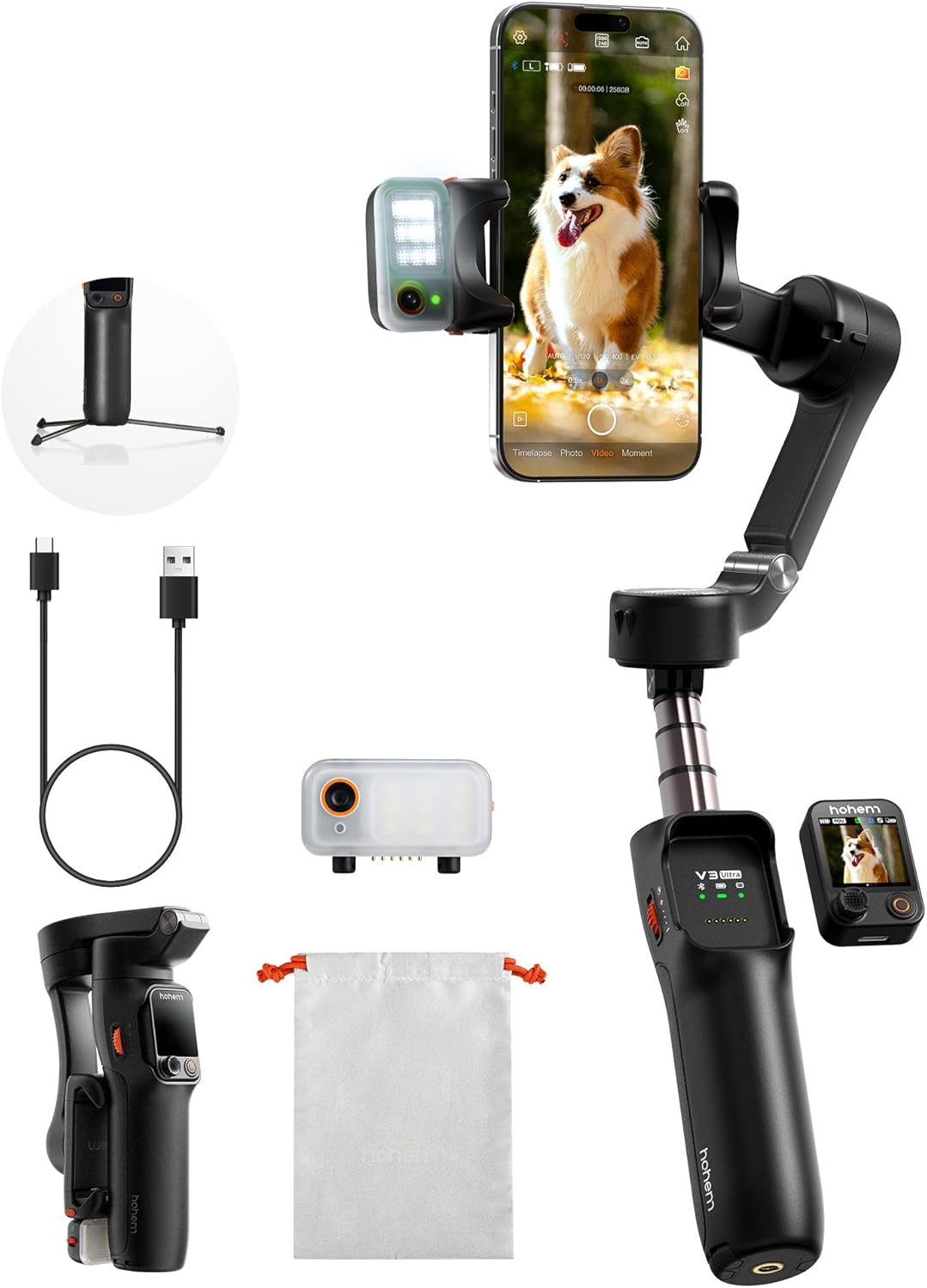
3. Орнотуу
- Гимбалды заряддоо: Connect the USB-C charging cable to the gimbal's charging port and a power source. Ensure the gimbal is fully charged before first use. The battery indicator lights will show charging status.
- Смартфонуңузду орнотуңуз: Телефондун кулпусун кеңейтүүamp and securely place your smartphone in the center. Ensure the phone is balanced to prevent motor strain. The gimbal supports phones up to 14.11 oz (400g).
- Attach AI Tracker and Fill Light: The magnetic AI tracker with built-in fill light can be attached to the top of your smartphone. Ensure it is securely seated.
- Attach Detachable Remote: The 1.22" touchscreen remote controller magnetically attaches to the gimbal handle. It can be detached for remote operation.
- Күйгүзүү: Press and hold the power button on the gimbal until the indicator lights illuminate.
- App Connection (Hohem Joy): Download the "Hohem Joy" app from your smartphone's app store. Open the app and follow the on-screen instructions to connect your gimbal via Bluetooth. This enables advanced features and firmware updates.
4. Иштөө нускамалары
4.1 AI Auto Tracking
The iSteady V3 Ultra features intelligent AI tracking for faces, pets, and objects. This allows the gimbal to automatically follow your subject, keeping it centered in the frame.
- Жандандыруу: Activate AI tracking via the detachable touchscreen remote or the Hohem Joy app.
- Тема тандоо: The AI tracker can detect and lock onto a subject automatically.
- Жаңсоо башкаруу: Use specific hand gestures to initiate or stop tracking, or to switch between landscape and portrait modes.
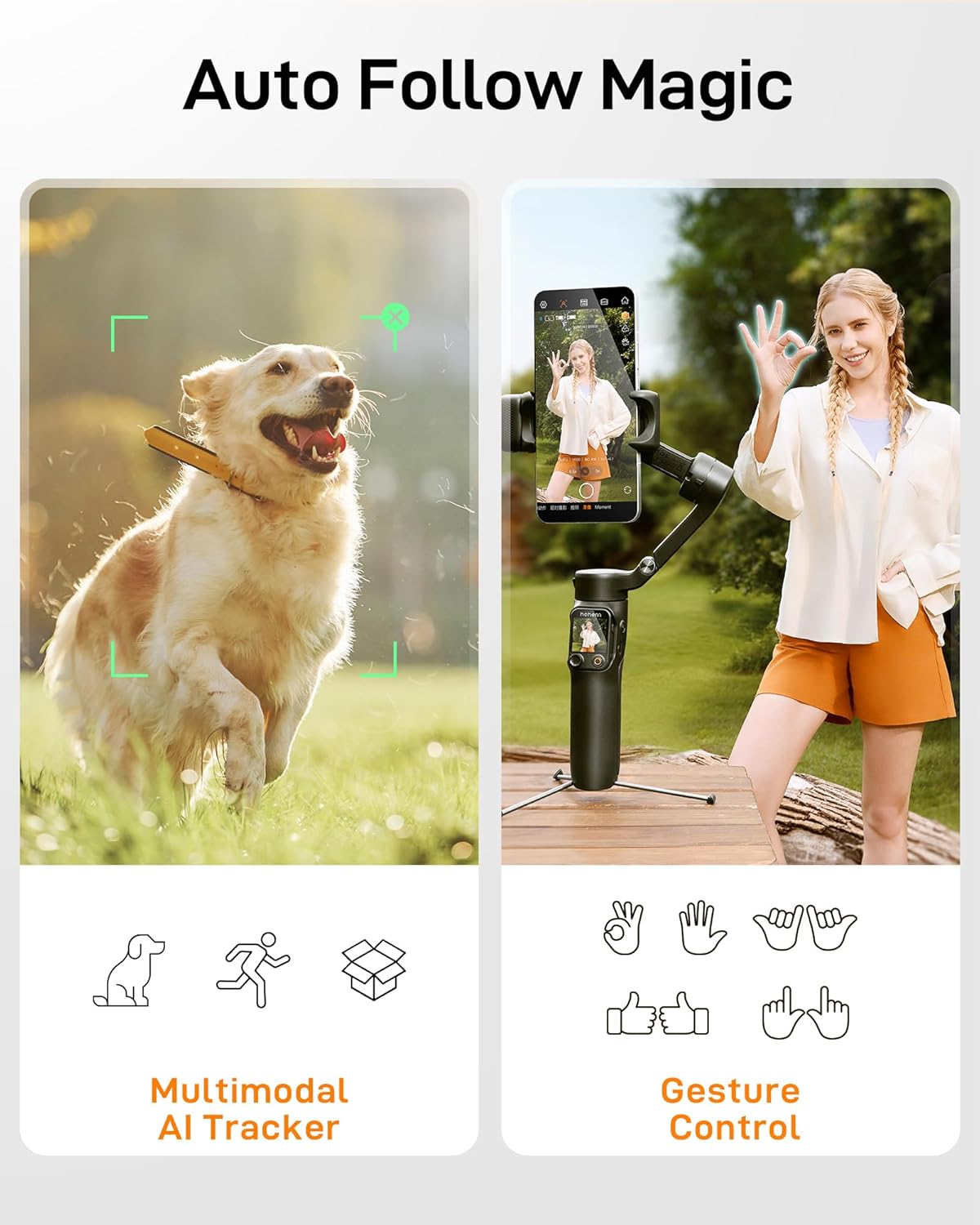
4.2 Detachable Touchscreen Remote Control
The 1.22" full-color touchscreen remote provides control over the gimbal from up to 33 feet (10 meters) away.
- Функциялары: Adjust tracking modes, preview shots, fine-tune settings, and control recording.
- Бөлүм: The remote can be easily detached from the gimbal handle for flexible operation.

4.3 3-Axis Stabilization
The iSteady V3 Ultra utilizes upgraded iSteady 9.0 technology to provide smooth, stable footage across three axes (pan, tilt, roll), minimizing shakes and jitters.
- Пан огу: Allows for 360° infinite rotation.
- Тирлөө огу: Range of -35° to 45°.
- Roll огу: Range of -195° to 135°.
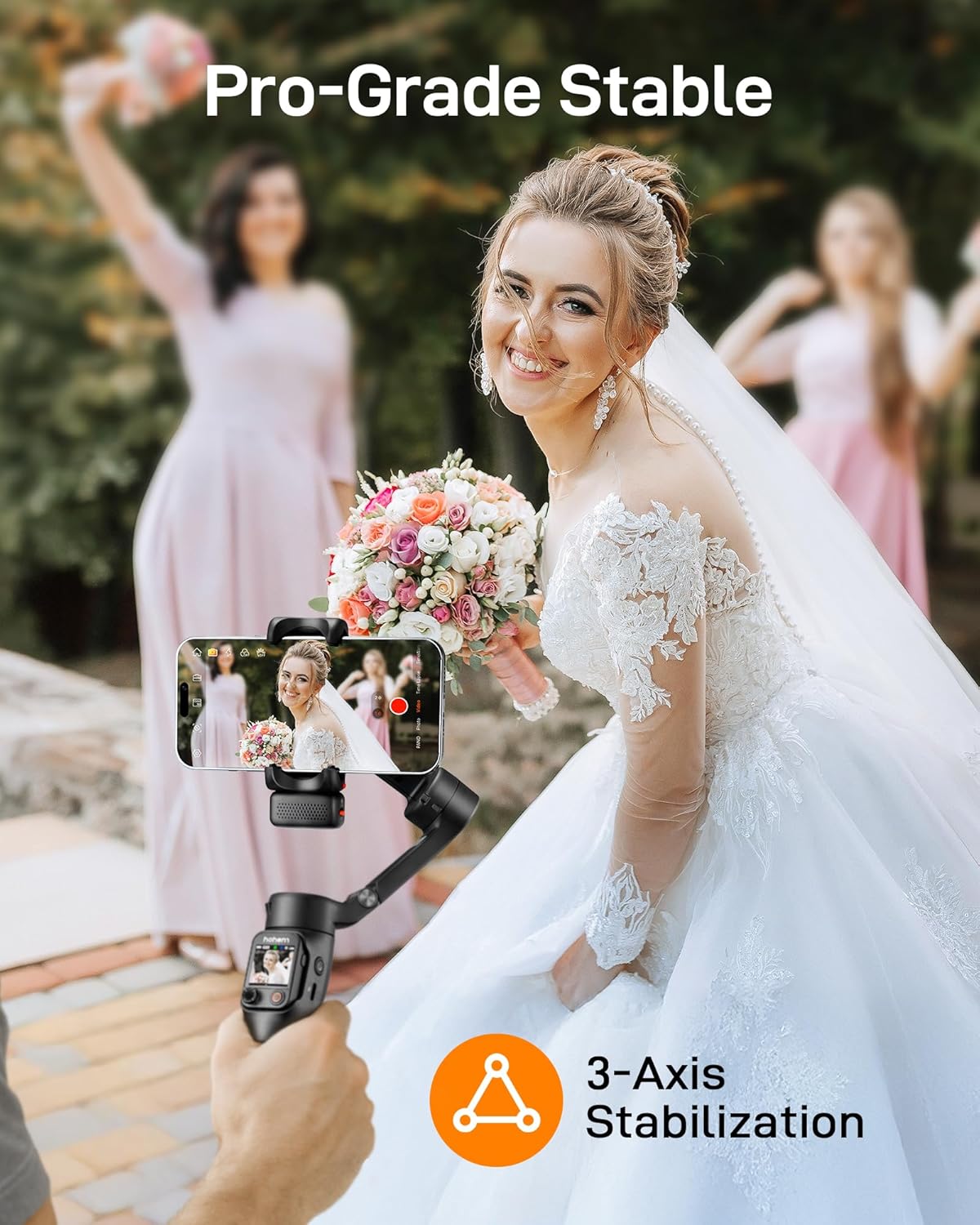
4.4 Built-in Extension Rod and Tripod
The gimbal integrates an 8-inch extension rod and a foldable tripod for versatile shooting angles and stable placement.
- Узартуу таякчасы: Extend the rod for higher or wider shots, ideal for selfies or group photos.
- Трипод: Unfold the base to use the gimbal as a stationary tripod for stable recording or time-lapses.

4.5 Smart Fill Light Control
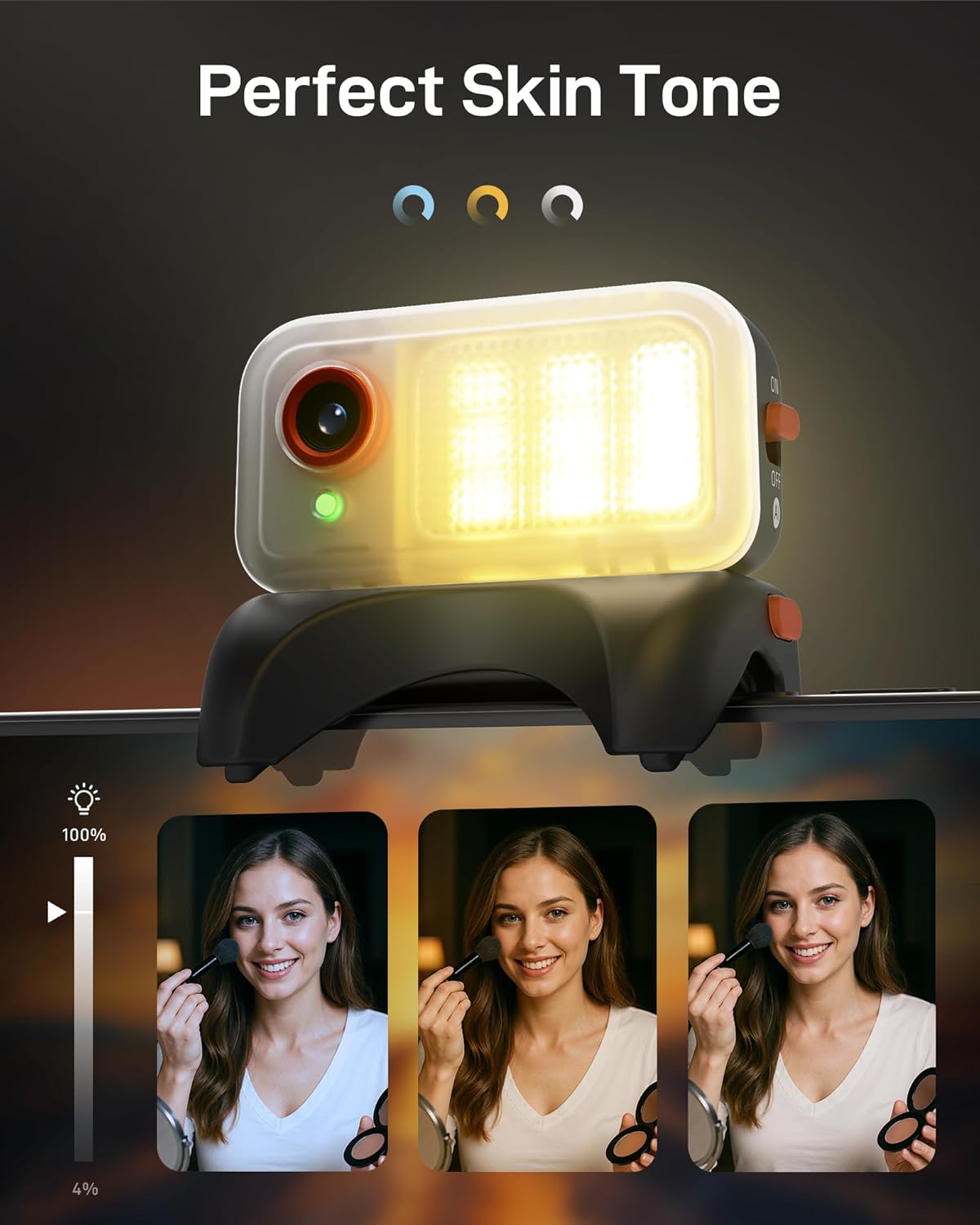
The integrated fill light provides adjustable brightness and color temperature to enhance lighting conditions for your videos and photos.
- Жөнгө салуу: Control the fill light settings remotely via the touchscreen remote or the Hohem Joy app.
- Түс температурасы: Choose between various color temperatures (e.g., cool, neutral, warm) to match your environment.
4.6 Hohem Joy App Features
The companion Hohem Joy app unlocks the full potential of your iSteady V3 Ultra, offering creative modes and intelligent templates.
- Intelligent Templates: Access pre-set shooting modes for various scenarios.
- Чыгармачыл режимдер: Explore features like Dolly Zoom, Inception, and Panorama.
- Программалык камсыздоонун жаңыртуулары: Keep your gimbal updated with the latest features and performance improvements.
5. Техникалык тейлөө
- Тазалоо: Гимбалды тазалоо үчүн жумшак, кургак чүпүрөктү колдонуңуз. Суюк тазалагычтарды же эриткичтерди колдонуудан алыс болуңуз.
- Сактагыч: Store the gimbal in its storage pouch in a cool, dry place when not in use. Avoid extreme temperatures.
- Батареяга кам көрүү: For optimal battery life, charge the gimbal regularly, even if not in frequent use. Avoid fully discharging the battery for extended periods.
- Моторду калибрлөө: If the gimbal appears unbalanced or drifts, perform a motor calibration through the Hohem Joy app.
6. Кыйынчылыктарды
- Gimbal does not power on:
- Ensure the battery is charged. Connect the gimbal to a power source using the USB-C cable and try again after a few minutes.
- Gimbal is unstable or vibrating:
-
- Ensure your smartphone is properly mounted and balanced in the clamp.
- Perform a motor calibration via the Hohem Joy app.
- Check for any obstructions preventing free movement of the gimbal axes.
- Cannot connect to Hohem Joy app:
-
- Смартфонуңузда Bluetooth иштетилгенин текшериңиз.
- Гимбалды да, смартфонуңузду да өчүрүп-күйгүзүңүз.
- Make sure the Hohem Joy app has necessary permissions.
- AI tracking is not working:
-
- Ensure the magnetic AI tracker is securely attached and powered on.
- Verify that the AI tracking feature is activated in the app or via the remote.
- Ensure sufficient lighting and clear visibility of the subject.
7. Техникалык шарттар
| Өзгөчөлүк | Деталь |
|---|---|
| Модел | iSteady V3 Ultra |
| Продукциянын өлчөмдөрү | 7.48"D x 4.84"W x 2.64"H |
| Катталган өлчөмү | 3.9" x 1.7" x 6.3" |
| Элемент Салмагы | 15.1 унция (430 г) |
| Макс. Пайдалуу жүк | 14.11 унция (400g) |
| Батарея | 1 литий-иондук батарейка (кошулган) |
| Батарея сыйымдуулугу | 1600mAh (approx. 9 hours runtime) |
| Заряддоо убактысы | Болжол менен 2.5 саат |
| Турукташтыруу | 3-Axis (iSteady 9.0) |
| Controllable Angle (Pan) | 360° Infinite |
| Controllable Angle (Roll) | -195°тан 135°ка чейин |
| Controllable Angle (Tilt) | -35°тан 45°ка чейин |
| AI Tracking Control | Touchscreen & Gesture Control |
| AI Tracker Sensor | 2MP |
| Алыстан башкаруу | Detachable 1.22" Full-Color Touchscreen Remote |
| Узартуу таякчасынын узундугу | 8 дюйм (болжол менен) |
| Шайкеш түзмөктөр | Various smartphones including iPhone 17/16/15/14/13/12/11 Pro Max, Samsung Galaxy S21/S21 Ultra S23 Ultra, OnePlus, Huawei, etc. |

8. Кепилдик жана колдоо
Your hohem iSteady V3 Ultra Gimbal Stabilizer is covered by a manufacturer's warranty. Please refer to the included Warranty Card for specific terms and conditions, including warranty period and coverage details.
For technical support, troubleshooting assistance, or service inquiries, please visit the official hohem webсайтка же кардарларды тейлөө бөлүмүнө кайрылыңыз. Сиз ошондой эле кошумча ресурстарды жана көп берилүүчү суроолорду таба аласыз hohem Store on Amazon.


