Scosche CPD32LT

Scosche FoundIT Charge 32W Car Charger Instruction Manual

Model: CPD32LT

Продукт бүттүview

The Scosche FoundIT Charge is a dual-port car charger designed for your vehicle's 12V cigarette lighter socket. It features 32W total power output, including a 20W USB-C Power Delivery port and a 12W USB-A port. A key feature is its built-in locator, compatible with Apple Find My and Android Find Hub, allowing users to track the charger's location. The device includes an internal rechargeable battery to maintain locator functionality even when unplugged.

Негизги өзгөчөлүктөрү:

  • Built-in Locator: Compatible with Apple Find My and Android Find Hub for tracking.
  • Кош порт кубаттоо: One 20W USB-C PD port and one 12W USB-A port for simultaneous charging.
  • Жалпы жыйынтык: 32W combined power output.
  • Ички батарея: Maintains locator function when unplugged or vehicle is off.
  • Купуялыкты коргоо: Encrypted location data, visible only to authorized users.
  • Автоматтык күйгүзүү: Activates when connected to the vehicle's 12V socket.
Scosche FoundIT Charge 32W Car Charger with phone displaying locator map and a car in the background
Image 1: Scosche FoundIT Charge 32W Car Charger. This image displays the charger alongside a smartphone showing its location tracking capabilities, with a car in the background, illustrating its primary function as a car charger with an integrated locator.

Орнотуу жана орнотуу

  1. Insert into 12V Socket: Plug the Scosche FoundIT Charge directly into your vehicle's 12V cigarette lighter socket. The charger will power on automatically.
  2. Download Locator App:
    • For Apple devices: Download the Apple Find My app from the App Store.
    • For Android devices: Download the Android Find Hub app from the Google Play Store.
  3. Түзмөктү жупташтыруу: Follow the on-screen instructions within the chosen locator app to pair your Scosche FoundIT Charge. The app will guide you through the connection process, typically involving a prompt when the device is first detected.
  4. Байланышты текшерүү: Once paired, confirm that the charger's location is visible within the app.
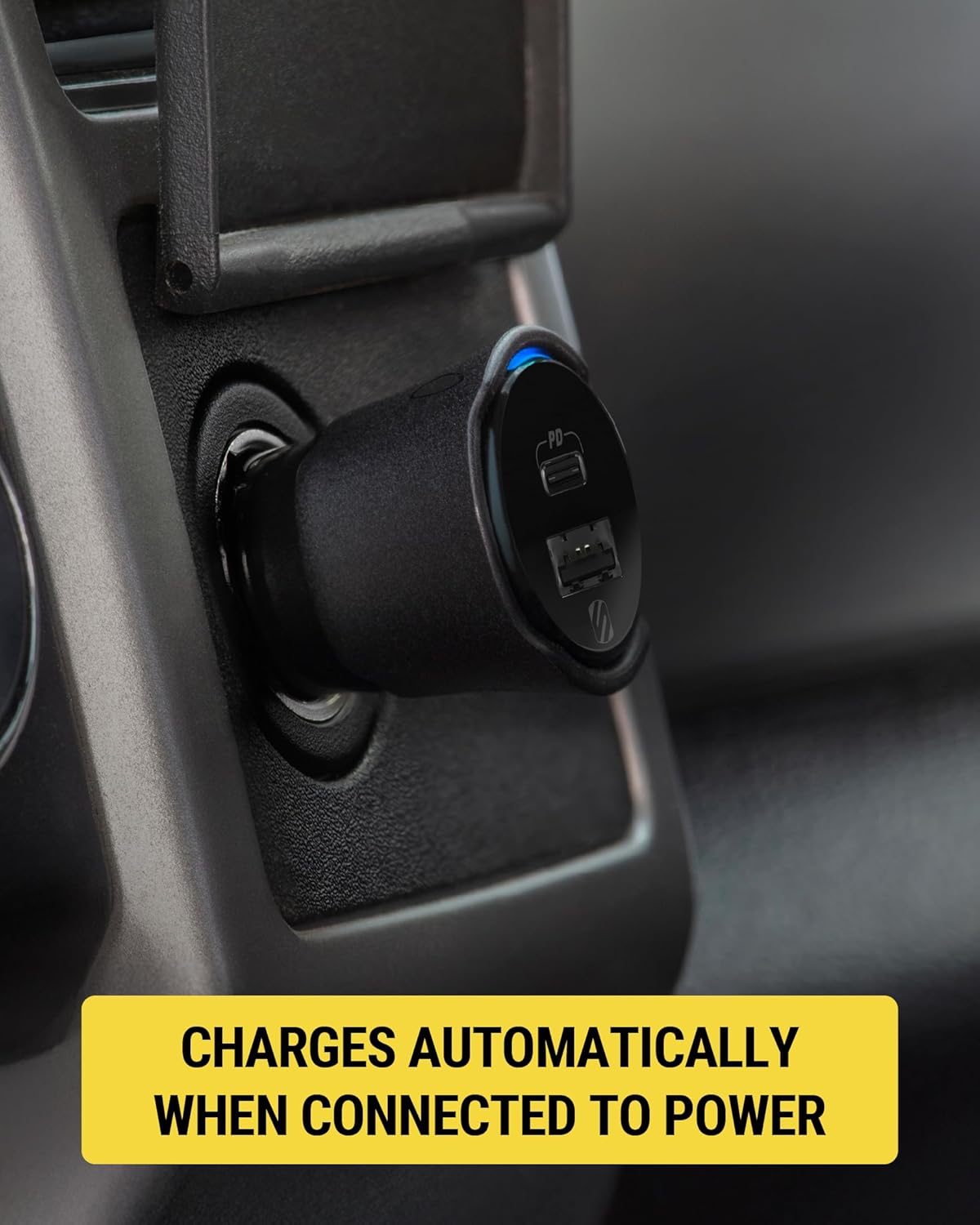
Scosche FoundIT Charge 32W Car Charger plugged into a vehicle's 12V power outlet
Image 2: The Scosche FoundIT Charge securely inserted into a car's 12V power outlet, ready for use. This demonstrates the physical installation step.
Close-up of the Scosche FoundIT Charge 32W Car Charger in a vehicle's 12V power outlet, showing a blue indicator light
Сүрөт 3: Жакын план view of the charger in the 12V socket, highlighting the illuminated blue indicator light, which signifies that the device is powered on and operational.

Иштөө нускамалары

Түзмөктөрдү кубатталууда:

  • USB-C PD порту (20 Вт): Use this port with a compatible USB-C cable for fast charging of modern smartphones (e.g., iPhone 12 series and newer, Samsung Galaxy S23/S24/S25) and tablets.
  • USB-A порту (12 Вт): Use this port with a compatible USB-A cable to charge other accessories such as older smartphones, headphones, or GPS units.
  • Бир убакта заряддоо: Both ports can be used simultaneously to charge two devices. The total output is 32W.
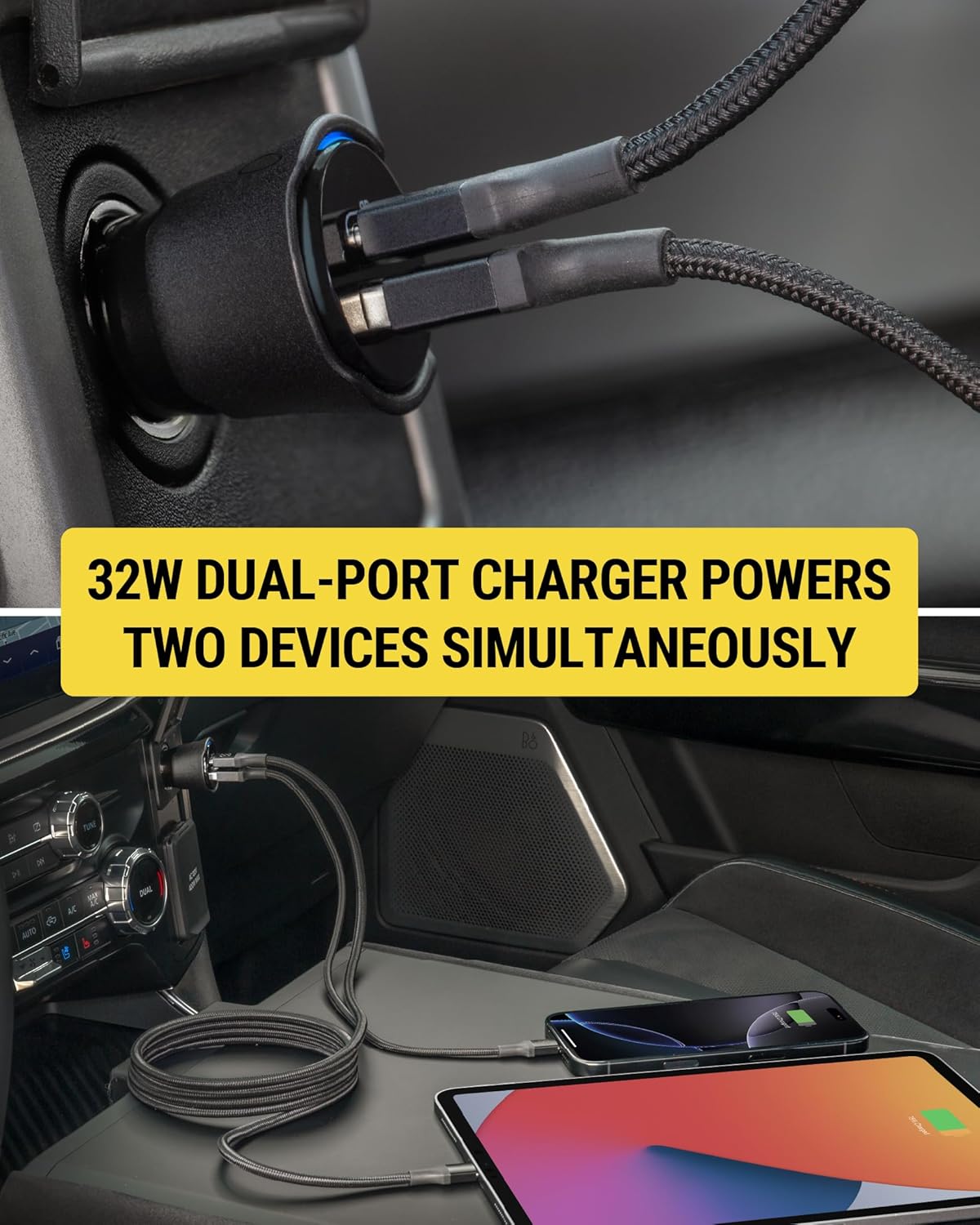
Scosche FoundIT Charge 32W Car Charger simultaneously charging a smartphone and a tablet
Image 4: The dual-port charger actively charging both a smartphone and a tablet, demonstrating its capability to power multiple devices concurrently.

Using the Locator Function:

  • Locate Your Charger: Open the Apple Find My or Android Find Hub app on your paired device. The app will display the last known location of your FoundIT Charge.
  • Үн ойнотуу: If within Bluetooth range, you can use the app to make the charger emit a sound, helping you pinpoint its exact location.
  • Багыттарды алуу: The app can provide directions to the charger's location, useful for finding your parked vehicle or a misplaced charger.
  • Жайгашкан жерди бөлүшүү: You can share the charger's location with trusted individuals through the app.
Smartphone screen displaying the Apple Find My app with the Scosche FoundIT Charge's location and options to play sound or get directions
Image 5: A smartphone screen showing the Find My app interface, with the Scosche FoundIT Charge's location marked on a map, along with options to play a sound or receive directions.

Расмий продукт Video:

Video 1: Official product video demonstrating the features and functionality of the Scosche FoundIT Charge, including its dual-port charging and built-in item locator.

Техникалык тейлөө

  • Ички батарея: The FoundIT Charge contains an internal rechargeable battery that powers the locator function. This battery recharges automatically when the charger is plugged into a live 12V socket. It can maintain the locator function for up to 3 months between charges. Regular use in your vehicle will keep the internal battery charged.
  • Тазалоо: Кубаттоочу түзүлүштүн сыртын тазалоо үчүн кургак, жумшак чүпүрөктү колдонуңуз. Суюк тазалоочу каражаттарды же эриткичтерди колдонуудан алыс болуңуз.
  • Сактагыч: Кубаттоочу түзүлүштү көпкө чейин колдонбогондо, салкын, кургак жерде сактаңыз.

Проблемаларды чечүү

КөйгөйМүмкүн себепЧечим
Түзмөк заряддалбай жатат.
  • Loose connection in 12V socket.
  • Заряддоо кабели туура эмес.
  • Vehicle's 12V socket is not powered.
  • Device incompatibility or excessive power draw.
  • Ensure the charger is firmly seated in the 12V socket.
  • Башка заряддоо кабелин колдонуп көрүңүз.
  • Verify the vehicle's 12V socket is active (e.g., by testing with another device).
  • Ensure your device is compatible with USB-C PD or standard USB-A charging.
Locator not updating or found.
  • Charger's internal battery is depleted.
  • Bluetooth байланышында көйгөй бар.
  • App not properly configured or updated.
  • Plug the charger into a 12V socket in a running vehicle to recharge its internal battery.
  • Ensure Bluetooth is enabled on your phone and the charger is within range.
  • Check for updates to the Apple Find My or Android Find Hub app. Re-pair the device if necessary.
Жай кубаттоо ылдамдыгы.
  • Тез кубаттоочу кабелди колдонуу.
  • Түзмөк тез кубаттоону колдобойт.
  • Multiple devices drawing power simultaneously.
  • Use a high-quality USB-C to USB-C or USB-C to Lightning cable for fast charging.
  • Confirm your device supports 20W USB-C Power Delivery.
  • Charging two devices simultaneously may distribute power, potentially reducing individual charging speeds.

Техникалык шарттар

  • Модел: CPD32LT (FoundIT Charge)
  • Киргизүү: 12 Volts (from vehicle's 12V socket)
  • Чыгуу:
    • USB-C PD Port: 20W
    • USB-A Port: 12W
    • Жалпы чыгым: 32W
  • Байланыш: Bluetooth (for locator function)
  • Салмагы: Болжол менен 3.2 унция
  • Өлчөмдөрү: Approximately 2.55 inches (length) x 1.21 inches (diameter)
  • Материал: Пластик
  • Өзгөчөлүктөр: Fast Charging, Multi-Device Charging, Built-in Locator (Apple Find My & Android Find Hub compatible)
Diagram showing the dimensions and port types of the Scosche FoundIT Charge 32W Car Charger
Image 6: A detailed diagram illustrating the physical dimensions and the specific output wattage for both the 20W USB-C and 12W USB-A ports on the charger.

Тектеш документтер - CPD32LT

Preview Scosche FoundIT™ Charge: 32W Dual-Port Car Charger with Apple Find My Locator
Колдонуучунун колдонмосу жана продукт бүттүview for the Scosche FoundIT™ Charge, a 32W dual-port USB car charger featuring a built-in item locator compatible with Apple Find My and Android Find Hub networks. Learn how to set up, use, and troubleshoot.
Preview Scosche DoubleUP DCLSP402SW 12V унаа адаптери USB-C PD менен - ​​Колдонуучунун колдонмосу
Scosche DoubleUP DCLSP402SW, эки 12V порт, бир 12V көмөкчү порт жана эки 20 Вт USB-C Power Delivery портторун камтыган 12V унаа адаптерин кантип колдонууну үйрөнүңүз. Орнотууларды жана функцияларды камтыйтview.
Preview Scosche PowerUp 32K Portable Power Hub Колдонуучу колдонмосу
Scosche PowerUp 32K Portable Power Hub үчүн колдонуучунун колдонмосу, анын өзгөчөлүктөрү, жөндөлүшү жана иштеши, анын ичинде кубаттоо, кубат чыгаруу жана кол чырак функциялары.
Preview Qualcomm Quick Charge менен Scosche OBD2QC3 OBDII/USB-A унаа заряддоочу адаптер - Колдонуучунун колдонмосу
Scosche OBD2QC3 үчүн колдонуучу колдонмосу, Qualcomm Quick Charge технологиясын камтыган OBDII/USB-A унаа заряддоочу адаптер. Бул колдонмо орнотуу нускамаларын, функцияларды жана сызык камераларын жана башка USB түзмөктөрүн иштетүү үчүн колдоо маалыматын камтыйт.
Preview Scosche BTFM8 Bluetooth FM өткөргүчү жана унаа кубаттагычы колдонуучунун колдонмосу
Scosche BTFM8 Bluetooth FM өткөргүчү үчүн кеңири колдонуучу колдонмосу. Бул унаа адаптери менен кантип орнотууну, жупташтырууну, музыканы агымдоону, чалууларды жасоону, үн жардамчыларын колдонууну жана түзмөктөрдү кубаттоону үйрөнүңүз.
Preview Scosche GoBat 10K Power Bank колдонуучусунун колдонмосу жана мүнөздөмөлөрү
Scosche GoBat 10K көчмө 10 000 мАч кубаттуулуктагы кубат банкынын колдонуучу колдонмосу жана мүнөздөмөлөрү. Түзмөктөрүңүздү жана кубат банкын кантип кубаттоону билип алыңыз, view техникалык маалыматтар жана шайкештик жөнүндө маалыматты түшүнүү.