1. Киришүү
This manual provides detailed instructions for the setup, operation, maintenance, and troubleshooting of your Tabwee T90 Android 16 Tablet. Please read this manual thoroughly before using your device to ensure proper functionality and to maximize your user experience.

Image: The Tabwee T90 tablet shown with its full suite of accessories, including a detachable keyboard, wireless mouse, stylus, protective case, charging adapter, and USB cable. This illustrates the complete package contents.
2. Пакеттин мазмуну
Пакетте бардык буюмдар бар экенин текшериңиз:
- Tabwee T90 Tablet
- Bluetooth баскычтоп
- Зымсыз чычкан
- Стилус калеми
- Коргоочу кап
- Экран коргоочу фильм
- Power Adapter (Type-C)
- USB маалымат кабели (C түрү)
- User Manual

Image: A visual representation of the Tabwee T90 tablet's dimensions and all components included in the retail package, such as the tablet, keyboard, mouse, stylus, and various cables and covers.
3. Баштапкы орнотуу
3.1 Планшетти заряддоо
Before first use, fully charge the tablet using the provided Type-C power adapter and USB cable. The charging port is located on the side of the tablet.

Image: The Tabwee T90 tablet being charged via its Type-C port, highlighting its 8000mAh battery and estimated usage times for various activities like web browsing, video playback, gaming, and music.
3.2 Күйгүзүү/өчүрүү
- Күйгүзүү үчүн: Экран күйгүчө кубат баскычын басып, кармап туруңуз.
- Өчүрүү үчүн: Press and hold the Power button, then select "Power Off" from the options.
3.3 Баштапкы конфигурация
Баштапкы орнотууну аяктоо үчүн экрандагы көрсөтмөлөрдү аткарыңыз, анын ичинде:
- Тил тандоо
- Wi-Fi тармак туташуусу
- Google каттоо эсебине кирүү
- Дата жана убакыт жөндөөлөрү
- Security settings (PIN, pattern, password, or face recognition)

Image: A collage of screenshots demonstrating key Android 16 features such as real-time notifications, robust security measures, access to the Google Play Store for app downloads, and options for regional language optimization.
3.4 Аксессуарларды туташтыруу
The Tabwee T90 comes with a Bluetooth keyboard and mouse. To connect them:
- Enable Bluetooth on your tablet via Settings > Connected devices > Bluetooth.
- Put the keyboard/mouse into pairing mode (refer to their individual manuals if needed).
- Select the accessory from the list of available devices on your tablet to pair.
The stylus pen does not require pairing.
4. Планшетиңизди иштетүү
4.1 Android 16 интерфейси
The Tabwee T90 runs on Android 16, offering an intuitive and enhanced user experience with improved security and performance. Features include real-time notifications, efficient multitasking, and smart operational capabilities.
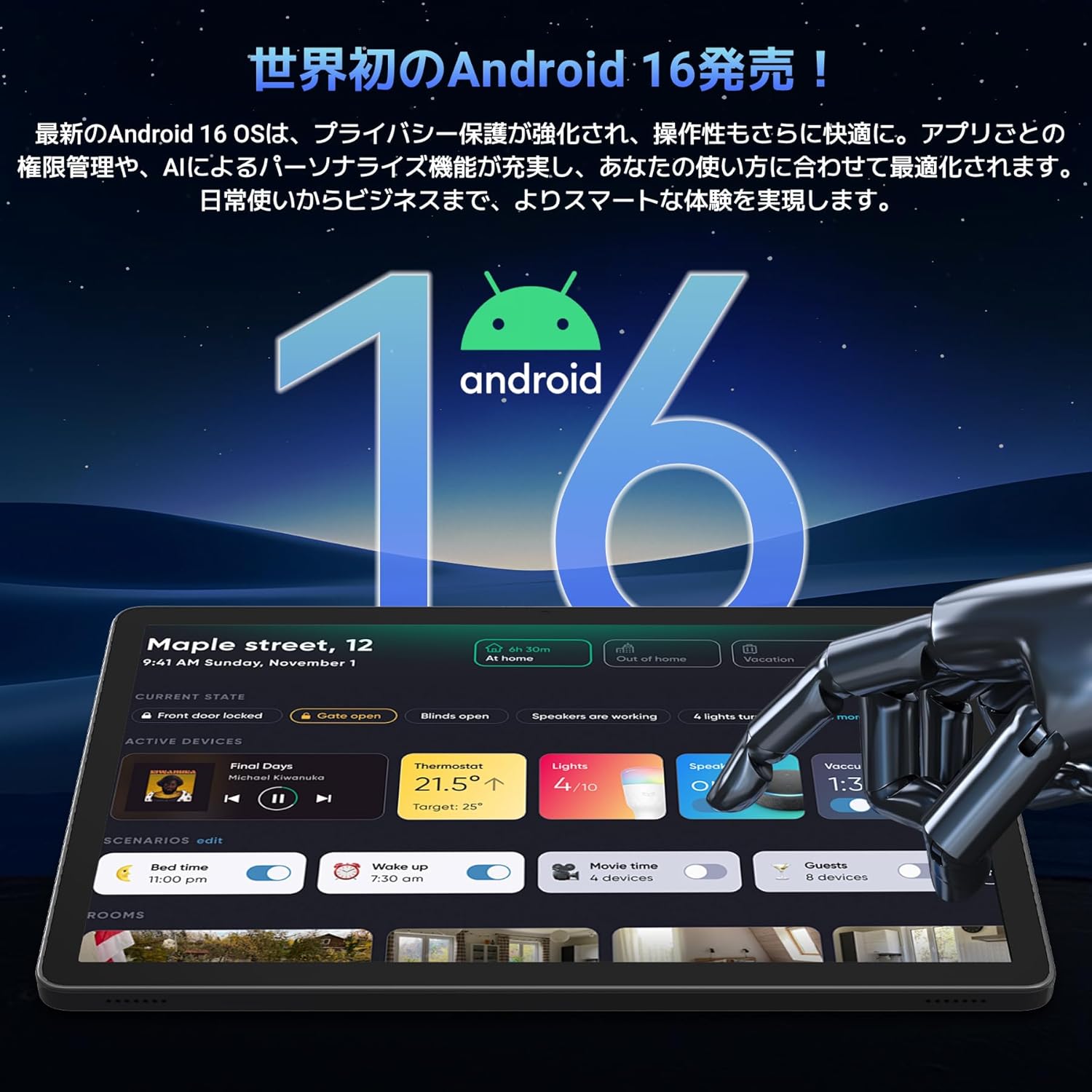
Image: A visual representation of the Android 16 operating system logo and its modern interface displayed on the Tabwee T90 tablet, emphasizing its new features and design.
4.2 Display and Media Playback
The 11-inch FHD IPS display (1920x1200 resolution) provides clear and vibrant visuals. With Widevine L1 support, you can stream high-definition content (1080p and above) from services like Netflix and Amazon Prime Video.

Image: The Tabwee T90 tablet showcasing a high-definition video of a baseball game, demonstrating its 11-inch FHD display and compatibility with streaming platforms like Netflix, YouTube, HBO, and Prime Video via Widevine L1.
4.3 Camera and Imaging
The tablet features a 5MP front camera for video calls and selfies, and a 13MP rear camera for capturing photos. Android 16's AI image processing enhances photo quality, and HEVC video encoding ensures stable editing and improved video quality. Google Lens integration allows for smart recognition, scanning, translation, and search functions.
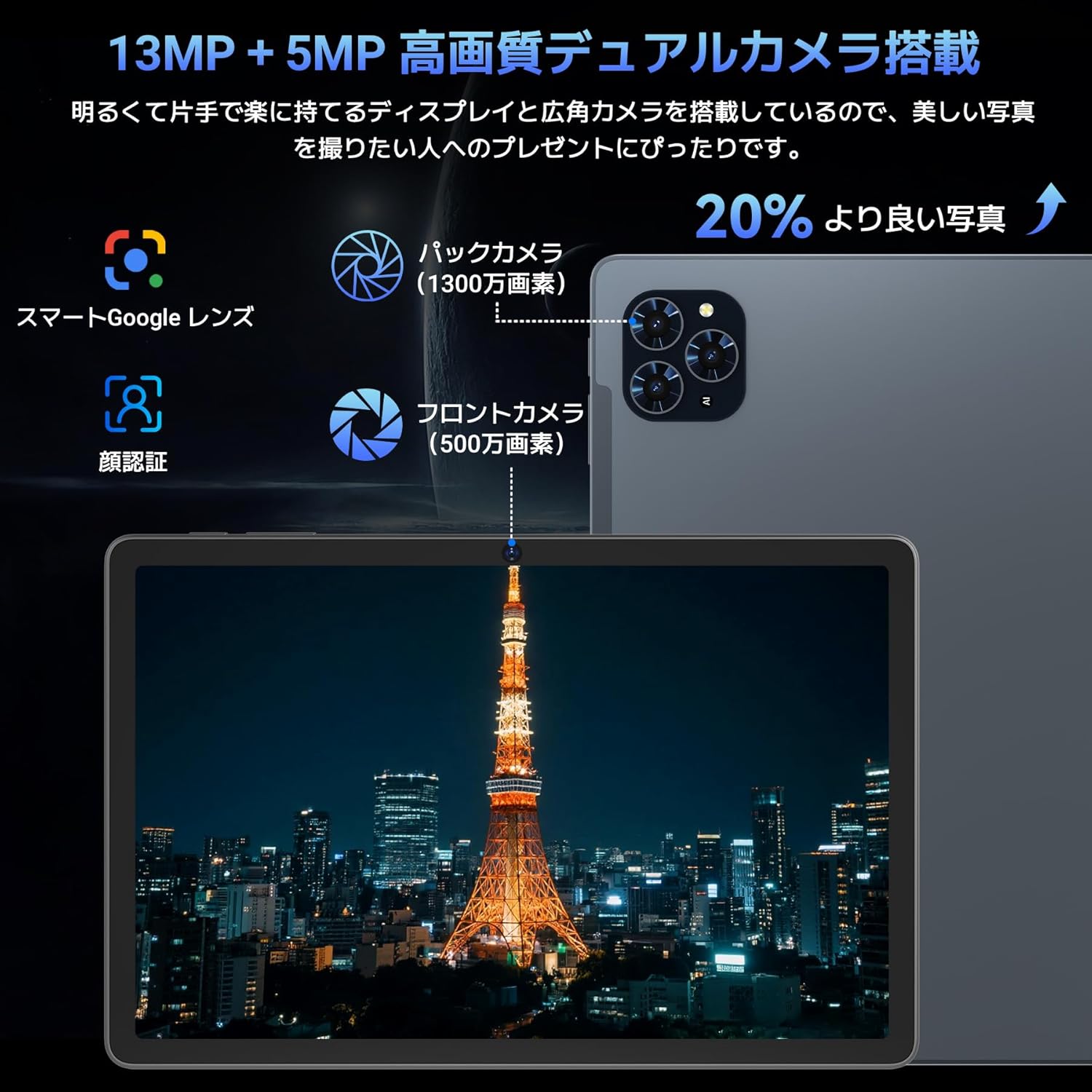
Сүрөт: деталдуу view of the Tabwee T90 tablet's camera system, indicating a 13MP rear camera and a 5MP front camera. An example photo of Tokyo Tower is displayed on the screen, illustrating image capture capabilities.
4.4 Жүздү таануу
Utilize the face recognition feature for quick and secure unlocking of your tablet. Set it up in Settings > Security & privacy > Face unlock.
4.5 Gemini AI Integration
The tablet integrates with Gemini AI, optimizing performance across various scenarios. This AI assists with content recommendations, image processing, and semantic understanding, enhancing daily operations.

Image: A conceptual image depicting Gemini AI as a robotic figure interacting with multiple tablet screens, symbolizing its ability to support various tasks like email composition, schedule management, and information retrieval, enhancing user productivity.
4.6 Custom Keyboard Shortcuts
After connecting a Bluetooth keyboard, you can set custom shortcut keys to launch frequently used applications with a single press. Navigate to Settings > System > Keyboard > Keyboard shortcuts to configure.
5. Техникалык тейлөө
5.1 Тазалоо
- Планшеттин экранын жана корпусун тазалоо үчүн жумшак, түксүз чүпүрөктү колдонуңуз.
- Катуу химиялык заттарды же абразивдүү материалдарды колдонуудан алыс болуңуз.
- өжөр тактар үчүн, бир аз гampчүпүрөккө суу же электроника үчүн арналган экран тазалагыч.
5.2 Батареяга кам көрүү
- Планшетти экстремалдык температурага тийгизүүдөн сактаңыз.
- Батареянын бат-баттан толук зарядсызданышына жол бербеңиз.
- Берилген кубаттагычты же сертификатталган шайкеш кубаттагычты гана колдонуңуз.
5.3 Программалык камсыздоо жаңыртуулары
Оптималдуу аткарууну жана коопсуздукту камсыз кылуу үчүн системанын жаңыртууларын дайыма текшерип, орнотуңуз. Орнотуулар > Система > Системанын жаңыртууларына өтүңүз.
6. Кыйынчылыктарды
6.1 Планшет күйбөйт
- Планшеттин жетиштүү заряддалганын текшериңиз. Аны кубаттагычка кеминде 30 мүнөт туташтырыңыз.
- Мажбурлап өчүрүп күйгүзүү үчүн кубат баскычын 10-15 секунд басып туруңуз.
6.2 Wi-Fi туташуу маселелери
- Wi-Fi роутериңизди жана планшетиңизди өчүрүп күйгүзүңүз.
- Планшеттин жөндөөлөрүнөн тармакты унутуп, кайра туташыңыз.
- Wi-Fi сигналынын чегинде экениңизди текшериңиз.
6.3 Кошумча жабдуулар туташпай жатат
- Ensure Bluetooth is enabled on the tablet.
- Check that the accessory is in pairing mode and has sufficient battery.
- Try restarting both the tablet and the accessory.
6.4 Жай аткаруу
- Керексиз фон колдонмолорун жабуу.
- Көп колдонулган колдонмолор үчүн кэшти тазалоо (Орнотуулар > Колдонмолор > [Колдонмонун аталышы] > Сактоо жана кэш > Кэшти тазалоо).
- Жеткиликтүү сактоо мейкиндигин камсыз кылыңыз.
- Планшетті мезгил-мезгили менен өчүрүп-күйгүзүңүз.
7. Техникалык шарттар
| Өзгөчөлүк | Деталь |
|---|---|
| Бренд | ТАБВИ |
| Модель аты | T90 |
| Операция системасы | Android 16 |
| CPU | Unisoc T615 Octa-core (2x Cortex-A75 @ 2.0GHz, 6x Cortex-A55 @ 1.8GHz) |
| GPU | Мали-G57 |
| RAM | 8 ГБ (виртуалдык RAM менен 24 ГБ чейин кеңейтилиши мүмкүн) |
| Ички сактагыч | 128 ГБ |
| Кеңейтүүчү сактагыч | Up to 2TB via microSD card (not included) |
| Screen Size | 11 дюйм |
| Дисплей түрү | IPS FHD |
| Резолюция | 1920 x 1200 пиксель |
| Алдыңкы камера | 5MP |
| Арткы камера | 13MP |
| Батарея сыйымдуулугу | 8000mAh |
| Заряддоо порту | Type-C |
| Байланыш | Wi-Fi (2.4G/5G, 802.11ac), Bluetooth 5.0 |
| Салмагы | 1.37 кг (болжол менен 3.02 фунт) |
| Өлчөмдөр | 29.1 x 20 x 5.7 см (таңгактоо) |
| Сертификаттар | PSE, GITEKI, GMS |

Image: A detailed diagram illustrating the Unisoc T615 Octa-core CPU, highlighting its architecture with Cortex-A75 and Cortex-A55 cores, Mali-G52 MP1 GPU, and 12nm low power consumption, indicating its high performance.

Image: The Tabwee T90 tablet's screen showing multiple applications, emphasizing its 128GB internal storage and support for up to 2TB external storage, with examples of how many photos, songs, and videos can be stored.
8. Кепилдик жана колдоо
The Tabwee T90 Tablet comes with a 2 жылдык кепилдик. This warranty covers manufacturing defects and ensures product quality.
8.1 Колдоо кызматы менен байланышуу
If you encounter any issues or have questions, please contact customer support through your Amazon account:
- Go to your Amazon account > Order History > Select the relevant order.
- Click on the seller's name (TABWEE Official Store).
- Use the "Ask a question" option to send an email.
Support is available from 9:00 AM to 6:00 PM (excluding holidays). Inquiries will be responded to as quickly as possible.

Image: An illustration representing customer support, featuring a person wearing a headset and working on a laptop, symbolizing assistance for product inquiries and warranty claims.


