Introduction
This manual provides detailed instructions for the ANCEL FX6100 OBD2 Bidirectional Scan Tool and the ANCEL AL-PB50 Automotive Circuit Tester. These tools are designed to assist in diagnosing vehicle issues, performing maintenance services, and testing electrical circuits. Please read this manual thoroughly before operating the devices to ensure proper use and to prevent damage.
Коопсуздук маалыматы
Always observe the following safety precautions when working on a vehicle:
- Тиешелүү көз коргоону кийиңиз.
- Keep clothing, hair, hands, and tools away from moving engine parts.
- Унааны жакшы желдетилген жерде иштетиңиз.
- Ensure the vehicle is in park (P) or neutral (N) and the parking brake is engaged.
- Turn off the ignition before connecting or disconnecting any test equipment.
- Be aware of hot engine components and exhaust systems.
- Батарея кислотасы менен тийбеңиз.
- Эгерде шаймандар бузулгандай көрүнсө, аларды колдонбоңуз.
Продукт бүттүview
ANCEL FX6100 OBD2 Bidirectional Scan Tool
The ANCEL FX6100 is a professional diagnostic scan tool designed for comprehensive vehicle system analysis. It features a 6.2-inch screen and runs on Android 10.0. Key capabilities include bidirectional control, full system diagnostics, and over 15 maintenance reset functions.
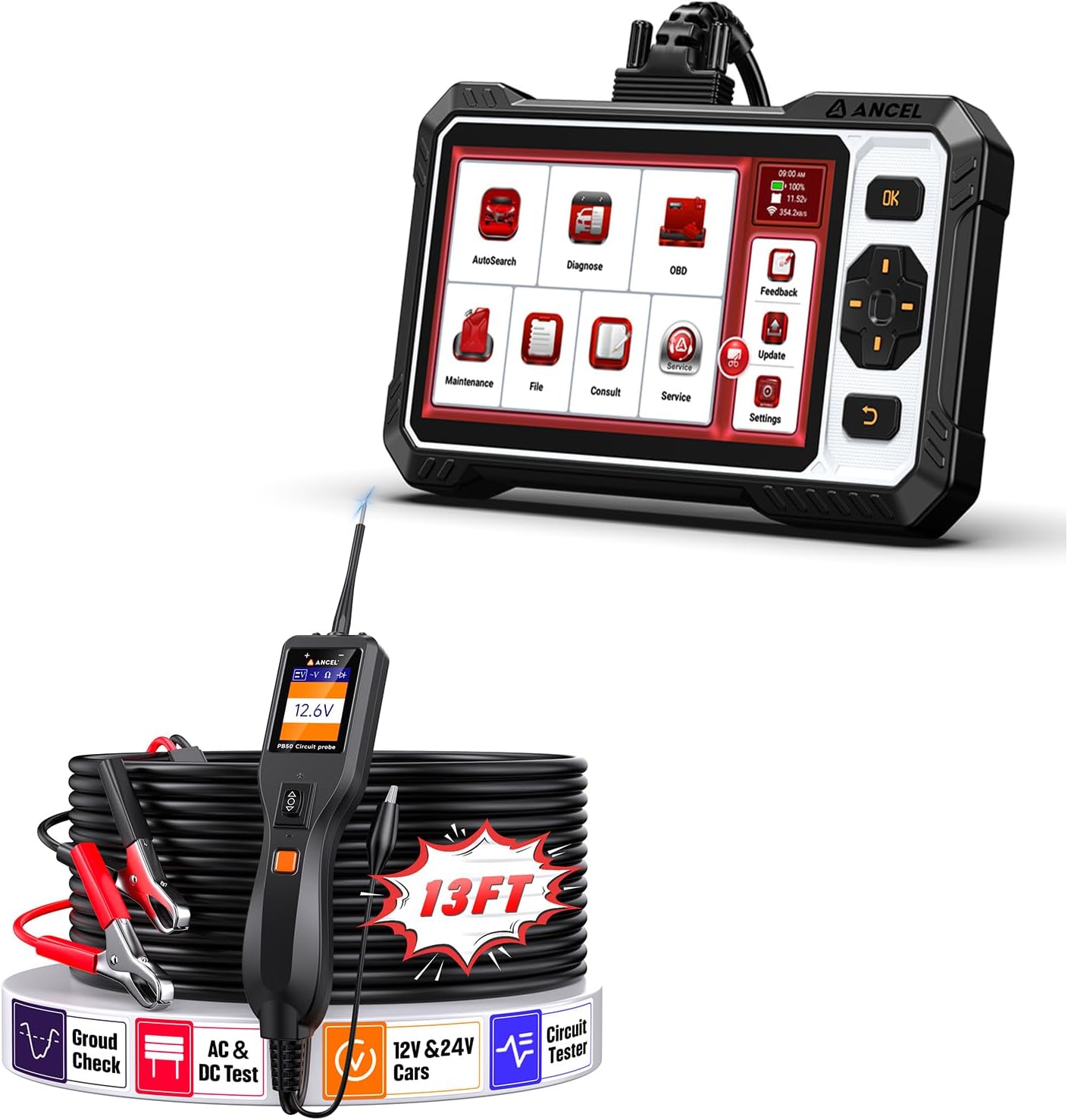
Image: The ANCEL FX6100 Bidirectional Scan Tool and the ANCEL AL-PB50 Automotive Circuit Tester, shown together with their accessories.
ANCEL AL-PB50 Automotive Circuit Tester
The ANCEL AL-PB50 is a 12V/24V power circuit probe tester used for quickly diagnosing electrical issues. It can send voltage and ground signals, activate components, and identify circuit polarity. It includes an auxiliary ground lead for ease of use.
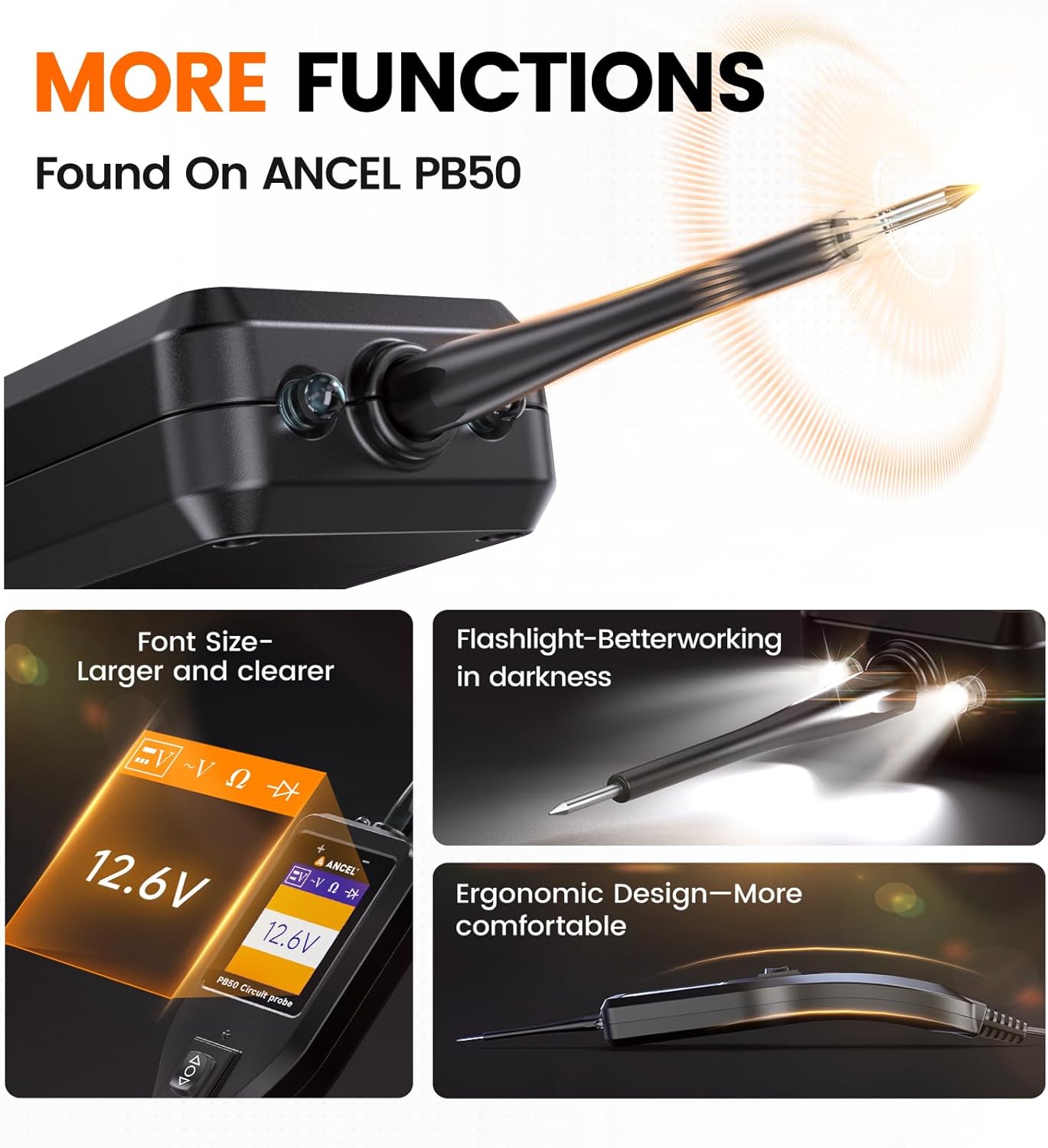
Сүрөт: Жакын план view of the ANCEL AL-PB50 Circuit Tester highlighting features such as adjustable font size, built-in flashlight, and ergonomic design.
Орнотуу нускамалары
Setting up the ANCEL FX6100 Scan Tool
- Күйгүзүү: Connect the FX6100 to the vehicle's OBD2 port. The device will power on automatically.
- Баштапкы конфигурация: Follow the on-screen prompts to select language, time zone, and Wi-Fi settings.
- Программалык камсыздоону жаңыртуу: It is recommended to update the software to the latest version before first use. Navigate to the "Update" section on the main menu and follow the instructions.
Setting up the ANCEL AL-PB50 Circuit Tester
- Кубатка туташуу: кызыл clamp to the positive (+) terminal of the vehicle's battery and the black clamp to the negative (-) terminal or a good chassis ground.
- Жардамчы жерге туташтыргыч: For certain tests, connect the auxiliary ground lead to ensure a stable ground connection.
- Кубат текшерүү: Once connected, the device display will show the current voltage, indicating it is ready for use.
Operating Instructions - ANCEL FX6100 Scan Tool
Негизги навигация
The FX6100 features a touch-screen interface and physical buttons for navigation. Use the touch screen to select options or the directional pad and OK button for menu navigation.
Диагностикалык функциялар
From the main menu, select "Diagnose" to access vehicle diagnostic functions.
- AutoSearch: Automatically identifies the vehicle's VIN and retrieves vehicle information.
- Системаны сканерлөө: Performs a comprehensive scan of all available electronic control units (ECUs) for fault codes.
- Окуу коддору: Displays current, pending, and historic diagnostic trouble codes (DTCs).
- Таза коддор: Унаанын эс тутумунан DTCлерди өчүрөт. Коддорду тазалоодон мурун, негизги көйгөй чечилгенин текшериңиз.
- Жандуу маалыматтар: Displays real-time data parameters from various sensors and components.
Bidirectional Control (Active Tests)
The FX6100 can send commands to the vehicle's ECU to perform active tests on specific components. This helps in pinpointing faults quickly.
- Процедура: Navigate to the "Diagnose" section, select the vehicle, then choose "Active Test" or "Bidirectional Control." Select the component you wish to test (e.g., injectors, coolant pump, wipers, mirrors, headlights).
- Байкоо: Компоненттин иштөө абалын аныктоо үчүн анын реакциясын байкаңыз.

Image: Illustration of the ANCEL FX6100 performing bidirectional control, sending commands to activate components like wipers, mirrors, fuel injectors, and coolant pumps on a vehicle.

Image: Diagram showing the ANCEL FX6100's capability to diagnose all major vehicle systems, including ABS, Airbag, Engine, TPMS, BCM, EBS, HVAC, ESP, Transmission, and Instrument cluster.
Maintenance Services (Reset Functions)
The FX6100 offers over 15 lifetime free maintenance reset functions. Access these from the "Maintenance" section on the main menu.
- Майды калыбына келтирүү: Май алмаштырылгандан кийин майдын иштөө мөөнөтүн көзөмөлдөө системасын баштапкы абалга келтирет.
- Батареяга дал келүү: Унаанын батареяны башкаруу системасы менен жаңы батареяны каттайт.
- TPMS баштапкы абалга келтирүү: Дөңгөлөктү айландыргандан же сенсорду алмаштыргандан кийин Дөңгөлөк басымын көзөмөлдөө системасын баштапкы абалга келтирет.
- Тормоз колодкасын баштапкы абалга келтирүү: Resets the electronic parking brake (EPB) system after brake pad replacement.
- Steering Angle Calibration: Рул бурчу сенсорду калибрлейт.
- ABS кан агуу: Performs automated bleeding procedures for the anti-lock braking system.
- DPF калыбына келтирүү: Initiates forced Diesel Particulate Filter regeneration.
- Башка кызматтар: Includes NOx Sensor Reset, Air/Fuel Ratio Reset, Gear Learning, AdBlue Reset, EGR Adaption, Electronics Throttle Adaption, Injector Coding, and Gearbox Learning.
Маанилүү: Ensure the software is updated before using reset functions for optimal performance.

Image: Visual representation of the 15+ maintenance services offered by the ANCEL FX6100, including Oil Reset, Battery Matching, Brake-pad Reset, Steering Angle Reset, TPMS Reset, and DPF Regeneration.
Программалык камсыздоо жаңыртуулары
Regular software updates ensure compatibility with new vehicle models and provide enhanced features. Connect the FX6100 to a Wi-Fi network and navigate to the "Update" section on the main menu to check for and install available updates.
Operating Instructions - ANCEL AL-PB50 Circuit Tester
Негизги операция
Once connected to the vehicle's battery, the AL-PB50 displays the current voltage. The probe tip can be used to test circuits.
- Тtage/Ground Signals: Touch the probe tip to a circuit point. The display will show the voltage, and the LED indicator will light up (red for positive, green for negative).
- Үзгүлтүксүздүк тести: Use the auxiliary ground lead to test for continuity between two points.

Image: The ANCEL AL-PB50 Circuit Tester being used in an engine bay to locate various circuit issues such as fog lights failure, horn not responding, headlights out, and ignition issues.
Компонентти активдештирүү
The AL-PB50 can activate components by supplying a positive or negative signal. This is useful for testing components directly.
- Процедура: Connect the probe to the component's power or ground wire. Press the appropriate button on the tester to send a positive or negative signal.
- Examples: Activate car lights, motors, windshield wipers, radiator fans, etc., to verify their functionality.
Polarity Identification
The AL-PB50 quickly identifies the polarity of a circuit. A red light indicates a positive circuit, and a green light indicates a negative circuit.

Image: The ANCEL AL-PB50 Circuit Tester demonstrating polarity identification, showing a red light for a positive circuit and a green light for a negative circuit.
Ашыкча жүктөн коргоо
The AL-PB50 features built-in overload protection. If an overload is detected, a buzzer warning will sound, and the device will temporarily cut power to prevent damage.
Техникалык тейлөө
- Тазалоо: Аппараттарды жумшак менен сүртүңүз, гamp кездеме. Абразивдүү тазалагычтарды же эриткичтерди колдонбоңуз.
- Сактагыч: Store the tools in a dry, clean environment, away from extreme temperatures and direct sunlight.
- Кабельге кам көрүү: Inspect cables and connectors regularly for signs of wear or damage. Replace if necessary.
- Software Updates (FX6100): Regularly check for and install software updates to ensure optimal performance and compatibility.
Проблемаларды чечүү
ANCEL FX6100 Scan Tool
- Түзмөк күйбөйт:
- Ensure the OBD2 cable is securely connected to the vehicle's OBD2 port.
- Унаанын аккумуляторунда жетиштүү заряд бар экенин текшериңиз.
- Унаа менен байланыш катасы:
- Унаанын от алдыруу системасы күйүк экенин текшериңиз.
- Ensure the OBD2 connector is clean and free of debris.
- Try connecting to a different vehicle to rule out a device issue.
- Software update fails:
- Ensure a stable Wi-Fi connection.
- Түзмөктө жетиштүү сактоочу жай бар экенин текшериңиз.
- Түзмөктү өчүрүп күйгүзүп, кайра аракет кылыңыз.
ANCEL AL-PB50 Circuit Tester
- No power display:
- кызыл жана кара cl камсыз кылууamps are securely connected to the vehicle's battery terminals.
- Verify the vehicle's battery has power.
- Overload warning constantly triggers:
- The circuit being tested may draw too much current. Do not exceed the tester's specified current limits.
- Ensure the probe tip is not shorting across terminals.
- Incorrect polarity reading:
- Ensure the probe tip is making good contact with the circuit.
- Verify the auxiliary ground lead (if used) is properly connected.
Техникалык шарттар
ANCEL FX6100 OBD2 Scan Tool
- Операция системасы: Android 10.0
- Экрандын өлчөмү: 6.2 дюйм
- Байланыш: OBD2, Wi-Fi
- Функциялары: Bidirectional Control, Full System Diagnostics, 15+ Reset Services
- Жаңыртуулар: Өмүр бою акысыз жаңыртуулар
ANCEL AL-PB50 Automotive Circuit Tester
- Operating Voltage: 12V - 24V туруктуу ток
- Функциялары: Тtage/Ground Signal Testing, Component Activation, Polarity Identification, Continuity Test
- Коргоо: Ашыкча жүктөн коргоо
- Өзгөчөлүктөрү: Built-in Flashlight, Ergonomic Design
Note: Specifications are subject to change without prior notice. Refer to the product packaging or official ANCEL webакыркы маалымат алуу үчүн сайт.
Кепилдик жана колдоо
Кепилдик маалыматы, техникалык колдоо же тейлөө боюнча суроолоруңуз болсо, ANCEL кардарларды колдоо кызматына алардын расмий өкүлү аркылуу кайрылыңыз website or the contact details provided with your product packaging. Keep your purchase receipt as proof of purchase for warranty claims.
Расмий ЖОККО ЧЫГАРУУ Webсайт: www.anceltech.com


