Introduction
The LS2 Spectrum Bluetooth communication system, developed in collaboration with MIDLAND, is designed for LS2 helmets. It delivers premium audio quality from RCF, supports real-time intercom communication for up to four riders, and features an advanced AI-powered noise cancellation system. With its waterproof design and various additional functions, you can stay connected to your voice assistant or engage in clear conversations with other riders.
Пакеттин мазмуну
Төмөндө тизмеленген нерселердин баары пакетиңизге камтылганын текшериңиз:
- 1 x LS2 Spectrum device
- 1 x Pair of 40 mm RCF speakers
- 1 x Микрофон
- 1 x Helmet mounting kit
- 1 x USB заряддоо кабели

Image: LS2 Spectrum Bluetooth Intercom packaging. The box displays the intercom unit, highlighting features such as Bluetooth connectivity, up to 800m distance, AI noise cancelling, support for up to 4 people, and RCF Ultra HD Sound.
Негизги өзгөчөлүктөрү
- Bluetooth 5.1: Туруктуу жана натыйжалуу зымсыз байланыш үчүн.
- 4 тараптуу домофон системасы: Communicate with up to four riders simultaneously.
- Кеңейтилген диапазон: Up to 1200 meters for group communication.
- Универсалдуу байланыш: Compatible with intercom systems from other brands.
- Узак сүйлөшүү убактысы: Up to 20 hours of continuous conversation.
- Суу өткөрбөйт дизайн: Ensures durability and performance in various weather conditions.
- AI-Powered Noise Cancellation: Reduces background noise for clear audio.
- Ultra HD Audio by RCF: High-quality sound from 40 mm speakers.
- Ультра жука дизайн: Integrates seamlessly with LS2 helmets.
- Түзмөктүн шайкештиги: Connects with smartphones, GPS devices, and TFT displays.
Орнотуу нускамалары
1. Домофон блогун орнотуу
- Choose a suitable location on the left side of your LS2 helmet for the intercom unit.
- Use the provided helmet mounting kit to securely attach the main unit. Ensure it is firmly in place and does not obstruct helmet functionality.
2. Динамик жана микрофонду орнотуу
- Place the 40 mm RCF speakers inside the helmet's ear pockets. Ensure they are positioned directly over your ears for optimal sound quality.
- Attach the microphone to the inside of the helmet, near your mouth, ensuring it is not obstructed and can pick up your voice clearly.
- Connect the speaker and microphone cables to the main intercom unit.
3. Баштапкы заряддоо
Before first use, fully charge the LS2 Spectrum device using the provided USB charging cable. Connect the cable to the intercom unit and a standard USB power source. The charging indicator will show the charging status.
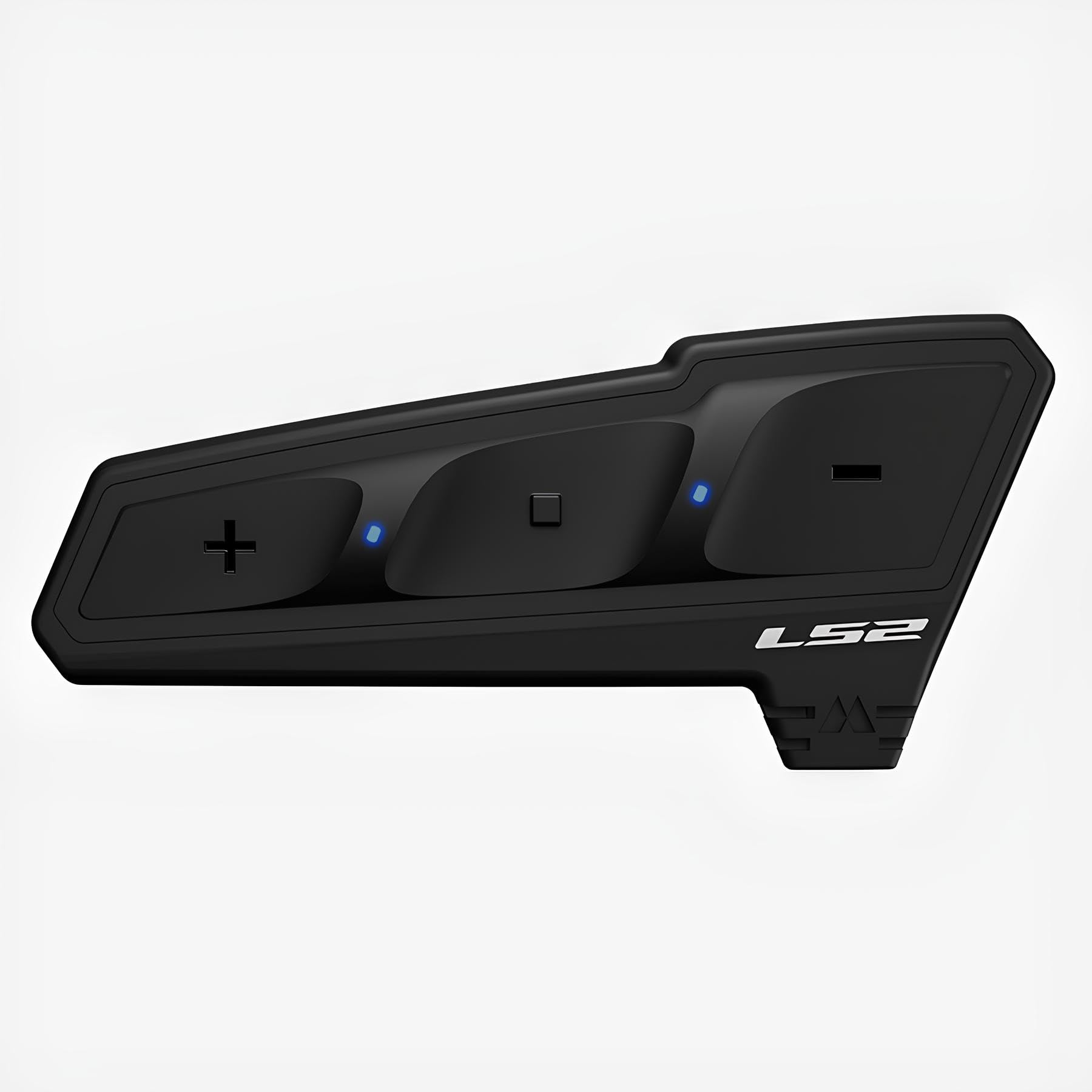
Image: The LS2 Spectrum Bluetooth Intercom device. This image shows the sleek, black unit with control buttons, designed to be mounted on a helmet.
Иштөө нускамалары
Күйгүзүү/өчүрүү
- Күйгүзүү үчүн: Press and hold the Power button for approximately 3 seconds until you hear an audible confirmation.
- Өчүрүү үчүн: Press and hold the Power button for approximately 5 seconds until you hear an audible confirmation.
Bluetooth Pairing (First Time)
- With the device off, press and hold the Power button for about 7 seconds until the LED indicator flashes red and blue, indicating pairing mode.
- Смартфонуңузда же GPS түзмөгүңүздө Bluetooth'ду күйгүзүп, жеткиликтүү түзмөктөрдү издеңиз.
- Select "LS2 Spectrum" from the list of found devices.
- Жупташкандан кийин LED индикатору жай көк түстө күйөт.
Домофондук байланыш
- Домофонду иштетүү: Briefly press the Intercom button to start a conversation with a paired intercom unit.
- Домофондун аякташы: Briefly press the Intercom button again to end the conversation.
- Multi-Party Intercom: Follow the specific instructions in the full manual for pairing and managing up to four intercom units for group conversations.
Телефон чалуулар
- Чалууга жооп берүү: Телефон баскычын кыскача басыңыз.
- Чалууну аяктоо: Телефон баскычын кыскача басыңыз.
- Чалуудан баш тартуу: Телефон баскычын 2 секунд басып туруңуз.
- Үн менен терүү: If supported by your phone, briefly press the Voice Assistant button to activate voice dialing.
Музыканы ойнотуу
- Ойнотуу/тындыруу: Briefly press the Play/Pause button.
- Кийинки трек: Үндү катуулатуу баскычын 2 секунд басып туруңуз.
- Мурунку трек: Үндү азайтуу баскычын 2 секунд басыңыз.
Үндү тууралоо
- Көлөмүн жогорулатуу: Үндү катуулатуу баскычын кыскача басыңыз.
- Көлөмдү азайтуу: Үндү азайтуу баскычын кыскача басыңыз.
Техникалык тейлөө
- Тазалоо: жумшак колдонуу, damp cloth to clean the exterior of the intercom unit. Avoid using harsh chemicals or abrasive cleaners.
- Сактагыч: When not in use for extended periods, store the device in a cool, dry place. Ensure it is fully charged before storing to prolong battery life.
- Батареяга кам көрүү: Do not expose the battery to extreme temperatures. Follow local regulations for battery disposal.
Проблемаларды чечүү
| Көйгөй | Мүмкүн себеп | Чечим |
|---|---|---|
| Түзмөк күйбөйт. | Батарея аз. | Берилген USB кабелин колдонуу менен аппаратты толугу менен заряддаңыз. |
| Смартфон менен жупташтыруу мүмкүн эмес. | Device not in pairing mode; Bluetooth off on phone. | Ensure the intercom is in pairing mode (flashing red/blue). Enable Bluetooth on your phone and retry pairing. |
| Intercom communication is unclear or has static. | Out of range; interference; microphone not positioned correctly. | Move closer to the other intercom unit. Check for sources of interference. Adjust microphone position. |
| Динамиктерден аудио жок. | Speakers not connected; volume too low; faulty speakers. | Check speaker connections. Increase volume. If problem persists, contact support. |
Техникалык шарттар
- Bluetooth версиясы: 5.1
- Intercom Capacity: 4 атчанга чейин
- Maximum Intercom Range: 1200 метр
- Сүйлөшүү убактысы: 20 саатка чейин
- Аудио технологиясы: RCF Ultra HD Audio, 40 mm speakers
- Ызы -чууну жокко чыгаруу: AI менен иштейт
- Суу каршылык: Ооба (Суу өткөрбөйт)
- Байланыш: Universal (compatible with other brands)
- Шайкеш түзмөктөр: Smartphone, GPS, Tablet, TFT displays
- Заряддоо порту: USB
- Материал: Пластик
- Салмагы: Болжол менен 330 г
- Өлчөмдөрү: 11.7 x 11.2 x 10.7 cm (Package dimensions, actual device dimensions are ultra-thin)
Коопсуздук маалыматы
Эскертүү: This device may cause interference with other wireless devices. Always follow the operating instructions and battery disposal guidelines carefully to ensure safe use and environmental protection.
Do not attempt to disassemble or modify the device. Doing so may void the warranty and could result in injury or damage to the product.
Кепилдик жана колдоо
For warranty information and technical support, please refer to the official LS2 website or contact your authorized LS2 dealer. Keep your proof of purchase for warranty claims.
Эскертүү: Кепилдиктин конкреттүү шарттары жана шарттары аймакка жараша өзгөрүшү мүмкүн.


