1. Киришүү
The Brother HL-L1242W is a compact monochrome laser printer designed for efficient printing in home or small office environments. This manual provides essential information for setting up, operating, and maintaining your printer to ensure optimal performance.
Негизги өзгөчөлүктөр төмөнкүлөрдү камтыйт:
- Compact design for small spaces.
- Print speeds up to 20 pages per minute.
- Versatile connectivity with Wi-Fi (5 GHz) and USB.
- Support for printing from PCs and mobile applications.
- 150-sheet paper input tray.
- Includes a starter toner cartridge for up to 450 pages.
2. Баштапкы орнотуу
2.1 Принтерди таңгактан чыгаруу
Принтерди таңгагынан этияттык менен чыгарыңыз. Принтердин сыртынан жана ичинен бардык коргоочу ленталарды жана таңгактоочу материалдарды алып салыңыз.
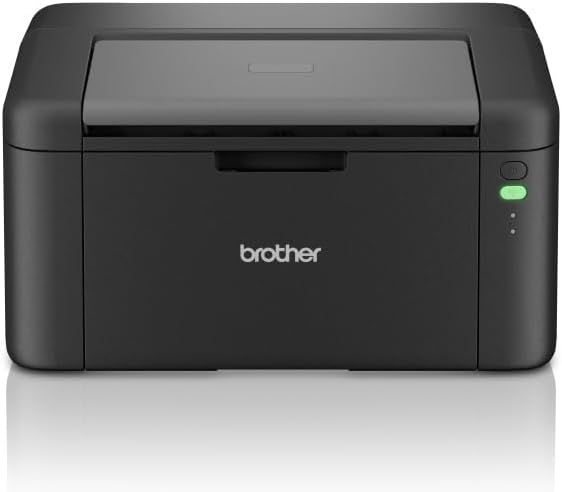
Сүрөт 1: Алдыңкы view of the Brother HL-L1242W printer, showing its compact design and control panel on the right side.
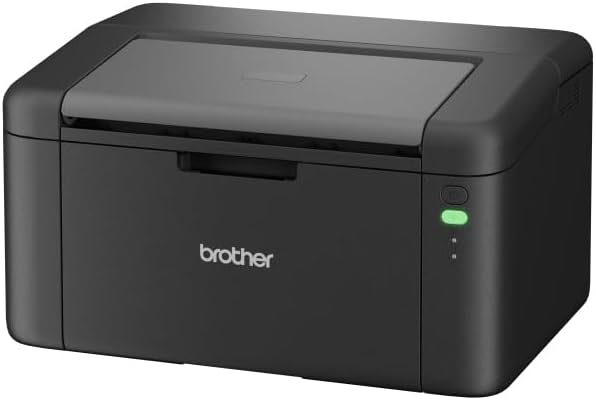
2-сүрөт: бурчтуу фронт view of the Brother HL-L1242W printer, highlighting its sleek, black finish and output tray.
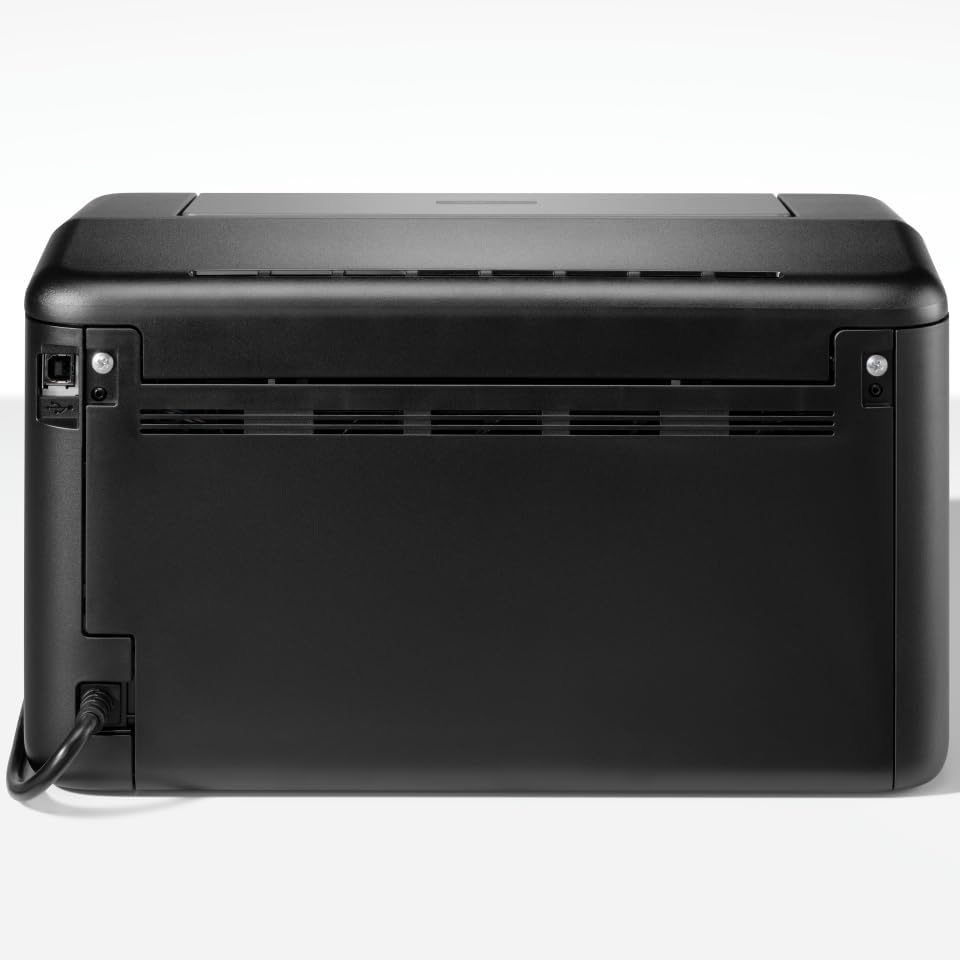
3-сүрөт: Арткы view of the Brother HL-L1242W printer, displaying the power input and USB port.
2.2 Тонер-картриджди орнотуу
- Open the front cover of the printer to access the toner compartment.
- Locate the orange protective paper inside the compartment. This paper is attached to the toner support.
- Gently remove the toner support to detach the orange paper.
- Unpack the new toner cartridge from its sealed bag. Remove any orange plastic protective pieces from the toner cartridge.
- Insert the toner cartridge into the drum unit. Ensure it clicks into place.
- Slide the combined toner and drum unit back into the printer until it locks securely.
- алдыңкы капкакты жабыңыз.
2.3 Кубат туташтыруу
Connect the AC power cable to the printer and then to a power outlet. Press the power button to turn on the printer.
2.4 Connectivity and Driver Installation
Your Brother HL-L1242W printer supports both USB and Wi-Fi connectivity.
USB туташуу:
- Принтерди компьютериңизге USB кабели аркылуу туташтырыңыз (кошумча эмес).
- Install the printer drivers from the official Brother support website. Follow the on-screen instructions.
Wi-Fi туташуусу:
- Download the Brother iPrint&Scan app on your mobile device or visit the Brother support website for PC/Mac setup.
- Follow the instructions provided by the app or website to connect your printer to your wireless network. This process typically involves selecting your Wi-Fi network and entering the password.
- Ensure your printer and device are on the same network for successful wireless printing.
3. Операция
3.1 Кагазды жүктөө
Open the paper tray and load up to 150 sheets of plain or recycled A4 paper. Adjust the paper guides to fit the paper size.

Figure 4: A user loading paper into the front paper tray of the Brother HL-L1242W printer.
3.2 Документтерди басып чыгаруу
Once the printer is connected and drivers are installed, you can print from your computer or mobile device.
- Сиз басып чыгарууну каалаган документти же сүрөттү ачыңыз.
- Select the "Print" option from your application's menu (e.g., File > Басып чыгаруу).
- Choose your Brother HL-L1242W printer from the list of available printers.
- Керектүү түрдө басып чыгаруу орнотууларын тууралаңыз (мисалы, көчүрмөлөрдүн саны, кагаз өлчөмү).
- "Басып чыгаруу" баскычын чыкылдатыңыз.
3.3 Дуплекс (эки тараптуу) басып чыгаруу
The HL-L1242W supports manual duplex printing.
- Басып чыгаруу жөндөөлөрүңүздөн кол менен дуплекстүү басып чыгаруу опциясын тандаңыз.
- The printer will first print all odd-numbered pages.
- Once the first side is printed, a prompt will appear on your computer screen instructing you to reinsert the printed pages into the paper tray. Follow the on-screen instructions carefully regarding paper orientation.
- Confirm the reinsertion, and the printer will then print the even-numbered pages on the reverse side.
4. Техникалык тейлөө
4.1 Тонер картриджди алмаштыруу
When the toner cartridge is low or empty, the printer's status indicator will alert you. Replace the toner cartridge with a genuine Brother TN-1150 toner cartridge for optimal print quality and printer longevity.
- Принтер күйгүзүлгөнүн текшериңиз.
- Алдыңкы капкакты ачыңыз.
- Remove the old toner cartridge and drum unit assembly.
- Separate the old toner cartridge from the drum unit. Dispose of the old toner cartridge according to local regulations.
- Unpack the new toner cartridge and install it into the drum unit until it locks.
- Reinsert the toner and drum unit assembly into the printer.
- алдыңкы капкакты жабыңыз.
The included starter toner cartridge is rated for approximately 450 pages. Actual yield may vary based on usage.
4.2 Принтерди тазалоо
Үзгүлтүксүз тазалоо басып чыгаруу сапатын сактоого жардам берет жана принтериңиздин иштөө мөөнөтүн узартат.
- Сырткы: Wipe the exterior of the printer with a soft, lint-free cloth. Do not use abrasive cleaners or solvents.
- Ички иштер: Periodically open the front cover and gently wipe away any loose toner dust with a dry, lint-free cloth. Avoid touching the drum unit's surface directly.
5. Кыйынчылыктарды
This section addresses common issues you might encounter with your Brother HL-L1242W printer.
5.1 Принтер жооп бербей жатат
- Принтер күйгүзүлгөнүн жана электр кабели бекем туташтырылганын текшериңиз.
- Check USB cable connections if using a wired connection.
- For Wi-Fi, verify that the printer is connected to your network and that your computer/mobile device is on the same network. Restarting the printer and your router may resolve connectivity issues.
- Confirm that the correct printer driver is installed and selected on your computer.
5.2 Басып чыгаруу сапатынын начардыгы
- Check the toner level. Replace the toner cartridge if it is low or empty.
- Ensure you are using appropriate paper for laser printing.
- Clean the drum unit and other internal components as described in the maintenance section.
5.3 Кагаз тыгындары
- Turn off the printer and unplug it from the power outlet.
- Carefully open all covers and gently remove any jammed paper. Avoid tearing the paper, as small pieces can cause further issues.
- Ensure the paper is loaded correctly in the paper tray and that the paper guides are adjusted properly.
- Бардык капкактарды жаап, принтерди сайып, кайра күйгүзүңүз.
For more detailed troubleshooting, refer to the Brother support webсайтка же кардарларды тейлөөгө кайрылыңыз.
6. Техникалык шарттар
| Өзгөчөлүк | Спецификация |
|---|---|
| Модель аты | HL-L1242W |
| принтер түрү | Монохромдук лазер |
| Максималдуу басып чыгаруу ылдамдыгы (монохромдуу) | Мүнөтүнө 20 бетке чейин |
| Максималдуу басып чыгаруу чечими | 2400 x 600 dpi |
| Дуплекстүү басып чыгаруу | Manual |
| Байланыш | Wi-Fi (5 ГГц), USB |
| Кагаз киргизүү сыйымдуулугу | 150 баракка чейин |
| Максималдуу медиа өлчөмү | A4 (210 x 297 мм) |
| Колдоого алынган медиа түрлөрү | Plain paper, Recycled paper |
| Энергияны керектөө | 380 Ватт (басып чыгаруу) |
| Өлчөмдөр (D x W x H) | 23.8 см х 34 см х 18.9 см |
| Салмагы | 4764 грамм |
| Камтылган компоненттер | Brother HL-L1242W Printer, Starter Toner Cartridge(s), AC Power Cable, Warranty Card |
7. Кепилдик жана колдоо
7.1 Продукциянын кепилдиги
The Brother HL-L1242W printer comes with a standard manufacturer's warranty. Please refer to the warranty card included in your product packaging for specific terms, conditions, and duration of coverage.
7.2 Кардарларды колдоо
For technical assistance, driver downloads, FAQs, and additional support resources, please visit the official Brother support website. You can also contact Brother customer service for personalized help.


