1. Киришүү
Thank you for choosing the PEICHENG Android 15.0 10-inch Tablet. This manual provides essential information for setting up, operating, and maintaining your device. Please read it thoroughly to ensure optimal performance and longevity of your tablet.
2. Кутуда эмне бар
Таңгактан чыгаргандан кийин, төмөндө көрсөтүлгөн нерселердин бардыгы бар экенин текшериңиз:
- PEICHENG Android 15.0 10-inch Tablet
- Bluetooth баскычтоп
- Зымсыз чычкан
- Стилус калеми
- Foldable Protective Case
- USB заряддоо кабели
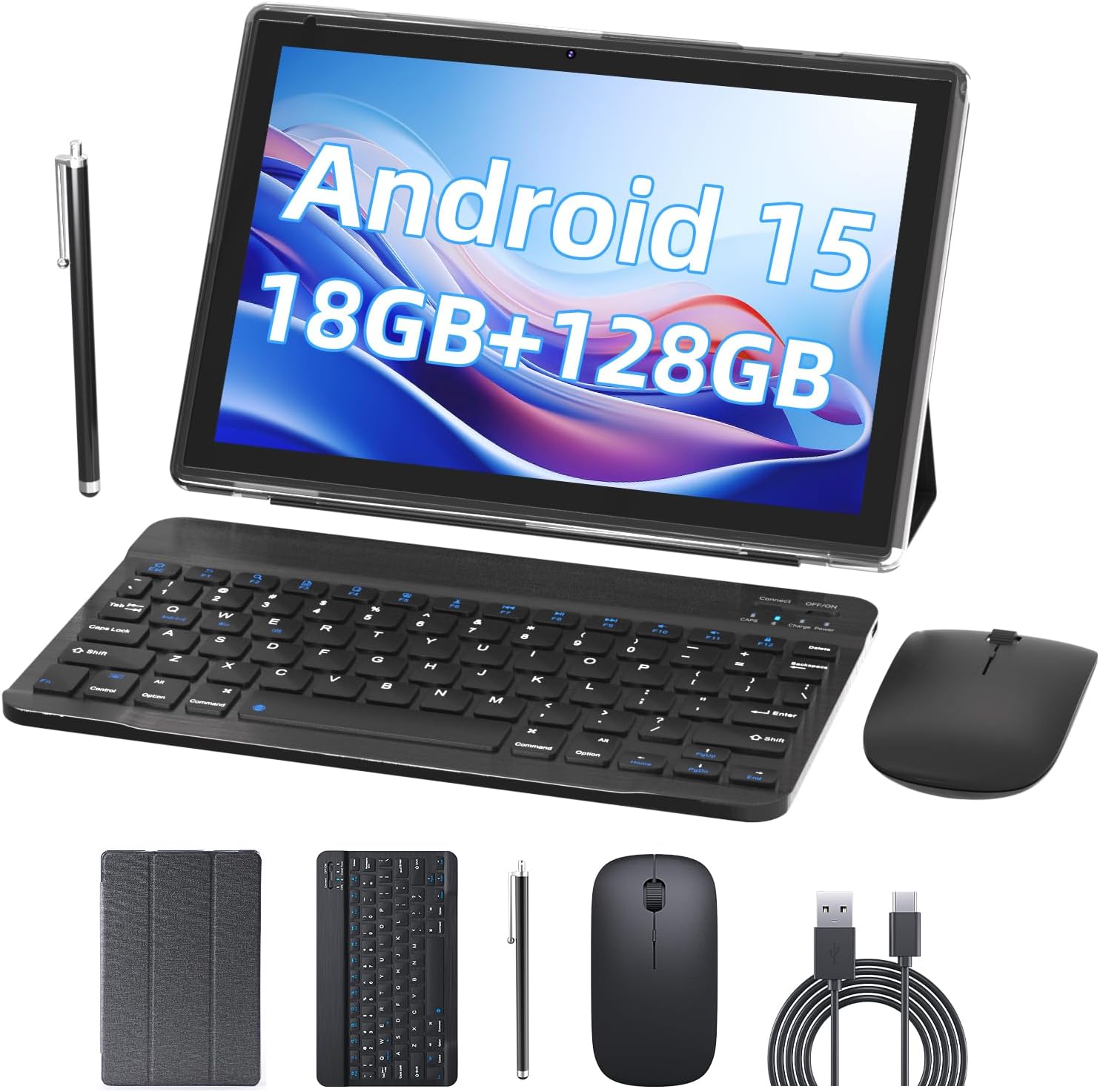
Image 2.1: Contents of the PEICHENG Tablet package, including the tablet, keyboard, mouse, stylus, case, and charging cable.
3. Продукт бүтүп калдыview
The PEICHENG 10-inch Tablet is designed for versatility and performance. It features a 10.1-inch IPS display, front and rear cameras, and various ports for connectivity. Familiarize yourself with the device's layout for ease of use.
3.1 Негизги компоненттер
- Дисплей: 10.1-inch IPS touchscreen (1280x800 resolution).
- Камералар: 8MP Rear Camera, 2MP Front Camera.
- Порттор: USB-C port for charging and data transfer, MicroSD card slot.
- Баскычтар: Power button, Volume Up/Down.
4. Орнотуу
4.1 Алгачкы заряддоо
Before first use, fully charge your tablet using the provided USB charging cable and a compatible power adapter. The charging indicator will typically show progress and turn off when fully charged.
4.2 Күйгүзүү/өчүрүү
- Күйгүзүү үчүн: Экран күйгүчө кубат баскычын басып, кармап туруңуз.
- Өчүрүү үчүн: Кубат баскычын басып, кармап туруңуз, андан кийин экрандагы параметрлерден "Өчүрүү" дегенди тандаңыз.
4.3 Баштапкы конфигурация
Upon first startup, follow the on-screen prompts to:
- Каалаган тилиңизди тандаңыз.
- Wi-Fi тармагына туташыңыз.
- Google аккаунтуңуз менен кириңиз же жаңысын түзүңүз.
- Set up security features (PIN, pattern, or password).

Image 4.1: The PEICHENG Tablet configured for use with its accessories, suitable for various tasks.
5. Иштөө нускамалары
5.1 Android 15.0 операциялык системасы
Your tablet runs on the Android 15.0 operating system, offering a user-friendly interface and access to a vast ecosystem of applications via the Google Play Store.
5.2 Негизги навигация
- Серпүү: Мазмунду сыдыруу же үй экрандарынын ортосунда которулуу үчүн манжаңызды экранда жылдырыңыз.
- таптаңыз: Touch an icon or item once to open or select it.
- Узак басуу: Press and hold an item for additional options or to move it.
- Чымчып-кичирейтүү: Сүрөттөрдү чоңойтуу же кичирейтүү үчүн эки манжаңызды колдонуңуз жана web барактар.
5.3 Колдонмо башкаруу
Download and install applications from the Google Play Store. To uninstall an app, long-press its icon and drag it to the 'Uninstall' option.
5.4 Дисплейдин өзгөчөлүктөрү
The 10.1-inch IPS display provides clear visuals. Utilize the 'Reading Mode' feature in the display settings to reduce harmful blue light, enhancing comfort during extended reading sessions.

Image 5.1: The tablet screen showcasing multiple applications and web content, demonstrating its multitasking capabilities.
6. Аксессуарлар
Your PEICHENG Tablet comes with a suite of accessories to enhance its functionality.
6.1 Bluetooth клавиатурасы
Жупташтыруу: Баскычтопту күйгүзүп, планшетиңиздеги Bluetooth'ду иштетиңиз. Издөө available devices and select the keyboard to pair. Once connected, you can use it for typing, similar to a laptop.
6.2 Зымсыз чычкан
Жупташтыруу: Similar to the keyboard, turn on the mouse and enable Bluetooth on your tablet. Pair the mouse through the Bluetooth settings. The mouse provides precise navigation and control.
6.3 Стилус калеми
The stylus allows for more precise input, drawing, and note-taking on the touchscreen. No pairing is required for basic functionality.
6.4 Коргоочу кап
The foldable protective case safeguards your tablet from scratches and minor impacts. It also functions as a stand, allowing for comfortable viewбурчтарды терүү жана терүү.

Image 6.1: The PEICHENG Tablet with its keyboard and mouse, demonstrating its capability as a portable workstation.
7. Батареяны башкаруу
The tablet is equipped with a 6000mAh battery, providing extended usage time.
7.1 Заряддоо
Use the provided USB-C cable to charge the tablet. It is recommended to use a compatible charger to ensure efficient and safe charging.
7.2 Battery Life Tips
- Экран жарыктыгын азайтыңыз.
- Колдонулбай турган учурда Wi-Fi жана Bluetooth'ду өчүрүп коюңуз.
- Фондо иштеп жаткан колдонулбаган колдонмолорду жабуу.
- Enable power-saving modes in settings.
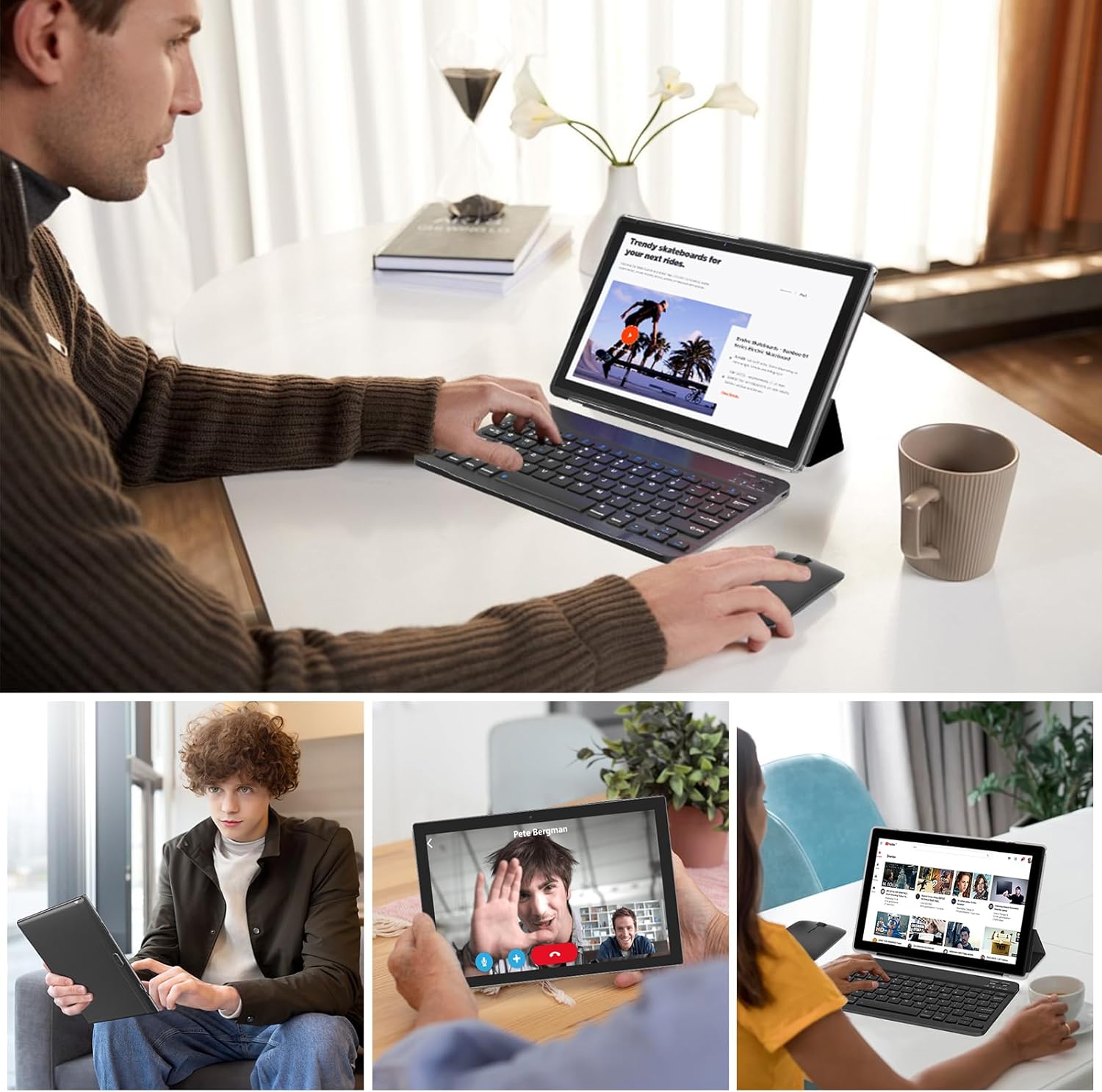
Image 7.1: Visual representation of the tablet's 6000mAh battery, highlighting its extended endurance.
8. Байланыш
8.1 Wi-Fi 6.0
The tablet supports 2.4GHz and 5GHz Wi-Fi 6.0, providing faster and more stable wireless connections. To connect, go to Орнотуулар > Тармак жана интернет > Wi-Fi, тармагыңызды тандап, сырсөздү киргизиңиз.
8.2 Bluetooth 5.0
Bluetooth 5.0 allows for efficient connection to wireless accessories like headphones, speakers, and the included keyboard and mouse. Enable Bluetooth in Орнотуулар> Туташкан түзмөктөр> Байланыштын каалоолору> Bluetooth and pair your devices.
9. Сактагычты кеңейтүү
The tablet comes with 128GB of internal storage and 18GB RAM (6GB physical + 12GB virtual). For additional storage, you can expand it up to 2TB using a MicroSD card (not included). Insert the MicroSD card into the designated slot on the tablet.

Image 9.1: The tablet's storage capabilities, highlighting its 18GB RAM, 128GB internal storage, and support for up to 2TB MicroSD expansion.
10. Камераны колдонуу
The tablet features an 8MP rear camera and a 2MP front camera. Open the Camera app to capture photos and videos. The front camera is ideal for video calls and selfies.
11. Техникалык тейлөө
11.1 Тазалоо
Use a soft, lint-free cloth to clean the screen and body of the tablet. Avoid using harsh chemicals or abrasive materials. For stubborn smudges, a screen cleaner designed for electronics can be used sparingly.
11.2 Программалык камсыздоо жаңыртуулары
Планшетиңизде эң акыркы функциялар, коопсуздук жаңыртуулары жана майнаптуулугу жакшыртылганын текшерүү үчүн программалык камсыздоо жаңыртууларын дайыма текшерип, орнотуп алыңыз. барыңыз Орнотуулар > Система > Системаны жаңыртуу.
12. Кыйынчылыктарды
Эгерде сиз планшетиңизде көйгөйлөргө туш болсоңуз, төмөнкү кеңири таралган чечимдерди караңыз:
- Түзмөк күйбөй жатат: Батарея заряддалганын текшериңиз. Заряддагычты туташтырыңыз жана кайра күйгүзүү аракетинен мурун бир нече мүнөт күтүңүз.
- Экран жооп бербейт: Try restarting the tablet by holding the Power button for about 10-15 seconds.
- Wi-Fi туташуу көйгөйлөрү: Wi-Fi роутериңизди жана планшетиңизди өчүрүп-күйгүзүңүз. Планшеттин жөндөөлөрүнөн тармакты унутуп, кайра туташтырыңыз.
- Колдонмолор бузулуп жатат: Көйгөйлүү колдонмонун кэшин тазалоо (Орнотуулар > Колдонмолор > [Колдонмонун аты] > Сактагыч жана кэш > Кэшти тазалоо). Эгер көйгөй чечилбесе, колдонмону кайра орнотуп көрүңүз.
- Жай аткаруу: Колдонулбаган колдонмолорду жаап, кэшти тазалап, жетиштүү сактагыч орунду камсыз кылыңыз. Акыркы чара катары заводдук жөндөөлөргө кайтарууну карап көрүңүз (Орнотуулар > Система > Параметрлерди баштапкы абалга келтирүү > Бардык дайындарды тазалоо (деск. баштапкы абалга келтирүү) - Note: This will delete all data on your tablet. Back up important fileс биринчи.).
13. Техникалык шарттар
| Өзгөчөлүк | Спецификация |
|---|---|
| Бренд | ПЕЙЧЕНГ |
| Модель аты | 10.1 inch Tablet |
| Операция системасы | Android 15.0 |
| Screen Size | 10.1 дюйм |
| Max Screen Resolution | 1280x800 IPS |
| RAM | 18 ГБ (6 ГБ физикалык + 12 ГБ кеңейтүү) |
| Ички сактагыч | 128 ГБ ROM |
| Кеңейтүүчү сактагыч | MicroSD картасы аркылуу 2 ТБ чейин |
| Процессор | 2.0 ГГц төрт ядролуу |
| Wi-Fi туташуусу | 2.4G/5G Wi-Fi 6.0 |
| Bluetooth | Bluetooth 5.0 |
| Алдыңкы камера | 2MP |
| Арткы камера | 8MP |
| Батарея сыйымдуулугу | 6000mAh |
| Өлчөмдөрү (LxWxH) | 10.1 x 4.85 x 0.4 дюйм |
| Элемент Салмагы | 2.66 фунт |
14. Кепилдик жана колдоо
For warranty information and technical support, please refer to the documentation provided with your purchase or contact PEICHENG customer service. Keep your proof of purchase for warranty claims.


